
Lumoday LMD-36
Lumoday LMD-36 Nordic Wood Grain Digital Alarm Clock User Manual
Model: LMD-36
1. Увод
Хвала вам на куповиниasing the Lumoday LMD-36 Digital Alarm Clock. This manual provides detailed instructions for setting up, operating, and maintaining your new alarm clock. Please read this manual thoroughly before use to ensure proper functionality and to maximize your product experience.
2. Садржај пакета
Молимо вас да проверите садржај пакета након распакивања:
- Lumoday LMD-36 Digital Alarm Clock (1 unit)
- USB Power Adapter (5V2.4A) (1 unit)
- USB-A to DC Power Cable (1 unit)
- Кориснички приручник (овај документ)
Note: AAA batteries for backup are not included and must be purchased separately.
3. Производ је готовview
The Lumoday LMD-36 features a large LED display with a Nordic wood grain design, blending seamlessly into various room decors. It offers multiple functions for convenience and reliability.

Слика 3.1: Фронт view of the Lumoday LMD-36 Digital Alarm Clock, showing the large LED display with time 5:25 AM.
Кључне карактеристике:
- Велики ЛЕД екран: 1.8-inch digits for clear visibility.
- 3-степено подешавање осветљености: Customize display brightness for day or night.
- Двоструки аларми: Set two independent alarms for different schedules (e.g., weekday and weekend).
- Adjustable Snooze Function: Snooze duration can be set to 5, 10, or 15 minutes.
- УСБ портови за пуњење: Includes one USB-A and one USB-C port for charging external devices.
- Резервна батерија: Maintains time and alarm settings for up to 72 hours during power outages (потребне су 2 ААА батерије, нису укључене).
- Nordic Wood Grain Design: Aesthetic design to complement home decor.
4. Подешавање
4.1 Прикључак за напајање
- Insert the DC plug of the power cable into the DC IN port on the back of the alarm clock.
- Connect the USB-A end of the power cable to the provided 5V2.4A USB power adapter.
- Укључите адаптер за напајање у стандардну зидну утичницу. ЛЕД дисплеј ће се упалити.

Слика 4.1: Позади view of the alarm clock, highlighting the USB-A, USB-C, and DC power input ports.
4.2 Инсталација резервне батерије
- Пронађите одељак за батерије на дну будилника.
- Отворите поклопац батерије.
- Insert two (2) AAA batteries (not included) according to the polarity markings (+ and -).
- Добро затворите поклопац батерије.
The backup batteries will preserve time and alarm settings during a power outage but will not power the display or alarm sound.

Слика 4.2: Дно view of the alarm clock, showing the battery compartment for AAA batteries.
5. Упутство за употребу
5.1 Подешавање времена
- Притисните и држите ВРЕМЕНСКИ СКЛОП button (often labeled with a clock icon or "SET") until the hour digits begin to flash.
- Притисните тастер HR dugme za podešavanje sata.
- Притисните тастер МИН dugme za podešavanje minuta.
- Притисните тастер ВРЕМЕНСКИ СКЛОП поново притисните дугме да бисте потврдили и изашли из режима подешавања времена.
Слика 5.1: Top panel of the alarm clock with control buttons for setting time and alarms.
5.2 Подешавање аларма (Аларм 1 и Аларм 2)
This clock supports two independent alarms. The process is identical for both.
- Притисните и држите АЛАРМ 1 button (bell icon with '1') until the hour digits for Alarm 1 begin to flash.
- Притисните тастер HR dugme za podešavanje sata alarma.
- Притисните тастер МИН dugme za podešavanje minuta alarma.
- Притисните тастер АЛАРМ 1 button again to confirm the time. The alarm icon will appear on the display, indicating it is active.
- To set Alarm 2, repeat steps 1-4 using the АЛАРМ 2 button (bell icon with '2').
Да бисте деактивирали аларм, притисните одговарајуће АЛАРМ button once. The alarm icon will disappear from the display.

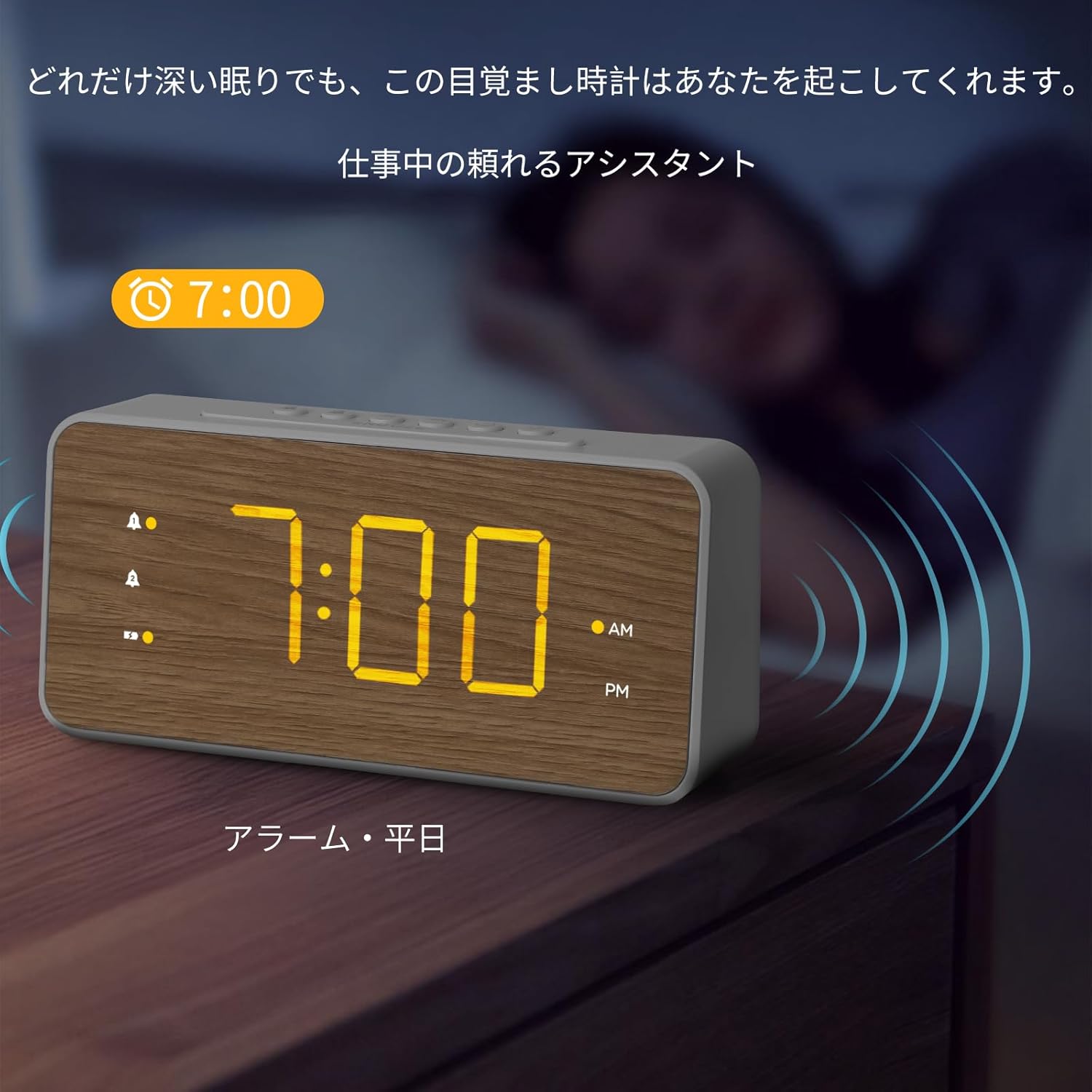
Слика 5.2: The alarm clock displaying an active alarm for 7:00 AM, suitable for weekday use.

Слика 5.3: The alarm clock displaying an active alarm for 10:00 AM, suitable for weekend use.
5.3 Подешавање јачине звука аларма
The alarm volume can be adjusted to three levels.
- While an alarm is sounding, press the ВОЛ button (speaker icon) repeatedly to cycle through the three volume levels (L1, L2, L3).
- The selected volume level will be displayed briefly.
5.4 Функција одлагања
Када се огласи аларм, притисните велико СНООЗЕ button on the top of the clock to temporarily silence the alarm. The alarm will sound again after the preset snooze duration.
To adjust the snooze duration (5, 10, or 15 minutes):
- Притисните и држите СНООЗЕ button until the current snooze duration flashes.
- Притисните тастер HR or МИН button to cycle through 5, 10, or 15 minutes.
- Притисните тастер СНООЗЕ поново дугме за потврду.
Слика 5.4: Top panel of the alarm clock, highlighting the SNOOZE button for temporary alarm silencing.
5.5 Подешавање осветљености екрана
The LED display has three brightness levels.
- Притисните тастер БРИГХТНЕСС button (sun icon) repeatedly to cycle through the three brightness levels (High, Medium, Low).
- Select the desired brightness for comfortable viewинг.

Слика 5.5: The alarm clock demonstrating various brightness levels of its LED display.
5.6 УСБ порта за пуњење
The alarm clock is equipped with a USB-A and a USB-C charging port on the back.
- Connect your smartphone, earbuds, or other USB-powered devices to either the USB-A or USB-C port using their respective charging cables.
- The clock will provide power to charge your devices.
Слика 5.6: A smartphone connected to the USB-C port of the alarm clock for charging.
6. Одржавање
- Очистите сат меком, сувом крпом. Не користите абразивна средства за чишћење или раствараче.
- Држите сат даље од директне сунчеве светлости, екстремних температура и високе влажности.
- Ако се сат неће користити дуже време, извадите резервне ААА батерије да бисте спречили цурење.
КСНУМКС. Решавање проблема
| Проблем | Могући узрок | Решење |
|---|---|---|
| Екран је празан или замагљен. | Power adapter not connected or faulty. Brightness set too low. | Ensure power adapter is securely connected. Press the BRIGHTNESS button to increase display brightness. |
| Аларм се не оглашава. | Alarm not activated. Alarm volume set too low. | Ensure the alarm icon is visible on the display. Adjust alarm volume using the VOL button. |
| Време/подешавања изгубљена након нестанка струјеtage. | Резервне батерије нису инсталиране или су испражњене. | Install new AAA batteries in the battery compartment. |
| УСБ пуњење не ради. | Device cable faulty. Device not compatible. | Try a different USB cable or device. Ensure the clock is powered via the adapter. |
8. Спецификације
| Феатуре | Детаљ |
|---|---|
| Број модела | ЛМД-36 |
| Бранд | Lumoday |
| Дисплаи Типе | ЛЕД |
| Величина екрана | 1.8-inch digits |
| Бригхтнесс Левелс | 3 нивоа |
| Alarm Quantity | 2 (Dual Alarms) |
| Трајање одлагања | 5, 10, 15 minutes (adjustable) |
| Портови за пуњење | 1 к УСБ-А, 1 к УСБ-Ц |
| Повер Инпут | DC Power Cord (5V2.4A adapter included) |
| Баттери Бацкуп | 2 x AAA batteries (not included), up to 72 hours |
| Димензије (Ш к В) | 20.7 цм x 9.6 цм (приближно 8.15 x 3.78 инча) |
| Материјал | АБС (акрилонитрил бутадиен стирен) |
| Боја | White with Wood Grain finish |
9. Гаранција и подршка
Lumoday products come with a standard manufacturer's warranty. For specific warranty details, please refer to the warranty card included in your package or contact Lumoday customer support. If you encounter any issues or have questions regarding your LMD-36 Digital Alarm Clock, please contact our support team via the contact information provided on the product packaging or our official webсајту.
10. Additional Product Information
Видео снимци производа
Видео 10.1: Ан оверview of the Lumoday LMD-36 Digital Alarm Clock's features, including its design, dual alarm settings, brightness adjustment, snooze function, and USB charging capabilities. This video demonstrates the clock in various settings like a bedroom, office, and living room, showcasing its versatility and ease of use.
Ask a question about this manual
Ask about setup, troubleshooting, compatibility, parts, safety, or missing instructions. Manuals+ will review the question and use this page’s manual context to help answer it.