
Увод
Хвала вам на куповиниasing the Hisense 43A69Q 4K UHD Smart VIDAA TV. This manual provides essential information for setting up, operating, and maintaining your television. Please read it thoroughly before using the product to ensure safe and correct operation. Keep this manual for future reference.
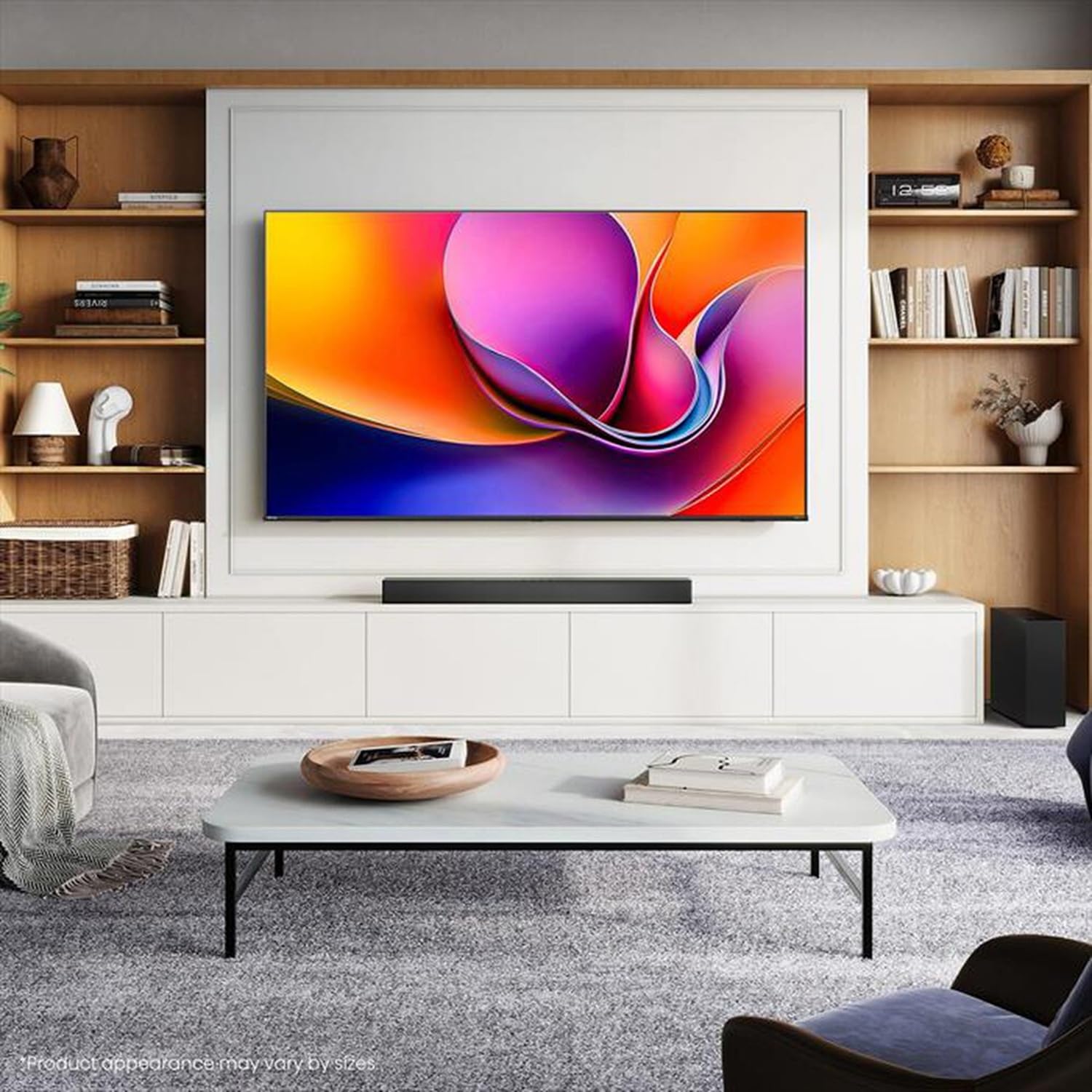
Image: Hisense 43A69Q 4K UHD Smart VIDAA TV. This image shows the television from the front, highlighting its slim bezel design and display.
Безбедносне информације
Увек се придржавајте ових основних мера предострожности када користите телевизор:
- Не излажите телевизор киши или влази.
- Do not open the TV cabinet. Refer all servicing to qualified personnel.
- Обезбедите одговарајућу вентилацију око телевизора. Не блокирајте вентилационе отворе.
- Заштитите кабл за напајање од гажења или прикљештења.
- Искључите телевизор из струје током олуја са грмљавином или када га не користите дуже време.
- Keep the TV away from heat sources like radiators, heat registers, stoves, or other heat-producing appliances.
Шта је у кутији
Проверите да ли су све компоненте присутне:
- Hisense 43A69Q 4K UHD Smart VIDAA TV
- Даљински управљач са батеријама
- Повер Цорд
- Компоненте ТВ постоља (2 ноге)
- Вијци за монтажу постоља
- Водич за брзо подешавање
- Кориснички приручник (овај документ)
Сетуп
1. Распакивање
Carefully remove the TV from its packaging. It is recommended that two people handle the TV to prevent damage or injury. Retain the packaging materials for future transport or servicing.
2. Инсталација постоља
If you are not wall-mounting the TV, attach the stand:
- Поставите телевизор лицем надоле на меку, чисту површину како бисте спречили оштећење екрана.
- Поравнајте сваку ногу постоља са одговарајућим отворима на дну телевизора.
- Причврстите сваку ногу приложеним завртњима. Уверите се да су чврсто затегнути.
- Пажљиво подигните телевизор у усправан положај на стабилној, равној површини.
3. Монтажа на зид (опционо)
The Hisense 43A69Q is compatible with VESA standard wall mounts (200x300 mm). Wall mount kits are sold separately. Follow the instructions provided with your wall mount kit and ensure professional installation if you are unsure.
4. Повезивање спољних уређаја
Повежите своје уређаје са портовима телевизора:
- ДВИ: Connect Blu-ray players, game consoles, or set-top boxes to the HDMI ports (HDMI1, HDMI2, HDMI3). This model features HDMI 2.1 with ALLM and VRR (60Hz) support on all ports, and eARC on HDMI3.
- УСБ: Plug in USB drives for media playback (2 USB 2.0 ports).
- Антена/кабл: Connect your antenna or cable TV signal to the RF tuner input.
- Етхернет: За стабилну жичану интернет везу, повежите Ethernet кабл са RJ45 портом.
- Аудио излаз: Use the S/PDIF optical output for digital audio to a soundbar or receiver, or the headphone jack for private listening.
5. Power On & First-Time Setup
After connecting all devices:
- Укључите кабл за напајање у телевизор, а затим у зидну утичницу.
- Притисните дугме за напајање на даљинском управљачу или на самом телевизору.
- Пратите упутства на екрану за почетно подешавање, укључујући избор језика, мрежну везу (Wi-Fi или Ethernet) и скенирање канала.
- Log in to your VIDAA account or create a new one to access smart features.
Управљање ТВ-ом
1. Даљинско управљањеview
Familiarize yourself with the remote control buttons for basic functions like power, volume, channel, input selection, and smart app shortcuts.
2. Navigating VIDAA Smart OS
The VIDAA Smart OS provides a user-friendly interface. Use the directional buttons and OK button on your remote to navigate menus, launch applications, and adjust settings.
3. Коришћење паметних функција
Access pre-installed applications like Netflix, YouTube, and Amazon Prime Video directly from the home screen. Additional apps can be downloaded from the VIDAA App Store.
4. Picture & Sound Settings
Adjust picture modes (Standard, Dynamic, Cinema, Game) and sound modes (Standard, Music, Speech) to optimize your viewing experience. Advanced settings allow fine-tuning of brightness, contrast, color, and audio equalizer.
This TV supports Dolby Vision and HDR10 for enhanced picture quality, and DTS Virtual X for immersive audio.
5. Функције повезивања
- Wi-Fi и Bluetooth: Connect wirelessly to your home network and Bluetooth devices like headphones or speakers.
- Дељење екрана: Use built-in screen sharing features (e.g., AirPlay 2 support) to mirror content from compatible mobile devices.
- Режим игре ПЛУС: For gaming, enable Game Mode PLUS to reduce input lag (≤ 20 ms) and utilize VRR (Variable Refresh Rate) for smoother gameplay.
Одржавање
1. Чишћење телевизора
Да бисте очистили екран, нежно га обришите меком крпом која не оставља влакна. За тврдокорне мрље, благо обришитеampen the cloth with water or a specialized screen cleaner. Never spray cleaner directly onto the screen. Clean the TV cabinet with a soft, dry cloth.
2. Ажурирања софтвера
Your TV may receive software updates to improve performance and add new features. Ensure your TV is connected to the internet. You can usually check for updates in the TV's settings menu under 'System' or 'About TV'.
Решавање проблема
Ако наиђете на проблеме, испробајте ова уобичајена решења:
- Нема напајања: Проверите да ли је кабл за напајање добро прикључен и у телевизор и у зидну утичницу. Покушајте са другом утичницом.
- Нема слике/звука: Ensure the correct input source is selected. Check all cable connections. Restart connected devices.
- Даљински управљач не ради: Замените батерије. Уверите се да нема препрека између даљинског управљача и инфрацрвеног сензора телевизора.
- Проблеми са мрежном везом: Restart your router and modem. Reconnect the TV to your Wi-Fi network or check the Ethernet cable.
- Лош квалитет слике: Check antenna/cable connections. Adjust picture settings. Ensure the source content is high quality.
For persistent problems, consult the Hisense support webсајту или контактирајте корисничку подршку.
Спецификације
| Феатуре | Спецификација |
|---|---|
| Бранд | Хисенсе |
| Назив модела | 43А69К |
| Величина екрана | 43 инча (108 цм) |
| Резолуција | 4K Ultra HD 3840x2160 |
| Рефресх Рате | 60 Хз |
| Оперативни систем | ВИДАА Смарт ОС |
| ХДР технологија | HDR, HDR10, HDR10+ decoding, Dolby Vision, HLG |
| Аудио технологија | DTS Virtual X (2x7W speakers) |
| ХДМИ портови | 3 (HDMI 2.1 with ALLM, VRR (60Hz); HDMI3 also with eARC) |
| УСБ портови | 2 (УСБ 2.0) |
| Повезивање | Wi-Fi (IEEE 802.11 a/b/g/n/ac-2.4G,5G), Bluetooth, Ethernet |
| ВЕСА компатибилност | 200к300 мм |
| Класа енергетске ефикасности (SDR/HDR) | E / G |
| Димензије (са постољем) | 963 мм (Ш) к 608 мм (В) к 222 мм (Д) |
| Нето тежина (са постољем) | 6.9 кг |
Гаранција и подршка
Hisense products are covered by a manufacturer's warranty. Please refer to the warranty card included with your product or visit the official Hisense webсајт за детаљне услове гаранције специфичне за ваш регион.
За техничку подршку, помоћ у решавању проблема или захтеве за сервисирање, обратите се корисничкој подршци компаније Hisense путем њиховог званичног webсајт или контакт информације наведене у документацији вашег производа.