
1. Увод
This manual provides essential information for the safe and efficient operation of your FOXX C10 10.1-inch Android Tablet. Please read this guide thoroughly before using your device to ensure proper functionality and to understand its features. Keep this manual for future reference.
2. Шта је у кутији
Проверите да ли су све ставке присутне у пакету:
- FOXX C10 Tablet
- Кабл типа Ц
- Пуњач (10W)
- Упутство за употребу
- Protective Cover (pre-applied)
- Screen Protector Film (pre-applied)
3. Производ је готовview
The FOXX C10 tablet features a 10.1-inch HD display, dual 8MP cameras, and a robust 6000mAh battery, all powered by an Android 13 operating system.

Слика: Предња и задња страна view of the FOXX C10 tablet, showcasing its sleek design and dual camera module on the rear.

Image: An infographic highlighting key features including the 10.1-inch display, Android 13, 6000mAh battery, 8MP cameras, MediaTek quad-core chipset, 4GB RAM + 64GB storage, 4G LTE bands, Wi-Fi, Bluetooth 5.0, Nano SIM, Type-C, and 3.5mm AUX port.
3.1 Дисплеј
The tablet is equipped with a 10.1-inch HD TFT V-notch display, offering a resolution of 800x1280 pixels for clear visuals.

Image: Close-up of the tablet's 10.1-inch HD TFT V-notch display, showing vibrant colors and detail.
3.2 камере
The FOXX C10 features dual 8-megapixel cameras, both on the front and rear, enabling high-quality photos and video calls.
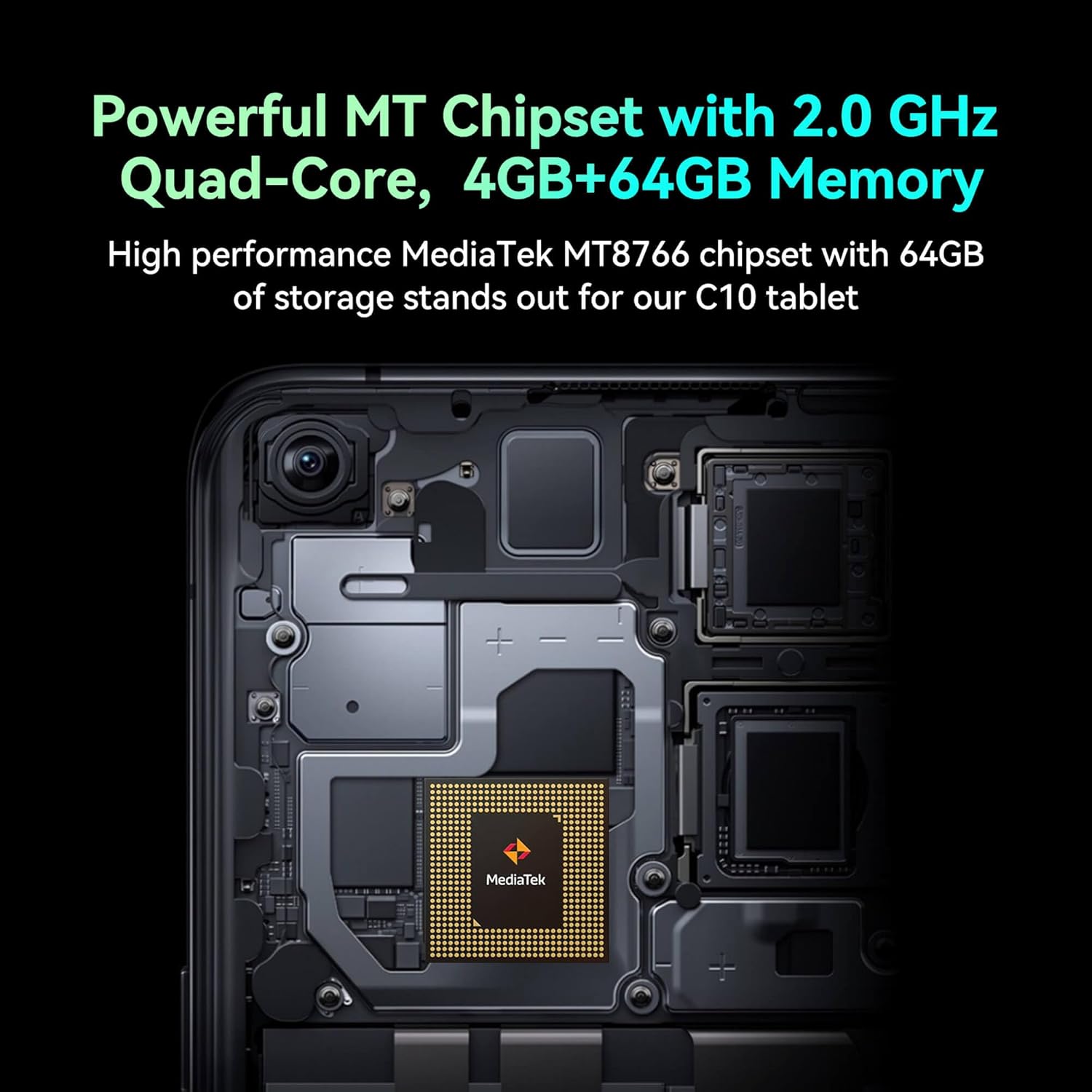
Image: Detail of the tablet's rear camera module, highlighting the 8-megapixel main camera with autofocus capabilities.
3.3 Процесор и меморија
It runs on a 2.0 GHz quad-core MediaTek MT8766 chipset, paired with 4GB of RAM and 64GB of internal storage for smooth performance and ampле спаце.

Слика: Интерна view of the tablet's motherboard, showcasing the MediaTek MT8766 quad-core chipset.
3.4 Батерија
A 6000mAh battery provides extended usage time, ensuring the device stays powered throughout the day.
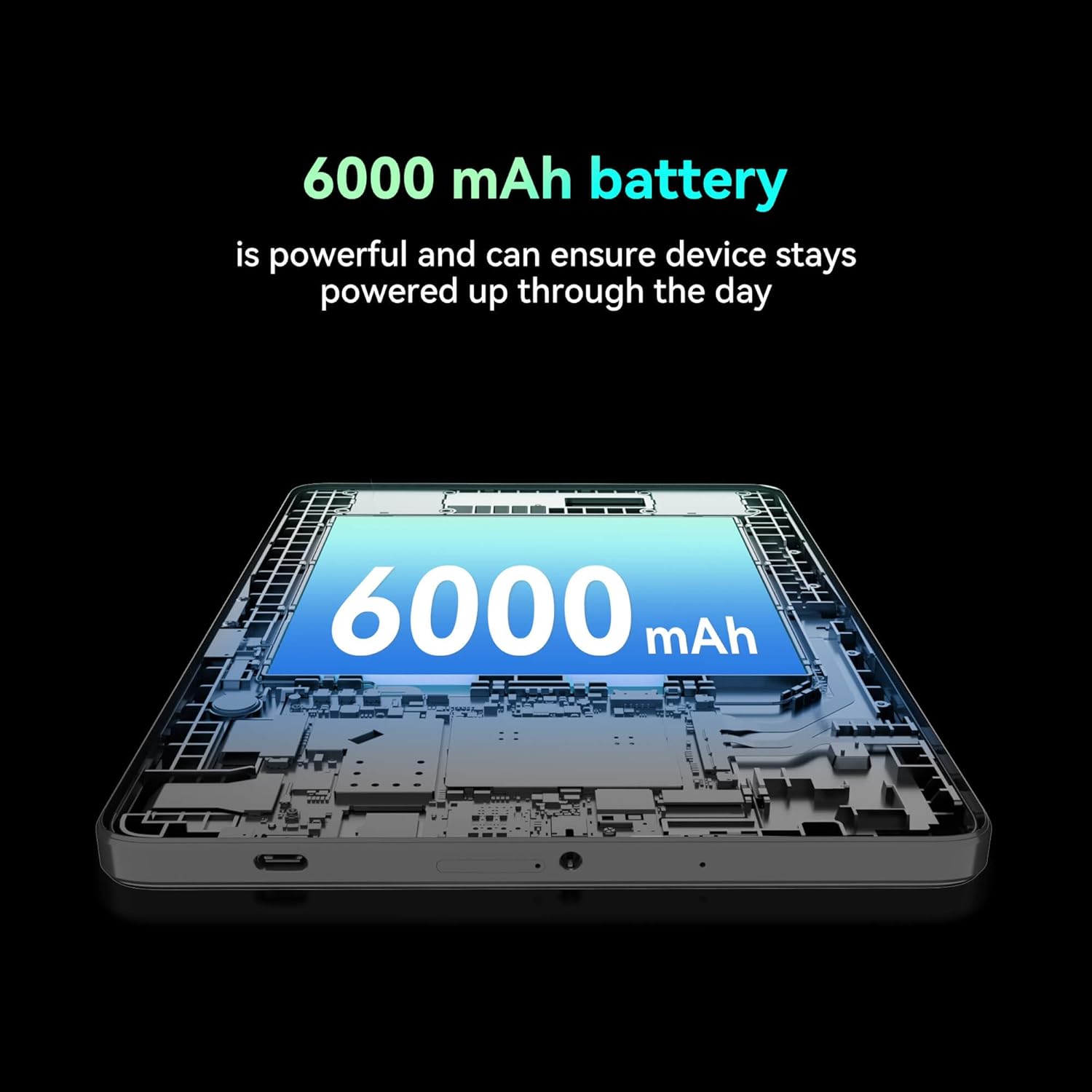
Слика: Пресек view of the tablet highlighting the large 6000 mAh battery component.
4. Подешавање
4.1 Почетно пуњење
Before first use, fully charge your tablet using the provided Type-C cable and 10W charger. The battery indicator on the screen will show charging status.
4.2 Укључивање/искључивање
- За укључивање: Притисните и држите дугме за укључивање док се екран не укључи.
- За искључивање: Притисните и држите дугме за напајање, а затим изаберите „Искључи“ из опција на екрану.
- Рестартовати: Press and hold the Power button, then select 'Restart' from the options on the screen.
4.3 Инсталација СИМ картице
The FOXX C10 supports Nano SIM cards for cellular connectivity. Locate the SIM card tray on the side of the tablet. Use the provided SIM ejector tool to open the tray. Insert the Nano SIM card into the designated slot with the gold contacts facing down. Close the tray securely.
4.4 MicroSD Card Installation (Optional)
If your tablet supports expandable storage, locate the MicroSD card slot, often combined with the SIM tray. Insert a MicroSD card (up to 128GB, sold separately) into the slot with the gold contacts facing down. Close the tray securely.
5. Упутство за употребу
5.1 Основна навигација
Your tablet runs on Android 13. Use touch gestures for navigation:
- Додирните: Изаберите ставку или отворите апликацију.
- Превуците: Померајте се кроз екране или листе.
- Прстохват: Увећајте или умањите слике и web странице.
- Дуго притисните: Приступите контекстуалним менијима или померите иконе.
5.2 Повезивање на Ви-Фи
- Иди на Подешавања > Мрежа и интернет > Ви-Фи.
- Укључи/искључи Wi-Fi On.
- Изаберите жељену Wi-Fi мрежу са листе.
- Унесите лозинку ако се то од вас затражи, а затим додирните Повежите се.
5.3 Making Calls (4G LTE)
With a properly installed and activated Nano SIM card, your tablet can make and receive calls.
- Отворите Телефон апп.
- Dial the desired number or select a contact.
- Додирните Цалл дугме.
5.4 Коришћење камере
The tablet features dual 8MP cameras for photography and video recording.
- Отворите Камера апп.
- Додирните Затварач дугме за снимање фотографије.
- Додирните Видео икону да бисте прешли у режим снимања видеа.
- Use the camera switch icon to toggle between front and rear cameras.
5.5 Блуетоотх упаривање
- Иди на Подешавања > Повезани уређаји > Блуетоотх.
- Укључите Блуетоотх On.
- Ensure the device you want to pair with is in pairing mode.
- Select the device from the list and follow any on-screen prompts to complete pairing.
6. Одржавање
6.1 Одржавање батерије
- Избегавајте екстремне температуре, које могу смањити век трајања батерије.
- Не остављајте таблет да се пуни дуже време након што је потпуно напуњен.
- Користите само приложени пуњач и кабл.
6.2 Чишћење
Use a soft, lint-free cloth to clean the screen and body of the tablet. Avoid using harsh chemicals or abrasive materials. For stubborn smudges, slightly dampОперите крпу водом или средством за чишћење екрана намењеним за електронику.
6.3 Ажурирања софтвера
Редовно проверавајте и инсталирајте ажурирања софтвера како бисте били сигурни да ваш таблет има најновије функције, безбедносне закрпе и побољшања перформанси. Идите на Подешавања > Систем > Ажурирање система.
КСНУМКС. Решавање проблема
| Проблем | Решење |
|---|---|
| Таблет се не укључује | Уверите се да је батерија напуњена. Прикључите пуњач и сачекајте неколико минута пре него што поново покушате да је укључите. |
| Повезивање на Ви-Фи није могуће | Check if Wi-Fi is enabled in settings. Restart your router and the tablet. Verify the Wi-Fi password. |
| Апликације су споре или се руше | Close unused apps. Clear app cache (Settings > Apps > [App Name] > Storage > Clear cache). Restart the tablet. Ensure sufficient storage space. |
| Нема мобилне услуге | Ensure the Nano SIM card is correctly inserted and activated. Check your network settings and contact your service provider if necessary. |
| Екран не реагује | Restart the tablet. If the issue persists, perform a factory reset (data will be lost). |
8. Спецификације
| Феатуре | Детаљ |
|---|---|
| Назив модела | FOXX C10 |
| Оперативни систем | Андроид 13 |
| Величина екрана | 10.1 инча |
| Максимална резолуција екрана | 800x1280 пиксела |
| Процесор | 2 GHz Quad-Core MediaTek |
| РАМ | 4 ГБ |
| Интерна меморија | 64 ГБ |
| Величина флеш меморије | 8 GB (likely referring to system partition or eMMC base) |
| камере | Dual 8MP (Front & Rear) |
| Капацитет батерије | 6000 мАх |
| Повезивање | 4G LTE, Wi-Fi (802.11 b/g/n/ac), Bluetooth 5.0, USB-C, 3.5mm AUX |
| Тежина артикла | 1.26 фунти |
| Димензије производа | 9.64 к 6.39 к 0.42 инча |
| Боја | Црно |
9. Гаранција и подршка
For warranty information and technical support, please refer to the documentation provided with your purchase or contact the retailer. Keep your proof of purchase for warranty claims.