
1. Производ је готовview
The SUNITEC BC920C Bluetooth Car Hands-Free Kit is designed to provide clear, hands-free communication and audio streaming in your vehicle. It features automatic power on/off, CVC8.0 noise cancellation technology for crystal-clear calls and high-volume music, and supports connection with two phones simultaneously. This device is compatible with cars, SUVs, trucks, vans, minivans, pickups, and buses, especially older vehicles without built-in hands-free phone capabilities.
Кључне карактеристике:
- Clear Hands-Free Calling with CVC8.0 Noise Cancellation
- Аутоматско укључивање / искључивање напајања
- Dual Phone Connection Support
- High-Quality Stereo Speaker for Calls and Music
- Voice Assistant Support (Siri/Google Assistant)
2. Безбедносне информације
Please read and understand all safety information before using this product. Failure to follow these instructions may result in injury or damage.
- Avoid using the device in a manner that distracts you from driving. Always prioritize road safety.
- Keep the device away from heat sources, direct sunlight, and extreme temperatures.
- Не излажите уређај води или прекомерној влази.
- Одложите батерије одговорно у складу са локалним прописима.
- Не покушавајте сами да растављате, поправљате или модификујете уређај. За помоћ контактирајте квалификовано сервисно особље.
3. Садржај пакета
Проверите да ли су све ставке присутне у вашем пакету:
- SUNITEC BC920C Bluetooth Car Hands-Free Kit
- УСБ-Ц кабл за пуњење
- Адаптер за ауто пуњач
- Упутство за употребу

4. Подешавање и инсталација
Follow these steps to set up your BC920C device:
- Напуните уређај: Before first use, fully charge the BC920C using the provided USB-C cable and car charger adapter or a computer USB port. The charging indicator light will show the charging status.
- Монтажа: Clip the device onto your car's sun visor using the integrated clip. Ensure it is securely attached and does not obstruct your view.
- Укључено: The device features automatic power on. Once paired and connected, it will automatically power on and reconnect to your phone when you open the car door or start the engine.
- Упаривање са телефоном:
- Turn on the BC920C. It will automatically enter pairing mode (indicated by a flashing LED).
- На паметном телефону идите на подешавања Bluetooth-а и омогућите Bluetooth.
- Тражи available devices and select "BC920C" from the list.
- Једном када се повеже, ЛЕД индикатор ће престати да трепери и остати стално светлећи.
- Двострука веза: The BC920C supports connecting two phones simultaneously. After pairing the first phone, repeat the pairing process for the second phone. The device will manage calls from both phones.


5. Упутство за употребу
Learn how to use your BC920C for calls, music, and voice commands.
5.1 Упућивање и примање позива
- Одговарање на позив: When a call comes in, press the green phone button once to answer.
- Завршавање позива: Press the green phone button once during a call to end it.
- Одбијање позива: Press and hold the green phone button for 2 seconds to reject an incoming call.
- Поновно бирање: Double-press the green phone button to redial the last number.
5.2 Volume Control and Music Playback
- Подешавање јачине звука: Use the '+' and '-' buttons on the device to increase or decrease the volume during calls or music playback.
- Стримовање музике: Once connected, audio from your smartphone, including music and GPS navigation instructions, will stream through the BC920C's speaker.

5.3 Гласовни асистент (Siri/Google асистент)
Активирајте гласовног асистента телефона за управљање без употребе руку:
- Press the dedicated voice command button (often marked with a microphone icon) to activate Siri or Google Assistant on your connected smartphone.
- You can then use voice commands for navigation, making calls, sending messages, and more.
6. Пуњење уређаја
The BC920C is powered by a rechargeable Lithium-ion battery. To charge:
- Connect the provided USB-C cable to the charging port on the device.
- Plug the other end of the USB-C cable into the car charger adapter or a standard USB port (e.g., on a computer).
- Индикаторска лампица пуњења ће светлети током пуњења и искључити се када се потпуно напуни.
- Потпуно пуњење обично траје отприлике 2 сата.
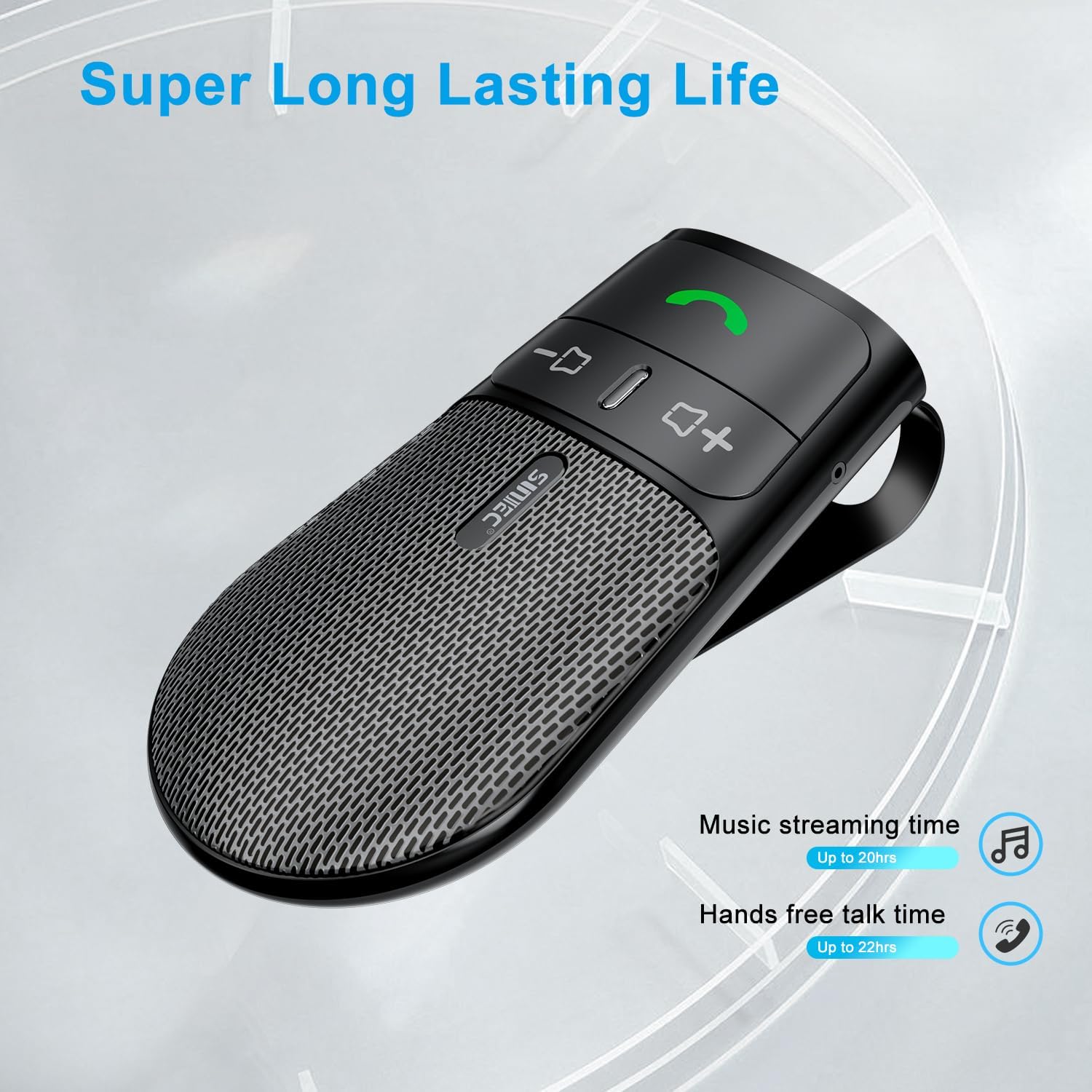
The device offers a long-lasting battery life, with up to 20 hours of music streaming time and up to 22 hours of hands-free talk time.
7. Спецификације
| Бранд | СУНИТЕЦ |
| Модел | БЦ920Ц |
| Технологија повезивања | Блуетоотх |
| Хардверски интерфејс | УСБ-Ц |
| Компатибилни уређаји | Car stereo, Smartphones |
| Посебне карактеристике | Automatic Power On/Off, Noise Cancellation (CVC8.0), Hands-Free Calling |
| Режим аудио излаза | Стерео |
| Извор напајања | Напајање батеријом (литијум-јонска) |
| Тежина артикла | 95 грама |
| Димензије производа | 15 к 11.6 к 5 цм |
КСНУМКС. Решавање проблема
If you encounter issues with your SUNITEC BC920C, try the following solutions:
- Уређај се не укључује: Уверите се да је уређај потпуно напуњен. Прикључите га на извор напајања и проверите индикатор пуњења.
- Не могу да упарим телефон: Make sure Bluetooth is enabled on your phone and the BC920C is in pairing mode (flashing LED). Try restarting both the device and your phone.
- Poor audio quality/echo: Ensure the device is positioned correctly on the sun visor and not obstructed. Adjust the volume on both the device and your phone. Move closer to the device if possible.
- Automatic connection not working: Verify that the device was successfully paired previously. Check your phone's Bluetooth settings to ensure it's set to automatically connect to known devices.
- Гласовне команде не реагују: Ensure your phone's voice assistant (Siri/Google Assistant) is enabled and configured correctly. Make sure the device is connected and the voice command button is pressed correctly.
9. Одржавање
To ensure the longevity and optimal performance of your BC920C:
- Редовно чистите уређај меком, сувом крпом. Не користите јаке хемикалије или абразивна средства за чишћење.
- Чувајте уређај на хладном и сувом месту када се не користи.
- Избегавајте испуштање уређаја или излагање јаким ударима.
10. Гаранција и подршка
SUNITEC products are warranted to be free from defects in materials or workmanship for 12-24 months from the date of purchase. Please retain your proof of purchase for warranty claims.
For technical support or warranty inquiries, please contact SUNITEC customer service. Contact information can typically be found on the product packaging or the official SUNITEC webсајту.
Sold by: Sunitec