
1. Увод
Thank you for choosing the Tacens AEROSLIM500 MicroATX PC Case. This slim mini-tower is designed for efficient and compact PC builds, supporting MicroATX and Mini-ITX motherboards. It features optimized airflow, an integrated 500W TFX power supply, and modern connectivity. This manual provides essential information for safe installation, operation, and maintenance of your new PC case.
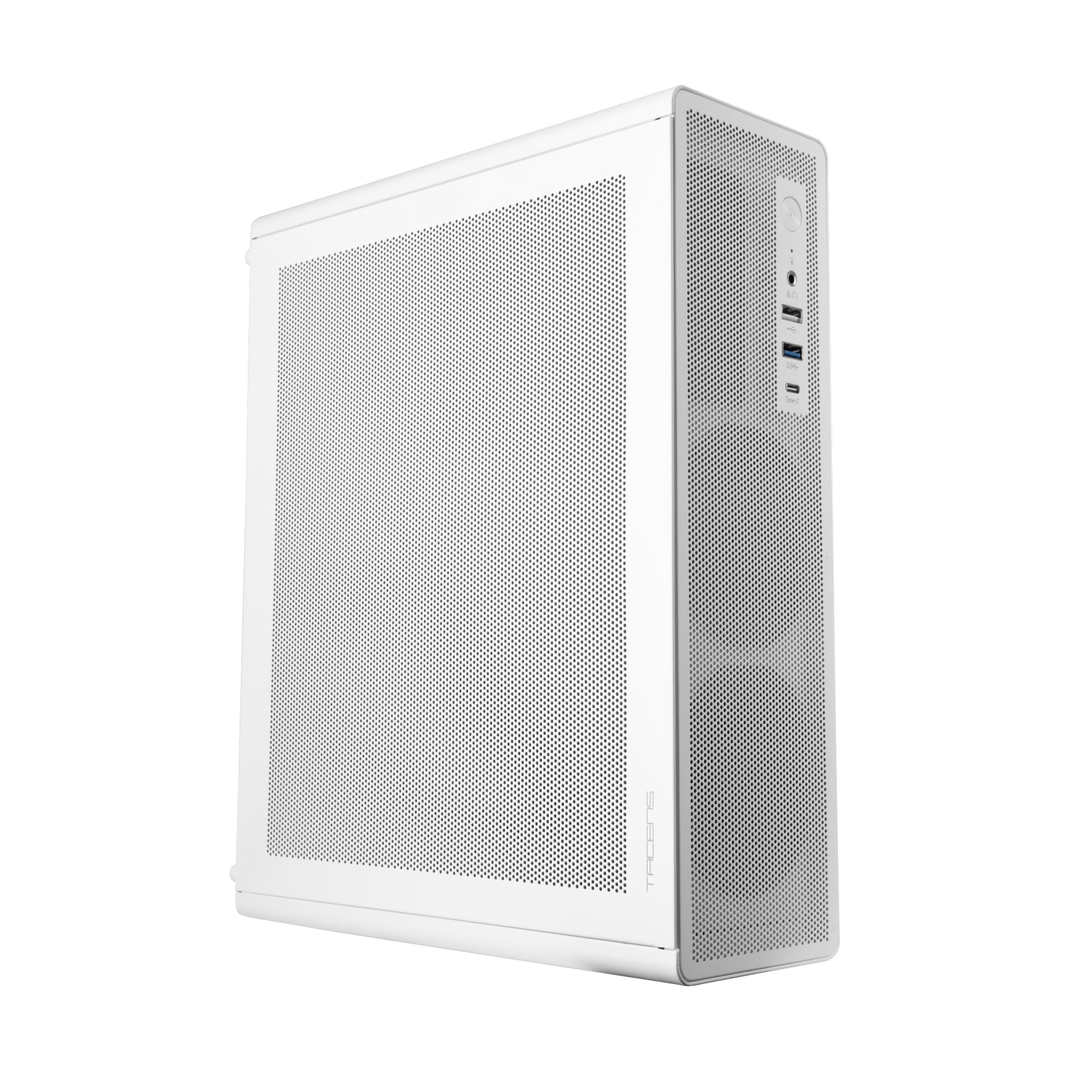
Figure 1: Tacens AEROSLIM500 MicroATX PC Case (Overall View)
2. Безбедносне информације
Please read and follow these safety guidelines to prevent damage to the product or injury to yourself.
- Искључивање струје: Always disconnect the power cable from the wall outlet before opening the case or performing any installation/maintenance.
- Статички електрицитет: Discharge static electricity from your body before handling internal components. Use an anti-static wrist strap if available.
- Оштре ивице: Be cautious of sharp edges inside the case during installation.
- вентилација: Ensure proper ventilation around the case. Do not block air vents.
- Течност и влага: Keep the case away from liquids and excessive moisture.
- Професионална инсталација: If you are unsure about any installation steps, seek assistance from a qualified technician.
3. Садржај пакета
Проверите да ли су све ставке присутне у вашем паковању. Ако неке ставке недостају или су оштећене, обратите се продавцу.
- Tacens AEROSLIM500 MicroATX PC Case with integrated 500W TFX Power Supply
- Pre-installed 90mm FDB Front Fan
- Комплет додатне опреме (шрафови, одстојници, кабловске везице)
- Кориснички приручник (овај документ)
4. Карактеристике производа
The Tacens AEROSLIM500 PC case offers a range of features for a compact and efficient build:
- Integrated TFX 500W Power Supply: Ensures stable and efficient power delivery for your components.
- Напредно хлађење: Front and side ultra-fine mesh panels provide constant airflow and act as a dust barrier.
- Pre-installed Front Fan: Includes a 90mm FDB (Fluid Dynamic Bearing) fan for optimal cooling. Supports up to two 90mm front fans.
- Optimized Internal Space: Compatible with MicroATX (up to 210mm wide) and Mini-ITX motherboards.
- Подршка за ГПУ: Accommodates low-profile GPUs up to 220mm long and 63mm wide.
- Опције складиштења: Features 5 x 2.5" SSD drive bays.
- Слотови за проширење: Provides 3 expansion slots for MicroATX or 1-2 for Mini-ITX configurations.
- Потпуна повезаност: Front panel includes USB-C, USB 3.0, USB 2.0 ports, and HD audio/microphone jacks.
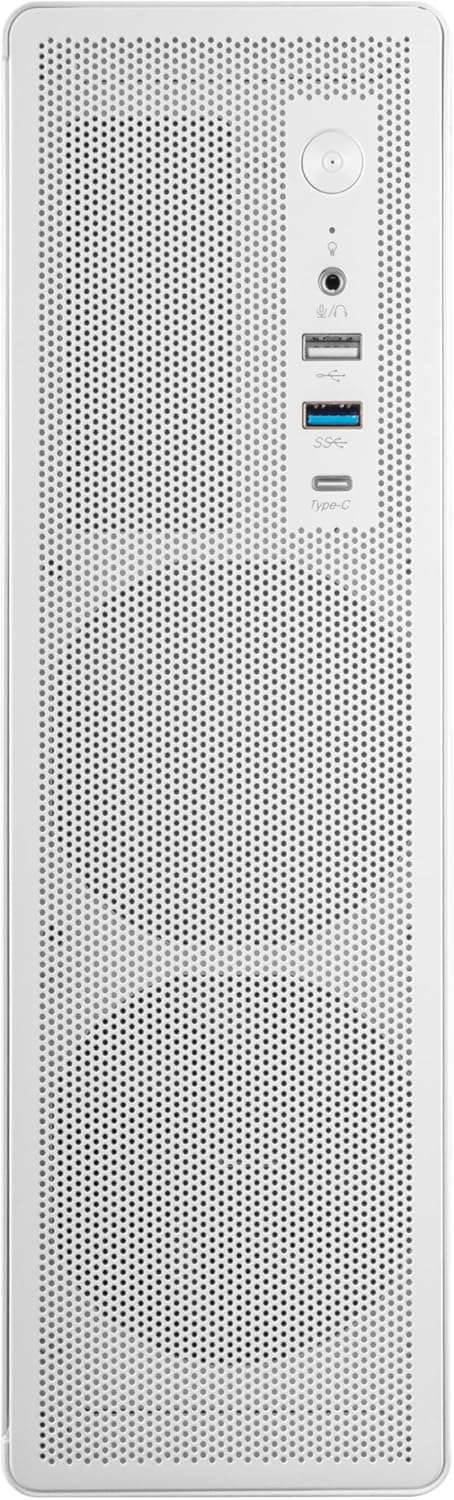
Слика 2: Повезивање предњег панела

Слика 3: Детаљно View of Front I/O Ports
5. Подешавање и инсталација
Follow these steps to install your components into the Tacens AEROSLIM500 PC case. Ensure the system is powered off and unplugged before beginning.
5.1. Отварање случаја
- Поставите кућиште на равну, стабилну површину.
- Locate the thumbscrews or standard screws on the rear panel securing the side panel(s).
- Remove the screws and carefully slide the side panel(s) backward, then lift them off.

Figure 4: Case Interior View with Pre-installed Fan
5.2. Инсталација матичне плоче
- Install the CPU, CPU cooler (ensure it fits within the 73mm height limit), and RAM onto your MicroATX or Mini-ITX motherboard before placing it in the case.
- Align the motherboard with the pre-installed standoffs inside the case.
- Secure the motherboard using the appropriate screws from the accessory kit.

Figure 5: Motherboard Mounting Area
5.3. Storage Device Installation (2.5" SSD/HDD)
- Locate the 2.5" drive bays/mounting points. The case supports up to 5 x 2.5" drives.
- Secure your 2.5" SSDs or HDDs using the provided screws.
- Connect SATA data and power cables to the drives.

Figure 6: Power Supply and Drive Bay Area
5.4. Инсталација картице за проширење (GPU)
- Уклоните потребне поклопце слотова за проширење са задње стране кућишта.
- Carefully insert your low-profile GPU (max 220mm length, 63mm width) into the PCIe slot on the motherboard.
- Причврстите картицу за проширење завртњем.
5.5. Повезивање каблова предње плоче
Connect the front panel cables (USB-C, USB 3.0, USB 2.0, HD Audio, Power Switch, Reset Switch, Power LED, HDD LED) to their corresponding headers on your motherboard. Refer to your motherboard manual for exact header locations.
5.6. Менаџмент каблова
Route cables neatly to improve airflow and aesthetics. Use the provided cable ties to secure bundles of cables.
5.7. Закључивање случаја
- Once all components are installed and cables are managed, reattach the side panel(s).
- Secure the side panel(s) with the thumbscrews or standard screws.
6. Упутство за употребу
After successful assembly, connect your peripherals (monitor, keyboard, mouse) and the power cable to the integrated TFX 500W power supply.
- Укључено: Притисните дугме за напајање које се налази на предњој плочи да бисте укључили рачунар.
- УСБ портови: Use the front USB-C, USB 3.0, and USB 2.0 ports for connecting external devices.
- Аудио прикључци: Connect headphones or a microphone to the front audio jacks.
- Искључивање: Shut down your computer through the operating system. For a hard shutdown, press and hold the power button for several seconds.
7. Одржавање
Редовно одржавање помаже у обезбеђивању оптималних перформанси и дугог века трајања компоненти вашег рачунара.
- Чишћење прашине: The mesh panels act as dust filters. Periodically clean the front and side mesh panels using compressed air or a soft brush to remove accumulated dust.
- Унутрашње чишћење: Every 6-12 months, open the case (after disconnecting power) and use compressed air to clean dust from internal components, especially CPU coolers and GPU fans.
- Провера управљања кабловима: Ensure cables remain neatly routed and do not obstruct airflow.
КСНУМКС. Решавање проблема
Ако наиђете на проблеме, погледајте следеће уобичајене кораке за решавање проблема.
- Нема напајања:
- Ensure the power cable is securely connected to both the wall outlet and the PC's power supply.
- Verify that the power supply switch (if present) is in the 'ON' position.
- Check all internal power connections (24-pin ATX, 8-pin CPU, GPU power) to the motherboard and components.
- Уверите се да је кабл дугмета за напајање на предњој плочи правилно повезан са прикључком на матичну плочу.
- Без приказа:
- Confirm your monitor is powered on and connected to the correct video output on your GPU or motherboard.
- Reseat your GPU and RAM modules.
- Прекомерна бука:
- Check if any cables are obstructing fan blades.
- Clean dust from fans (CPU, GPU, case fans, PSU fan).
- Ensure all screws are tightened to prevent vibrations.
- Портови на предњој плочи не раде:
- Verify that the USB and audio cables from the front panel are correctly connected to the motherboard headers.
9. Спецификације
| Бранд | Tacens |
| Назив модела | АЕРОСЛИМ500 |
| Компатибилност матичне плоче | Мицро АТКС, Мини ИТКС |
| Тип случаја | Compact Desktop / Mini-Tower |
| Боја | Бела |
| Материјал | Метал |
| Повер Суппли | Integrated TFX 500W |
| Метод хлађења | Air (Pre-installed 90mm FDB front fan) |
| Ограничење висине ЦПУ хладњака | До 73 мм |
| Граница дужине ГПУ-а | Up to 220mm (low-profile само) |
| GPU Width Limit | До 63 мм |
| Дриве Баис | 5 x 2.5" SSD/HDD |
| Слотови за проширење | 3 (MicroATX), 1-2 (Mini-ITX) |
| Предњи И / О портови | 1x USB-C, 1x USB 3.0, 2x USB 2.0, HD Audio (Headphone/Microphone) |
| Тежина артикла | 2.25 килограма |
10. Гаранција и подршка
Tacens products are manufactured to the highest quality standards. For information regarding warranty coverage, terms, and conditions, please refer to the warranty card included with your product or visit the official Tacens webсајту.
For technical support, troubleshooting assistance beyond this manual, or to inquire about replacement parts, please contact Tacens customer service through their official webсајт или контакт информације наведене у документацији вашег производа.
Official Tacens Webсајт: www.tacens.com (Напомена: Ово је резервисано место URL. Please refer to your product packaging for the correct official webсајту.)