
Увод
Thank you for choosing the SGIN S15 N5100 15.6-inch Laptop. This manual provides essential information for setting up, operating, maintaining, and troubleshooting your new device. Please read it carefully to ensure optimal performance and longevity of your laptop.
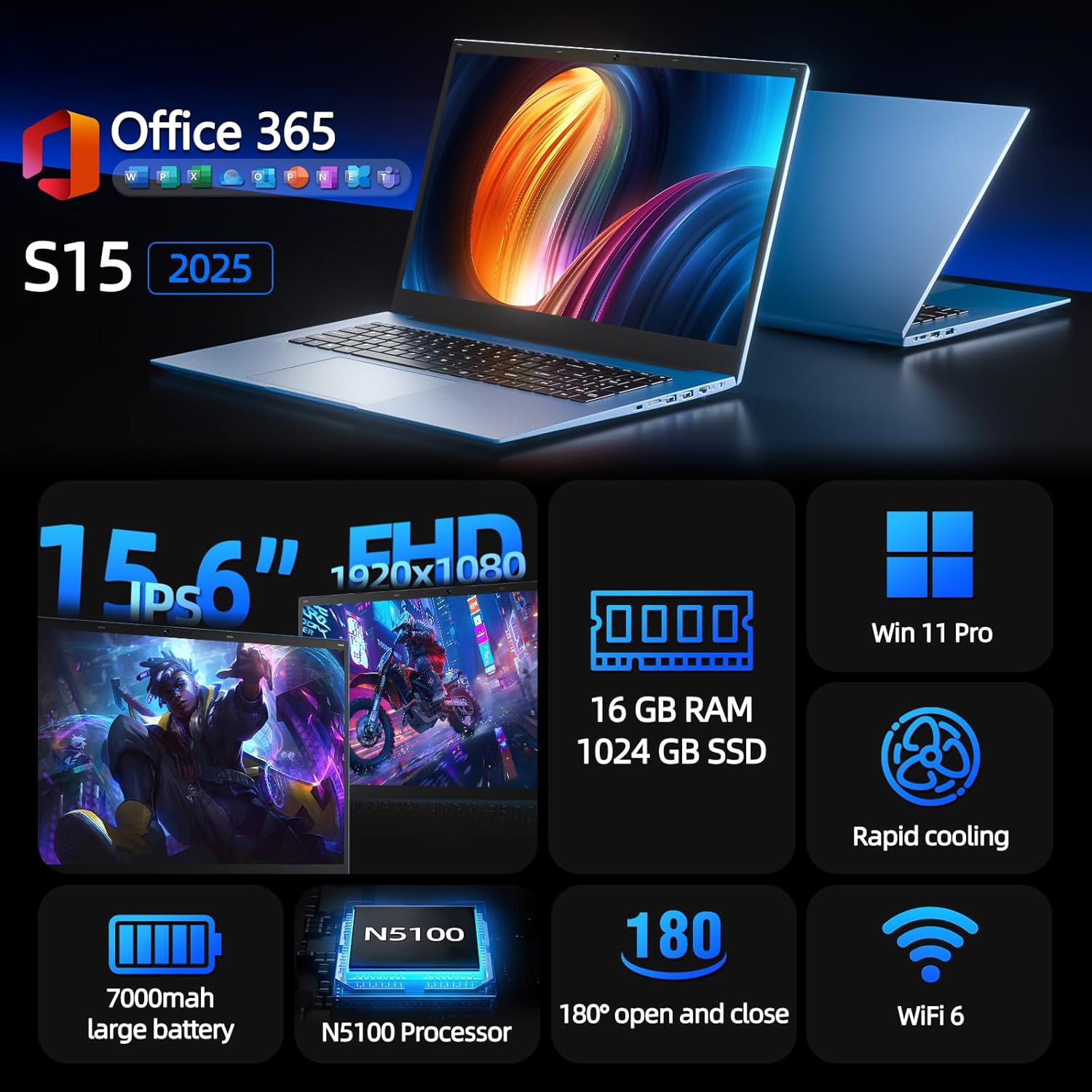
Figure 1: SGIN S15 N5100 Laptop Overview
1. Подешавање
1.1 Распакивање и почетни преглед
Carefully remove all components from the packaging. Verify that all items listed in the "What's in the Box" section are present and undamaged. If any items are missing or damaged, contact customer support immediately.
- SGIN S15 N5100 Laptop
- Адаптер/пуњач
- Кориснички приручник (овај документ)
Видео 1: Распакивање и иницијалиview of the SGIN S15 Laptop.
1.2 Повезивање адаптера за напајање
Connect the power adapter to the DC-in port on the side of the laptop. Plug the other end into a power outlet. The battery indicator light will illuminate, indicating that the laptop is charging.

Figure 2: Laptop ports, including the DC-in port for charging.
1.3 Прво укључивање и подешавање Windows-а
Press the power button to turn on the laptop. Follow the on-screen instructions to complete the Windows 11 Pro setup. This includes selecting your region, language, connecting to a Wi-Fi network, and creating a user account. The laptop comes pre-installed with a 1-year Office 365 subscription, which can be activated during or after the initial setup.
2. Упутство за употребу
2.1 Карактеристике екрана
The SGIN S15 features a 15.6-inch Full HD IPS (1920x1080) Anti-Glare Display. The 180° viewing angle allows for flexible screen positioning, ideal for sharing content or adjusting to your preferred working posture.

Figure 3: High-resolution IPS display with 180° hinge.
2.2 Складиштење и перформансе
Equipped with 16GB DDR4 RAM and a 1024GB SSD, the laptop offers fast boot-up times and smooth multitasking. The Intel Celeron N5100 processor (4 cores, 4 threads, up to 2.8GHz) provides efficient performance for daily tasks, business applications, and student work.

Figure 4: Internal storage and memory configuration.

Figure 5: Celeron N5100 processor details.
2.3 Повезивање
The laptop supports WiFi 6 for strong wireless signals and fast connections, and Bluetooth 5.2 for connecting peripherals. It includes various ports for external devices:
- ХДМИ порт
- Тип-Ц порт
- 3.5mm TRRS audio jack
- Memory card slot (TF card up to 1TB)
- USB 3.2 ports (2 ports)

Figure 6: WiFi 6 connectivity for enhanced network performance.
3. Одржавање
3.1 Одржавање батерије
The laptop is equipped with a 7000mAh battery, providing up to 8 hours of continuous use. To prolong battery life:
- Избегавајте често потпуно пражњење батерије.
- Не излажите лаптоп екстремним температурама.
- Чувајте лаптоп са делимично напуњеним (око 50%) ако се не користи дуже време.

Figure 7: Laptop battery for extended use.
3.2 Чишћење лаптопа
Користите меку крпу која не оставља влакна за чишћење екрана и спољашњости. За тврдокорне мрље, благо обришитеampen the cloth with water or a screen-safe cleaner. Avoid harsh chemicals or abrasive materials. Ensure the laptop is powered off and unplugged before cleaning.
3.3 Систем хлађења
The laptop features dual cooling fans for efficient heat dissipation. Ensure that the vents are not obstructed to maintain optimal airflow and prevent overheating. Avoid using the laptop on soft surfaces like beds or couches that can block the vents.
КСНУМКС. Решавање проблема
4.1 Проблеми са напајањем
- Лаптоп се не укључује: Уверите се да је адаптер за напајање безбедно повезан и да је утичница функционална. Проверите да ли је батерија довољно напуњена.
- Батерија се не пуни: Verify the power adapter is correctly plugged into both the laptop and the wall outlet. Try a different outlet if available.
4.2 Проблеми са екраном
- Екран је празан: Connect an external monitor via HDMI to check if the issue is with the laptop's display or graphics output. Ensure the laptop is powered on and not in sleep mode.
- Треперећи екран: Update your display drivers. Adjust the screen refresh rate in Windows display settings.
4.3 Проблеми са повезивањем
- Ви-Фи се не повезује: Уверите се да је Wi-Fi омогућен у подешавањима Windows-а. Поново покрените рутер и лаптоп. Проверите да ли постоје ажурирани Wi-Fi драјвери.
- Блутут уређај се не упарује: Уверите се да је Bluetooth омогућен и на лаптопу и на уређају. Поставите уређаје близу један другом током упаривања.
4.4 Проблеми са перформансама
- Лаптоп је спор: Затворите непотребне апликације. Проверите Менаџер задатака да ли постоји велика потрошња процесора/RAM-а. Уверите се да је довољно слободног простора на SSD-у. Покрените чишћење диска.
- прегревање: Ensure cooling vents are clear. Use the laptop on a hard, flat surface. Consider reducing heavy workload if persistent.
5. Спецификације
| Феатуре | Детаљ |
|---|---|
| Назив модела | С15 |
| Број модела ставке | Н5100 |
| Величина екрана | 15.6 инча |
| Резолуција екрана | 1920 x 1080 pixels (FHD IPS Anti-Glare) |
| Процесор | Intel Celeron N5100 (4 Cores, 4 Threads, up to 2.8GHz) |
| РАМ | 16 ГБ ДДР4 |
| Складиштење | 1024 GB SSD (Expandable with TF card up to 1TB) |
| Оперативни систем | Виндовс 11 Про |
| Батерија | 7000mAh (up to 8 hours) |
| Бежично повезивање | ВиФи 6, Блуетоотх 5.2 |
| Портс | HDMI, Type-C, 3.5mm TRRS Jack, Memory Card Slot, 2x USB 3.2 |
| Димензије (ДкШкВ) | 14.56 к 9.4 к 0.86 инча |
| Тежина артикла | 4.4 фунти |
6. Гаранција и подршка
6.1 Гаранција на производ
Your SGIN S15 N5100 laptop comes with a 1-year repair service warranty from the date of purchase. This warranty covers manufacturing defects and hardware malfunctions under normal use. Please retain your proof of purchase for warranty claims.
6.2 Политика враћања
A Политика поврата од 30 дана is offered for this product. Please refer to your retailer's specific return guidelines for detailed information.
6.3 Корисничка подршка
For any technical assistance, troubleshooting, or warranty inquiries, please contact SGIN customer support. We offer 24/7 customer instant help да брзо одговоримо на ваше недоумице.
Контакт информације (нпр. webсајт, имејл, број телефона) би обично овде навео произвођач.