
1. Производ је готовview
The Yakry Automatic Cat Feeder with Camera (Model C2) is designed to provide convenient and reliable feeding for your cats and small dogs. Featuring a high-definition camera with night vision, app control, and 5G WiFi support, this feeder allows you to monitor and manage your pet's meals remotely. Its large capacity and fresh-keeping design ensure your pet receives timely and healthy nutrition.
Кључне карактеристике:
- HD Camera with Night Vision: Monitor your pet's feeding process with a 1080P HD camera and night vision for clear visuals day or night.
- Easy-to-Use App Control & 5G WiFi Support: Set customized feeding schedules remotely via an intuitive mobile app. Compatible with both 5GHz and 2.4GHz WiFi networks.
- Велики капацитет од 4 л: Holds approximately 17 cups of dry food, sufficient for an adult cat for up to 20 days. Designed for indoor cats and small dogs.
- Twist-Lock Lid & Desiccant: Keeps food fresh and dry, supporting your pet's well-being.
- Посуда од нерђајућег челика прехрамбене класе: Provides healthy and hygienic feeding, reducing the risk of chin acne.
- SD Card Video Storage & Motion Detection: Supports SD card recording (4-128GB) and advanced motion detection for playback of events.
- Двосмерни аудио: Комуницирајте са својим љубимцем у реалном времену.
- Precise Portion Control: Dispenses food in 10-gram portions (approximately 1/12 cup). Suitable for kibble sizes less than 0.5 inch.
Шта је у кутији:
- Cat Feeder with Camera x 1
- Food Storage Bucket x 1
- Lid and Desiccant x 1
- Посуда од нерђајућег челика к 1
- USB Cable and Adapter x 1
2. Водич за подешавање
2.1 Скупштина
- Attach Food Storage Bucket: Align the food storage bucket with the main feeder unit and rotate to lock it securely in place.
- Insert Desiccant: Open the desiccant compartment in the lid and insert the provided desiccant packet to maintain food freshness. Close the compartment.
- Place Stainless Steel Bowl: Position the stainless steel bowl liner into the feeder's base.

Figure 2.1: Assembled Yakry Automatic Cat Feeder with Camera.
2.2 Напајање уређаја
The feeder can be powered via the included USB cable and adapter or by batteries (not included) for backup power.
- УСБ Снага: Connect the USB cable to the feeder and plug the adapter into a wall outlet.
- Резервна батерија: За непрекидан рад током нестанка струјеtages, install 3 D-cell batteries (not included) into the battery compartment at the bottom of the feeder.
2.3 Инсталација апликације и Wi-Fi веза
- Download the companion app (e.g., Smart Life or Tuya Smart) from your device's app store.
- Региструјте се или се пријавите на свој налог.
- Add the device by following the in-app instructions. Ensure your smartphone is connected to a 2.4GHz or 5GHz Wi-Fi network during setup.
- The feeder supports both 2.4GHz and 5GHz Wi-Fi for flexible connectivity.
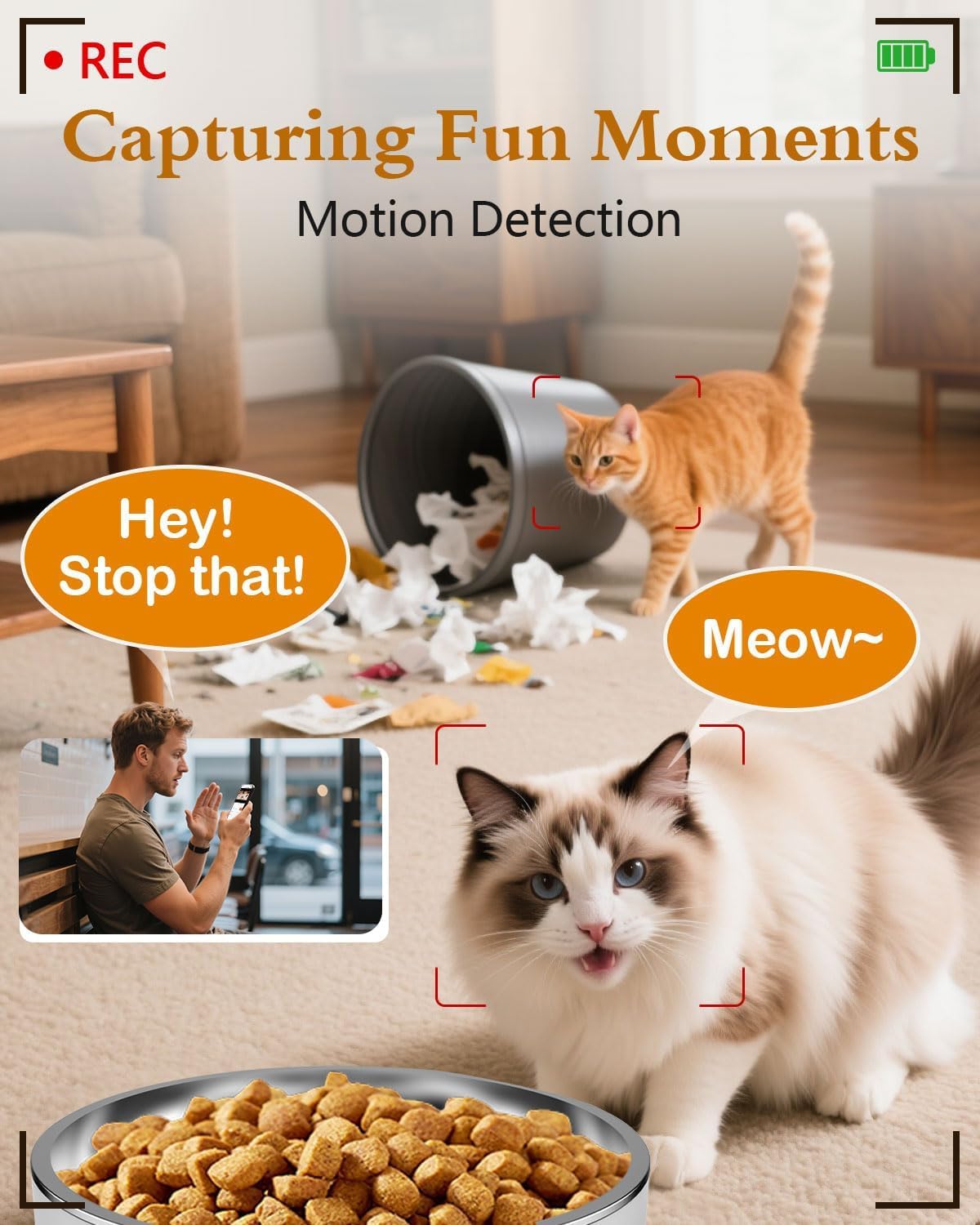
Figure 2.2: App interface for Wi-Fi setup.
3. Упутство за употребу
3.1 Ручно храњење
You can dispense food manually at any time using the app or the physical 'Feed' button on the device.
- Преко апликације: Open the app, navigate to your feeder, and tap the 'Feed' button. You can select the number of portions to dispense.
- Преко уређаја: Press the 'Feed' button on the feeder once to dispense one portion.
Video 3.1: Official Yakry video demonstrating the features of the Automatic Cat Feeder with Camera, including manual feeding and app control.
3.2 Scheduling Automatic Feeds
Set up a personalized feeding schedule through the app to ensure your pet is fed consistently.
- In the app, go to the 'Schedule' section.
- Tap 'Add' to create a new feeding event.
- Select the desired time, days of the week, and number of portions (1 portion ≈ 10 grams).
- Save the schedule.
3.3 Снимање гласа
Record a custom voice message that plays during feeding times to call your pet.
- In the app, navigate to the 'Record' option.
- Follow the prompts to record your message.
- The message will play automatically when food is dispensed according to the schedule.
3.4 Карактеристике камере
- Уживо View: Access the 1080P HD camera feed through the app to see your pet in real-time.
- Ноћни вид: The camera automatically switches to infrared night vision in low-light conditions, providing clear images.
- Детекција покрета: Receive alerts on your phone when motion is detected near the feeder. Recordings can be stored on an SD card (4-128GB, not included).
- Двосмерни аудио: Use the app's microphone feature to speak to your pet and hear their responses.

Figure 3.1: Live monitoring with 1080P HD camera.

Figure 3.2: Two-way audio communication with your pet.
4. Одржавање
4.1 Чишћење
Редовно чишћење обезбеђује хигијену и правилно функционисање хранилице.
- Посуда од нерђајућег челика: The bowl is removable and dishwasher-safe or can be hand-washed with mild soap and water.
- Food Storage Bucket: Detach the bucket and wash it with mild soap and water. Ensure it is completely dry before refilling with food.
- Главна јединица: Обришите спољашњост главне јединице адamp тканина. Не урањајте главну јединицу у воду.

Figure 4.1: Detachable design for easy cleaning.
4.2 Замена десиканта
Replace the desiccant packet every 1-2 months, or as needed, to maintain optimal food freshness and prevent moisture buildup.
КСНУМКС. Решавање проблема
5.1 Проблеми са повезивањем
- Хранилица се не повезује на Wi-Fi: Ensure your router supports 2.4GHz or 5GHz networks and that the feeder is within range. Restart your router and the feeder, then attempt to reconnect via the app.
- Апликација не реагује: Close and reopen the app. Check for app updates. Ensure your phone has a stable internet connection.
5.2 Feeding Issues
- Храна се не издаје: Check if the food hopper is empty. Ensure kibble size is less than 0.5 inch to prevent blockages. Clean the dispensing mechanism if necessary.
- Incorrect portion size: Verify the portion settings in the app. Recalibrate if needed.
5.3 Camera Issues
- No camera feed: Check Wi-Fi connection. Restart the feeder. Ensure the camera lens is clean.
- Лош квалитет слике: Ensure adequate lighting. Clean the camera lens.
6. Спецификације производа
| Феатуре | Спецификација |
|---|---|
| Број модела | C2 |
| Тежина артикла | 3.69 фунти |
| Димензије производа (ДкШкВ) | 7.5 к 10.6 к 7.5 инча |
| Капацитет за храну | 4 литара / 17 шољица |
| Kibble Size Limit | Less than 0.5 inch |
| Резолуција камере | 1080П ХД |
| Нигхт Висион | Инфрацрвени |
| Ви-Фи повезивање | 2.4 ГХз и 5 ГХз |
| Складиштење | SD Card (4-128GB, not included) |
| Извор напајања | USB Cable & Adapter, D-cell Batteries (backup) |
| Таргет Специес | Dogs & Cats |
| Препоручена употреба | Индоор |
7. Гаранција и подршка
7.1 Информације о гаранцији
The Yakry Automatic Cat Feeder with Camera (Model C2) comes with a Две године гаранције од датума куповине, покривајући производне недостатке и кварове при нормалној употреби.
7.2 Корисничка подршка
For any questions, technical assistance, or warranty claims, please contact our 24/7 Онлине подршка. Refer to the contact information provided with your product packaging or visit the official Yakry webсајт за детаље подршке.