
1. Увод
Thank you for choosing the PUTRIMS S28 Mini Projector. This manual provides essential information for setting up, operating, and maintaining your projector to ensure optimal performance and longevity. Please read this manual thoroughly before using the product and retain it for future reference.
2. Производ је готовview
2.1 Садржај пакета
Уверите се да су све ставке присутне у пакету:
- PUTRIMS S28 Projector (Note: No built-in battery, requires power connection during use)
- Повер Цорд
- ХДМИ кабл
- Даљински управљач (потребне су 2 ААА батерије, нису укључене)
- Водич за брзи почетак
- Поклопац објектива
2.2 Кључне карактеристике
- Ауто Кеистоне Цоррецтион: Automatic vertical keystone adjustment (±30°) and manual correction (±50°) for a perfectly rectangular image.
- Електрични фокус: One-click focus adjustment for clear images.
- Подесиво постоље: Integrated 145° rotatable stand for flexible projection angles, including ceiling projection.
- Двопојасни ВиФи: Supports ultra-fast 5G and stable 2.4G WiFi for seamless streaming and screen mirroring (Miracast, Airplay).
- Блуетоотх КСНУМКС: Built-in Bluetooth for connecting external audio devices like headphones or speakers.
- 1080P Support: Supports 1080P Full HD input for high-quality visuals. Native resolution is 1280 x 720.
- Осветљеност 300 ANSI лумена: Provides bright and vibrant visuals.
- Fully Enclosed Optical System: Designed to prevent dust accumulation, reducing black or white spots and ensuring long-term clarity.
- Функција зумирања: Adjust image size from 100% to 50% without moving the projector.
- Вишеструко повезивање: HDMI, USB, and 3.5mm audio output ports for compatibility with various devices (Phone, Laptop, PC, TV Stick, PS5, Switch).
- Компактан дизајн: Lightweight and portable for easy setup in any location.
2.3 Дијаграм производа

Слика 2.3.1: Предња страна view of the PUTRIMS S28 Mini Projector, showcasing the lens and focus adjustment.
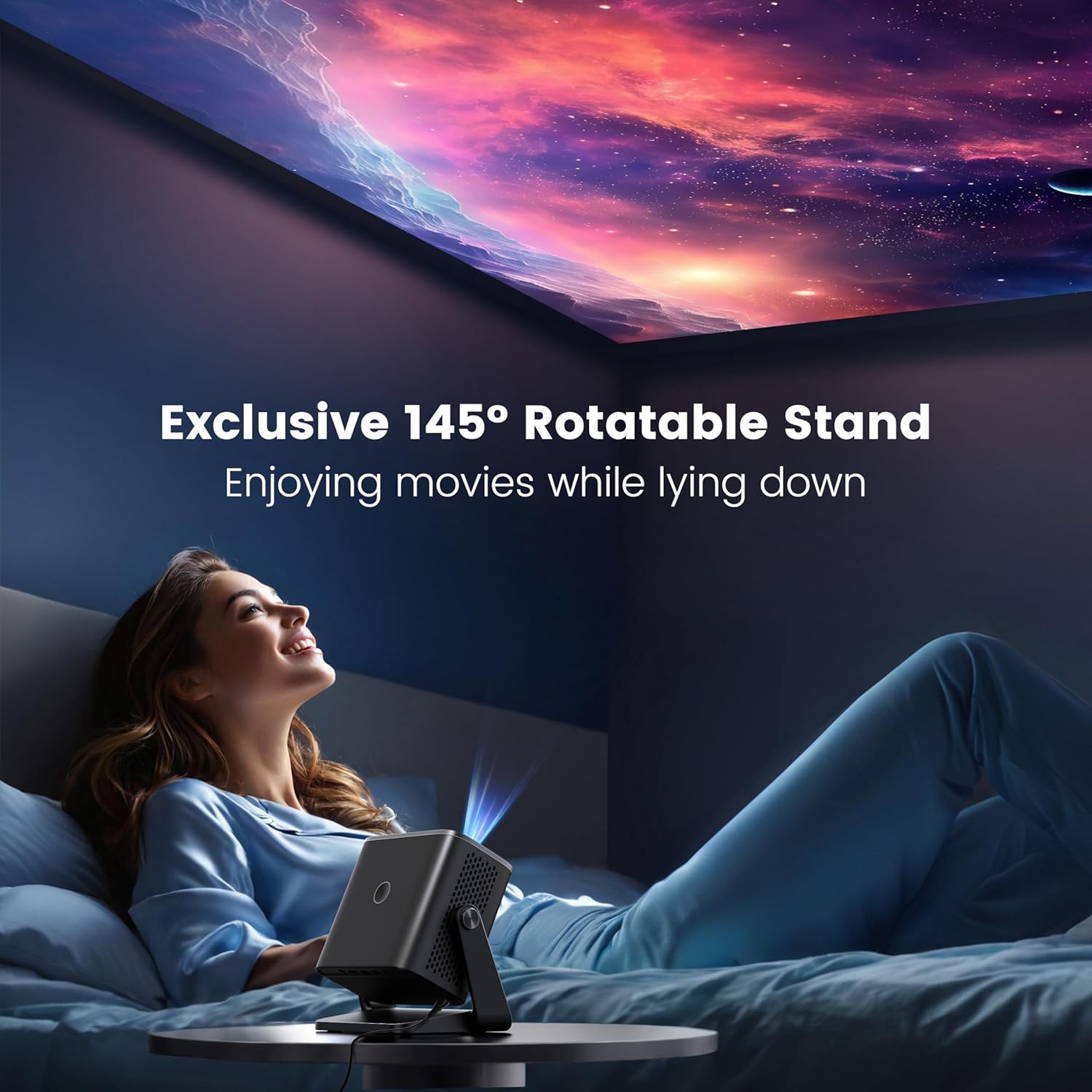
Figure 2.3.2: The projector positioned with its 145-degree rotatable stand, demonstrating its flexibility for various projection angles, including ceiling projection.
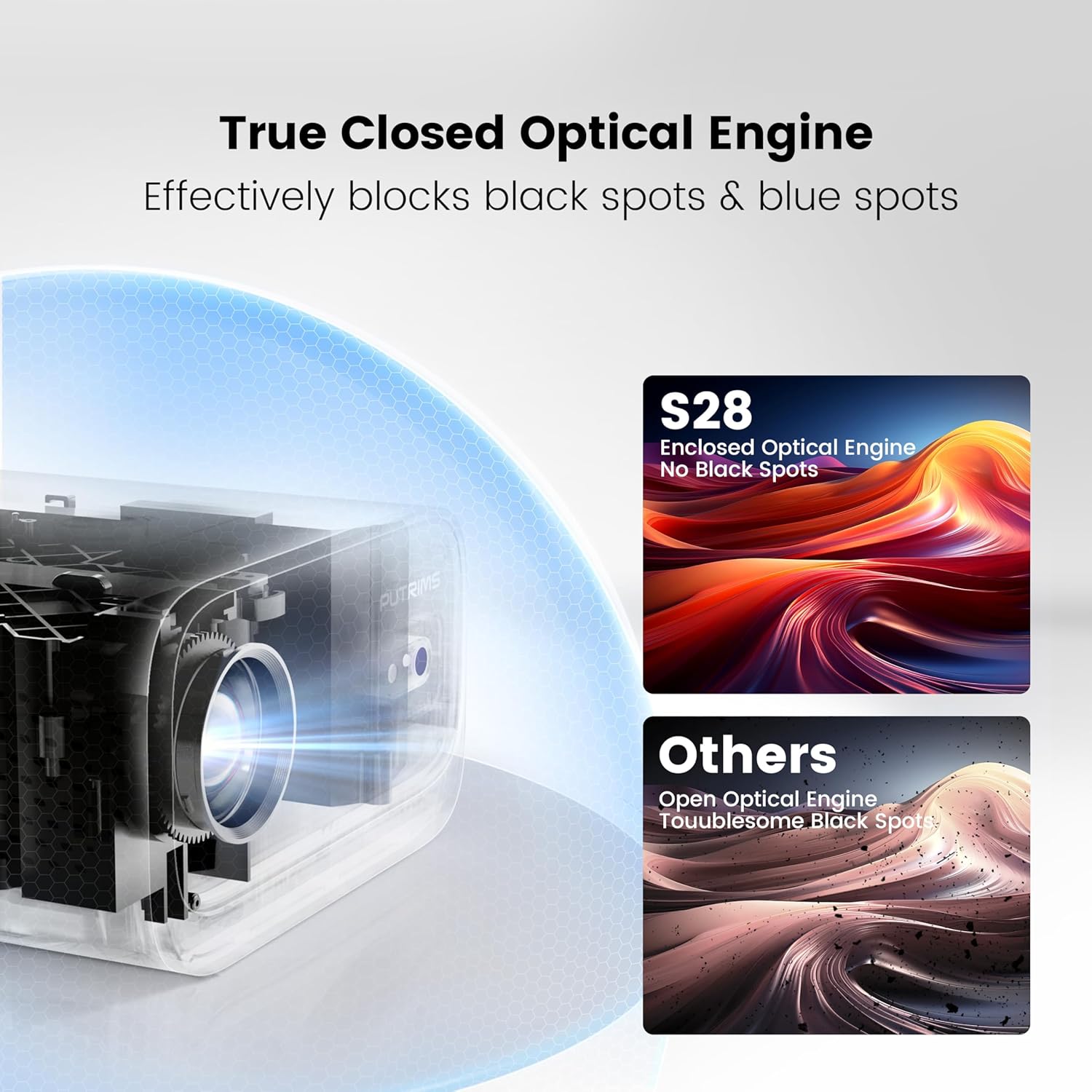
Figure 2.3.3: Diagram illustrating the True Closed Optical Engine, highlighting its design to effectively block black and blue spots, ensuring a clear and consistent image over time.
3. Водич за подешавање
Пратите ове кораке за почетно подешавање:
- Raspakujte: Пажљиво уклоните све компоненте из паковања.
- Прикључак за напајање: Connect the power cord to the projector and then to a power outlet. The projector is not battery-powered and must be plugged in during use.
- Пласман: Place the projector on a stable, flat surface. Utilize the 145° adjustable stand to achieve your desired projection angle. The optimal projection distance is typically 2-3 meters.
- Поклопац сочива: Remove the lens cover before powering on the projector.
- Укључено: Притисните дугме за напајање на пројектору или даљинском управљачу да бисте укључили уређај.
- Подешавање фокуса: Use the electric focus function via the remote control to achieve a clear image. Press the 'F-' or 'F+' buttons on the remote to adjust.

Figure 3.6.1: Adjusting focus using the remote control for a sharp image.
- Кеистоне Цоррецтион: The projector features automatic vertical keystone correction (±30°). If further adjustment is needed, manual keystone correction (±50°) is available in the settings menu.

Figure 3.7.1: Visual representation of automatic vertical keystone correction, ensuring a rectangular image even when the projector is tilted.
4. Упутство за употребу
4.1 Повезивање уређаја
The PUTRIMS S28 offers multiple connectivity options:
- ДВИ: Connect your laptop, PC, TV Stick, PS5, Switch, or other HDMI-enabled devices using the provided HDMI cable. Select the HDMI input source from the projector's menu.
- УСБ: Уметните УСБ диск да бисте репродуковали медије fileс директно.
- 3.5 мм аудио излаз: Повежите спољне звучнике или слушалице за побољшани звук.
4.2 Wireless Connectivity (WiFi)
Да бисте се повезали на бежичну мрежу:
- Идите до менија „Подешавања“ на пројектору.
- Select "Network" or "WiFi Settings".
- Enable WiFi and select your desired 5G or 2.4G network from the list.
- Enter the network password using the on-screen keyboard and confirm.
- Once connected, you can use screen mirroring features like Miracast (for Android) or Airplay (for iOS) to project content from your smartphone or tablet.
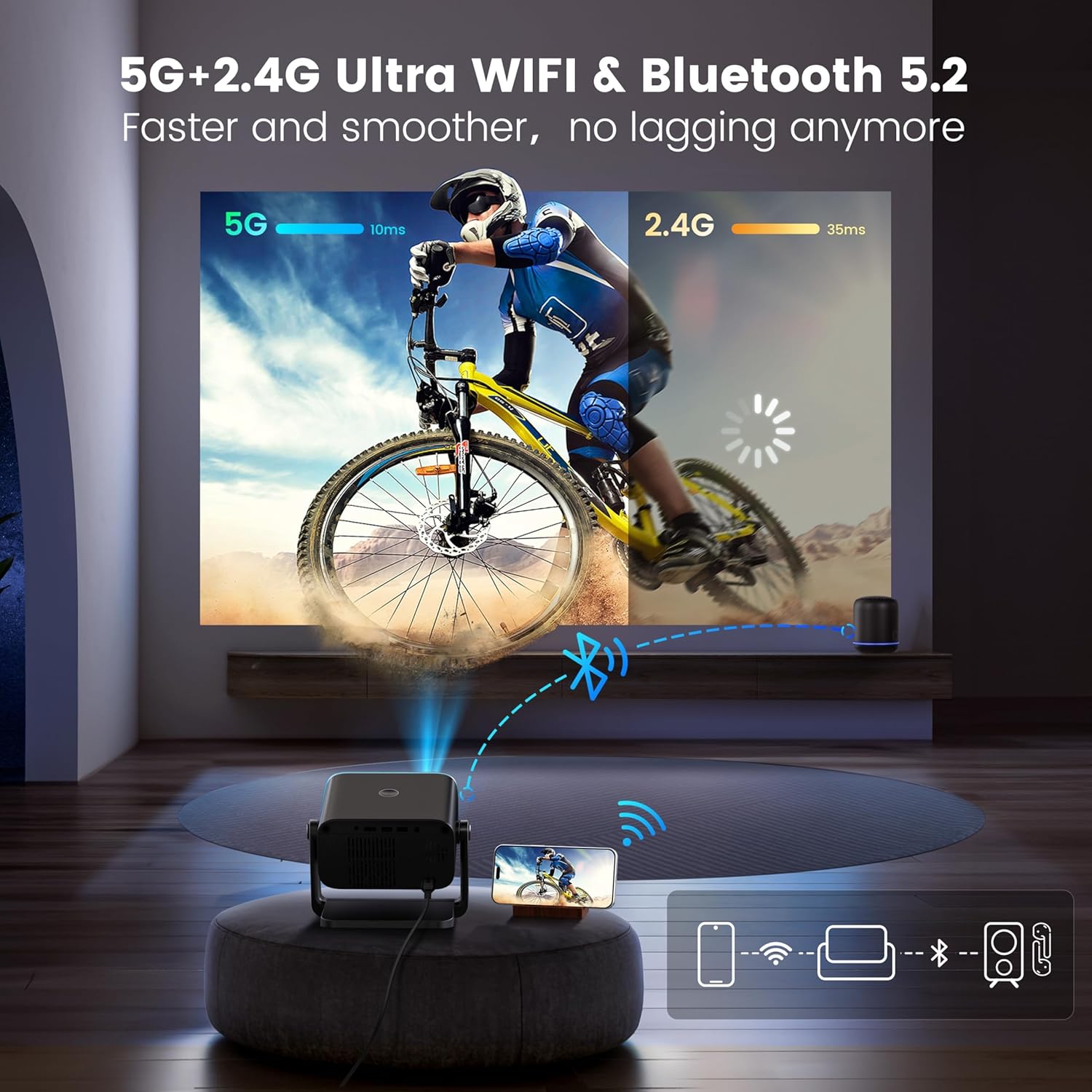
Figure 4.2.1: Demonstrating the dual-band 5G and 2.4G WiFi connectivity for fast and smooth streaming.
Note: Due to HDCP copyright restrictions, streaming services like Netflix and Disney+ require a TV stick (sold separately) for playback. Wired screen mirroring is also supported for seamless YouTube streaming.
4.3 Блуетоотх упаривање
To connect Bluetooth audio devices:
- Go to the "Settings" menu and select "Bluetooth".
- Омогућите Блуетоотх на пројектору.
- Put your Bluetooth headphones, speakers, or AirPods into pairing mode.
- Select your device from the list of available devices on the projector screen to pair.
4.4 Adjusting Projection Settings
- Функција зумирања: To adjust the image size without moving the projector, use the zoom function. This allows you to scale the image from 100% down to 50%. Access this setting in the projector's display or picture settings menu.
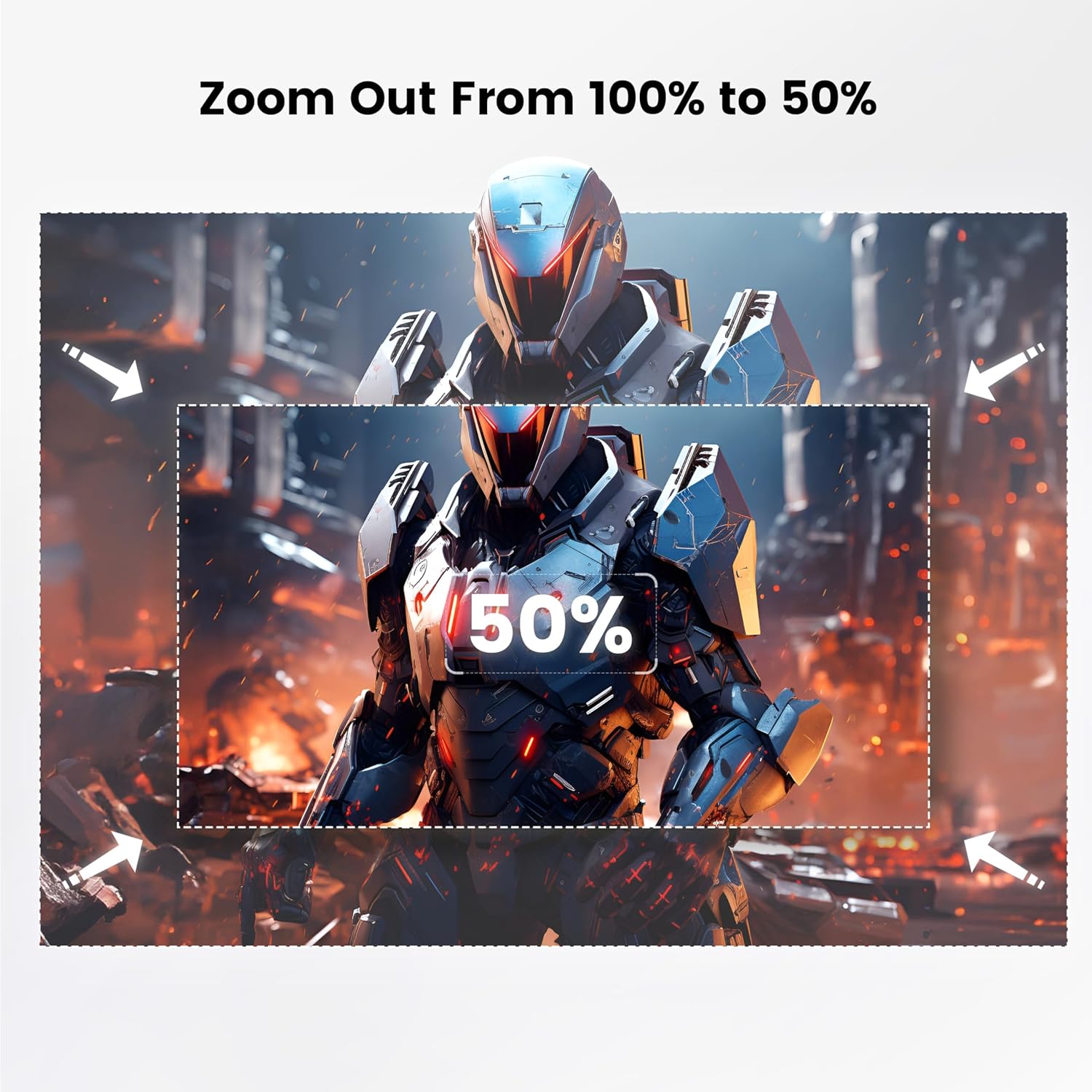
Figure 4.4.1: Visual guide for adjusting the projection size using the 100% to 50% zoom feature.
- Режим слике: Adjust brightness, contrast, color, and sharpness settings to optimize picture quality for different content or environments.
- Мерач спавања: Set a sleep timer (60/120/180 minutes) for automatic shutdown.
5. Одржавање
Правилно одржавање осигурава дуготрајност и перформансе вашег пројектора:
- Чишћење сочива: Користите меку крпу без влакана, посебно дизајнирану за оптичка сочива, да бисте нежно обрисали сочиво пројектора. Не користите абразивна средства за чишћење или прекомерну силу.
- Уклањање прашине: Regularly clean the projector's vents to prevent dust buildup, which can affect performance and lead to overheating. Use a soft brush or compressed air. The fully enclosed optical system helps minimize internal dust.
- Складиштење: When not in use, store the projector in a cool, dry place, away from direct sunlight and extreme temperatures. Use the provided lens cover to protect the lens.
- Руковање: Always handle the projector with care. Avoid dropping or subjecting it to strong impacts.
КСНУМКС. Решавање проблема
Ако наиђете на проблеме, погледајте табелу испод за уобичајене проблеме и решења:
| Проблем | Могући узрок | Решење |
|---|---|---|
| No image / Power off | Power cord not connected; Projector not powered on. | Ensure power cord is securely connected. Press the power button. Confirm the projector is plugged into a working outlet. |
| Мутна слика | Incorrect focus; Projector too close/far from screen. | Adjust focus using the remote control. Ensure the projector is within the optimal projection distance (2-3 meters). |
| Image not rectangular | Incorrect keystone setting. | Allow auto keystone correction to adjust. If needed, manually adjust keystone in the settings menu. |
| Нема звука | Volume too low; External audio device not connected/paired correctly. | Increase projector volume. Check audio cable connections or Bluetooth pairing status. |
| WiFi/Bluetooth connectivity issues | Incorrect password; Device out of range; Interference. | Re-enter password. Ensure devices are within range. Restart projector and router/Bluetooth device. |
| Streaming apps (Netflix, Disney+) not working | HDCP copyright restrictions. | A TV stick (sold separately) is required for these services due to copyright protection. |
За даљу помоћ, контактирајте нашу корисничку подршку.
7. Спецификације
| Феатуре | Детаљ |
|---|---|
| Бранд | ПУТРИМС |
| Модел | С28 |
| Изворна резолуција екрана | 1280 x 720 (Supports 1080P input) |
| Осветљеност | КСНУМКС АНСИ Луменс |
| Однос контраста | 18,000:1 |
| Тхров Ратио | 1.36:1 |
| Кеистоне Цоррецтион | Auto Vertical (±30°), Manual (±50°) |
| Фоцус | Елецтриц Фоцус |
| Подесиви угао постоља | 145° |
| Функција зумирања | 100% - 50% |
| Повезивање | 5G+2.4G WiFi, Bluetooth 5.2, HDMI, USB, 3.5mm Audio Out |
| Тежина артикла | 1.76 фунти (приближно 0.8 кг) |
| Димензије (Д к Ш к В) | 7.87 x 7.08 x 7.87 инча (приближно 20 x 18 x 20 цм) |
| Извор напајања | AC Power (No built-in battery) |
8. Гаранција и подршка
PUTRIMS is committed to providing excellent customer service.
- гаранција: The PUTRIMS S28 Mini Projector comes with a 2-year money-back guarantee and 3-year repair coverage.
- техничка помоћ: Lifetime technical assistance is available for all customers.
- Корисничка подршка: For any questions, troubleshooting, or technical support, please contact us 24/7 via email at: суппорт@путримс.цом.
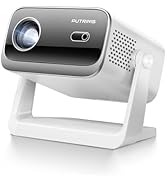
Figure 8.1: Contact information for customer support, including email and service guarantees.