
KADAMS K512-3
KADAMS визуелни тајмер K512-3 упутство за употребу
Модел: К512-3
Увод
The KADAMS Visual Timer K512-3 is an innovative time management tool designed to assist individuals, particularly children, in understanding and managing time effectively. It incorporates a unique traffic light concept with a pre-alarm function, a digital clock, and an indoor temperature display. This device provides both visual and audible alerts to help users track time for various activities, fostering independence and productivity.

Image: The KADAMS Visual Timer K512-3, featuring its distinct traffic light design and digital display.
Сетуп
Инсталација батерије
The KADAMS Visual Timer requires 3 'AA' alkaline batteries (not included) for operation. To install the batteries:
- Пронађите одељак за батерије на доњој страни уређаја.
- Отворите поклопац одељка за батерије.
- Insert 3 'AA' alkaline batteries, ensuring correct polarity (+/-).
- Добро затворите поклопац одељка за батерије.
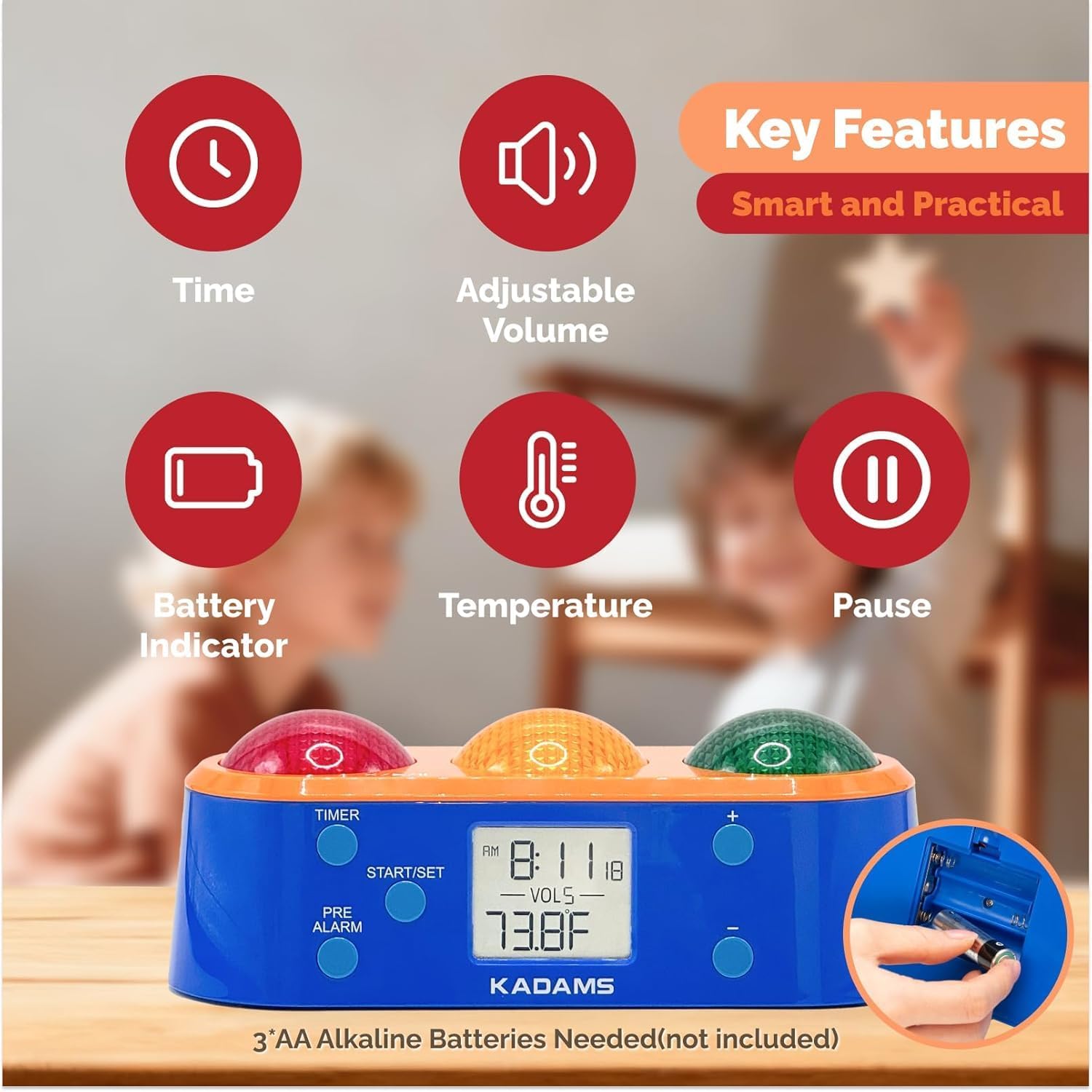
Image: The KADAMS Visual Timer K512-3, illustrating its key features and the battery compartment for 'AA' alkaline batteries.
Упутство за употребу
Setting the Timer and Pre-Alarm
The timer features an intuitive interface for setting countdowns and pre-alarms:
- Притисните тастер ТИМЕР button to activate timer setting mode.
- Користите + or - buttons to set the desired total countdown time.
- Притисните тастер ПРЕ-АЛАРМ button to set the pre-warning time. The default pre-alarm activates at 75% of the total countdown duration, but this can be customized.
- Користите + or - buttons to adjust the pre-warning time (this corresponds to when the yellow light will activate).
- Притисните тастер СТАРТ/СЕТ button to begin the countdown. The green light will illuminate.
Индикација семафора
- зелено светло: Indicates that the activity has started and there is ample time remaining ("Let's Go").
- жуто светло: Activates at the pre-alarm time, signaling that the activity is nearing its end ("Nearly There").
- црвено светло: Illuminates when the countdown is complete, indicating the activity should stop ("Stop").
Контрола јачине звука
The timer offers six levels of volume control, from silent mode to a robust 85 dB. Use the dedicated volume buttons (often integrated with +/- or separate) to adjust the sound level of the alerts.
Pausing and Stopping
To pause or stop the alarm, press the designated button (often the red light itself or a 'STOP' button). This allows for flexible management of timed activities.

Image: Step-by-step guide on how to set the timer and pre-alarm on the KADAMS Visual Timer K512-3.
Video: A seller-provided instructional video demonstrating the basic operation and features of the KADAMS Visual Timer.
Карактеристике
- Innovative Traffic Light Gamification: The timer utilizes red, yellow, and green lights to visually communicate time progression, making it highly intuitive for all ages. Green signifies 'Go', yellow indicates 'Nearly There' (pre-alarm), and red means 'Stop'.
- Pre-alarm Function: Users can customize both the total countdown time and a specific pre-alarm time. The light transitions to yellow at the pre-alarm point, providing an early warning.
- Clock and Temperature Display: When not in timer mode, the device displays the current time and indoor temperature, adding convenience and utility.
- Visual and Audible Sound Alerts: With six levels of volume control, including a silent mode, the timer caters to various needs. Visual cues are complemented by optional acoustic alerts, beneficial for individuals with special needs.
- Разноврсна примена: This timer is suitable for parents, teachers, professionals, students, and children. It aids in fostering independence, improving time awareness, and managing daily routines, screen time, and focus. It is particularly helpful for individuals with disabilities such as autism, ADHD, and hearing impairments.
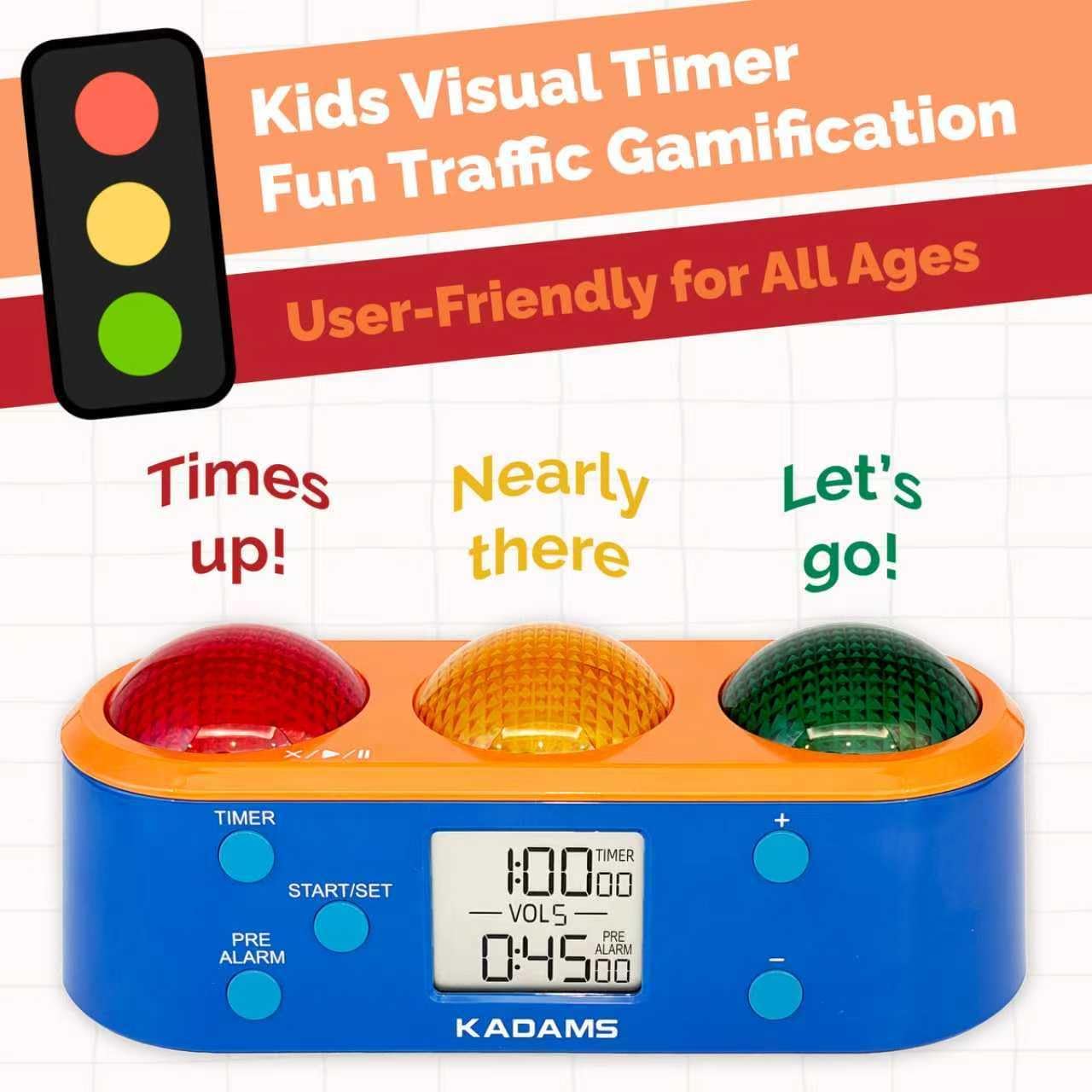
Image: The KADAMS Visual Timer K512-3, illustrating its traffic light gamification for user-friendly time management across all ages.

Image: The KADAMS Visual Timer K512-3 in use, demonstrating its visual and audible alerts for a fun way to learn time.

Image: The KADAMS Visual Timer K512-3, highlighting its versatile application in various environments like school, home, and playtime.
Спецификације
| Атрибут | Детаљ |
|---|---|
| Бранд | КАДАМС |
| Број модела | К512-3 |
| Боја | Оранге |
| Материјал | Акрилонитрил бутадиен стирен |
| Димензије производа | 3.9" Д x 9.4" Ш x 3.7" В (23.1 x 9.2 x 8.5 цм) |
| Тежина артикла | 2.72 унце (0.17 фунте) |
| Број подешавања | 3 (Green, Yellow, Red light stagес) |
| Извор напајања | 3 'AA' Alkaline Batteries (not included) |
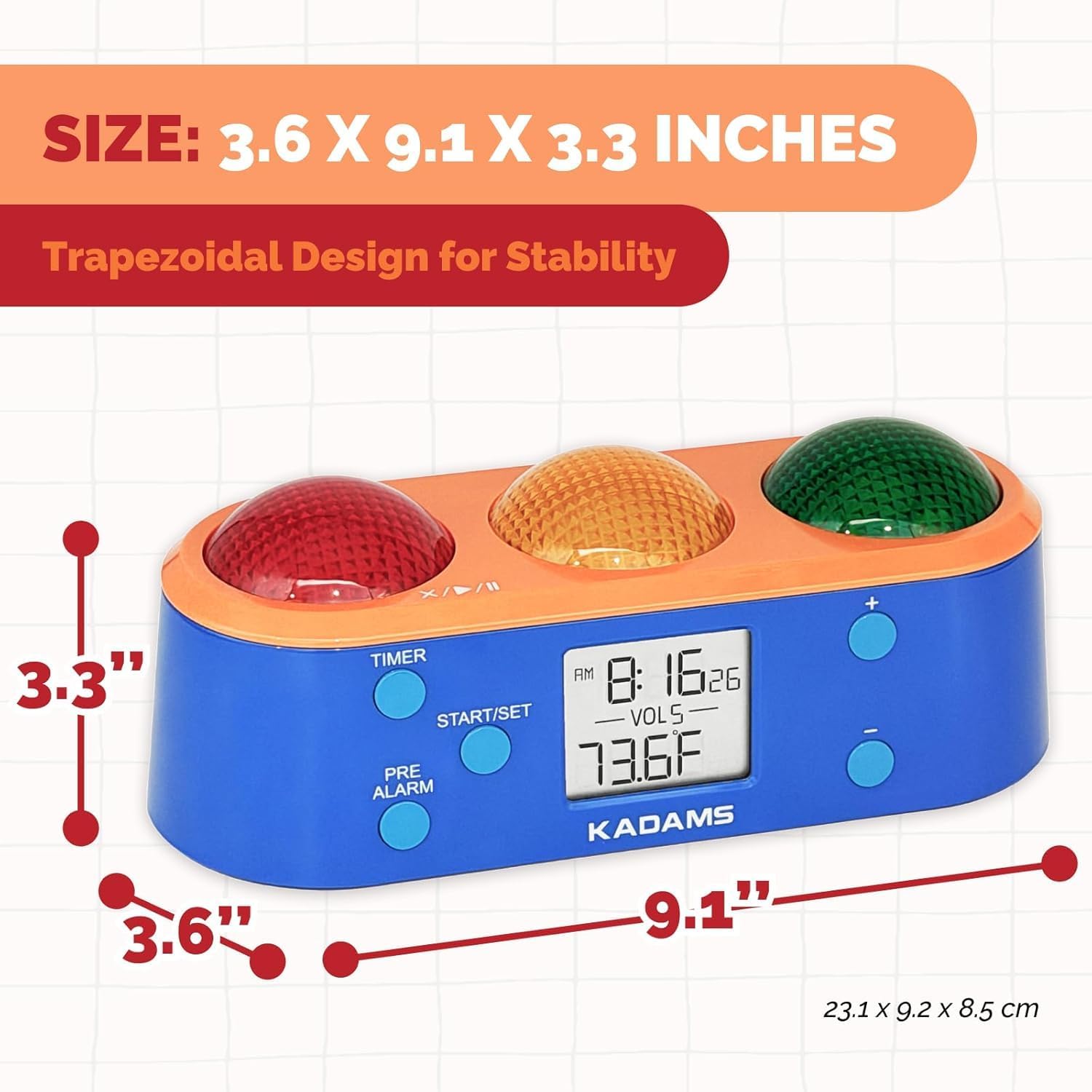
Image: The KADAMS Visual Timer K512-3, displaying its dimensions and trapezoidal design for stability.
Одржавање
To ensure the longevity and optimal performance of your KADAMS Visual Timer, follow these maintenance guidelines:
- Чишћење: Wipe the device with a soft, dry cloth. Avoid using abrasive cleaners or solvents that may damage the surface.
- Замена батерије: Replace batteries when the low battery indicator appears on the display. Ensure proper disposal of old batteries according to local regulations.
- Складиштење: Store the timer in a cool, dry place away from direct sunlight and extreme temperatures when not in use for extended periods.
Решавање проблема
If you encounter any issues with your KADAMS Visual Timer, consider the following:
- Уређај се не укључује: Check if the batteries are installed correctly and are not depleted. Replace with fresh batteries if necessary.
- Проблеми са приказом: Ensure the device is not exposed to extreme temperatures. If the display is dim, replace the batteries.
- Аларм се не оглашава: Check the volume settings. Ensure it is not set to silent mode.
- Inaccurate Time/Temperature: Ensure the device is placed in a stable environment away from direct heat sources or drafts that might affect temperature readings.
For further assistance, please refer to the product packaging or contact KADAMS customer support.
Гаранција и подршка
Specific warranty information and customer support details are typically provided with the product packaging or on the manufacturer's official website. Please refer to these resources for comprehensive information regarding your product's warranty coverage and how to obtain support.
Ask a question about this manual
Ask about setup, troubleshooting, compatibility, parts, safety, or missing instructions. Manuals+ will review the question and use this page’s manual context to help answer it.