
1. Производ је готовview
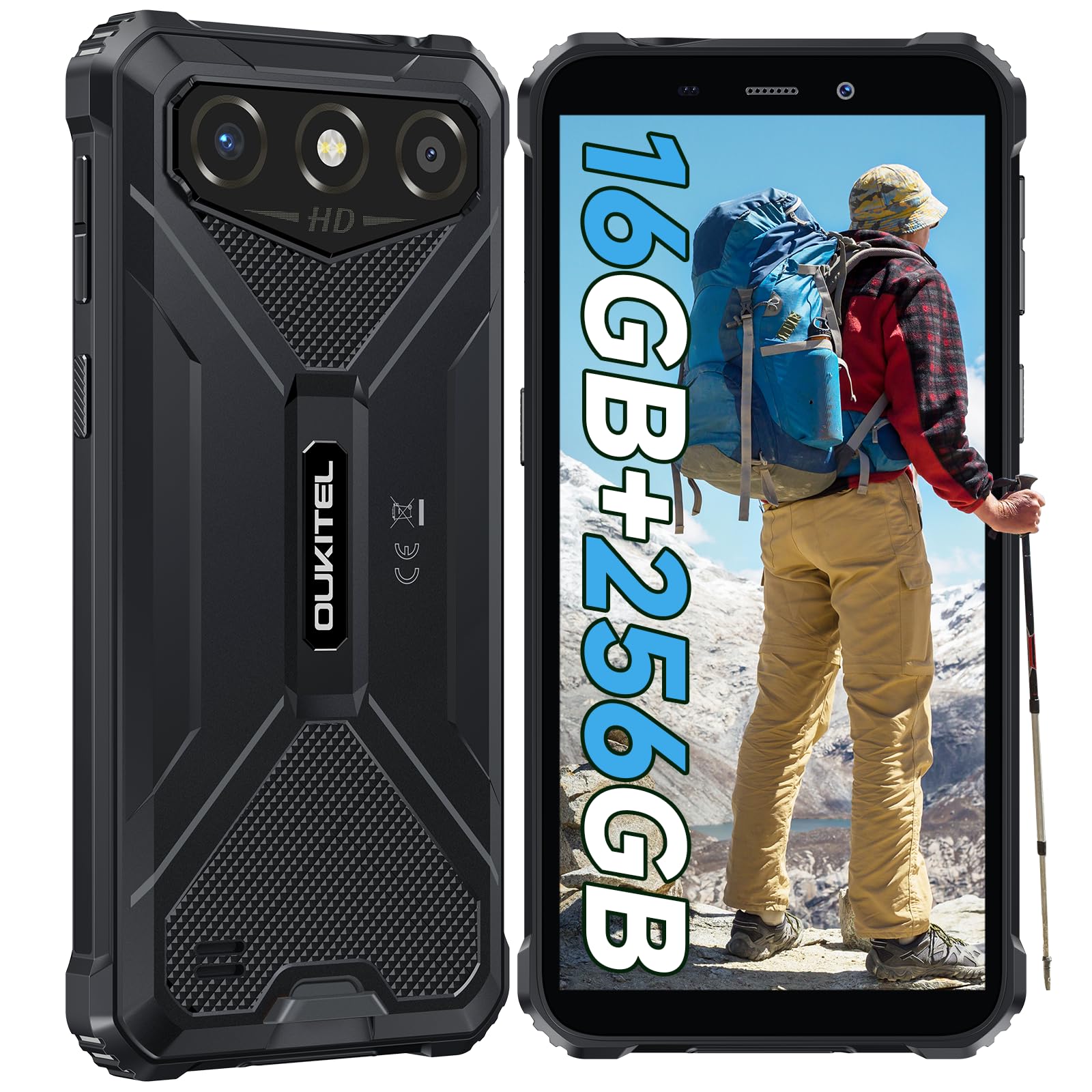
The OUKITEL G3 is a rugged smartphone designed for durability and performance in challenging environments. It features a 6.0-inch HD display, a 6300mAh battery, 16GB RAM (expandable), 256GB ROM (expandable to 1TB), and a 13MP main camera. The device is certified with IP68, IP69K, and MIL-STD-810H ratings, ensuring resistance to water, dust, and drops. It operates on Android 14 and supports 4G Dual SIM, GPS, Face ID, and OTG functionality.
2. Садржај пакета
Проверите да ли су све ставке присутне у вашем пакету:
- 1x OUKITEL G3 Smartphone
- 1к пуњач
- 1к Типе-Ц кабл
- 1x SIM Card Ejector Pin
- 1к упутство за употребу

3. Почетно подешавање
3.1. Уметање SIM картица и TF картице
- Пронађите лежиште за СИМ картицу са стране уређаја.
- Користите приложену иглу за избацивање СИМ картице да бисте отворили лежиште.
- Carefully place your Nano SIM cards (up to two) and/or a TF card (for memory expansion up to 1TB) into the designated slots.
- Уверите се да су картице правилно оријентисане као што је назначено на лежишту.
- Пажљиво гурните лежиште назад у телефон док не кликне на своје место.

3.2. Пуњење батерије
Before first use, fully charge the device. Connect the Type-C cable to the phone's charging port and the other end to the provided charger. Plug the charger into a power outlet. The battery indicator on the screen will show charging status. The OUKITEL G3 features a 6300mAh battery for extended use.
3.3. Укључивање/искључивање
- To power on: Press and hold the Power button until the OUKITEL logo appears.
- Да бисте искључили напајање: Притисните и држите дугме за напајање, а затим изаберите „Искључивање“ из опција на екрану.
- За поновно покретање: Притисните и држите дугме за напајање, а затим изаберите „Рестарт“ из понуђених опција.
4. Упутство за употребу
4.1. Приказ и навигација
The OUKITEL G3 features a 6.0-inch HD display with 450 nits brightness and Corning Glass 5 protection. Navigate the Android 14 interface using touch gestures: tap, swipe, pinch-to-zoom. Access quick settings by swiping down from the top of the screen.

4.2. Функције камере
The device is equipped with a 13MP rear camera and a 5MP front camera. Open the Camera app to capture photos and videos. Features include:
- Standard Photo Mode: For everyday photography.
- Режим лепоте са вештачком интелигенцијом: Enhances facial features in portraits.
- Режим подводне камере: Allows capturing photos and videos while submerged up to 1.5m for 30 minutes. Ensure all ports are securely sealed before underwater use.
- Панорама режим: For wide-angle landscape shots.

4.3. Battery Management and OTG
The 6300mAh battery provides extended usage. To optimize battery life, manage screen brightness, close unused applications, and enable power-saving modes when needed. The device supports OTG (On-The-Go) reverse charging, allowing you to use your OUKITEL G3 to charge other compatible devices via a Type-C OTG cable (sold separately).

4.4. Прилагођени кључ и безбедносне функције
- Прилагођени кључ: A programmable button on the side of the device for quick access to specific applications or functions. Configure its actions (single click, double click, long press) in the phone settings.
- ИД лица: Use facial recognition for secure unlocking of your device. Set up Face ID in the Security settings.
- ГПС навигација: The OUKITEL G3 supports GPS, GLONASS, Beidou, and Galileo navigation systems for accurate positioning.

5. Одржавање и издржљивост
The OUKITEL G3 is built to withstand harsh conditions, certified with IP68, IP69K, and MIL-STD-810H standards.
- IP68 водоотпорност: Protected against continuous immersion in water up to 1.5 meters for 30 minutes. Ensure all port covers are tightly sealed before exposure to water.
- IP69K Dust Resistance: Fully protected against dust ingress and high-pressure, high-temperature water jets.
- MIL-STD-810H Drop Resistance: Designed to withstand drops from up to 1.5 meters. The aluminum frame and rubberized corners provide enhanced shock absorption.
За чишћење уређаја користите меку, дamp cloth. Avoid harsh chemicals or abrasive materials. Regularly check port covers for proper sealing to maintain water and dust resistance.

КСНУМКС. Решавање проблема
If you encounter issues with your OUKITEL G3, refer to the following common solutions:
| Проблем | Могуће решење |
|---|---|
| Уређај се не укључује | Уверите се да је батерија напуњена. Прикључите пуњач и сачекајте неколико минута пре него што поново покушате да је укључите. |
| Лош мрежни сигнал | Check if SIM cards are correctly inserted. Move to an area with better network coverage. Contact your service provider if the issue persists. |
| Рушење или замрзавање апликација | Close background applications. Clear the cache of the problematic app. Restart the device. Ensure sufficient storage space is available. |
| Батерија се брзо празни | Reduce screen brightness. Disable unused features like Wi-Fi, Bluetooth, GPS. Close power-intensive apps. Check battery usage in settings to identify culprits. |
| Екран на додир не реагује | Поново покрените уређај. Ако проблем и даље постоји, извршите фабричко ресетовање (прво направите резервну копију података). |
7. Техничке спецификације
| Феатуре | Детаљ |
|---|---|
| Бранд | ОУКИТЕЛ |
| Модел | G3 |
| Оперативни систем | Андроид 14 |
| РАМ | 4GB (expandable to 16GB virtual RAM) |
| Интерна меморија (РОМ) | 256ГБ |
| Екпандабле Стораге | До 1 ТБ (ТФ картица) |
| Величина екрана | 6.0 инча |
| Резолуција екрана | HD (450 nits brightness, Corning Glass 5) |
| Рефресх Рате | 60Хз |
| Задња камера | 13 мегапиксела |
| Предња камера | 5 мегапиксела |
| Капацитет батерије | 6300 мАх |
| Порт за пуњење | УСБ Типе-Ц |
| Оцене издржљивости | IP68, IP69K, MIL-STD-810H |
| Подршка за СИМ картицу | Dual 4G Nano SIM |
| Навигација | ГПС, ГЛОНАСС, Бејду, Галилео |
| Биометријска безбедност | Фаце ИД |
| Аудио Јацк | 3.5мм |
For detailed energy efficiency information, please refer to the EU EPREL database: https://eprel.ec.europa.eu/qr/2400970

8. Гаранција и подршка
OUKITEL provides the following support for the G3 smartphone:
- Политика враћања: 30-day no-reason return.
- гаранција: TWO-YEAR warranty.
- техничка подршка: Long-term technical assistance.
- Служба за кориснике: 24-hour online customer service.
For any inquiries or support, please contact OUKITEL official customer service.