
Увод
Хвала вам на куповиниasing the UPERFECT 23.8-inch 120Hz Portable Touch Monitor. This device is designed to enhance your productivity and entertainment experience with its large display, high refresh rate, and versatile connectivity. Please read this manual carefully before use to ensure proper operation and to maximize the monitor's potential.
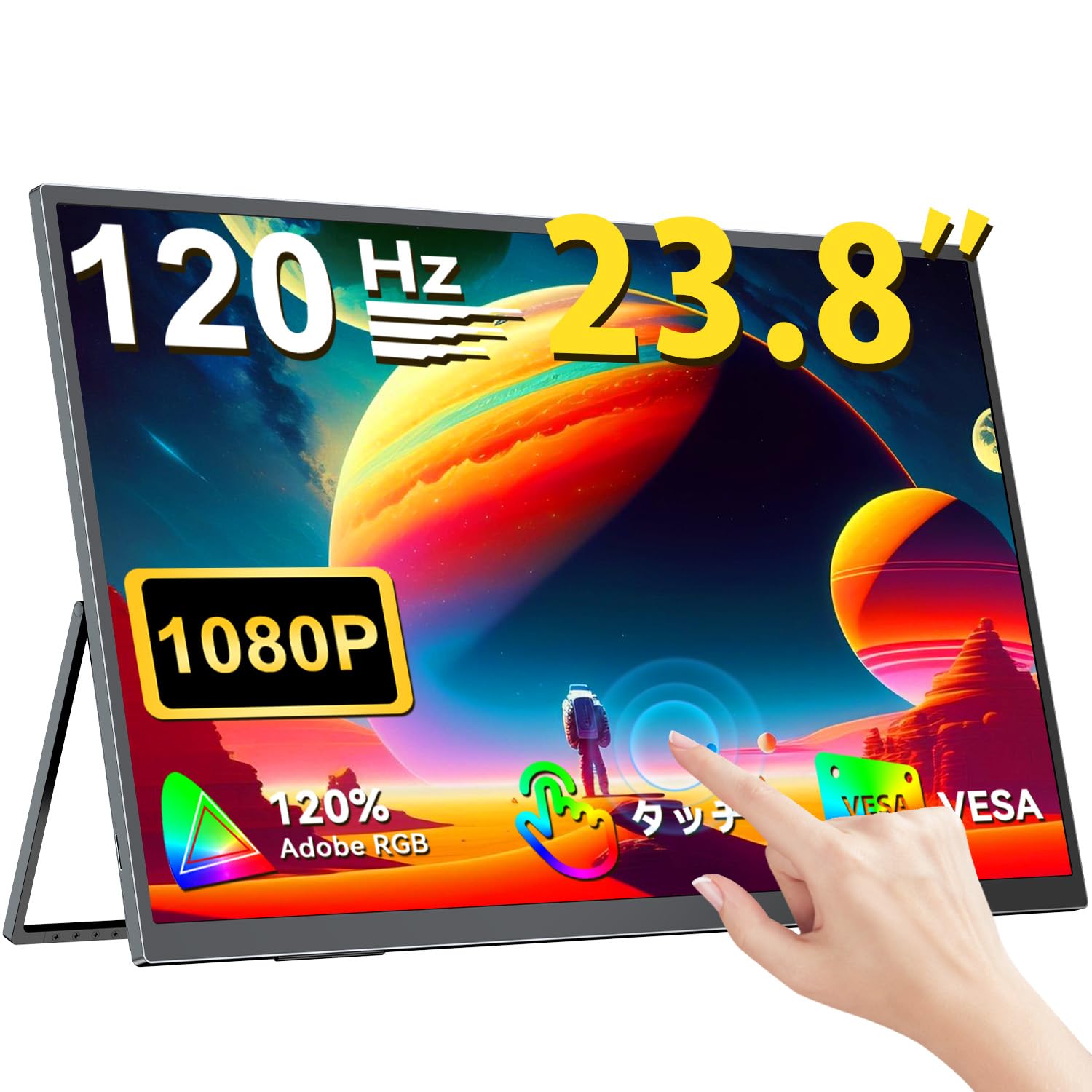
The UPERFECT 23.8-inch 120Hz Portable Touch Monitor.
Безбедносне информације
Да бисте спречили оштећења и осигурали безбедан рад, придржавајте се следећих мера предострожности:
- Не излажите монитор киши, влази или екстремним температурама.
- Избегавајте постављање тешких предмета на монитор.
- Користите само испоручени адаптер за напајање и каблове.
- Do not attempt to disassemble or repair the monitor yourself. Contact customer support for assistance.
- Обезбедите одговарајућу вентилацију око монитора да бисте спречили прегревање.
- When adjusting the stand, ensure the monitor is stable to prevent tipping.

Recommended ergonomic viewing angles for comfortable use. Avoid upward viewing angles to prevent tipping and eye strain.
Садржај пакета
Проверите да ли су све ставке присутне у пакету:
- UPERFECT 23.8-inch Portable Touch Monitor
- Повер Адаптер
- USB Type-C Cable (Full-featured)
- Мини ХДМИ на ХДМИ кабл
- USB-A to USB-C Cable (for power/OTG)
- Упутство за употребу
Производ је завршенview
Функције монитора
- 23.8-inch IPS Panel: Large display with 178° wide viewинг углова.
- Брзина освежавања од 120Хз: Provides smooth visuals, ideal for gaming and fast-paced content.
- Вишеструки додир са 10 тачака: Intuitive interaction with supported devices.
- 120% sRGB распон боја: Пружа живописне и прецизне боје.
- Интегрисани сталак: Adjustable from 0° to 180° for flexible viewинг позиције.
- Компатибилан са ВЕСА носачем: Supports 75x75mm VESA standard for alternative mounting options.
- Non-Glare Screen: Reduces reflections for comfortable long-term use.
- Уграђени звучници: За аудио излаз.
Портови и дугмад

Готовоview портова и контролних дугмади монитора.
- Утичница за слушалице: 3.5 мм аудио излаз.
- Дугме менија: Приступа менију на екрану (OSD).
- Дугмад плус/минус: Navigate OSD menu, adjust volume/brightness.
- Индикатор напајања: Показује статус напајања.
- Дугме за напајање/повратак: Powers the monitor on/off, or returns to previous OSD menu.
- Тип-Ц портови (x2): Full-featured USB-C for power, video, and touch signal.
- Мини ХДМИ порт: Видео улаз.
- Micro USB-B OTG Port: For connecting peripherals like mouse or keyboard.
Сетуп
Повезивање са уређајима
The monitor supports various devices including laptops, desktops, smartphones, and gaming consoles (PS4, PS5, Xbox, Nintendo Switch).

The monitor can be connected to various devices using a single Type-C cable for power and display, provided the device supports DP Alt Mode.
- УСБ тип-Ц веза: Connect a full-featured USB Type-C cable from your device (laptop, smartphone, Switch) to one of the monitor's Type-C ports. If your device supports DP Alt Mode, a single cable can transmit video, audio, touch, and power. If your device does not support DP Alt Mode, or for stable power delivery, connect the included power adapter to the other Type-C port.
- Мини HDMI конекција: Connect a Mini HDMI to HDMI cable from your device (PC, game console) to the monitor's Mini HDMI port. For power, connect the included power adapter to one of the monitor's Type-C ports.
- ОТГ порт: Use the Micro USB-B OTG port to connect a mouse or keyboard for enhanced control, especially when using the monitor with a smartphone in desktop mode.
Важна напомена:
- For optimal performance, especially when increasing contrast, brightness, or color saturation, always connect the monitor to an external power source using the provided power adapter.
- If your device's USB-C port does not support DP Alt Mode, a Type-C cable alone cannot transmit video. Refer to your device's specifications for compatibility.
Stand Adjustment and VESA Mounting

The monitor features a smart integrated stand for flexible positioning and VESA compatibility for arm mounts.
- Интегрисани сталак: The monitor features a durable aluminum alloy integrated stand. Adjust the viewing angle freely within a 0° to 180° range. The base includes anti-slip rubber pads for stability.
- ВЕСА монтажа: The monitor is compatible with VESA 75x75mm mounts (M4*4mm screw holes). This allows for attachment to monitor arms or wall brackets for a customized setup.
Упутство за употребу
Укључивање/искључивање
Press the Power/Return button to turn the monitor on or off.
Он-Сцреен Дисплаи (ОСД) мени
Press the Menu button to access the OSD menu. Use the Plus/Minus buttons to navigate and adjust settings such as brightness, contrast, color temperature, and input source.
Додирните Функционалност

The monitor supports 10-point multi-touch gestures for intuitive control. For MacBook connections, 2-point gestures (pinch zoom/rotate) are supported.
The monitor supports 10-point multi-touch for Windows and Android devices. For MacBook connections, 2-point gestures (pinch zoom/rotate) are fully supported. This allows for direct interaction with the screen for tasks like sketching, document navigation, and presentations.
Режими приказа

Easily switch between horizontal (landscape) and vertical (portrait) display modes to suit your content and workflow. Portrait mode settings are configured on your PC.
The monitor supports various display modes to suit your needs:
- Проширени режим: Extend your PC desktop across both screens for increased workspace.
- Режим дуплирања: Mirror your PC screen for presentations or shared viewинг.
- Портретни режим: Rotate the monitor vertically for document review or coding. (Settings for portrait mode are typically configured on the connected PC).
Карактеристике игара

The monitor supports FreeSync technology to eliminate screen tearing and stuttering during gaming.
- Брзина освежавања од 120Хз: Experience smoother gameplay and action sequences compared to standard 60Hz displays.
- ФрееСинц подршка: Compatible with FreeSync technology to reduce screen tearing and stuttering, providing a more fluid gaming experience.
- Брзо време одзива: Enjoy a quick response time of 1ms, minimizing motion blur.
Одржавање
Follow these guidelines to maintain your monitor:
- Чишћење екрана: Нежно обришите екран меком крпом која не оставља влакна. За тврдокорне мрље, благо обришитеampНавлажите крпу водом или средством за чишћење екрана. Не прскајте течност директно на екран.
- Чишћење Цasing: Користите меку, суву крпу за чишћење монитора casinг. Избегавајте абразивна средства за чишћење или раствараче.
- Складиштење: Када се монитор не користи дуже време, чувајте га на хладном и сувом месту, даље од директне сунчеве светлости и екстремних температура.
- Fingerprint Resistance: The screen features an anti-fingerprint coating to help maintain cleanliness in business environments.
Решавање проблема
Ако наиђете на проблеме, погледајте следеће уобичајене проблеме и решења:
| Проблем | Могући узрок | Решење |
|---|---|---|
| Нема дисплеја/Нема сигнала | Incorrect input source selected; Cable not connected properly; Device not outputting signal; Insufficient power. | Check cable connections; Select correct input source via OSD; Ensure device is powered on and configured to output to external display; Connect external power adapter to monitor. |
| Функција додира не ради | USB-C cable not full-featured; Device does not support touch output; Driver issue (Windows); Cable connection issue. | Ensure a full-featured USB-C cable is used; Verify device compatibility with touch output; Reconnect USB-C cable; For Windows, ensure touch drivers are installed (usually automatic). |
| Screen flickering/Unstable image | Cable issue; Graphics card issue; Refresh rate mismatch; Insufficient power. | Try a different cable; Update graphics drivers; Adjust refresh rate in device settings; Ensure external power is connected. |
| Нема звука из звучника монитора | Volume too low; Muted; Incorrect audio output selected on device. | Adjust monitor volume via OSD; Check device's audio output settings. |
| Monitor keeps restarting | Недовољна снага. | Ensure the monitor is connected to the provided power adapter for stable power delivery. |
Спецификације
| Феатуре | Спецификација |
|---|---|
| Бранд | УПЕРФЕЦТ |
| Број модела | М238Т02 |
| Величина екрана | 23.8 инча |
| Резолуција | FHD 1080p (1920 x 1080) |
| Аспецт Ратио | 16:9 |
| Панел Типе | ИПС ЛЦД |
| Површина екрана | Без одсјаја |
| Однос контраста | 1000:1 |
| Рефресх Рате | 120 Хз |
| Време одговора | 1 мс |
| Viewинг Англе | 178 степени |
| Цолор Гамут Валуе | 120% сРГБ |
| Повезивање | 2x USB Type-C (Full-featured), 1x Mini HDMI, 1x Micro USB-B (OTG), 1x 3.5mm Audio Jack |
| ВЕСА компатибилност | 75x75mm (M4*4mm screws) |
| Димензије (Д к Ш к В) | 1.7 к 54.5 к 32.7 цм |
| Адаптиве Синц | ФрееСинц |
Гаранција и подршка
UPERFECT provides comprehensive support for your product:
- Гаранција произвођача: Овај производ долази са једногодишњом гаранцијом произвођача.
- 90-дневна гаранција задовољства: If you are not completely satisfied within 90 days, a full refund is available.
- Наменска подршка: Contact our dedicated support team for any questions or issues.
- Free Accessory Replacement: Genuine cables and adapters are provided free of charge for life.
- PSE Certified: The product is PSE certified, ensuring safety standards.
For any inquiries or if you encounter an initial defect within the warranty period, please contact us through your order history. We are committed to providing the best possible assistance.