
Увод
Thank you for choosing the YFK Smart Fingerprint Door Lock. This manual provides detailed instructions for the installation, operation, and maintenance of your new smart lock. Please read this manual thoroughly before installation and use to ensure proper function and security.
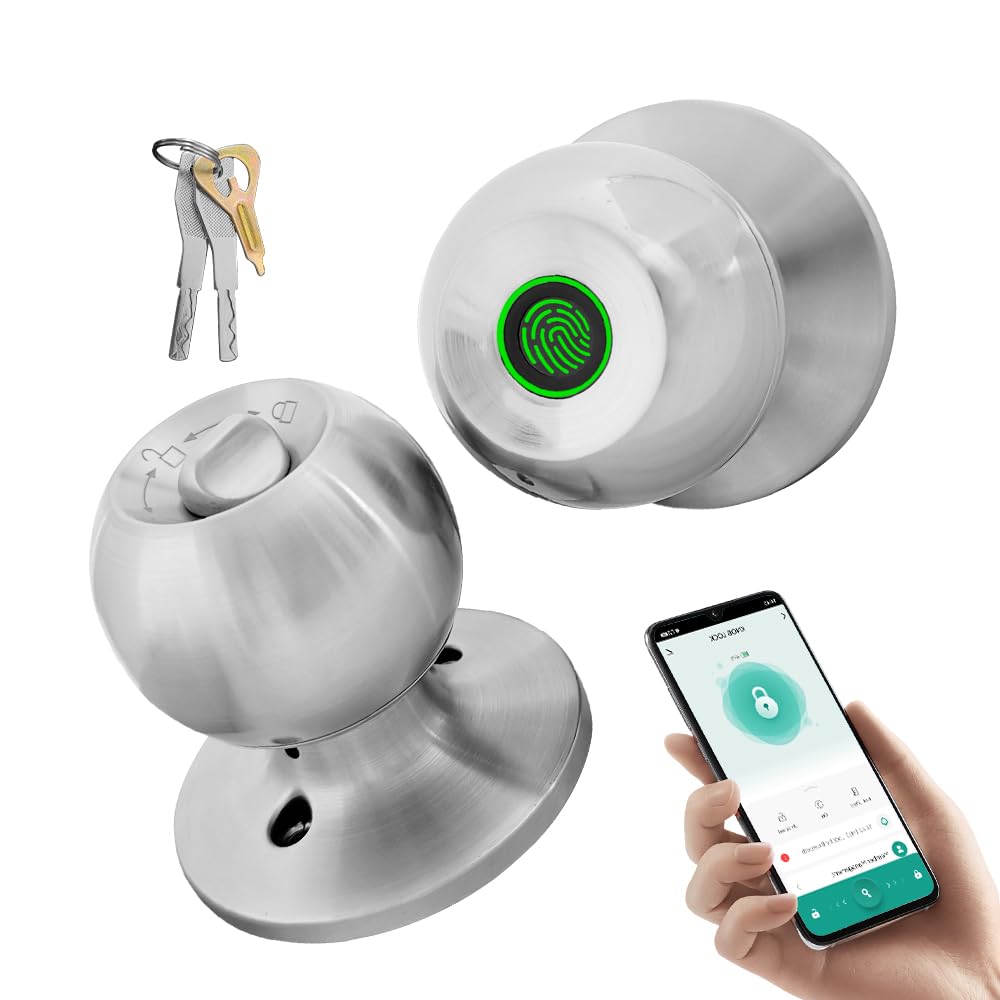
Image: The YFK Smart Fingerprint Door Lock in silver, showcasinг његов елегантан дизајн.
Кључне карактеристике:
- Приступ отиском прста: Unlock your door in approximately 1.5 seconds with advanced biometric technology. Stores up to 20 unique fingerprints.
- Multiple Unlocking Modes: Choose from fingerprint, mechanical key, or app access.
- Контрола паметне апликације: Manage your lock remotely via the Tuya Smart App, including Bluetooth unlocking, user management, and access history.
- Издржљива конструкција: Made from premium aluminum alloy and stainless steel for long-lasting performance.
- Пуњива батерија: Built-in Li-On rechargeable battery with an estimated life of 8-12 months, charged via a Type-C port.
- Универзална компатибилност: Compatible with wooden, steel, copper, and composite doors (35–55mm thick) and features an adjustable 60–70mm latch.
- Аларм слабе батерије: Provides warning when battery power is low.
Садржај пакета
Пре почетка инсталације, проверите да ли су све компоненте присутне и да ли су неоштећене.
- YFK Smart Fingerprint Door Lock Unit
- Хардвер за инсталацију
- 2 механичка тастера
- Упутство за употребу
Подешавање и инсталација
This section guides you through the physical installation of the YFK Smart Fingerprint Door Lock.
Компатибилност врата:
- Дебљина врата: 35mm to 55mm (1.38 inches to 2.17 inches)
- Засун: Adjustable 60mm to 70mm (2.36 inches to 2.76 inches)
- Врсте врата: Wooden, steel, copper, and composite doors.
Општи кораци инсталације:
- Припремите врата: Ensure your door meets the compatibility requirements. If replacing an existing lock, remove it.
- Инсталирајте браву: Insert the latch into the door edge and secure it with screws. Adjust the backset if necessary.
- Инсталирајте спољни склоп: Place the exterior lock assembly (with fingerprint sensor) onto the door, aligning it with the latch.
- Инсталирајте унутрашњи склоп: Connect the interior lock assembly to the exterior assembly, ensuring the spindle and wires are correctly routed. Secure with mounting screws.
- Пробни рад: After installation, test the mechanical key and ensure the knob turns smoothly.
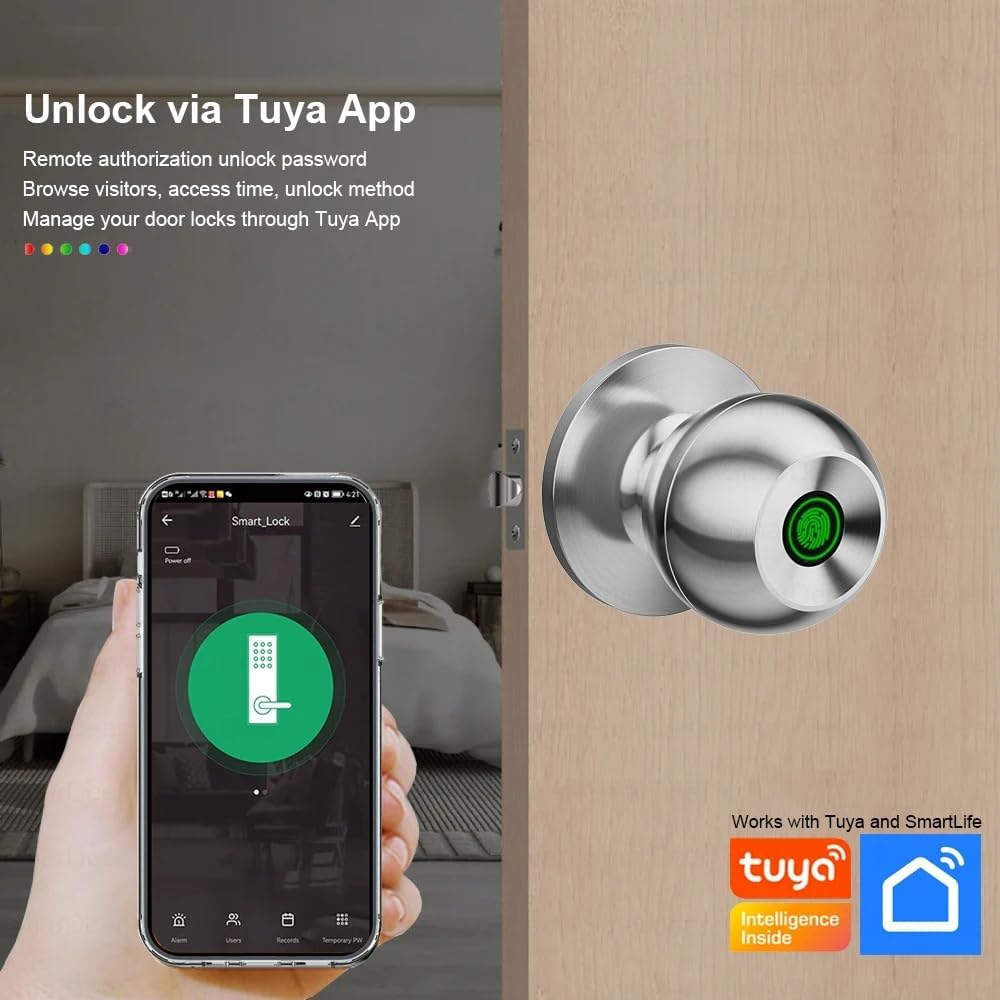
Image: The YFK Smart Fingerprint Door Lock shown installed on a wooden door, demonstrating its appearance after setup.
Упутство за употребу
Learn how to use the various unlocking methods and smart features of your YFK Smart Fingerprint Door Lock.
1. Fingerprint Access:
- Региструјте отиске прстију:
- Download and install the Tuya Smart App (see 'Smart App Control' section).
- Follow the in-app instructions to add new fingerprints. You can store up to 20 unique fingerprints.
- Ensure your finger covers the entire sensor for accurate registration.
- Unlock with Fingerprint:
- Чврсто поставите регистровани прст на сензор отиска прста.
- The lock will unlock in approximately 1.5 seconds if the fingerprint is recognized.
2. Mechanical Key Access:
- In case of emergency or battery depletion, use one of the two provided mechanical keys.
- Insert the key into the keyhole located on the exterior assembly and turn to unlock.

Слика: Детаљна view of the YFK Smart Door Lock's exterior, highlighting the mechanical keyhole and the Type-C charging port.
3. Smart App Control (Tuya Smart App):
The Tuya Smart App allows for remote management and enhanced control over your lock.
- Преузмите и инсталирајте: Тражи "Tuya Smart" in your mobile app store (iOS or Android) and install the application.
- Pair the Lock:
- Омогућите Блуетоотх на свом паметном телефону.
- Open the Tuya Smart App and follow the on-screen instructions to add a new device.
- Ensure your phone is within Bluetooth range of the lock during pairing.
- Функције апликације:
- Блуетоотх откључавање: Unlock the door directly from the app when within Bluetooth range.
- Управљање отиском прста корисника: Add, edit, or delete registered fingerprints.
- Unlock Record Log: View a history of all lock and unlock events.
- Привремени приступ: Grant temporary access to guests or service providers.
- Упозорење о ниској батерији: Примајте обавештења када је батерија браве празна.

Image: A smartphone screen showing the Tuya Smart App interface, demonstrating remote control capabilities for the smart lock.

Image: An infographic illustrating the various functions available through the Tuya App, such as APP Unlock, User Fingerprint Management, and Lock Unlocking Record Log.
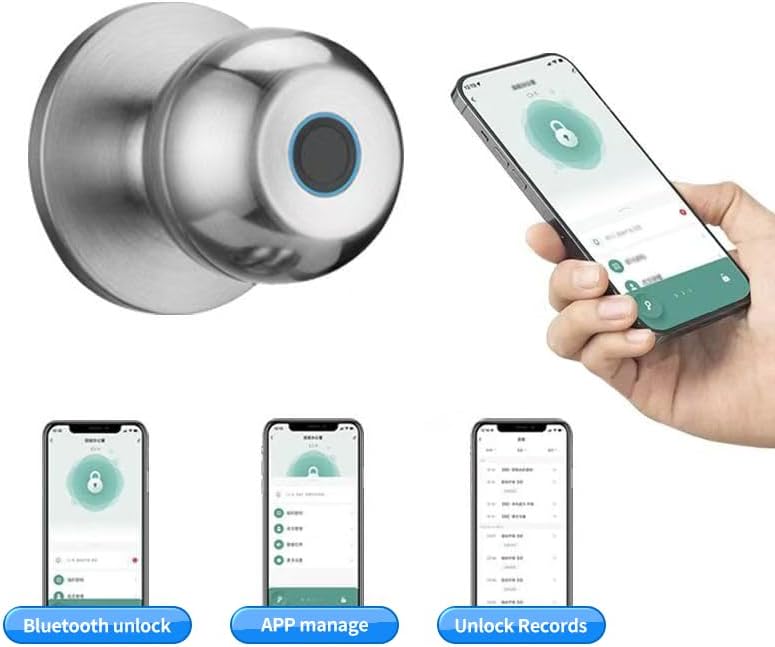
Image: Multiple smartphone screenshots demonstrating the Tuya App's features, including Bluetooth unlocking, app-based management, and viewоткључавање записа.
4. Multiple Unlocking Modes:
The lock supports various operational modes to suit different needs:
- Стандардни режим: Requires fingerprint, key, or app unlock for each entry.
- Нормално отворен режим: Keeps the door unlocked for continuous access (e.g., during parties or business hours). This mode can typically be activated via the app or a specific sequence on the lock.
- Reverse Lock Mode: (If applicable, specific details not provided, but generally implies a mode for enhanced security or specific access control). Refer to the Tuya App for advanced settings.
Одржавање
Управљање батеријом:
- The YFK Smart Fingerprint Door Lock is equipped with a built-in Li-On rechargeable battery.
- Expected battery life is 8-12 months, depending on usage frequency.
- Пуњење: Use a standard Type-C USB cable to charge the lock. The charging port is located on the exterior assembly.
- Упозорење о ниској батерији: The lock will provide an audible or visual alert when the battery level is low. Charge the lock promptly to avoid being locked out.

Image: An illustration highlighting the Li-On rechargeable battery and the Type-C charging port of the YFK Smart Door Lock.
Општа нега:
- Clean the lock's exterior with a soft, dry cloth. Avoid abrasive cleaners or solvents.
- За оптималне перформансе, одржавајте сензор отиска прста чистим и без прљавштине или влаге.
- Do not expose the lock to extreme temperatures or direct water spray.
Решавање проблема
This section addresses common issues you might encounter with your YFK Smart Fingerprint Door Lock.
- Отисак прста није препознат:
- Уверите се да је ваш прст чист и сув.
- Чврсто и потпуно поставите прст на сензор.
- Try re-registering your fingerprint through the Tuya Smart App.
- Ensure the sensor is clean.
- Брава не реагује:
- Check the battery level. Recharge the lock if the battery is low.
- Use the mechanical key for emergency access.
- Проблеми са повезивањем апликација:
- Уверите се да је Блуетоотх омогућен на вашем паметном телефону.
- Make sure your phone is within close proximity to the lock.
- Restart the Tuya Smart App or your phone.
- Try re-pairing the lock with the app.
- Lock Mechanism Sticking:
- Ensure the installation screws are not overtightened.
- Проверите да ли има препрека у оквиру врата или затварачу.
Ако и даље имате проблема, обратите се ресурсима за подршку произвођача.
Спецификације
| Бранд | YFK |
| Број модела | B0FL7M8WDC |
| Материјал | Aluminum, Stainless Steel (Metal) |
| Боја | Сребро |
| Димензије производа | 3.35 cm D x 2.64 cm Š |
| Компатибилност дебљине врата | 35 мм - 55 мм |
| Подесива брава | 60 мм - 70 мм |
| Тип закључавања | Combination Lock (Fingerprint, Key, App) |
| Посебне карактеристике | Auto-Lock, Fingerprint, Lightweight, Lockable, Rustproof |
| Тип батерије | Built-in Li-On Rechargeable Battery |
| Порт за пуњење | Типе-Ц |
| Унутрашња/спољна употреба | Индоор |
| Оријентација руке | Амбидектроус |
Гаранција и подршка
For warranty information, technical support, or further assistance, please refer to the official YFK webсајт или директно контактирајте њихову корисничку службу. Детаљи су обично наведени у документацији о куповини или на паковању производа.
Произвођач: door knob (as per product specifications, please refer to YFK for official support)