
Surge SG60094
Surge Wireless Pro Controller User Manual
Модел: СГ60094
Увод
This manual provides instructions for the Surge Wireless Pro Controller, Model SG60094. It covers setup, operation, maintenance, troubleshooting, and specifications. Please read this manual thoroughly before using the controller.
The Surge Wireless Pro Controller is designed for multi-platform compatibility, featuring Hall Effect thumb sticks and triggers for precision control.
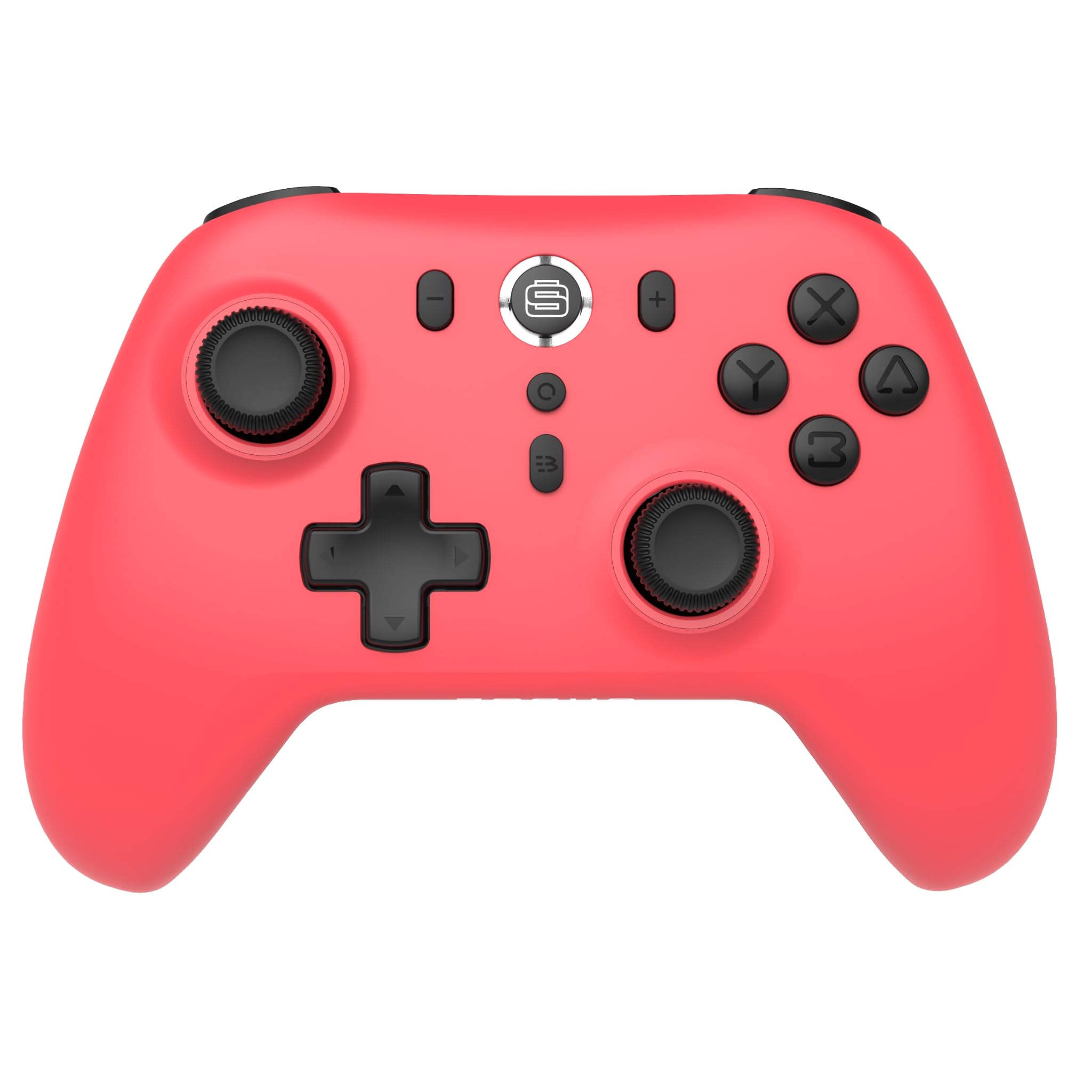
Слика: Фронт view of the Surge Wireless Pro Controller in Neon Red.
Кључне карактеристике
- Компатибилност са више платформи: Supports Nintendo Switch/Switch 2 (Note: No C Button/Audio Port on Switch 2), Windows PC, Steam Deck, Android, and iOS devices.
- Hall Effect Thumb Sticks & Triggers: Engineered for precise control and to prevent stick drift.
- Турбо функционалност: Offers 3 adjustable turbo levels for rapid-fire actions.
- Вибрациона повратна информација: Features 4 customizable vibration levels for enhanced haptic feedback.
- Контроле покрета: Compatible with games that utilize motion sensing.
- Console Wake Up: Ability to wake the Nintendo Switch console from sleep mode (Nintendo Switch only).
- Пуњива батерија: Built-in 600mAh Li-polymer battery provides up to 10 hours of gameplay per charge.
- УСБ-Ц пуњење: Includes a 1-meter USB-C charging cable.
Упутства за подешавање
1. Почетно пуњење
Before first use, fully charge the controller. Connect the included USB-C cable to the controller's charging port and the other end to a USB power source (e.g., console, PC, USB wall adapter). The charging indicator will show status.

Image: The controller connected to a USB-C charging cable.
2. Упаривање са Nintendo Switch-ом
- На вашој Nintendo Switch конзоли идите на мени HOME.
- Изаберите Контролори, онда Промените Грип/Ред.
- Притисните и држите Дугме за упаривање on the top of the Surge Wireless Pro Controller until the player indicator lights begin to flash.
- Once paired, the player indicator light(s) will remain solid.
- To wake the console from sleep mode, press the Home button on the controller.
3. Pairing with PC, Android, or iOS
The pairing process may vary slightly depending on your device's operating system. Generally, you will need to enable Bluetooth on your device and search for new devices.
- Ensure Bluetooth is enabled on your PC, Android, or iOS device.
- On the Surge Wireless Pro Controller, press and hold the Дугме за упаривање until the indicator lights flash.
- On your device, select "Surge Pro Controller" from the list of available Bluetooth devices.
- Пратите сва упутства на екрану да бисте завршили упаривање.
Видео: Оверview of the 8Bitdo Ultimate 2 Wireless Controller, demonstrating general wireless controller setup principles.
Упутство за употребу
Распоред тастера

Image: Diagram showing the button layout of the Surge Wireless Pro Controller.
- Леви/десни аналогни штапићи: For movement and camera control. Features Hall Effect technology for enhanced durability and precision.
- Д-Пад: За усмерени унос.
- Дугмад A/B/X/Y: Стандардна дугмад за акције.
- Лево/Десно дугме: Дугмад за рамена.
- ЗЛ/ЗР окидачи: Analog triggers with Hall Effect sensors.
- Хоме дугме: Returns to the console's home menu.
- Дугме за снимање екрана: Снима снимке екрана.
- Дугмад Плус (+) / Минус (-): За навигацију кроз мени у игри.
- Турбо дугме: Activates/deactivates turbo function.
- Дугме за упаривање: Користи се за упаривање путем Bluetooth-а.
Турбо функција
To activate turbo for a button, press and hold the Турбо Буттон, then press the desired action button (A, B, X, Y, L, R, ZL, ZR). Repeat the process to deactivate. There are 3 adjustable turbo levels; refer to the full product manual for detailed adjustment instructions.
Подешавање вибрација
The controller offers 4 levels of vibration intensity. Specific button combinations or software may be required to adjust these levels. Consult the full product manual or manufacturer's website for precise instructions.
Одржавање
- Чишћење: Користите меку, суву крпу за чишћење контролера. Избегавајте употребу јаких хемикалија или абразивних материјала.
- Складиштење: Чувајте контролер на хладном и сувом месту, даље од директне сунчеве светлости и екстремних температура.
- Одржавање батерије: Да бисте продужили век трајања батерије, избегавајте често потпуно пражњење батерије. Редовно пуните контролер, чак и ако се не користи дуже време.
- Нега каблова: Handle the USB-C charging cable carefully. Avoid bending or twisting it excessively.
Решавање проблема
| Проблем | Решење |
|---|---|
| Контролер се не укључује. | Уверите се да је контролер потпуно напуњен. Повежите га са извором напајања помоћу USB-C кабла. |
| Unable to pair with device. | Make sure Bluetooth is enabled on your device. Press and hold the pairing button on the controller until lights flash. Ensure the controller is not already paired with another device. Try restarting both the controller and the device. |
| Stick drift or inaccurate input. | The controller features Hall Effect sticks to minimize drift. If issues persist, ensure the controller's firmware is up to date. Contact customer support if the problem continues. |
| Вибрација не ради. | Check in-game settings to ensure vibration is enabled. Verify the vibration intensity level on the controller. |
| Console Wake Up not functioning. | This feature is only supported on Nintendo Switch. Ensure the controller is properly paired with the Switch. |
Спецификације
- Број модела: СГ60094
- батерија: 1 Nonstandard Battery (600mAh Li-polymer, included)
- Трајање батерије: До 10 сати (приближно)
- Порт за пуњење: УСБ-Ц
- Повезивање: Блуетоотх бежични
- Димензије: 20.1 x 14 x 6.6 цм (приближно)
- Тежина: 310 г (приближно)
- Земља порекла: Кина
Гаранција и подршка
For warranty information and customer support, please refer to the official Surge website or contact support directly at support@surgegaming.com.
The product typically comes with a manufacturer's warranty covering defects in materials and workmanship. Please retain your proof of purchase for warranty claims.
Ask a question about this manual
Ask about setup, troubleshooting, compatibility, parts, safety, or missing instructions. Manuals+ will review the question and use this page’s manual context to help answer it.