
Увод
This manual provides instructions for the Nulea RT07B Wireless Ergonomic Keyboard. Designed for comfort and efficiency, this keyboard features a split layout, integrated wrist rest, and versatile connectivity options to enhance your typing experience across multiple devices.
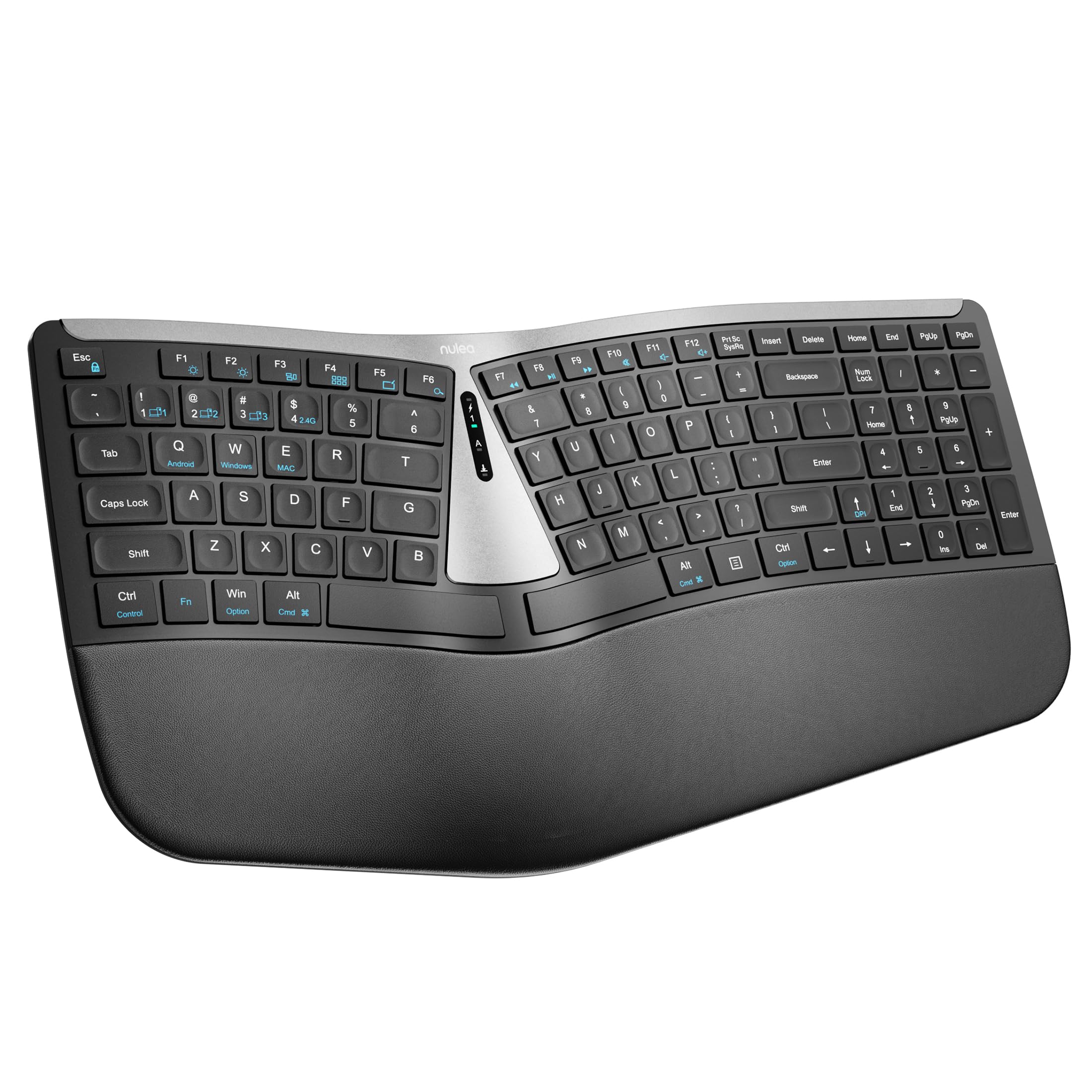
Figure 1: Nulea RT07B Wireless Ergonomic Keyboard
Сетуп
Садржај пакета
- Nulea RT07B Wireless Ergonomic Keyboard
- USB 2.4G Receiver (stored in the keyboard's underside)
- УСБ-Ц кабл за пуњење
- Кориснички приручник (овај документ)
Пуњење тастатуре
The Nulea RT07B keyboard is equipped with a rechargeable battery. To charge, connect the provided USB-C cable to the keyboard's USB-C port and to a power source (e.g., computer USB port, USB wall adapter). A full charge typically takes 2-3 hours and provides approximately 200 hours of standby time.

Слика 2: USB-C порт за пуњење
Опције повезивања
The keyboard supports dual-mode wireless connectivity: 2.4G wireless via a USB receiver and Bluetooth. It can connect to up to three devices simultaneously (one 2.4G and two Bluetooth devices).
2.4G bežična veza
- Locate the USB 2.4G receiver stored in the compartment on the underside of the keyboard.
- Укључите УСБ пријемник у слободан УСБ порт на рачунару.
- Turn on the keyboard using the ON/OFF switch located on the top center of the keyboard.
- The keyboard should automatically connect to your device. If not, press Фн + КСНУМКС да бисте прешли на 2.4Г режим.
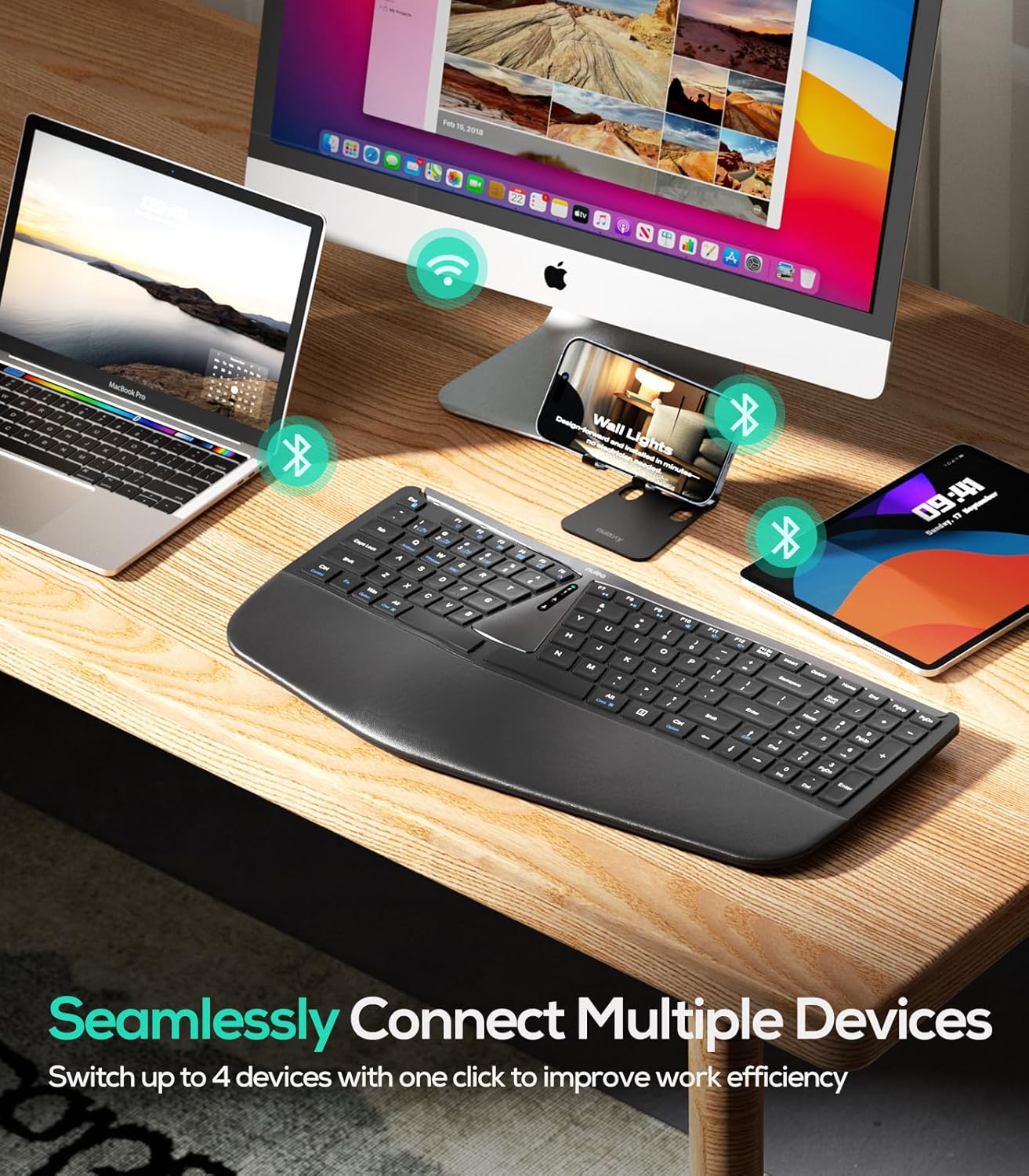
Слика 3: Повезивање више уређаја
Блутут веза (БТ1 / БТ2)
- Укључите тастатуру помоћу прекидача за укључивање/искључивање.
- Притисните Фн + КСНУМКС or Фн + КСНУМКС to select a Bluetooth channel (BT1 or BT2). The corresponding indicator light will flash.
- Притисните и држите Фн + КСНУМКС (или Фн + КСНУМКС) for 3 seconds until the indicator light flashes rapidly, indicating pairing mode.
- On your device (computer, tablet, smartphone), enable Bluetooth and search for "Nulea RT07B".
- Select the keyboard from the list of available devices to complete pairing.
- To switch between connected Bluetooth devices, simply press Фн + КСНУМКС or Фн + КСНУМКС.
Упутство за употребу
Ергономски дизајн и удобност
The Nulea RT07B features a split keyboard layout and a comprehensive palm rest designed to promote a natural typing posture. This reduces forearm muscle twisting and wrist strain, contributing to long-term comfort.

Figure 4: Natural Hand Position on Split Keyboard
The integrated palm rest is made with soft material, providing excellent support for your wrists during extended use.

Figure 5: Integrated Palm Rest
Ноге са подесивим нагибом
The keyboard includes adjustable tilt legs on both the front and back. These can be used to customize the typing angle for optimal wrist comfort. Raising the front legs can create a negative tilt, which some users find more ergonomic by allowing wrists to remain in a more neutral position.

Figure 6: Adjustable Tilt Legs for Customized Angle
Scissor-Switch Keys
The keyboard utilizes scissor-switch keys, which provide stable, responsive, and quiet typing. This design ensures even pressure distribution and a comfortable tactile feedback with each keystroke.
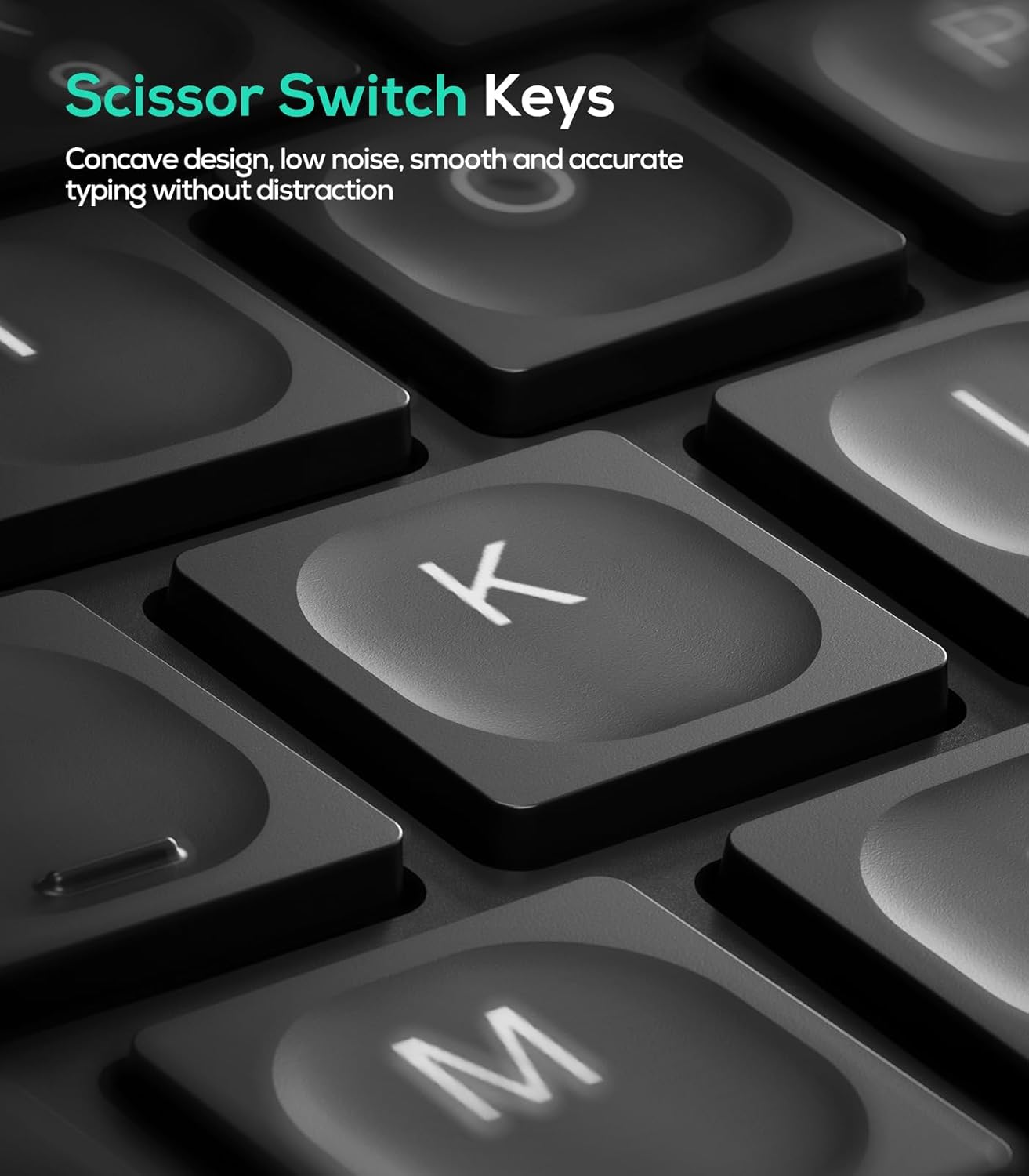
Figure 7: Scissor-Switch Key Mechanism
Компатибилност оперативног система
The Nulea RT07B keyboard is compatible with Windows and Mac operating systems. Dedicated keys for Windows (Win) and Mac (Option, Cmd) functions are clearly marked on the keyboard.
Функцијски тастери
The top row of keys (F1-F12) includes multimedia and shortcut functions. These functions can be accessed directly or by pressing the Fn тастер у комбинацији са жељеним функцијским тастером.
Одржавање
To ensure the longevity and optimal performance of your Nulea RT07B keyboard, follow these maintenance guidelines:
- Чишћење: Користите меку крпу која не оставља длачицеampОпрати водом или благим средством за чишћење да бисте обрисали површину тастатуре. Избегавајте јаке хемикалије или абразивне материјале.
- Уклањање прашине: Користите компримовани ваздух да уклоните прашину и остатке између тастера.
- Одржавање батерије: Recharge the keyboard when the battery indicator is low. Avoid fully discharging the battery frequently to prolong its lifespan.
- Складиштење: Када се тастатура не користи дуже време, чувајте је на хладном и сувом месту.
Решавање проблема
| Иссуе | Могући узрок | Решење |
|---|---|---|
| Keyboard not responding (2.4G) | USB receiver not properly connected; low battery; incorrect mode selected. | Ensure USB receiver is securely plugged in. Charge the keyboard. Press Фн + КСНУМКС to select 2.4G mode. |
| Тастатура не реагује (Блутут) | Not paired; out of range; low battery; incorrect Bluetooth channel selected. | Уверите се да је тастатура у режиму упаривања (Fn + 1/2 held for 3s). Check device's Bluetooth settings. Charge the keyboard. Press Фн + КСНУМКС or Фн + КСНУМКС to select the correct channel. |
| Тастери не реагују или су лепљиви | Accumulated dust or debris under keys; low battery. | Clean the keyboard using compressed air. Charge the keyboard. |
| Caps Lock indicator light turns off quickly | Designed behavior to conserve battery. | This is normal operation. The Caps Lock function remains active even if the light turns off. |
Спецификације
- Модел: РТ07Б
- Повезивање: 2.4G бежична веза, Bluetooth (BT1, BT2)
- Тип тастатуре: Ergonomic Split, Membrane, Scissor-Switch
- Компатибилност: Windows, Mac, Laptops, PCs, Tablets, Smartphones
- Извор напајања: Пуњива батерија са USB-C портом
- Трајање батерије: Up to 200 hours (standby)
- Материјал: Пластика или силикон
- Тежина артикла: 2.66 фунти
- Димензије: 17.76 к 9.8 к 2.09 инча
- Укључене компоненте: Длан
Званични видео производа
Видео 1: Крајview of the Nulea RT07B Wireless Ergonomic Keyboard, demonstrating its features and ergonomic design.
Гаранција и подршка
Nulea offers a 12-month hassle-free replacement warranty for this product. For support or warranty claims, please refer to the contact information provided in your product packaging or visit the official Nulea webсајту.
Official Nulea Webсајт: ввв.нулеа.цом