
Увод
This manual provides instructions for the setup, operation, maintenance, and troubleshooting of your ATTACK SHARK V5 Wireless Gaming Mouse. Please read this manual carefully before using the product to ensure optimal performance and longevity.

Image: The ATTACK SHARK V5 Wireless Gaming Mouse, highlighting its 8000Hz wireless polling rate capability.
Сетуп
Садржај пакета
- ATTACK SHARK V5 Wireless Gaming Mouse
- USB пријемник (2.4 GHz)
- USB-C кабл за пуњење/пренос података
- Упутство за употребу
Режими повезивања
The ATTACK SHARK V5 mouse supports three connectivity modes: Wired, 2.4GHz Wireless, and Bluetooth.
- 2.4 ГХз бежични режим: Insert the USB receiver into an available USB port on your computer. The mouse will automatically connect. The transparent LED lighting on the receiver indicates connection status.
- Блуетоотх режим: Switch the mouse to Bluetooth mode. On your computer or device, search for Bluetooth devices and select "ATTACK SHARK V5" to pair.
- Жични режим: Connect the mouse to your computer using the provided USB-C cable. This mode also charges the mouse.

Image: The ATTACK SHARK V5 mouse connected via its USB-C cable and showing the 2.4GHz wireless receiver, illustrating its triple-mode connectivity.
Инсталација драјвера
The mouse supports cloud-driven technology, which automatically identifies devices upon connection. For advanced customization, independent driver software is available for download from the official ATTACK SHARK website. This software allows for optimization of response speed, accuracy, and programmable features.
Упутство за употребу
ДПИ Адјустмент
The PixArt 3950MAX sensor offers a DPI range of up to 42,000. DPI settings can be adjusted in precise 50 DPI increments using the dedicated driver software. The mouse typically has a DPI button for on-the-fly adjustments through preset levels.
Поллинг Рате
The mouse features an 8000Hz polling rate in wireless mode and a 1000Hz polling rate in wired mode. This high polling rate ensures rapid and responsive cursor movement.
Програмабилни тастери и макрои
The ATTACK SHARK V5 has 6 buttons. Utilize the downloadable software to customize button functions, create macros, and adjust other settings such as DPI speed and lighting effects. This software provides a comprehensive interface for personalizing your mouse experience.
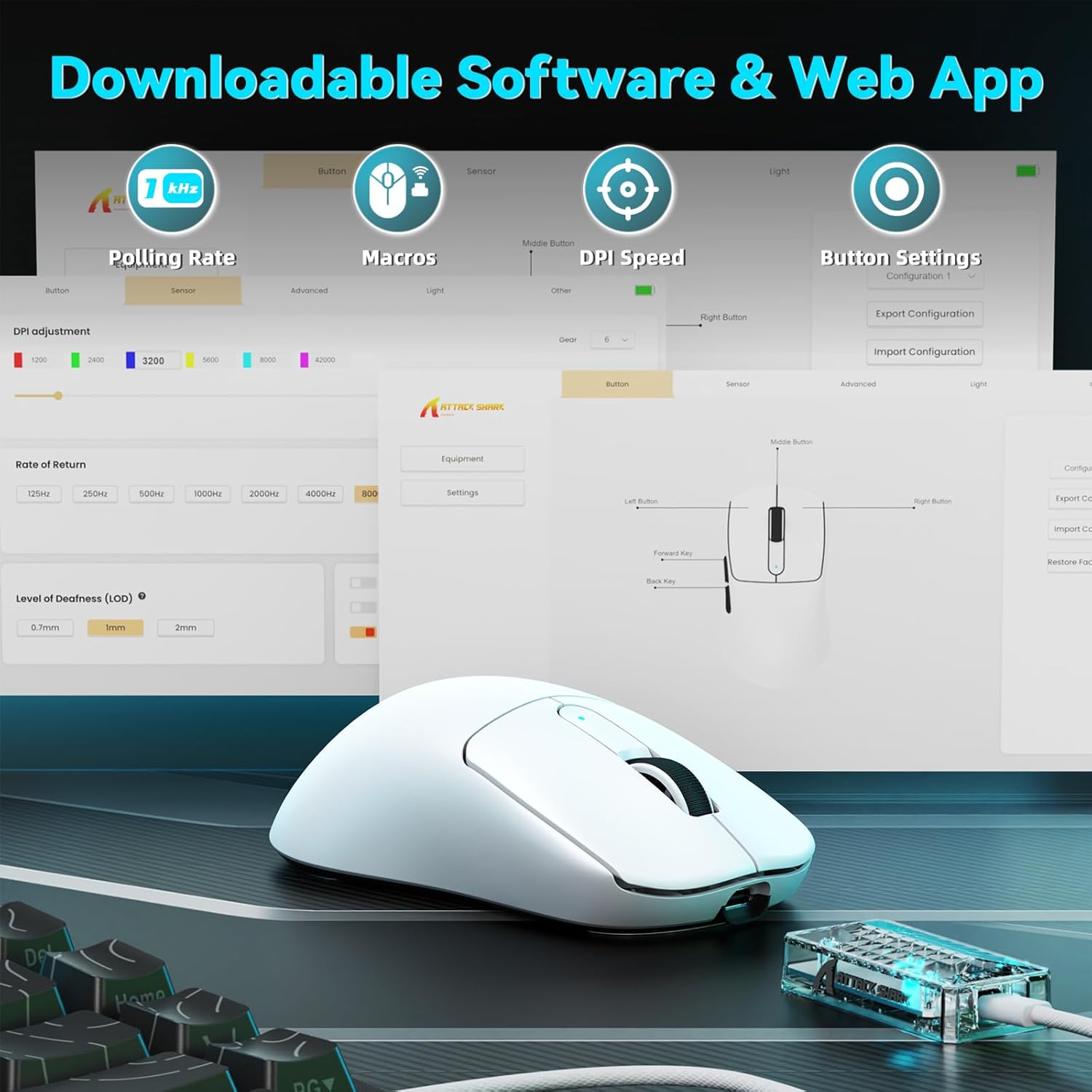
Image: A visual representation of the downloadable software interface, showing options for polling rate, macros, DPI speed, and button settings.
Управљање батеријом
The mouse is equipped with a 500mAh battery, providing extended usage. To charge, connect the mouse using the USB-C cable. The LED indicator on the mouse will show charging status.

Слика: Интерна view of the ATTACK SHARK V5 mouse, highlighting its high-capacity 500mAh battery.
Одржавање
Чишћење
To maintain optimal performance and appearance, regularly clean your mouse. Use a soft, dry cloth to wipe the surface. For stubborn dirt, a slightly damp Може се користити крпа, водећи рачуна да влага не уђе у унутрашње компоненте. Избегавајте јаке хемикалије или абразивне материјале.
Nano Ice-Sense Coating
The mouse features a nano ice-sense coating designed to prevent slippage and ensure a firm grip, even during extended use or with sweaty hands. This coating requires no special maintenance beyond regular cleaning.
Решавање проблема
Миш не реагује
- Проверите повезаност: Ensure the USB receiver is properly inserted for 2.4GHz mode, or that the USB-C cable is securely connected for wired mode. For Bluetooth, verify the mouse is paired and selected in your device's Bluetooth settings.
- Ниво батерије: If in wireless mode, check the mouse's battery level. Connect the USB-C cable to charge if the battery is low.
- Поново покрени: Покушајте да поново покренете рачунар или уређај.
- Возач: Ensure the necessary drivers are installed and up to date.
Inconsistent Tracking or Lag
- Површина: Use the mouse on a clean, uniform surface. Avoid highly reflective or transparent surfaces.
- сметње: For wireless modes, ensure there are no strong sources of wireless interference nearby (e.g., other 2.4GHz devices, Wi-Fi routers).
- ДПИ подешавања: Adjust DPI settings via the software to find a comfortable and stable tracking speed.
Спецификације
| Феатуре | Детаљ |
|---|---|
| Бранд | АТТАЦК СХАРК |
| Модел | V5 |
| Боја | Бела |
| Повезивање | Wired (USB-C), 2.4GHz Wireless, Bluetooth |
| Сензор | PixArt 3950MAX |
| DPI опсег | Up to 42,000 (50 DPI adjustable) |
| Стопа бежичног гласања | 8000Хз |
| Wired Polling Rate | 1000Хз |
| Тежина | Отприлике 55 грама |
| Прекидачи | Optical, 100 million click lifespan |
| Убрзање | 60Г |
| Енцодер | Richwell's 200W |
| Капацитет батерије | 500мАх |
| Број дугмади | 6 |
| Оријентација руке | Тачно |
| Компатибилни оперативни системи | Windows, macOS, Linux (e.g., Mac OS 14 Sonoma, Ubuntu 22.04 Jammy Jellyfish, Windows 11) |
| Домет | 10 метара |
| Материјал | Пластика |
| УПЦ | 752010843312 |
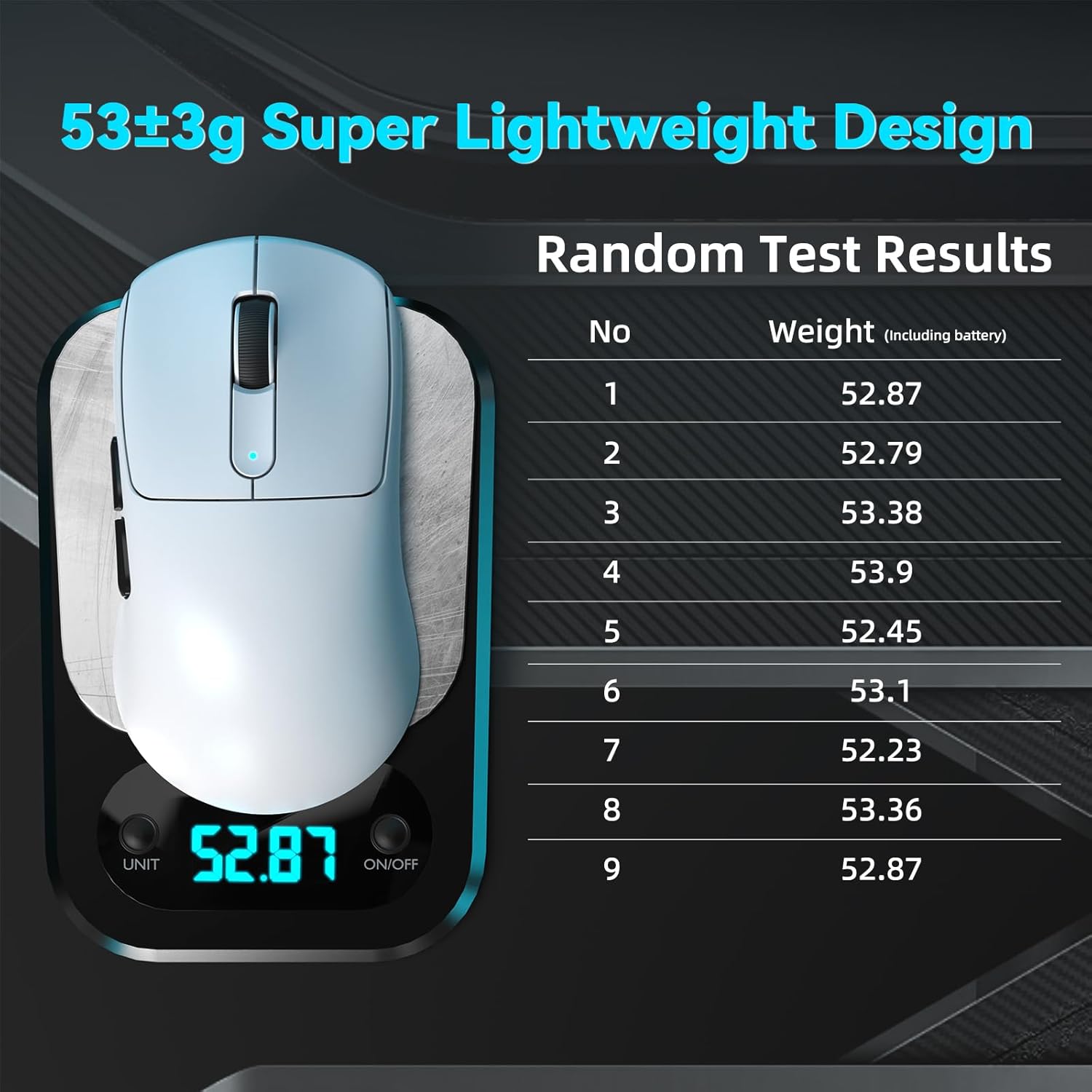
Image: The ATTACK SHARK V5 mouse on a digital scale, demonstrating its ultra-lightweight design at approximately 53 grams.

Слика: Детаљна view of the Omron Optical Microswitch used in the ATTACK SHARK V5 mouse, known for its durability and precise clicks.
Гаранција и подршка
Информације о гаранцији
The ATTACK SHARK V5 Wireless Gaming Mouse comes with a 1-годишња гаранција произвођачаОва гаранција покрива недостатке у материјалу и изради при нормалној употреби. Молимо вас да сачувате доказ о куповини за потребе подношења захтева за гаранцију.
Корисничка подршка
For technical assistance, troubleshooting, or warranty inquiries, please visit the official ATTACK SHARK website or contact their customer support directly. Refer to the product packaging or the official webсајт за најновије контакт информације.