
1. Увод
Thank you for choosing the zelotes F18 Wireless Gaming Mouse. This manual provides detailed instructions for setting up, operating, and maintaining your mouse to ensure optimal performance and an enhanced user experience. Please read this manual thoroughly before using the product.
Садржај пакета
- 1 x zelotes F18 Bluetooth Wireless Mouse
- КСНУМКС к УСБ пријемник
- 1 к УСБ кабл за пуњење
- 1 x Упутство за употребу (овај документ)
2. Производ је готовview
The zelotes F18 is an ergonomic vertical gaming mouse designed for comfort and precision. It features dual-mode connectivity (2.4G USB and Bluetooth), a 5-direction joystick, 11 programmable buttons, adjustable DPI up to 24,000, and a built-in rechargeable battery.
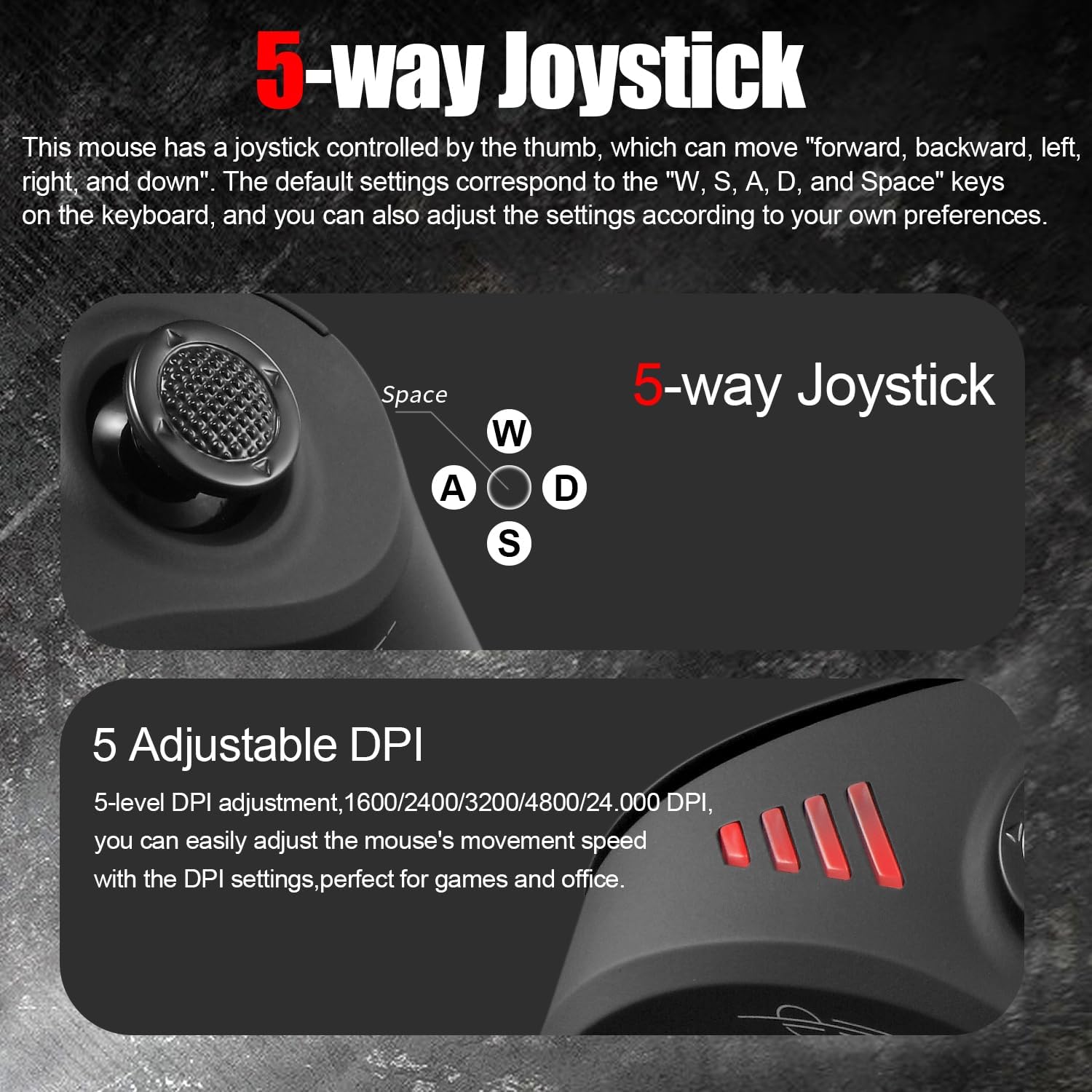
Image: The ergonomic vertical design of the zelotes F18 mouse, promoting a natural wrist posture to reduce strain during extended use.
Кључне карактеристике
- Ергономски вертикални дизајн: Reduces wrist pressure and discomfort.
- 5-Direction Joystick: Thumb-controlled for enhanced navigation and gaming commands.
- Двоструко повезивање: Seamless switching between 2.4G USB receiver and Bluetooth (BT 5.0/3.0).
- Пуњива батерија: Built-in 800mAh high-capacity battery with USB charging.
- Подесиви ДПИ: 5 levels (1600/2400/3200/4800/24,000 DPI) for precise control.
- 11 програмабилних дугмади: Customize functions for various tasks and games.
- Широка компатибилност: Supports Win11/10/8/7, Mac OS, Chrome OS, Android 5.0+.
Распоред тастера

Image: A diagram illustrating the 11 programmable buttons on the zelotes F18 mouse, including the left, right, middle, forward, back, DPI, and joystick buttons (W, S, A, D, Space).
- Лево дугме
- Десно дугме
- Middle Button (Scroll Wheel)
- Дугме за напред
- Дугме за повратак
- Дугме ДПИ
- Joystick (W)
- Joystick (S)
- Joystick (A)
- Joystick (D)
- Joystick (Press/Space Button)
3. Подешавање
3.1 Почетно пуњење
Before first use, fully charge the mouse. Connect the provided USB charging cable to the mouse's charging port and to a USB power source (e.g., computer USB port, USB wall adapter).

Image: Illustration of the mouse's charging indicator light and low battery warning. The indicator light illuminates during charging and turns off when fully charged. A rapidly blinking red light indicates low battery.
- Лампица индикатора пуњења: The light will illuminate during charging and turn off when fully charged.
- Упозорење о ниској батерији: When the battery level drops to 25%, the mouse will rapidly blink a red light, indicating it requires charging.
- Миш се може користити током пуњења.
3.2 Повезивање миша
The zelotes F18 mouse supports two connection modes: 2.4G USB Wireless and Bluetooth. You can connect to up to three devices simultaneously (one via 2.4G USB and two via Bluetooth) and switch between them.
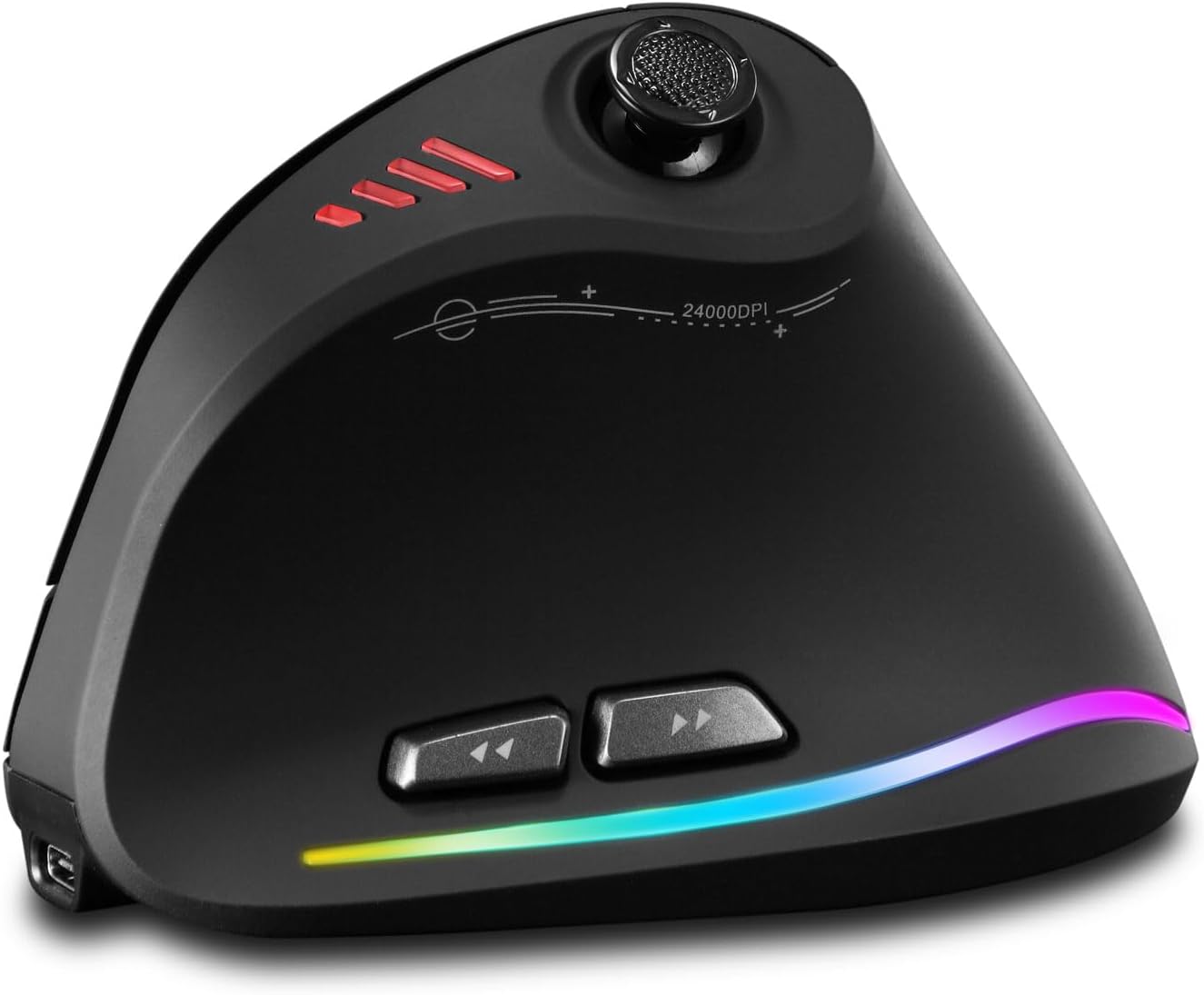
Image: The bottom of the zelotes F18 mouse, highlighting the light switch, Mimi receiver storage, and the Bluetooth/2.4G mode switching button. The indicator light colors (Red for 2.4G, Blue for Bluetooth) are also shown.
2.4G USB Wireless Mode
- Пронађите УСБ пријемник који се налази у одељку на дну миша.
- Укључите УСБ пријемник у слободан УСБ порт на рачунару.
- Укључите миш помоћу прекидача за напајање на дну.
- Press the connection mode button on the bottom of the mouse until the indicator light turns red. The mouse should connect automatically.
Bluetooth Mode (BT 5.0/3.0)
- Укључите миш помоћу прекидача за напајање на дну.
- Press the connection mode button on the bottom of the mouse until the indicator light turns blue.
- On your device (PC, laptop, tablet), go to Bluetooth settings.
- Тражи new devices and select "zelotes F18" (or similar name) to pair.
- The blue indicator light will stop blinking and remain solid once connected.
Пребацивање између уређаја
To switch between connected devices, briefly press the connection mode button on the bottom of the mouse. The indicator light will change color (Red for 2.4G, Blue for Bluetooth 1, Green for Bluetooth 2) to show the active connection.
4. Упутство за употребу
4.1 ДПИ подешавање
The mouse features 5 adjustable DPI levels: 1600, 2400, 3200, 4800, and 24,000 DPI. Press the DPI button (Button 6) located on the top of the mouse to cycle through the sensitivity settings. This allows you to adjust cursor speed to suit different tasks, from precise editing to fast-paced gaming.

Image: An illustration showing the 5 adjustable DPI levels (1600, 2400, 3200, 4800, 24,000) and how to adjust the mouse's movement speed using the DPI settings.
4.2 Joystick Functionality
The thumb-controlled joystick (Buttons 7-11) provides 5-direction input: forward, backward, left, right, and downward (press). By default, these correspond to the keyboard keys W, S, A, D, and Spacebar respectively. This feature is particularly useful for gaming and navigation.
Image: A close-up of the 5-way joystick on the zelotes F18 mouse, indicating its directional inputs and their default mappings to W, S, A, D, and Spacebar keys.
4.3 Програмабилна дугмад
The zelotes F18 mouse features 11 programmable buttons. You can customize the functions of these buttons using the dedicated software (available for download from the zelotes official website). This allows for personalized shortcuts and macros, enhancing productivity and gaming performance.
4.4 Forward & Back Buttons
The dedicated forward (Button 4) and back (Button 5) buttons provide quick navigation for web browsing and document editing, improving efficiency.
5. Одржавање
5.1 Чишћење
- Regularly clean the mouse with a soft, dry cloth.
- За тврдокорну прљавштину, благо дampОбришите крпу водом или благим раствором за чишћење. Избегавајте јаке хемикалије.
- Не дозволите да течности уђу у унутрашњост миша.
- Clean the optical sensor on the bottom of the mouse periodically to ensure accurate tracking.
5.2 Одржавање батерије
- Избегавајте често потпуно пражњење батерије како бисте продужили њен век трајања.
- Чувајте миш на хладном и сувом месту када га не користите дуже време.
- Користите само приложени кабл за пуњење или сертификовани еквивалент.
КСНУМКС. Решавање проблема
Mouse Not Responding / Connecting
- Уверите се да је миш укључен.
- Проверите ниво батерије и напуните миш ако је потребно.
- For 2.4G mode, ensure the USB receiver is securely plugged into a working USB port and the mouse is set to 2.4G mode (red indicator light).
- For Bluetooth mode, ensure Bluetooth is enabled on your device, the mouse is in Bluetooth pairing mode (blue indicator light), and it is paired correctly. Try unpairing and re-pairing if issues persist.
- Try connecting the mouse to a different USB port or another device to rule out port or device-specific issues.
Cursor Movement is Erratic or Inaccurate
- Очистите оптички сензор на дну миша.
- Уверите се да користите миш на одговарајућој површини (нерефлектујућој, непрозирној).
- Adjust the DPI settings to a lower value if the cursor is too fast or jumpy.
Дугмад не функционишу
- Уверите се да је миш правилно повезан.
- If using custom button assignments, check the software settings.
- Поново покрените рачунар или уређај.
Software/Driver Download Issues
- If experiencing slow download speeds or disconnections for the customization software, try again during off-peak hours or check your internet connection.
- Ensure you are downloading the correct software for the F18 model from the official zelotes webсајту.
7. Спецификације
| Феатуре | Детаљ |
|---|---|
| Број модела | Ф18 |
| Повезивање | 2.4G USB Wireless, Bluetooth (BT 5.0/3.0) |
| ДПИ Левелс | 1600 / 2400 / 3200 / 4800 / 24,000 ДПИ |
| Дугмад | 11 Programmable Buttons (including 5-direction joystick) |
| Капацитет батерије | 800мАх пуњива |
| Димензије производа | 110 к 72 к 75 мм (приближно 4.33 к 2.83 к 2.95 инча) |
| Тежина производа | 130 г (приближно 4.58 оз) |
| Компатибилност | Win11, Win10, Win8, Win7, Mac OS, Chrome OS, Android 5.0 or higher |
| Откривање покрета | Оптицал |
8. Гаранција и подршка
For warranty information, technical support, or to download the latest drivers and customization software, please visit the official zelotes webсајт или контактирајте продавца. Сачувајте рачун као доказ о куповини за потребе гаранције.
Произвођач: zelotes