
1. Увод
This manual provides essential information for the setup, operation, maintenance, and troubleshooting of your Cooler Master TD5 Pro Gaming PC. Please read this manual thoroughly before using your new system to ensure proper functionality and longevity.
The Cooler Master TD5 Pro is a high-performance desktop computer designed for demanding gaming and professional computing tasks. It features an Intel Ultra 9 285K processor, an NVIDIA RTX 5090 32GB graphics card, 64GB DDR5 6000MHz RAM, and a 2TB Gen4 M.2 SSD, all housed in a TD 500 Mesh ARGB Case with a 360L liquid cooler and a Platinum 1100W power supply.
2. Садржај пакета
Проверите да ли су све ставке присутне у пакету:
- Cooler Master TD5 Pro Gaming PC
- Повер Цабле
- Water Cooling System (pre-installed)
- Документација (Кратки водич, Информације о гаранцији)
- Additional accessories (e.g., Wi-Fi antenna, extra cables, screws)
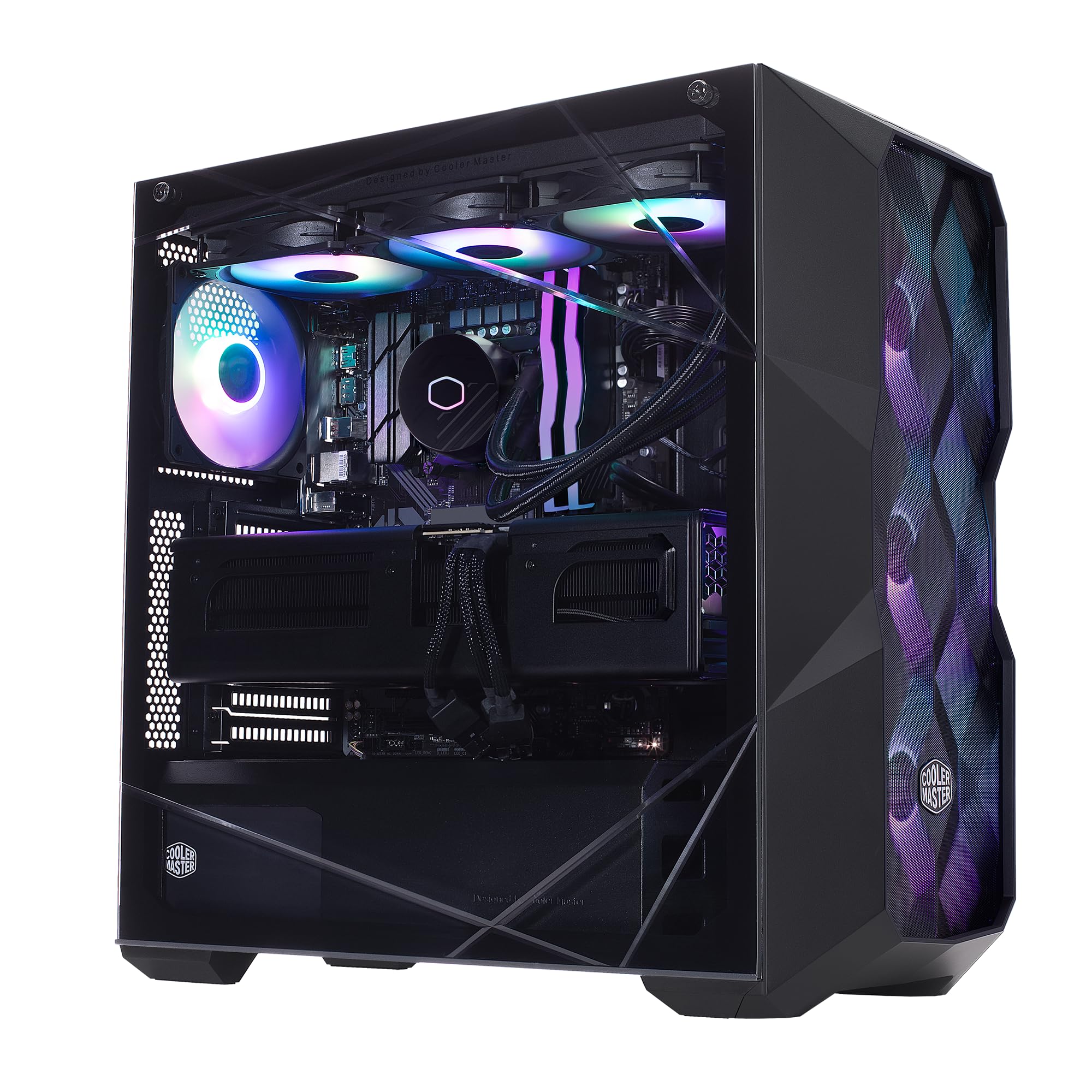
Image: The Cooler Master TD5 Pro Gaming PC, showcasinњегове унутрашње компоненте и RGB осветљење.
3. Подешавање
3.1 Распакивање и постављање
- Пажљиво извадите рачунар из амбалаже. Сачувајте сав материјал за паковање за будући транспорт или сервисирање.
- Place the PC on a stable, flat surface with adequate ventilation. Ensure there is sufficient space around the case for airflow.
- Remove any internal packing materials or foam inserts from inside the PC case. Refer to the quick start guide for instructions on opening the side panel.
3.2 Повезивање периферних уређаја
- Монитор: Connect your monitor(s) to the graphics card (RTX 5090) ports (HDMI or DisplayPort). Avoid connecting to motherboard video outputs if a dedicated graphics card is present.
- Тастатура и миш: Повежите тастатуру и миш са доступним УСБ портовима.
- Мрежа: Connect an Ethernet cable to the LAN port for a wired internet connection, or attach the Wi-Fi antenna(s) for wireless connectivity.
- Снага: Повежите кабл за напајање са јединицом за напајање (PSU) на задњој страни рачунара, а затим га укључите у уземљену електричну утичницу.
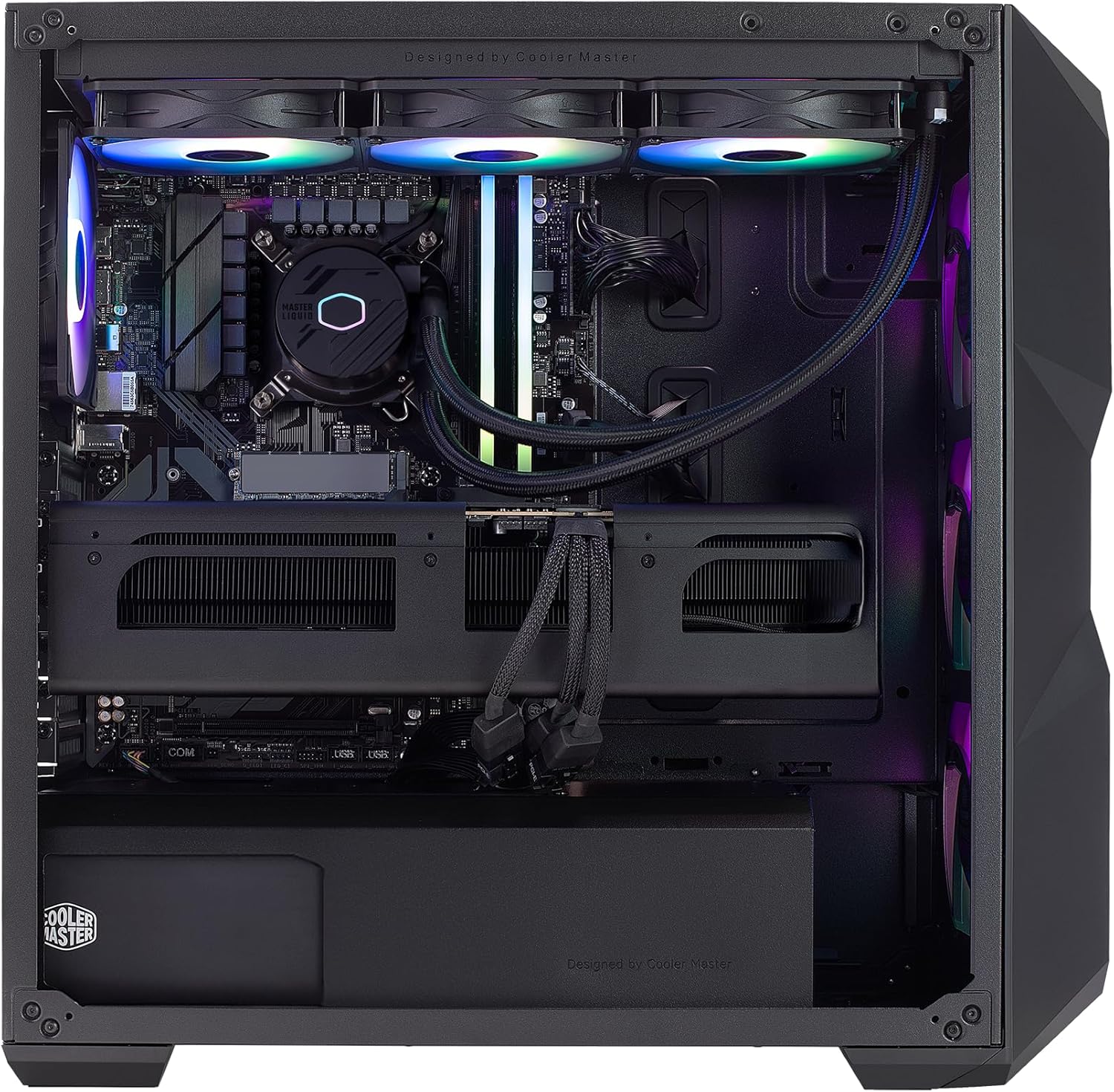
Слика: Интерна view of the PC, highlighting the liquid cooler, RAM, and graphics card.
4. Упутство за употребу
4.1 Прво покретање и подешавање Windows-а
- Press the power button located on the top of the PC case.
- Follow the on-screen instructions to complete the Windows 11 Home setup. This typically involves selecting your region, language, creating a user account, and connecting to a network.
- Once Windows is set up, ensure all drivers are installed and updated. You can check for updates via Windows Update or by visiting the Cooler Master and component manufacturer webсајтовима.
4.2 Кључне карактеристике и перформансе
- процесор: Intel Ultra 9 285K 3.7GHz (5.7 GHz Turbo) 24-Core (8 P-cores + 16 E-cores) for exceptional multitasking and gaming performance.
- Графика: NVIDIA RTX 5090 32GB for stunning visuals, high frame rates, and AI acceleration in games and creative applications.
- Меморија: 64GB (2x32GB) DDR5 6000MHz RGB RAM with heatsink for blazing speed and vibrant lighting.
- Складиштење: 2TB Gen4 M.2 SSD for high-speed data access and rapid application loading.
- Хлађење: 360L Liquid Cooler with a Gen S Dual Chamber Pump for superior thermal management.
- Напајање: V Platinum 1100 V2 80+ Platinum Efficiency Power Supply for stable and efficient power delivery.

Image: The NVIDIA RTX 5090 graphics card, a core component for high-performance visuals.
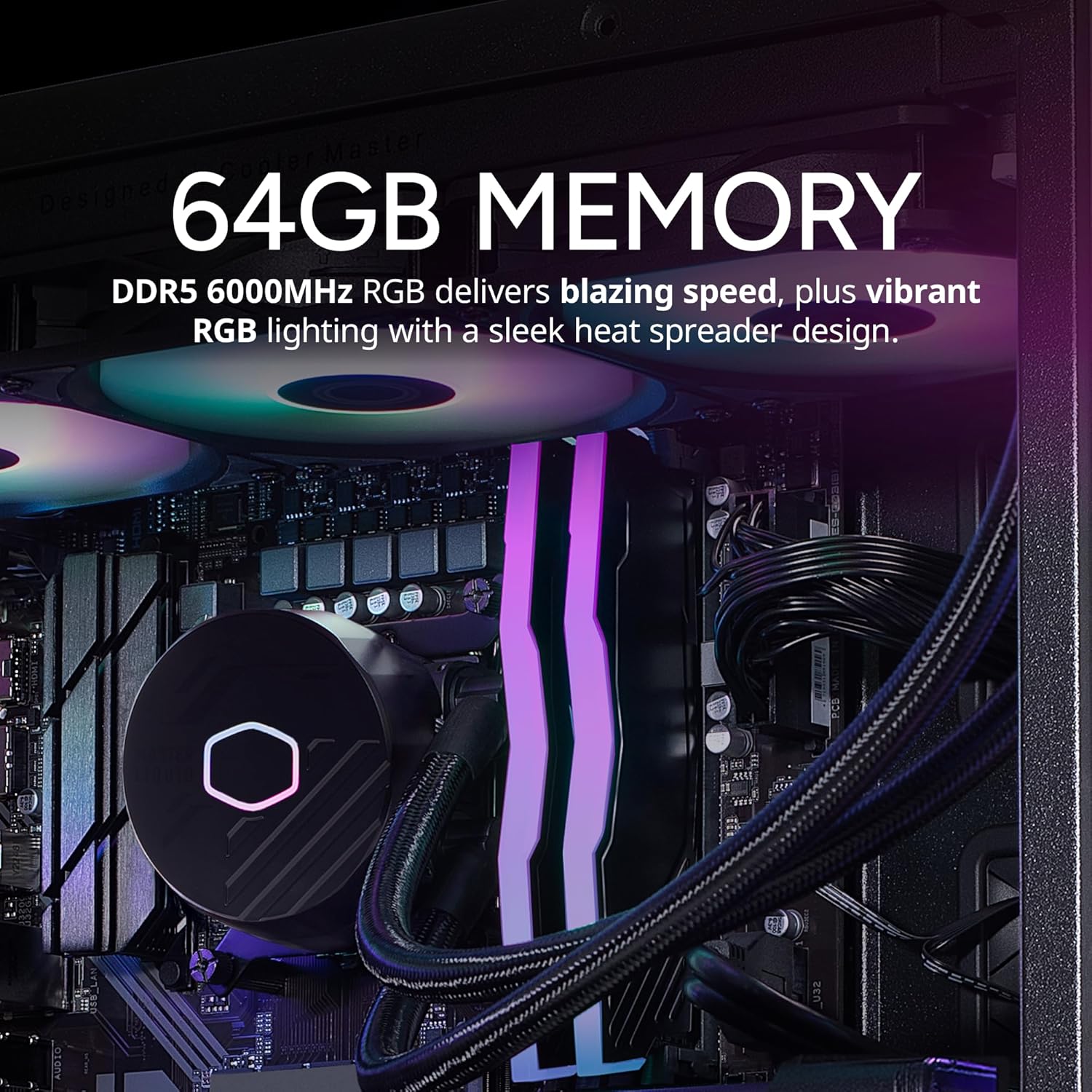
Image: The 64GB DDR5 6000MHz RGB RAM modules with heatsinks.
5. Одржавање
5.1 Чишћење
- Екстеријер: Користите меку, дamp cloth to clean the exterior of the case. Avoid abrasive cleaners.
- Филтери за прашину: Regularly clean the dust filters (if present) on the case to maintain optimal airflow.
- Унутрашње компоненте: Periodically use compressed air to remove dust from internal components, especially fans and heatsinks. Ensure the PC is powered off and unplugged before cleaning.
5.2 Ажурирања софтвера
- Редовно проверавајте и инсталирајте ажурирања за Windows како бисте осигурали стабилност и безбедност система.
- Update graphics drivers (NVIDIA GeForce Experience) and motherboard drivers (Gigabyte website) for optimal performance and compatibility.

Image: The 360L liquid cooler, essential for maintaining CPU temperatures.
КСНУМКС. Решавање проблема
6.1 Нема напајања
- Уверите се да је кабл за напајање безбедно повезан и са рачунаром и са зидном утичницом.
- Проверите прекидач за напајање на напајању на задњој страни рачунара; требало би да буде у положају „УКЉУЧЕНО“.
- Test the outlet with another device to confirm it is functional.
6.2 Нема дисплеја
- Verify that the monitor is powered on and the video cable is securely connected to the graphics card (RTX 5090) and the monitor.
- Ensure the monitor input source is correctly selected.
- If using multiple monitors, try connecting only one to isolate the issue.
6.3 Нестабилност или падови система
- Ensure all drivers (graphics, chipset, etc.) are up to date.
- Пратите температуру система помоћу софтверских програма да бисте проверили да ли се систем прегрева.
- Покрените алатку за дијагностику меморије да бисте проверили проблеме са РАМ меморијом.
7. Спецификације
| Компонента | Спецификација |
|---|---|
| Бранд | Цоолер Мастер |
| Сериес | TD5 Pro |
| Број модела | AYG-M6C9-N69GIA32-N1 |
| Оперативни систем | Виндовс 11 Хоме |
| Процесор | Intel Ultra 9 285K (3.7 GHz, 5.7 GHz Turbo, 24-Core) |
| Грапхицс Цопроцессор | NVIDIA RTX 5090 32GB |
| РАМ | 64ГБ ДДР5 6000МХз |
| Складиштење | 2TB Gen4 M.2 SSD |
| Повер Суппли | V Platinum 1100 V2 80+ Platinum Efficiency |
| Хлађење | 360L Liquid Cooler |
| Бежично повезивање | 802.11a/b/g/n/ac Wi-Fi, Bluetooth |
| УСБ портови | 7x USB 3.0, 1x Type-C, 2x USB 3.2 Gen 2 Type-C |
| Видео излази | 1x HDMI, 2x DisplayPort |
| Димензије (ДкШкВ) | 19.7 к 8.3 к 19.7 инча |
| Тежина | 38 фунти |

Image: The V Platinum 1100 V2 80+ Platinum Efficiency Power Supply.
8. Гаранција и подршка
Your Cooler Master TD5 Pro Gaming PC comes with a 1-годишња гаранција на делове и рад и Доживотна техничка подршкаОва гаранција покрива недостатке у материјалу и изради при нормалној употреби.
For technical assistance, troubleshooting, or warranty claims, please contact Cooler Master customer support. Refer to the documentation included with your PC for specific contact details or visit the official Cooler Master webсајту.
Састављен у САД