
Производ је завршенview
The BNCF NewBook 11 is a versatile 2-in-1 laptop designed for productivity and entertainment. It features an 11-inch Full HD IPS touchscreen, powered by an Intel N150 processor, 12GB DDR5 RAM, and a 512GB SSD. This device runs on Windows 11 Pro and includes a magnetic keyboard and kickstand for flexible use.
Кључне карактеристике
- Intel N150 CPU with UHD Graphics
- Оперативни систем Windows 11 Pro
- 12GB DDR5 RAM and 512GB NVMe SSD
- 11-inch FHD IPS In-Cell Touchscreen (1920x1200)
- Dual Cameras (5MP front, 8MP rear)
- 34.2Wh Battery with Type-C Fast Charging
- Durable 635g Metal Body
- Included Magnetic Keyboard and Protective Case
- Connectivity: 2x Type-C, USB 3.0, Micro HDMI, 3.5mm Jack, Wi-Fi 6, Bluetooth 5.0
Шта је у кутији
Your BNCF NewBook 11 package includes the following items:
- BNCF NewBook 11 2-in-1 Laptop (Tablet Unit)
- Magnetic Pogo Pin Keyboard
- Kickstand / Protective Case
- Адаптер за напајање (12В/3А)
- Упутство за употребу

Image: Contents of the BNCF NewBook 11 package.
Почетно подешавање
Unboxing and First Inspection
Carefully remove all components from the packaging. Inspect the tablet and accessories for any signs of damage.
Video: BNCF NewBook 11 2-in-1 Laptop Unboxing. This video demonstrates the unboxing process and initial handling of the device and its accessories.
Укључивање и почетна конфигурација
Press and hold the power button located on the side of the tablet to turn it on. Follow the on-screen prompts to complete the initial Windows 11 setup. This includes selecting your language, region, and setting up user accounts and passwords.
Video: BNCF NewBook 11 Initial Setup. This video guides you through the first power-on, language selection, and user account setup.
Attaching the Magnetic Keyboard
Align the magnetic pogo pins on the tablet with the corresponding connectors on the keyboard. The keyboard will snap into place magnetically. This allows for instant transition to laptop mode.

Image: The BNCF NewBook 11 in laptop mode with the magnetic keyboard attached.
Operating Your BNCF NewBook 11
Understanding Device Modes
The BNCF NewBook 11 offers three primary modes for versatile usage:
- Режим лаптопа: Attach the magnetic keyboard and use the device like a traditional laptop for typing and productivity tasks.
- Режим таблета: Detach the keyboard for a lightweight tablet experience, ideal for browsing, reading, or touch-based applications.
- Режим стајања: Utilize the integrated kickstand (or protective case) to prop up the tablet for media consumption, presentations, or video calls without the keyboard.

Image: The BNCF NewBook 11 demonstrating its three flexible usage modes: Laptop, Tablet, and Stand.
Windows 11 Pro Features
Your device comes pre-installed with Windows 11 Pro, offering enhanced security, productivity, and management features.
- Chip-level Security: Benefit from advanced hardware-based security.
- BitLocker Encryption: Protect your data with full disk encryption.
- Windows Hello: Secure and fast login using facial recognition or fingerprint (if applicable).
- Ефикасан мултитаскинг: Utilize Snap Layouts and Desktops for organized workflows.
Повезивање
The NewBook 11 provides comprehensive connectivity options:
- Wi-Fi 6 (2.4/5GHz): За приступ бежичном интернету велике брзине.
- Блуетоотх КСНУМКС: Connect wireless peripherals like headphones, mice, and keyboards.
- УСБ портови: Includes 2x Type-C (charging/data) and 1x USB 3.0 for connecting various devices.
- Микро ХДМИ: Connect to external displays, monitors, or projectors for extended screen space.
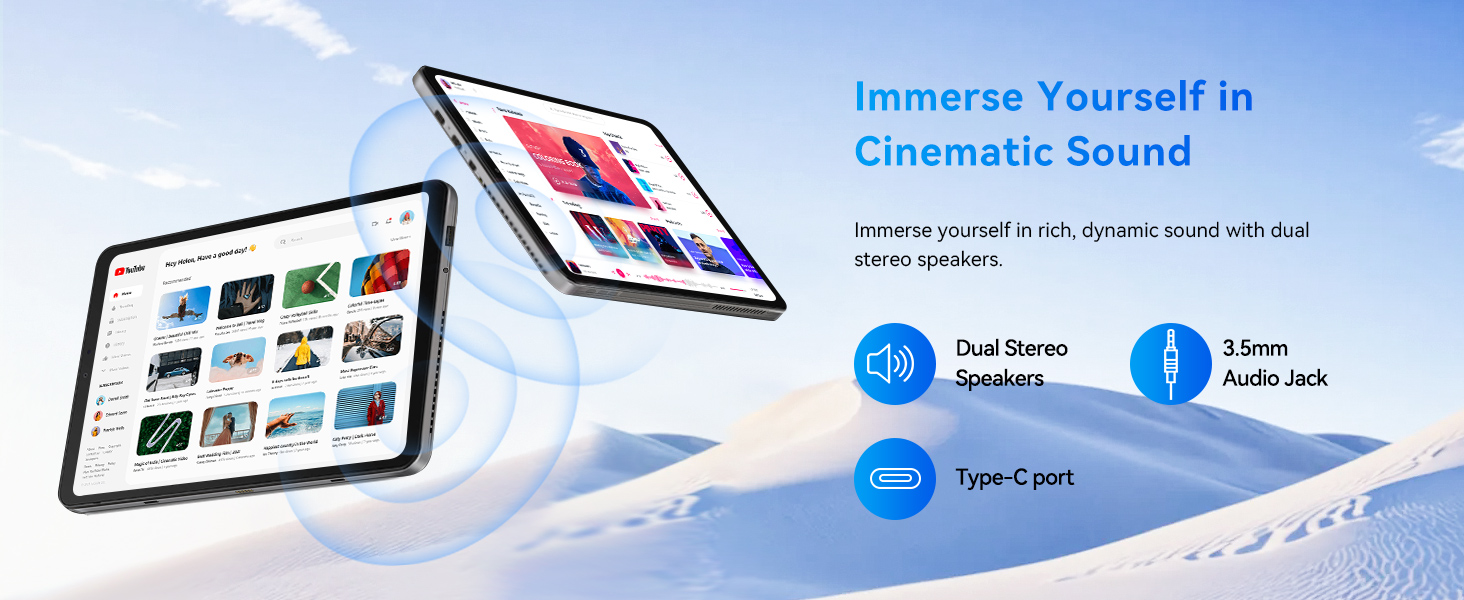
- 3.5 мм аудио прикључак: For wired headphones or external speakers.
Слика: Детаљна view of the BNCF NewBook 11's ports and buttons.
Одржавање
Чишћење уређаја
- Користите меку крпу која не оставља влакна за чишћење екрана и кућишта.
- За тврдокорне мрље, благо дampобришите крпу водом или средством за чишћење екрана.
- Избегавајте јаке хемикалије, абразивне материјале или прекомерну влагу.
- Држите портове без прашине и остатака.
Ажурирања софтвера
Редовно проверавајте и инсталирајте ажурирања за Windows како бисте осигурали оптималне перформансе, безбедност и приступ најновијим функцијама. Идите на Подешавања > Windows Update да управља ажурирањима.
Баттери Царе
- За оптималан век трајања батерије, избегавајте често потпуно пражњење батерије.
- Чувајте уређај на хладном и сувом месту када се не користи дуже време.
- Use only the provided power adapter or a compatible Type-C PD charger.
Решавање проблема
Уобичајени проблеми и решења
- Уређај се не укључује: Ensure the battery is charged. Connect the power adapter and try again.
- Екран не реагује: Restart the device. If the issue persists, check for system updates or contact support.
- Тастатура не ради: Ensure the magnetic connection is secure. Restart the device.
- Проблеми са повезивањем путем Wi-Fi/Bluetooth-а: Check if Wi-Fi/Bluetooth is enabled in settings. Restart your router or device.
- Споре перформансе: Close unnecessary applications. Check for system updates. Ensure sufficient free storage space.
If you encounter persistent issues, refer to the official BNCF support resources or contact customer service.
Техничке спецификације
| Феатуре | Спецификација |
|---|---|
| Бранд | БНЦФ |
| Назив модела | NewBook 11 |
| Величина екрана | 11 инча |
| Резолуција | 1920x1200 (FHD IPS) |
| ЦПУ модел | Intel Twin Lake N150 |
| Брзина процесора | До 3.6 ГХз |
| РАМ | 12 ГБ ДДР5 |
| Складиштење | 512 GB SSD (NVMe) |
| Оперативни систем | Виндовс 11 Про |
| Графика | Intel UHD графика (интегрисана) |
| Предња камера | 5 МП |
| Задња камера | 8 МП |
| Батерија | 34.2 Вх |
| Повезивање | Wi-Fi 6, Bluetooth 5.0, 2x Type-C, USB 3.0, Micro HDMI, 3.5mm Audio |
| Димензије (таблет) | 25.7 cm D x 16.8 cm Š x 0.96 cm Deb |
| Тежина (таблет) | 635г |
| Weight (with Keyboard/Case) | 1106г |
Гаранција и подршка
Информације о гаранцији
The BNCF NewBook 11 comes with a 1-годишња ограничена гаранцијаОва гаранција покрива производне недостатке и кварове хардвера при нормалној употреби. Молимо вас да сачувате доказ о куповини за потребе подношења захтева за гаранцију.
Корисничка подршка
For any questions, software glitches, or hardware concerns, please contact BNCF customer support.
- Подршка путем е-поште: service01@bncfai.com
- Онлине ресурси: Visit the official BNCF website for drivers, firmware downloads, and FAQs.
- Време одговора: Our team aims to respond within 24/7 a week.
When contacting support, please provide your product model number (N150) and order number for faster assistance.