
1. Увод
This manual provides essential information for the NIMO 15.6" Gaming Laptop (Model N159). It covers product features, setup procedures, operating instructions, maintenance guidelines, troubleshooting tips, and detailed specifications. Please read this manual thoroughly before using your new laptop to ensure optimal performance and longevity.

Image: The NIMO 15.6" Gaming Laptop, showcasing its display and key features like fingerprint unlock, Type-C PD charger, and backlit keyboard.
2. Шта је у кутији
Проверите да ли су сви предмети присутни у паковању:
- 1 x NIMO N159 Laptop
- 1 x Type-C 100W PD Fast Charger
- 1 x Упутство за употребу (овај документ)
- Windows 11 Home Operating System (pre-installed)
- Warranty Information (2 Years Warranty, 90 Days Return)
3. Производ је готовview
3.1 Кључне карактеристике
- процесор: AMD Ryzen 7 7735HS (8 језгара, 16 нити, до 4.75 GHz)
- Графика: Integrated AMD Radeon 680M GPU
- Приказ: 15.6" Full HD (1920x1080) IPS Anti-Glare Display
- Меморија: 16GB DDR5 RAM (upgradeable)
- Складиштење: 1TB PCIe 4.0 SSD (upgradeable)
- Пуњење: 100W Type-C PD Fast Charger
- безбедност: Fingerprint Reader for secure unlock
- тастатура: Тастатура са позадинским осветљењем и нумеричком тастатуром
- аудио: Dual 2W stereo speakers, dual beamforming microphones
- Webкамера: 2MP with physical camera shutter
- Оперативни систем: Виндовс 11 Хоме

Image: An illustration detailing the AMD Ryzen 7 7735HS processor, highlighting its 8 cores, 16 threads, and integrated Radeon 680M graphics for balanced performance.
3.2 Портови и конектори
Familiarize yourself with the available ports on your NIMO laptop:

Image: A detailed diagram illustrating the location and type of ports on the NIMO laptop, including USB 2.0, USB 3.2 Gen1, Type-C Gen2 (multifunction), HDMI 2.0, Audio Jack, Micro SD Reader, and Kensington Lock.
- УСБ 2.0 порт: За повезивање старијих УСБ уређаја.
- USB 3.2 Gen1 Ports (x4): За брзи пренос података са компатибилним УСБ уређајима.
- Type-C Gen2 Ports (x2, Multifunction): Supports data transfer, video output, and power delivery (100W PD fast charging).
- ХДМИ 2.0 порт: За повезивање са екстерним екранима или телевизорима.
- Аудио прикључак: За повезивање слушалица или екстерних звучника.
- Micro SD Reader: За читање Micro SD меморијских картица.
- Utor za Kensington Lock: За осигуравање лаптопа компатибилном бравом.
4. Подешавање
4.1 Почетно укључивање
- Распакујте лаптоп и сву додатну опрему из кутије.
- Connect the 100W Type-C PD Fast Charger to one of the Type-C ports on the laptop and then to a power outlet.
- Отворите поклопац лаптопа. Лаптоп се може аутоматски укључити или ћете можда морати да притиснете дугме за напајање.
- Пратите упутства на екрану да бисте завршили подешавање система Windows 11 Home, укључујући избор језика, мрежну везу и креирање корисничког налога.
4.2 Пуњење батерије
Before first use, it is recommended to fully charge the laptop battery. The 100W Type-C PD Fast Charger can provide approximately 5 hours of usage time with just 1 hour of charging.

Image: A visual representation of the 100W Type-C lightning-fast charger connected to the NIMO laptop, demonstrating its ability to charge quickly and efficiently.
5. Упутство за употребу
5.1 Укључивање/искључивање и режим спавања
- Укључено: Притисните дугме за напајање које се налази на тастатури.
- Искључивање: Кликните на дугме Старт у оперативном систему Windows, а затим изаберите Напајање > Искључи.
- Режим спавања: Кликните на дугме Старт, затим изаберите Напајање > Спавање или затворите поклопац лаптопа.
5.2 Using the Fingerprint Unlock
The fingerprint reader is integrated into the touchpad for quick and secure access.
- During Windows setup or later in Windows Settings, configure your fingerprint for login.
- To unlock, simply place your registered finger on the fingerprint reader on the touchpad.
5.3 Adjusting the Backlit Keyboard
The keyboard backlight can be adjusted for comfortable typing in various lighting conditions.

Image: A visual guide demonstrating the fingerprint unlock feature on the touchpad and the functionality of the backlit keyboard, including how to cycle through brightness settings using the F9 key.
- Притисните тастер F9 key to cycle through backlight settings:
- 1 Tap: Light (Temporary)
- 2 Taps: Light (Temporary)
- 3 Taps: Light (Constant)
- 4 Taps: Off
5.4 Коришћењем Webкамера затварача
For privacy, the laptop includes a physical camera shutter.
- Slide the shutter to the left to open the camera.
- Slide the shutter to the right to close and cover the camera lens.

Image: A visual guide demonstrating the physical camera shutter, showing both the 'Camera Open' and 'Camera Close' statuses for enhanced privacy.
6. Одржавање
6.1 Чишћење лаптопа
- Always power off the laptop and disconnect the charger before cleaning.
- Користите меку крпу која не оставља длачицеampиспрати водом или средством за чишћење екрана.
- За тастатуру и кућиште користите меку, суву крпу. Избегавајте јаке хемикалије или абразивне материјале.
- Користите компримовани ваздух да периодично очистите прашину из вентилационих отвора.
6.2 Одржавање батерије
- Избегавајте често потпуно пражњење батерије.
- Чувајте лаптоп на хладном и сувом месту ако га не користите дуже време.
- Не излажите лаптоп екстремним температурама.
6.3 Ажурирања софтвера
Редовно проверавајте и инсталирајте ажурирања оперативног система и управљачких програма како бисте осигурали оптималне перформансе и безбедност.
КСНУМКС. Решавање проблема
| Проблем | Могући узрок | Решење |
|---|---|---|
| Лаптоп се не укључује. | Проблем са слабом батеријом или адаптером за напајање. | Connect the charger and wait a few minutes before attempting to power on. Ensure the charger is properly connected to both the laptop and the power outlet. |
| Екран је празан или црн. | Лаптоп у режиму спавања, проблем са подешавањима екрана или проблем са хардвером. | Press any key or the power button to wake from sleep. Try connecting an external monitor to check if the display output works. Restart the laptop. |
| Позадинско осветљење тастатуре не ради. | Backlight turned off or at lowest setting. | Притисните тастер F9 key repeatedly to cycle through brightness levels and turn on the backlight. |
| Fingerprint unlock not working. | Finger not properly placed, or sensor issue. | Ensure your finger is clean and dry and covers the sensor completely. Re-register your fingerprint in Windows Settings if the issue persists. |
| Споре перформансе. | Too many applications running, insufficient storage, or outdated drivers. | Close unnecessary applications. Check available storage space. Update Windows and device drivers. |
If you encounter issues not listed here or require further assistance, please contact NIMO customer support.
8. Спецификације
| Бранд | NIMO |
| Назив модела | НИМО Н159Б |
| Величина екрана | 15.6 инча |
| Резолуција екрана | 1920 x 1080 пиксела (FHD IPS) |
| Процесор | AMD Ryzen 7 7735HS (8 Cores, 4.75 GHz Max Turbo) |
| РАМ | 16 GB DDR5 (4800 MHz) |
| Хард Дриве | 1024 GB SSD (PCIe 4.0) |
| Грапхицс Цопроцессор | AMD Radeon 680M (интегрисана) |
| Оперативни систем | Виндовс 11 Хоме |
| Вирелесс Типе | 802.11а/б/г/н/ац |
| УСБ 2.0 портови | 1 |
| УСБ 3.0 портови | 4 |
| Просечно трајање батерије | 5 Hours (54Wh, 11.4V/4700mAh) |
| Тежина артикла | 3.8 фунти |
| Димензије производа | 14.07 к 8.98 к 0.76 инча |
| Боја | Плава |
| Позади Webцам Ресолутион | 2 МП |
| Посебне карактеристике | Позадинско осветљење тастатуре, читач отиска прста, HD аудио, нумеричка тастатура |
9. Гаранција и подршка
9.1 Гаранција произвођача
Your NIMO N159 laptop is covered by a comprehensive 2-годишња гаранција произвођача from Nimo Direct Inc. This warranty covers defects in materials and workmanship under normal use. For warranty claims, please contact customer support.
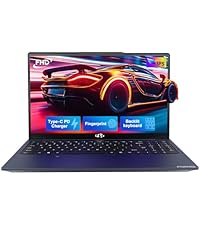
Image: A technician working on a laptop's internal components, representing the 2-year support provided for Nimo products.
9.2 Политика враћања
Nimo Direct Inc. offers a 90-Day Hassle-Free Return Policy. You may return any Nimo product for any reason within 90 days of purchase. Please refer to your purchase documentation for specific return procedures.
Image: A delivery person handing a package to a customer, illustrating the 90-day return policy for Nimo products.
9.3 Корисничка подршка
For any product-related questions, technical assistance, or warranty claims, please contact our professional after-sales service team. Our dedicated support team is available to resolve issues or facilitate replacements.
- Емаил: сервице@нимопц.цом
- Онлине: Visit the official NIMO website or product page for contact options.
Image: Customer service representatives wearing headsets, indicating professional customer assistance available via phone and live chat.