
1. Увод
This manual provides essential information for the setup, operation, maintenance, and troubleshooting of your NIMO N159 15.6-inch IPS FHD Gaming Laptop. This device is equipped with an AMD Ryzen 7 7735HS processor, 32GB DDR5 RAM, and a 1TB PCIe SSD, designed for balanced performance in productivity and light gaming tasks. Please read this manual thoroughly to ensure proper usage and to maximize the lifespan of your laptop.
2. Шта је у кутији
Проверите да ли су сви предмети присутни у паковању:
- 1 x NIMO N159 Laptop
- 1 x Type-C 100W PD Fast Charger
- 1 x Упутство за употребу (овај документ)
- Windows 11 Home (pre-installed)
3. Производ је готовview
Familiarize yourself with the components and features of your NIMO N159 laptop.

Слика 3.1: Предња страна view of the NIMO N159 laptop, showcasing its 15.6-inch display and overall design.
3.1 Кључне карактеристике
- процесор: AMD Ryzen 7 7735HS with 8 Cores and 16 Threads, up to 4.75GHz.
- Графика: Integrated AMD Radeon 680M GPU.
- Меморија: 32GB DDR5 RAM for efficient multitasking.
- Складиштење: 1TB PCIe 4.0 SSD for fast boot times and data access.
- Приказ: 15.6-inch Full HD (1920x1080) IPS Anti-Glare Display.
- Пуњење: 100W Type-C PD Fast Charger.
- безбедност: Fingerprint Unlock integrated into the touchpad.
- Улаз: Backlit Keyboard with Numeric Keypad.

Слика 3.2: Завршеноview of the AMD Ryzen 7 7735HS processor and its integrated Radeon 680M graphics.
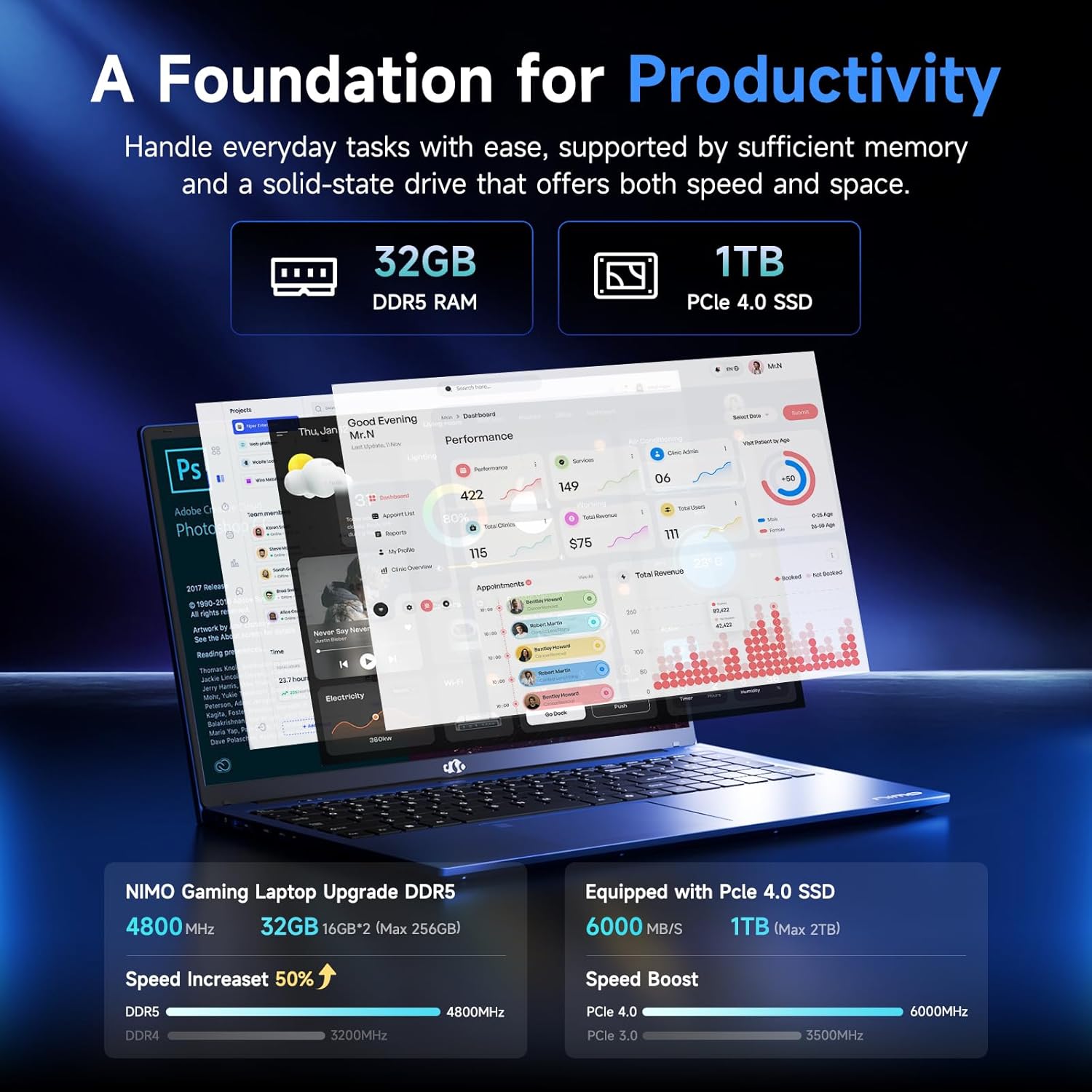
Figure 3.3: Illustration of the 32GB DDR5 RAM and 1TB PCIe 4.0 SSD, highlighting their speed and capacity.
3.2 Портови и конектори
The NIMO N159 laptop provides a variety of ports for connectivity:

Слика 3.4: Детаљно view of the laptop's ports and their functions.
- лева страна: Kensington Lock, Audio Jack, USB 3.2 Gen 1, USB 2.0, Micro SD Reader.
- Десна страна: Type-C Gen2 (Multifunction), USB 3.2 Gen 1, HDMI 2.0, Type-C Gen2 (Multifunction).
3.3 Напајање и батерија

Figure 3.5: Battery and charging capabilities of the NIMO N159 laptop.
The laptop is equipped with a 54Wh smart battery. It supports fast charging via the included 100W Type-C PD charger, providing approximately 5 hours of usage from a 1-hour charge.
3.4 Keyboard and Fingerprint Unlock
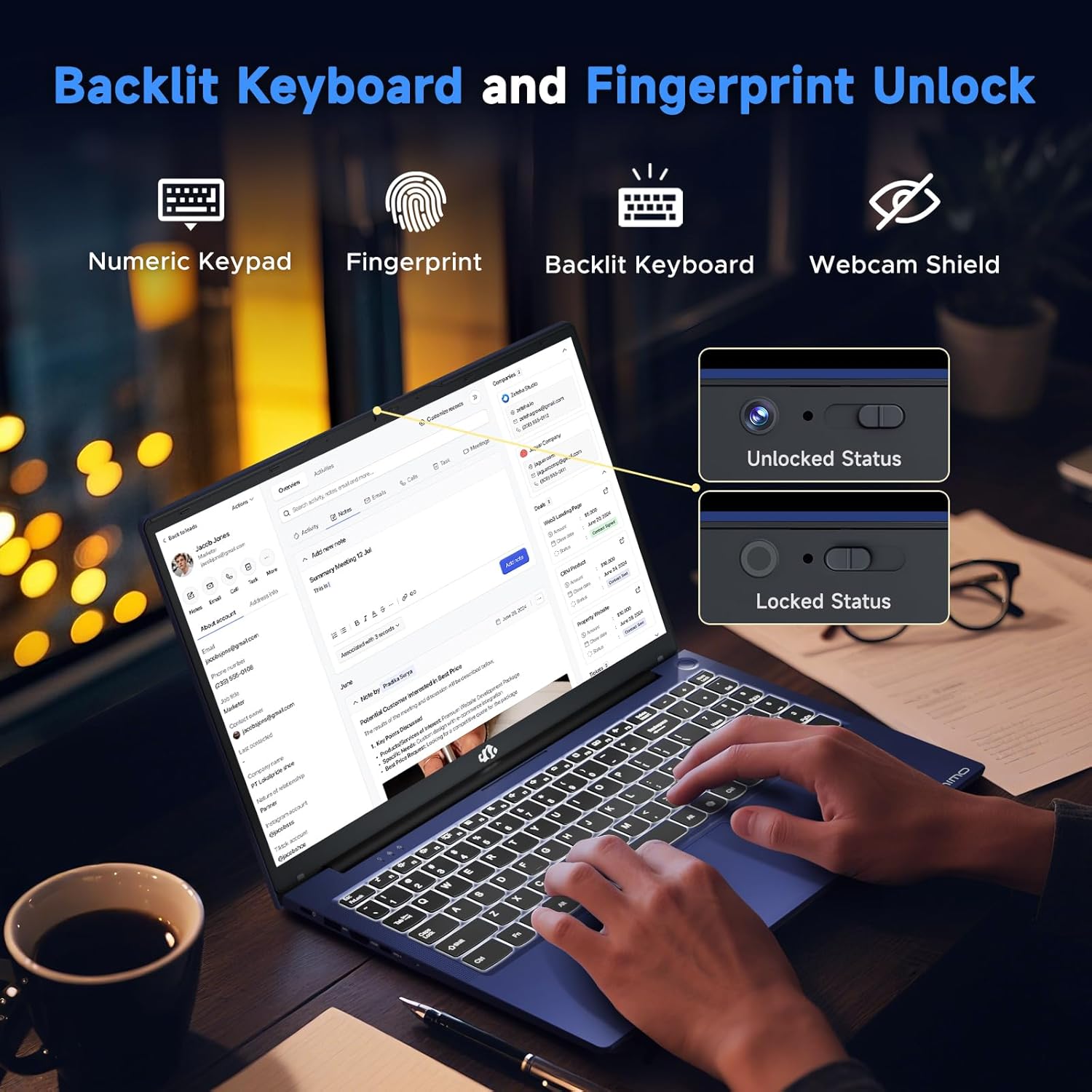
Figure 3.6: Features of the backlit keyboard, numeric keypad, fingerprint unlock, and webcam shield.
The keyboard features backlighting for use in low-light conditions and includes a numeric keypad. The fingerprint reader is integrated into the touchpad for secure and quick access.
3.5 Дисплеј
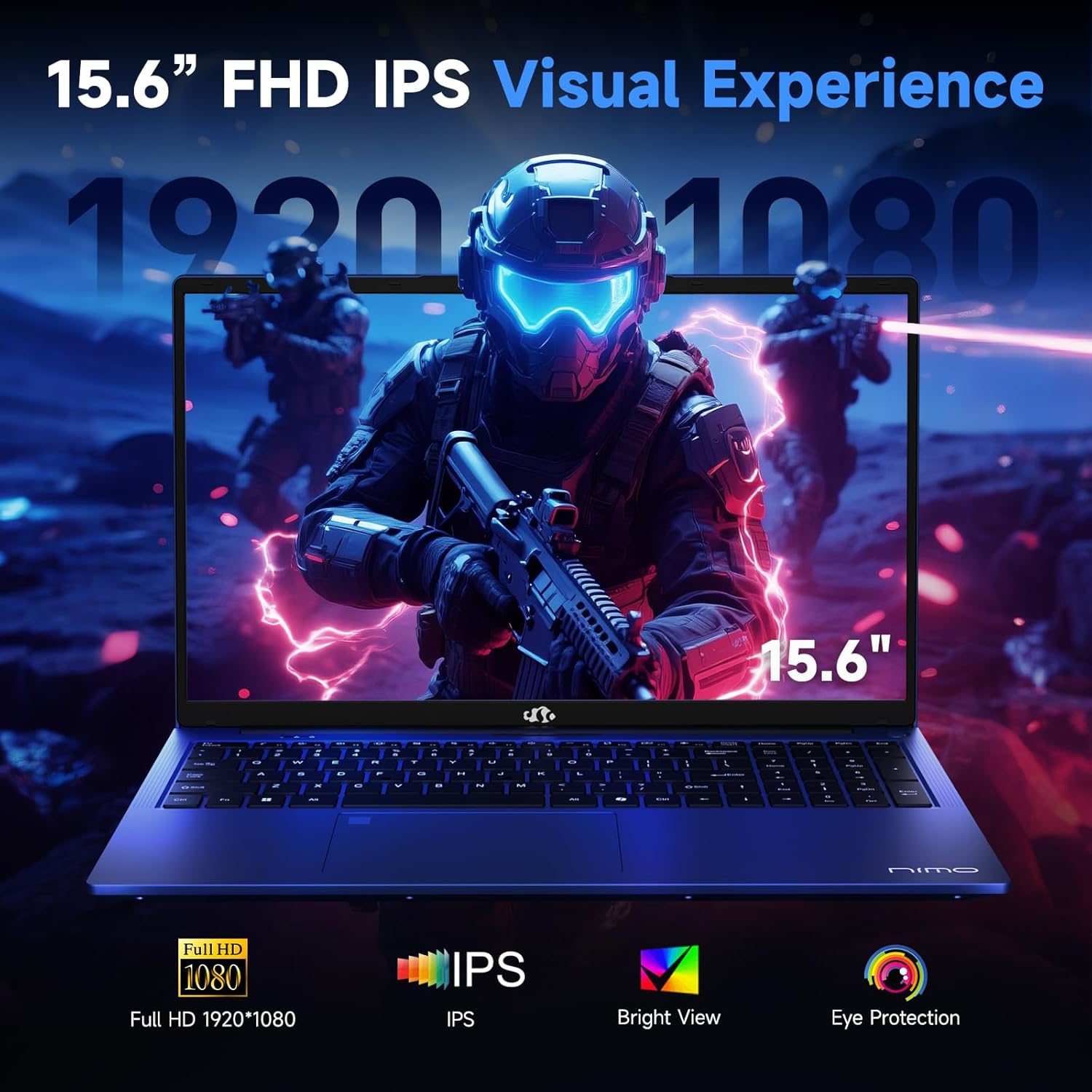
Figure 3.7: Visual representation of the 15.6-inch FHD IPS display quality.
The 15.6-inch Full HD (1920x1080) IPS Anti-Glare Display offers vibrant visuals and a wide viewing angle, suitable for various tasks from work to entertainment.
4. Подешавање
4.1 Почетно укључивање
- Raspakujte: Пажљиво извадите лаптоп и сву додатну опрему из паковања.
- Прикључите напајање: Plug the Type-C 100W PD Fast Charger into a power outlet and connect the Type-C connector to one of the multifunction Type-C ports on the laptop.
- Прво покретање: Отворите поклопац лаптопа и притисните дугме за напајање, које се обично налази у горњем десном углу тастатуре или са стране.
- Виндовс подешавање: Пратите упутства на екрану да бисте завршили подешавање система Windows 11 Home, укључујући језик, регион, мрежну везу и креирање корисничког налога.
4.2 Повезивање на мрежу
- Ви-Фи: During Windows setup or later, select your Wi-Fi network from the available list and enter the password.
- Wired (Optional): If an Ethernet adapter (not included) is used with a USB port, connect an Ethernet cable to the adapter and then to your router/modem.
5. Упутство за употребу
5.1 Укључивање/искључивање
- Укључено: Притисните дугме за напајање.
- Искључи: Кликните на дугме Старт у оперативном систему Windows, затим на Напајање > Искључи.
- спавање: Затворите поклопац или кликните на дугме Старт, затим на Напајање > Спавање.
5.2 Коришћење тастатуре
- Контрола позадинског осветљења: Press the designated function key (e.g., F9) to cycle through backlight brightness levels (off, low, medium, high).
- Функцијски тастери: Use the Fn key in combination with F1-F12 for various shortcuts (e.g., volume, brightness, Wi-Fi toggle).
5.3 Using the Touchpad and Fingerprint Sensor
- Тоуцхпад: Подржава вишеструки додир за навигацију. Погледајте подешавања система Windows за прилагођавање.
- Откључавање отиска прста: Enroll your fingerprint through Windows Hello settings for secure login. Place your registered finger on the sensor located on the touchpad to unlock the device.
5.4 Повезивање екстерних уређаја
Use the available USB-A, USB-C, and HDMI ports to connect peripherals such as external monitors, USB drives, mice, and keyboards. The Type-C Gen2 ports support multifunctionality, including data transfer and video output.
6. Одржавање
6.1 Чишћење
- Екран: Лагано користите меку крпу која не оставља длачице дampводом или средством за чишћење екрана. Не прскајте течност директно на екран.
- Тастатура и кућиште: Користите меку, суву крпу. За тврдокорну прљавштину, благоamp Може се користити крпа, водећи рачуна да течност не уђе у отворе.
- Портови: Користите компримовани ваздух да нежно очистите прашину из отвора.
6.2 Одржавање батерије
- Избегавајте често потпуно пражњење батерије.
- Чувајте лаптоп на хладном и сувом месту ако га не користите дуже време, са батеријом напуњеном на око 50-60%.
- Use only the provided NIMO charger or a compatible 100W Type-C PD charger.
6.3 Ажурирања софтвера
Regularly check for and install Windows updates and driver updates to ensure optimal performance and security. These can typically be found in Windows Settings > Windows Update.
КСНУМКС. Решавање проблема
This section addresses common issues you might encounter with your NIMO N159 laptop.
| Проблем | Могући узрок | Решење |
|---|---|---|
| Лаптоп се не укључује. | Low battery, power adapter issue, or hardware fault. | Ensure the charger is properly connected and the outlet is working. Try charging for at least 30 minutes. If the issue persists, contact support. |
| Екран је празан или црн. | Подешавања екрана, конфликт спољног монитора или проблем са драјвером. | Press Fn + F7 (or relevant display toggle key) to cycle display modes. Disconnect any external monitors. Restart the laptop. |
| Проблеми са Wi-Fi везом. | Incorrect password, router issue, or Wi-Fi adapter disabled. | Verify Wi-Fi password. Restart your router. Check Windows settings to ensure Wi-Fi is enabled. |
| Лаптоп ради споро. | Too many applications open, low storage, or outdated drivers. | Close unnecessary applications. Check available storage. Update Windows and drivers. Run a malware scan. |
| Сензор отиска прста не ради. | Finger not clean, sensor dirty, or software issue. | Ensure your finger and the sensor are clean and dry. Re-enroll your fingerprint in Windows Hello settings. |
8. Спецификације
Detailed technical specifications for the NIMO N159 laptop:
| Феатуре | Детаљ |
|---|---|
| Бранд | NIMO |
| Назив модела | НИМО Н159Б |
| Величина екрана | 15.6 инча |
| Резолуција екрана | 1920 x 1080 пиксела (FHD IPS) |
| Процесор | AMD Ryzen 7 7735HS (8 Cores, up to 4.75 GHz) |
| РАМ | 32 GB DDR5 (4800 MHz) |
| Хард Дриве | 1024 GB SSD (PCIe 4.0) |
| Грапхицс Цопроцессор | AMD Radeon 680M (интегрисана) |
| Оперативни систем | Виндовс 11 Хоме |
| Вирелесс Типе | 802.11а/б/г/н/ац |
| УСБ 2.0 портови | 1 |
| УСБ 3.0 портови | 4 |
| Портови типа Ц | 2 (Gen2, Multifunction) |
| ХДМИ порт | 1 (ХДМИ 2.0) |
| Просечно трајање батерије | 5 Hours (54Wh) |
| Тежина артикла | 3.8 фунти |
| Димензије производа | 14.07 к 8.98 к 0.76 инча |
| Боја | Плава |
| Посебне карактеристике | Позадинско осветљење тастатуре, читач отиска прста, HD аудио, нумеричка тастатура |
9. Гаранција и подршка
NIMO is committed to providing quality products and customer satisfaction.
- Гаранција произвођача: Your NIMO N159 laptop is covered by a 2-Year Manufacturer's Warranty from Nimo Direct Inc. This warranty covers defects in materials and workmanship under normal use.
- Политика враћања: A 90-Day Hassle-Free Return Policy is offered by Nimo Direct Inc. from the date of purchase.
9.1 Контактирајте подршку
For technical assistance, warranty claims, or product-related inquiries, please contact NIMO customer support:
- Емаил: сервице@нимопц.цом
- Онлине: Visit the official NIMO website for further support options and FAQs.
Our dedicated support team is available to assist you with any issues or replacements.