
1. Увод
This manual provides detailed instructions for the proper use and maintenance of your BOBLOV KJ26 2K Body Camera. Please read this manual thoroughly before operating the device to ensure optimal performance and longevity.
2. Садржај пакета
Проверите да ли су све ставке наведене у наставку укључене у ваш пакет:
- KJ26 Body Camera
- 360° Rotatable Long Clip
- 360° Rotatable Short Clip
- Two Rechargeable Batteries (2000mAh each)
- Доцк за пуњење
- УСБ-Ц кабл
- Кориснички приручник (овај документ)
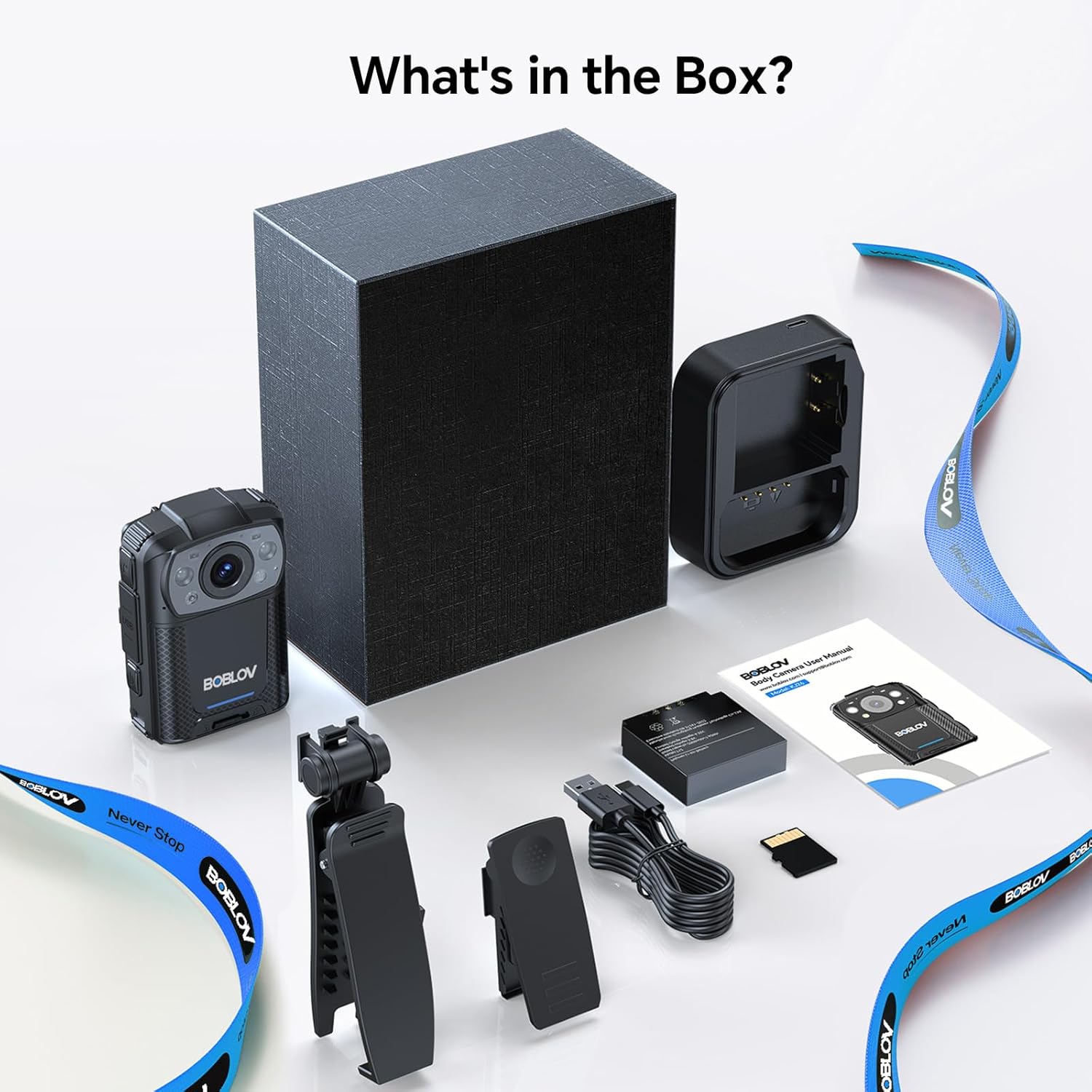
Image: All components included in the BOBLOV KJ26 Body Camera package.

Слика: Визуелни приказ садржаја пакета.
Video: Official unboxing video for the BOBLOV KJ26 body camera, demonstrating the contents of the package and initial setup.
3. Подешавање
3.1. Инсталација и пуњење батерије
The KJ26 body camera comes with two 2000mAh rechargeable batteries. Ensure batteries are fully charged before first use.
- Insert a battery into the designated battery compartment on the camera.
- Place the camera onto the charging dock.
- Connect the USB-C cable to the charging dock and a power source.
- Индикаторска лампица пуњења ће показати статус пуњења.
- To swap batteries, remove the current battery and insert a fresh one.

Image: BOBLOV KJ26 body camera highlighting its dual battery system for extended recording.

Image: Swappable batteries for continuous recording.
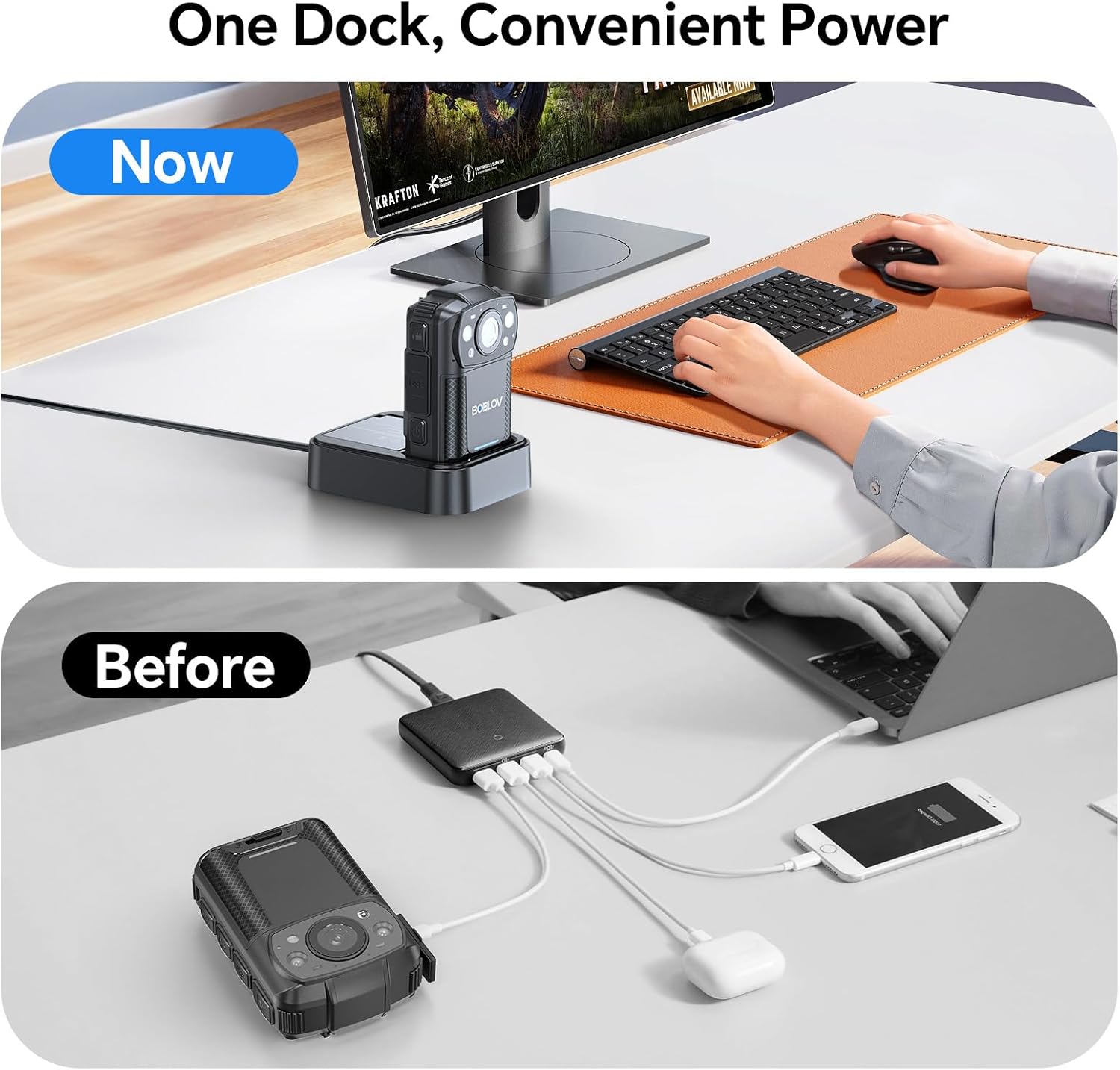
Image: The camera charging in its dedicated dock.
3.2. Инсталација меморијске картице
The camera supports external Micro SD cards for storage expansion. The device comes with a 256GB card installed.
- Пронађите слот за Micro SD картицу на камери.
- Gently insert the Micro SD card until it clicks into place.
- Да бисте је уклонили, притисните картицу ка унутра док не искочи.

Image: The camera supports easy memory card swapping for expanded storage.
3.3. Attaching Clips
Two rotatable clips (long and short) are provided for flexible mounting options.
- Select the appropriate clip (long or short) for your intended use.
- Attach the clip to the back of the camera by sliding it into the designated slot until it locks securely.
- The clip can rotate 360° for optimal positioning.

Слика: прamples of flexible mounting with different clip lengths.
4. Упутство за употребу
4.1. Укључивање/искључивање
- To power on: Press and hold the Power button until the screen illuminates.
- To power off: Press and hold the Power button until the device shuts down.
4.2. Видео снимање
The camera records video in 2K, 1080P, or 720P resolution with audio, saving files in MOV format.
- To start recording: Press the Record button. A red indicator light or on-screen icon will confirm recording is active.
- To stop recording: Press the Record button again.
- Лооп Рецординг: The camera supports loop recording, overwriting the oldest fileс када је меморијска картица пуна.
- Adjustable Video Length: Video segments can be set to 5, 10 (default), 15, or 20 minutes.

Image: The compact design of the wearable body camera.

Image: Continuous recording with adjustable video segment lengths.
4.3. Снимање фотографија
The camera can also capture still images.
- To take a photo: Press the Photo button.
4.4. Ноћни вид
The KJ26 features infrared LEDs for clear recording in low-light conditions.
- Night vision activates automatically in dark environments.

Image: Night vision capability for reliable surveillance in low light.

Image: Capturing details even in low light conditions.
4.5. Посебне карактеристике
- Детекција покрета: The camera can be set to start recording automatically when motion is detected.
- Режим контролне камере: The device can function as a dash camera, suitable for vehicle use.

Image: The camera mounted in a vehicle, demonstrating dash camera mode.
5. Одржавање
5.1. Чишћење
- Користите меку, суву крпу за чишћење кућишта фотоапарата.
- За сочиво користите специјализовану крпу и раствор за чишћење сочива како бисте избегли огреботине.
- Немојте користити јаке хемикалије или абразивне материјале.
5.2. Брига о батерији
- Чувајте батерије на хладном и сувом месту када нису у употреби.
- Избегавајте често потпуно пражњење батерија како бисте продужили њихов век трајања.
- Ако складиштите батерије дуже време, напуните их до приближно 50% капацитета.
5.3. Складиштење
- Store the camera in a protective case to prevent damage from impacts or dust.
- Држите уређај даље од екстремних температура и директне сунчеве светлости.
КСНУМКС. Решавање проблема
| Проблем | Могући узрок | Решење |
|---|---|---|
| Камера се не укључује. | Батерија је испражњена или није правилно постављена. | Ensure battery is charged and correctly inserted. Try swapping with the second battery. |
| Не могу да снимим видео. | Меморијска картица је пуна, оштећена или није уметнута. | Check memory card status. Format the card (this will erase all data). Replace the card if necessary. |
| Лош квалитет видеа ноћу. | Night vision not active or insufficient ambient light. | Ensure night vision is enabled (if manual setting is available) or that there is some minimal light for the IR sensors to function. |
| Камера се замрзава или престаје да реагује. | Софтверски квар или привремена грешка. | Press and hold the Power button for 10-15 seconds to force a restart. If issue persists, contact support. |
7. Спецификације
| Феатуре | Детаљ |
|---|---|
| Бранд | БОБЛОВ |
| Број модела | КЈ26 |
| Резолуција снимања видео записа | 2K, 1080P, 720P |
| Технологија фото сензора | ЦМОС |
| Тип флеш меморије | Мицро СД |
| Величина инсталиране флеш меморије | 256 ГБ |
| Формат видео снимања | МОВ |
| Подржани аудио формат | ААЦ, МП3 |
| Величина екрана | 2 инча |
| Технологија повезивања | УСБ |
| Посебне карактеристике | Audio Recording, Dash Camera Mode, Loop Recording, Motion Detection, Night Vision |
| Ниво отпорности на воду | Није водоотпоран |
| Просечан век трајања батерије | 8 hours (with two batteries) |
| Број батерија | 2 (укључено) |
| Режими снимања | Video Recording, Photo Capture |
| Омјер слике | 16:9 |
| Компатибилни уређаји | Лаптоп, лични рачунар |
8. Информације о гаранцији
The BOBLOV KJ26 Body Camera comes with a 2 година гаранције from the date of purchase. This warranty covers manufacturing defects and malfunctions under normal use. Please retain your proof of purchase for warranty claims. For detailed warranty terms and conditions, please refer to the official BOBLOV webсајту или контактирајте корисничку подршку.
9. Корисничка подршка
For technical assistance, troubleshooting, or any inquiries regarding your BOBLOV KJ26 Body Camera, please contact BOBLOV customer support:
- Службено Webсајт: Посетите BOBLOV Store on Amazon за информације о производу и ресурсе за подршку.
- Имејл/Телефон: Refer to the contact information provided on the official BOBLOV webсајту или у паковању вашег производа.