
1. Увод
This manual provides essential information for setting up, operating, and maintaining your NIMO N151 15.6" FHD Laptop. Please read this guide thoroughly before using your device to ensure optimal performance and longevity.
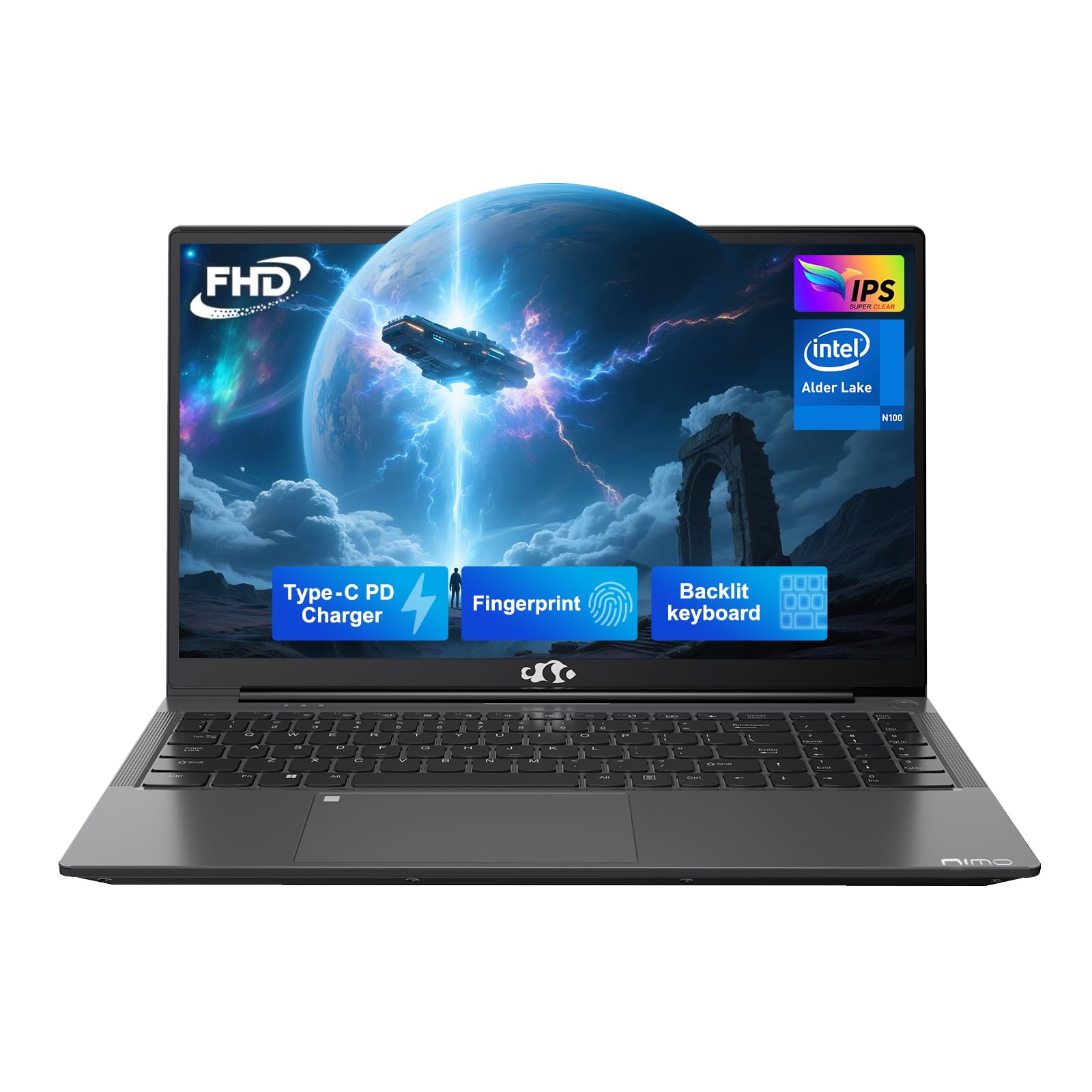
Figure 1: NIMO N151 Laptop, closed.
2. Садржај пакета
Проверите да ли су све ставке присутне у пакету:
- 1 x NIMO N151 Laptop
- 1 x Type-C 65W PD Fast Charger
- 1 к Упутство за употребу
- Windows 11 Home (pre-installed)
3. Водич за подешавање
3.1 Почетно укључивање
- Unpack the laptop and charger from the box.
- Connect the Type-C 65W PD Fast Charger to the laptop's Type-C port and a power outlet.
- Open the laptop lid. The laptop may power on automatically or require you to press the power button. The power button is typically located on the top right of the keyboard or on the side.
- Follow the on-screen instructions to complete the Windows 11 Home setup. This includes selecting your region, language, and connecting to a Wi-Fi network.
3.2 Повезивање на Ви-Фи
During the initial Windows setup, you will be prompted to connect to a Wi-Fi network. If you need to connect later:
- Кликните на Мрежа icon (usually a Wi-Fi symbol) in the taskbar.
- Изаберите жељену Wi-Fi мрежу са листе.
- Унесите лозинку за мрежу ако се то од вас затражи и кликните Повежите се.
4. Operating Your NIMO N151 Laptop
4.1 Дисплеј
The NIMO N151 features a 15.6-inch Full HD (1920x1080) IPS anti-glare display. This display is designed to reduce eye strain and provide clear visuals.
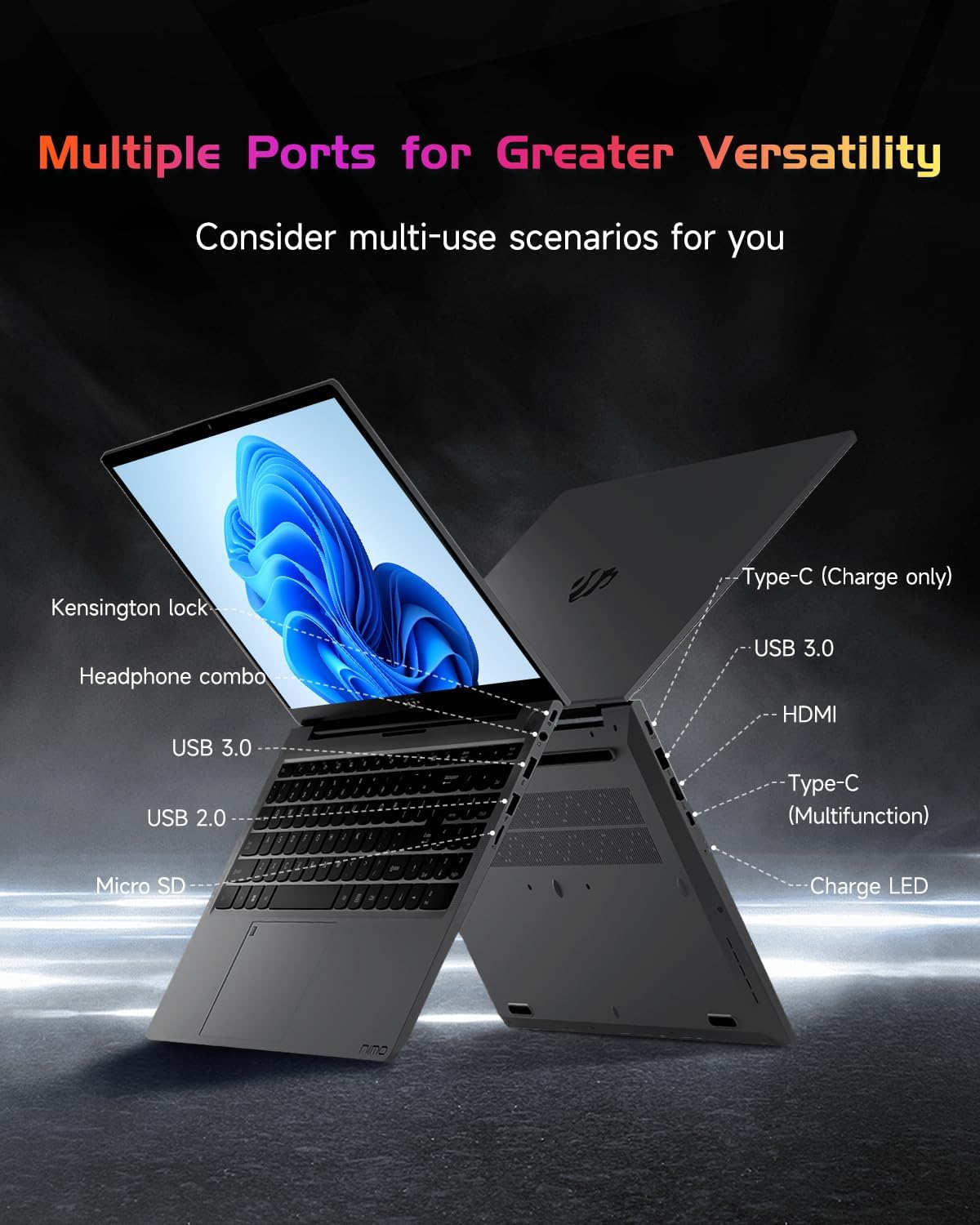
Figure 2: The 15.6" FHD IPS display provides clear visuals.
4.2 Тастатура и читач отиска прста
The laptop is equipped with a backlit keyboard for comfortable typing in various lighting conditions. The integrated fingerprint reader on the touchpad allows for secure and quick login.
- Тастатура са позадинским осветљењем: Use the dedicated function key (Fn + Fx, where Fx is the backlight key) to toggle the backlight on/off and adjust brightness levels.
- Читач отиска прста: To set up, navigate to Windows Settings > Accounts > Sign-in options > Fingerprint recognition (Windows Hello Fingerprint). Follow the prompts to register your fingerprint.

Figure 3: Backlit keyboard and integrated fingerprint reader.
4.3 Webцам
The laptop includes a 2MP webcam, suitable for video calls and online meetings. A physical privacy switch is available to disable the webcam when not in use, enhancing your privacy.

Слика 4: Webcam with privacy switch for enhanced security.
4.4 Портови и повезивање
The NIMO N151 offers various ports for connecting peripherals and external devices:
- УСБ 3.0 портови: За пренос података великом брзином.
- УСБ 2.0 порт: За повезивање стандардних УСБ уређаја.
- ХДМИ порт: За повезивање са екстерним екранима или пројекторима.
- Type-C Ports: One for charging (65W PD) and another for multi-function use (data transfer, display output).
- Читач микро СД картица: За проширење складишног простора или пренос fileс са меморијских картица.
- Headphone Combo Jack: For connecting headphones or headsets.
- Utor za Kensington Lock: За осигуравање лаптопа компатибилном бравом.

Figure 5: Available ports on the NIMO N151 laptop.
Wireless connectivity includes Wi-Fi 6 for stable, high-speed internet and Bluetooth 5.2 for connecting wireless accessories.
4.5 Аудио
The laptop provides integrated audio for multimedia consumption and communication.
4.6 Батерија и пуњење
The NIMO N151 is powered by a 53.58Wh rechargeable battery, offering up to 8 hours of usage. It comes with a 65W PD (Power Delivery) Type-C fast charger. A 15-minute charge can provide up to 2 hours of use.
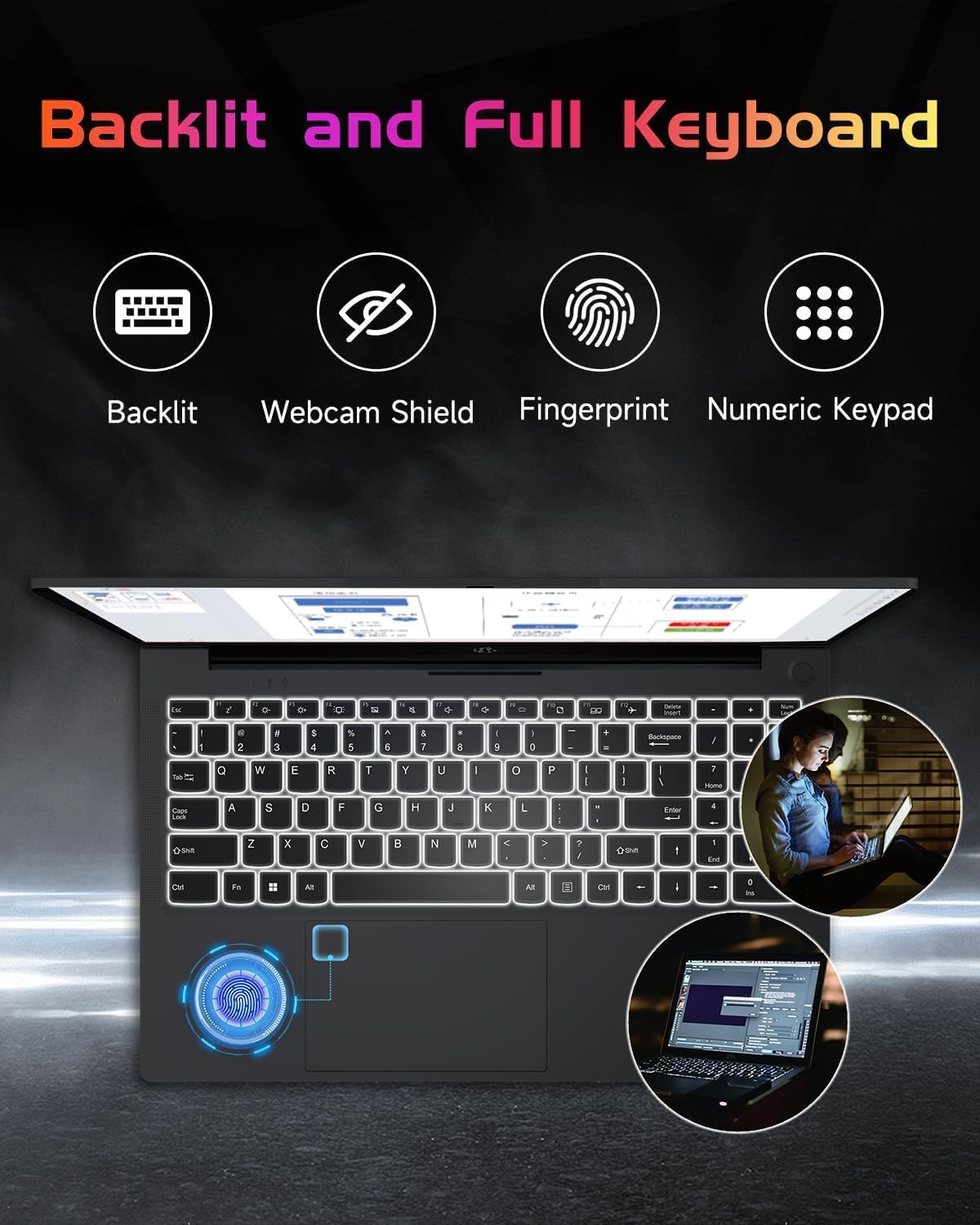
Figure 6: The included 65W Type-C PD Fast Charger.

Figure 7: Laptop usage demonstrating battery capacity.
4.7 Processor, RAM, and Storage
The laptop is equipped with a 12th Gen Intel Alder Lake-N100 processor (up to 3.4GHz boost), 4GB DDR4 RAM, and a 128GB PCIe SSD. Both the RAM and SSD are upgradable to meet future demands.

Figure 8: Intel Alder-Lake N100 processor overview.
5. Одржавање
5.1 Општа нега
- Keep the laptop clean by wiping surfaces with a soft, dry cloth. Avoid liquid cleaners directly on the screen.
- Protect the screen from scratches by closing the lid gently and avoiding placing objects on the keyboard.
- Обезбедите одговарајућу вентилацију тако што не блокирате отворе за ваздух.
- Избегавајте екстремне температуре и директну сунчеву светлост.
5.2 Upgrading RAM and SSD
The NIMO N151 laptop allows for user upgrades of both RAM and SSD. Consult a qualified technician or refer to detailed online guides for safe upgrade procedures. Improper installation may void your warranty.
КСНУМКС. Решавање проблема
6.1 Уобичајена питања и решења
| Иссуе | Могуће решење |
|---|---|
| Лаптоп се не укључује | Ensure the charger is properly connected and the power outlet is functional. Try a different outlet. |
| Споро перформансе | Close unnecessary applications, check for background updates, or consider upgrading RAM/SSD. |
| Проблеми са Wi-Fi повезивањем | Restart your router and laptop. Check Wi-Fi settings and ensure drivers are updated. |
| Батерија се не пуни | Verify charger connection. Try a different Type-C port or charger if available. |
For further assistance, refer to the support section or contact NIMO customer service.
7. Спецификације
Key technical specifications for the NIMO N151 laptop:
| Феатуре | Детаљ |
|---|---|
| Величина екрана | 15.6 инча |
| Резолуција екрана | 1920 x 1080 пиксела (FHD) |
| Процесор | Intel Pentium Quad Core N100 (up to 3.4 GHz) |
| РАМ | 4 GB DDR4 (Upgradable) |
| Хард Дриве | 128 GB PCIe SSD (Upgradable) |
| Оперативни систем | Виндовс 11 Хоме |
| Грапхицс Цопроцессор | Интегрисана графика |
| Вирелесс Типе | Ви-Фи 6 (802.11а/б/г/н/ац) |
| Блуетоотх | Блуетоотх 5.2 |
| УСБ портови | 3 к УСБ 3.0, 1 к УСБ 2.0 |
| Друге луке | HDMI, Type-C (charging), Type-C (multifunction), Micro SD, Headphone Combo, Kensington Lock |
| Трајање батерије | Up to 8 hours (53.58Wh) |
| Тежина артикла | 3.75 фунти |
| Димензије производа | 14.07 к 8.98 к 0.76 инча |
| Посебне карактеристике | Backlit Keyboard, Fingerprint Reader, HD Audio, Memory Card Slot, Numeric Keypad |
8. Гаранција и подршка
Your NIMO N151 laptop comes with a comprehensive 2-year manufacturer's warranty and a 90-day hassle-free return policy. For any product-related questions, technical support, or warranty claims, please contact our dedicated support team.
- Подршка путем е-поште: сервице@нимопц.цом
- Гарантни период: 2 године
- Политика враћања: 90 дана

Figure 9: NIMO customer support and warranty details.
9. Видео снимци производа
Watch these official videos for a visual guide to your NIMO N151 laptop:
9.1 NIMO 15.6 Laptop Comprehensive Introduction
Видео 1: Детаљан прегледview of the NIMO 15.6" laptop's features and design.
9.2 Efficiency Meets Convenience: Nimo Laptop
Video 2: Highlights the efficiency and convenience aspects of the NIMO laptop for daily use.