
1. Увод
This manual provides comprehensive instructions for the ZIUTY T21 Wireless Earbuds. These earbuds feature Active Noise Cancellation (ANC) and Environmental Noise Cancellation (ENC) for clear audio, a multi-functional touchscreen charging case, Bluetooth 5.3 connectivity, and an IPX7 waterproof rating. Please read this manual carefully to ensure proper use and optimal performance of your device.
2. Шта је у кутији
Проверите да ли су све ставке наведене у наставку укључене у ваш пакет:
- Т21 бежичне слушалице
- Charging Case with Touch Screen
- УСБ-Ц кабл за пуњење
- Навлаке за уши (величине S/M/L)
- Упутство за употребу

Image: Package contents of the ZIUTY T21 Wireless Earbuds.
3. Производ је готовview
3.1 Компоненте
The ZIUTY T21 system consists of two wireless earbuds and a portable charging case with an integrated touchscreen.
3.2 Контроле
The earbuds and charging case offer various control options:
Earbud Touch Controls:
- Пусти/паузирај: Један додир на обе слушалице.
- Следећа нумера: Двапут додирните десну слушалицу.
- Претходни запис: Double tap left earbud.
- Одговори/заврши позив: Један додир на обе слушалице.
- Одбиј позив: Притисните и држите било коју слушалицу.
- Активирање гласовног помоћника: Трипут додирните било коју слушалицу.
- Пребаци ANC/режим транспарентности: Притисните и држите 2 секунде на било којој слушалици.
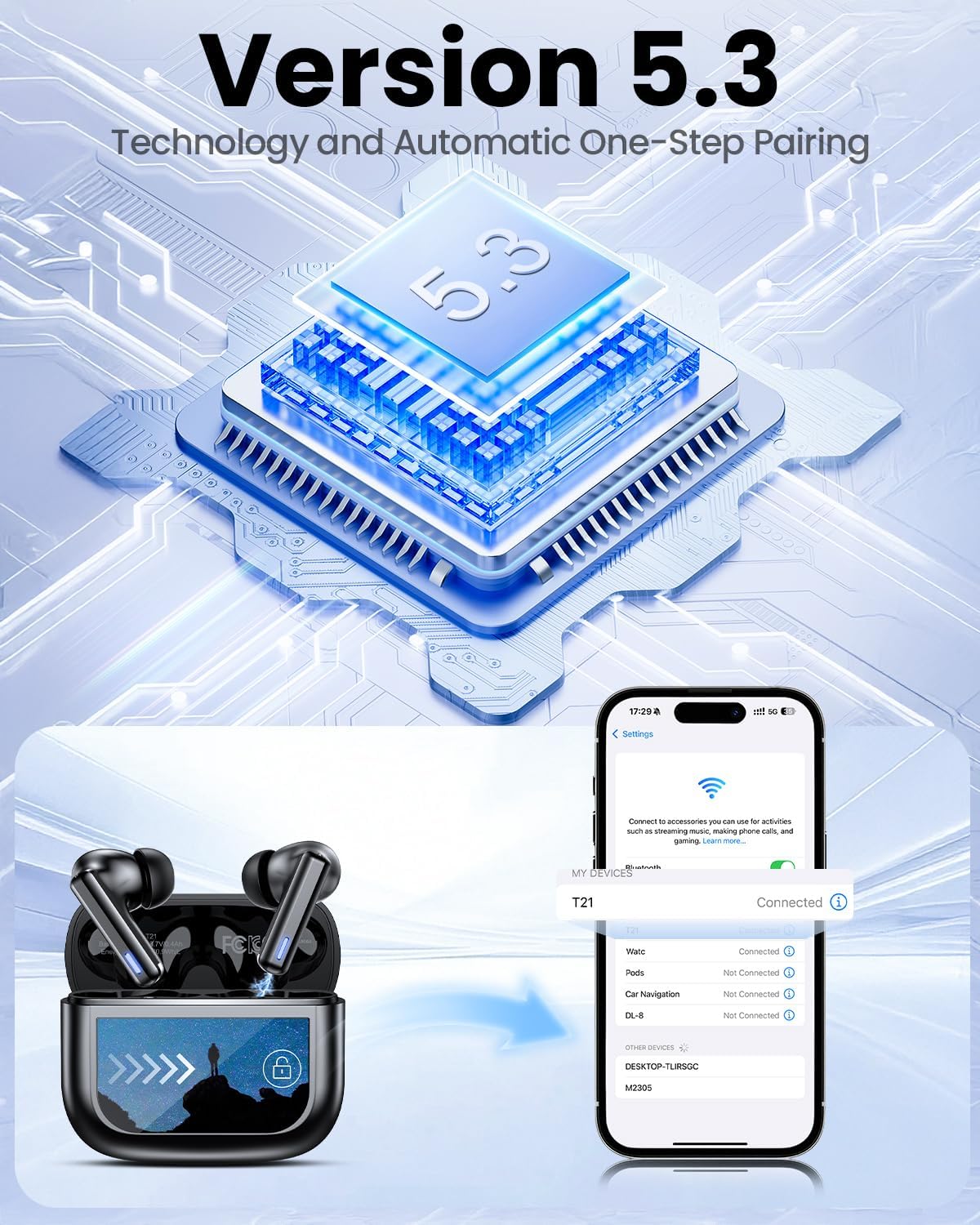
Image: Smart touch controls available on the earbuds.
Charging Case Touch Screen Functions:
- Репродукција музике: Control play, pause, and track navigation.
- Контрола јачине звука: Подесите ниво аудио излаза.
- Смањење буке: Toggle between ANC, Transparency, and Normal modes.
- Еквилајзер (ЕК): Select from 5 preset sound profiles.
- Ниво светлости: Подесите осветљеност екрана.
- Промена језика: Промените језик приказа.
- Пронађи моје слушалице: Пронађите изгубљене слушалице.
- Контрола камере: Даљински активирајте камеру телефона.

Image: Multi-functional LCD touch screen interface on the charging case.
4. Подешавање
4.1 Почетно пуњење
- Before first use, remove the protective film from the charging contacts on both earbuds.
- Ставите слушалице у кућиште за пуњење.
- Connect the USB-C charging cable to the case and a power source. The case's touchscreen will display the charging status.
- Fully charge the earbuds and case before initial use. A full charge takes approximately 1.5 hours.
4.2 Блуетоотх упаривање
- Отворите кућиште за пуњење. Слушалице ће аутоматски ући у режим упаривања.
- На свом уређају (паметном телефону, таблету, лаптопу) омогућите Блутут.
- Тражи доступне Bluetooth уређаје и изаберите „T21“ са листе.
- Once connected, the earbuds will indicate successful pairing, and the device will show "Connected".

Image: Bluetooth 5.3 technology and one-step pairing process.
5. Упутство за употребу
5.1 Active Noise Cancellation (ANC) and Transparency Mode
The earbuds feature Hybrid Active Noise Cancellation (ANC) to reduce ambient noise by up to 40dB, and a Transparency Mode to allow you to hear your surroundings.
- Промена режима: Press and hold either earbud for 2 seconds to cycle between ANC, Transparency, and Normal modes. You can also switch modes via the charging case touchscreen.

Image: Active Noise-Cancelling in use.
5.2 Sound Quality and EQ Modes
Equipped with 14.2mm dynamic drivers, the earbuds deliver balanced audio. You can customize your listening experience with 5 Equalizer (EQ) presets:
- Нормално
- Роцк
- Цлассиц
- Поп
- Јазз
Select your preferred EQ mode directly from the charging case touchscreen.

Image: Available 5 EQ Modes for audio customization.
5.3 Упућивање и примање позива
The dual-ENC microphones are designed to reduce 98% of background noise, ensuring clear calls even in noisy environments.
- Одговори/заврши позив: Један додир на обе слушалице.
- Одбиј позив: Притисните и држите било коју слушалицу.

Image: Earbud design for superior call clarity with built-in microphones.
5.4 Find My Earbuds Feature
The charging case touchscreen includes a "Find My Earphone" function to help locate misplaced earbuds.
- Access the "Find My Earphone" option on the case's touchscreen. The earbuds will emit a sound to assist in locating them.

Image: Using the 'Find My Earbuds' feature on the charging case.
5.5 Управљање батеријом
The earbuds provide up to 8 hours of playtime on a single charge, extended to a total of 40 hours with the charging case. A 10-minute quick charge can provide 2 hours of music playback.
- The charging case touchscreen displays the battery percentagе и за кућиште и за појединачне слушалице.

Image: Battery life indication for ZIUTY T21 earbuds and charging case.
6. Одржавање
6.1 Чишћење
Regular cleaning helps maintain optimal performance and charging efficiency.
- Use an alcohol pad or a soft, dry cloth to clean the charging contacts on both the earbuds and inside the charging case.
- Gently clean the ear tip mesh to remove any dust or earwax that may affect sound quality or volume.

Image: Cleaning instructions for earbuds and charging case contacts.
6.2 Отпорност на воду
The ZIUTY T21 earbuds have an IPX7 waterproof rating, meaning they can withstand immersion in water up to 1 meter for 30 minutes. This makes them suitable for workouts and light rain exposure.
- Не потапајте кућиште за пуњење у воду.
- Уверите се да су слушалице суве пре него што их вратите у кућиште за пуњење како бисте спречили оштећења.

Слика: IPX7 водоотпорна карактеристика слушалица.
6.3 Eartip Selection and Comfort
The package includes S, M, and L size eartips to ensure a comfortable and secure fit for various ear canal sizes. A proper fit is crucial for optimal sound quality and noise cancellation.
- Experiment with different eartip sizes to find the best seal and comfort for your ears.
- To replace eartips, gently pull off the current tip and push on the new one, ensuring it is securely attached.

Image: Eartip sizes for comfortable and stable fit.
КСНУМКС. Решавање проблема
If you encounter issues with your ZIUTY T21 Wireless Earbuds, refer to the following common problems and solutions:
- Слушалице се не упарују:
Ensure earbuds are charged and removed from the case. Turn off and on your device's Bluetooth. Forget "T21" from your device's Bluetooth list and re-pair. - Нема звука из једне слушалице:
Check if both earbuds are charged. Try placing both earbuds back in the case, closing it, and then reopening to reset the connection. Clean the charging contacts. - Проблеми са пуњењем:
Ensure the USB-C cable is securely connected to both the case and the power source. Clean the charging contacts on the earbuds and inside the case. Try a different charging cable or power adapter. - Лош квалитет звука или ниска јачина звука:
Ensure eartips provide a good seal. Clean the ear tip mesh to remove any obstructions. Adjust volume on both the earbuds (via touch controls) and your connected device. - Додирне контроле не реагују:
Ensure your fingers are clean and dry. Try resetting the earbuds by placing them in the case and closing it for a few seconds.
8. Спецификације
| Феатуре | Спецификација |
|---|---|
| Назив модела | Т21 |
| Технологија повезивања | Бежично (Bluetooth 5.3) |
| Блуетоотх домет | 15 метара |
| Контрола буке | Отказивање активне буке (АНЦ) |
| Микрофони | Dual-ENC Microphones |
| Величина аудио драјвера | 14.2 милиметара |
| Фреквенцијски одзив | 20 КХз |
| Осетљивост | 107 дБ |
| Импеданса | 32 Охм |
| Трајање батерије (слушалице) | До 8 сати |
| Трајање батерије (са кућиштем) | До 40 сати |
| Време пуњења | Прибл. 1.5 сата |
| Ниво отпорности на воду | ИПКС7 |
| Тип контроле | Контрола додиром (слушалице), екран осетљив на додир (футрола) |
| Посебне карактеристике | 5 EQ Presets, Find My Earbuds, Camera Control |
| Материјал | акрилонитрил бутадиен стирен (АБС) |
| Тежина артикла | 3.17 унце (90 грама) |
| Димензије производа | 2.23 к 1.01 к 1.94 инча |
9. Гаранција и подршка
For warranty information or technical support, please refer to the contact details provided with your purchase or visit the official ZIUTY webсајт. Сачувајте доказ о куповини за евентуалне рекламације по гаранцији.