
Увод
Хвала вам на куповиниasing the ROCAM Digital Radio Alarm Clock. This manual provides detailed instructions for setting up, operating, and maintaining your device. Please read this manual thoroughly before use to ensure proper function and longevity of the product.
Безбедносне информације
- Уверите се да је уређај повезан на извор напајања са исправном јачином струјеtage.
- Не излажите уређај води или прекомерној влажности.
- Избегавајте постављање уређаја у близини извора топлоте или на директном сунцу.
- Не покушавајте сами да растављате или поправљате уређај. Обратите се квалификованом сервисеру.
- Чувати ван домашаја деце.
Производ је завршенview
The ROCAM Digital Radio Alarm Clock features a clear display, intuitive controls, and multiple functions including FM radio, Bluetooth speaker, night light, and charging ports.

Фронт view of the ROCAM Digital Radio Alarm Clock, showing the large digital display and speaker grille.
Кључне карактеристике:
- FM Radio (87.5 MHz - 108.0 MHz) with 20 presets.
- Bluetooth 5.0 speaker with 10m wireless range.
- Adjustable night light.
- USB and Type-C charging ports.
- Large, dimmable LED display (5 brightness levels).
- Dual alarm modes with classic beep or radio sound.
- 12/24 hour format and DST function.
- Battery backup for time and settings during power outagес.
Сетуп
1. Прикључак за напајање:
Connect the provided power adapter to the DC input port on the back of the alarm clock and plug it into a wall outlet. The clock requires plug power to operate. The internal battery serves as a backup for settings during power interruptions.
2. Почетно укључивање:
Once connected, the display will light up. You may need to set the time manually if it's the first use or after a prolonged power disconnection without battery backup.
Упутство за употребу
Подешавање времена и датума:
- Притисните и држите Тиме Сет button (or similar button, usually indicated by a clock icon). The hour digits will start flashing.
- Ротирајте Time/Volume knob да подесите сат.
- Притисните тастер Тиме Сет поново притисните дугме да бисте потврдили сат и прешли на минуте.
- Ротирајте Time/Volume knob за прилагођавање минута.
- Притисните тастер Тиме Сет button once more to save the time.
- Да бисте прелазили између 12-часовног и 24-часовног формата, притисните 12/24Х дугме.
Подешавање аларма:
The clock supports two independent alarms.
- Притисните и држите Аларм 1 or Аларм 2 дугме. Цифре сата аларма ће трептати.
- Ротирајте Time/Volume knob да подесите жељени сат за аларм.
- Притисните одговарајућу Аларм поново притисните дугме да бисте потврдили сат и прешли на минуте.
- Ротирајте Time/Volume knob да бисте подесили жељене минуте аларма.
- Притисните тастер Аларм button again to select the alarm sound: classic beep or FM radio.
- Притисните тастер Аларм button one last time to save the alarm setting.
- To activate/deactivate an alarm, short press the corresponding Аларм дугме. Икона аларма ће се појавити/нестати на екрану.
The alarm clock display showing the time and an active alarm icon, indicating the alarm function is set.
Одгода функција:
Када се огласи аларм, притисните дугме Сноозе/Лигхт button to temporarily silence the alarm for a few minutes (default snooze time). The alarm will sound again after the snooze period.
Рад ФМ радија:
- Притисните тастер Режим дугме за пребацивање у режим ФМ радија.
- To perform an automatic scan for stations, press and hold the Скенирај button. The radio will search for and save up to 20 available stations (87.5 MHz to 108.0 MHz).
- To manually tune, short press the Претходно/Следеће дугмад за подешавање фреквенције.
- Ротирајте Time/Volume knob to adjust the radio volume (16 levels).

The alarm clock display showing an FM radio frequency, indicating it is in radio mode.
Блуетоотх упаривање:
- Притисните тастер Режим button to switch to Bluetooth mode. The display will show a Bluetooth icon, usually flashing to indicate pairing mode.
- On your mobile device or computer, enable Bluetooth and search for "ROCAM Alarm Clock" (or similar device name).
- Select the device to pair. Once connected, the Bluetooth icon on the clock's display will stop flashing.
- You can now stream audio from your device to the alarm clock.
- Ротирајте Time/Volume knob to adjust the playback volume.

Унутрашњи view of the ROCAM alarm clock highlighting its Bluetooth 5.0 capabilities and speaker components, demonstrating its audio features.
Функција ноћног светла:
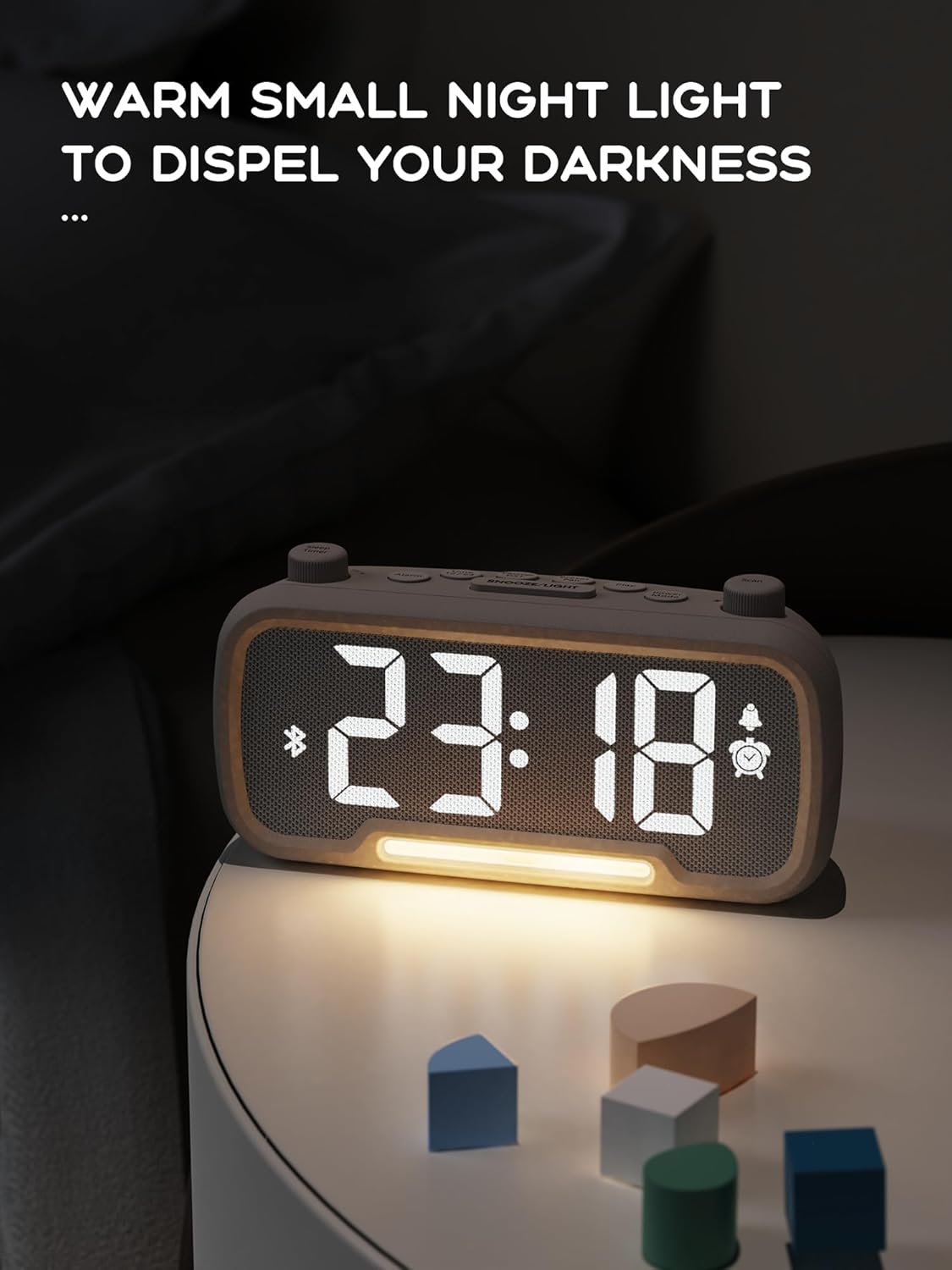
The alarm clock features an integrated night light.
- Кратко притисните на Сноозе/Лигхт button to turn the night light on or off.
- The night light has adjustable brightness levels. Press and hold the Сноозе/Лигхт button to cycle through the brightness options.

The ROCAM alarm clock on a bedside table, with its warm night light illuminated, providing ambient lighting.
Подешавање осветљености екрана:
The main display has 5 adjustable brightness levels.
- Притисните тастер Осветљеност button (or similar, often combined with Snooze/Light) to cycle through the display brightness levels.
- Изаберите ниво који је најпријатнији за ваше окружење.
Функција летњег рачунања времена (DST):
Да бисте подесили летње рачунање времена:
- Кратко притисните на ДСТ button (or similar, often indicated by a sun icon). The time will automatically adjust forward or backward by one hour.
- Press it again to revert the change.
USB and Type-C Charging Ports:
The alarm clock includes USB and Type-C ports for charging external devices.
- Connect your device's charging cable to the appropriate USB or Type-C port on the back of the alarm clock.
- Ensure the alarm clock is powered on for the charging ports to function.
Одржавање
- Очистите уређај меком, сувом крпом. Не користите течна средства за чишћење или абразивне материјале.
- Keep the device free from dust and debris to ensure proper ventilation.
- If the device will not be used for an extended period, unplug it from the power outlet.
Решавање проблема
| Проблем | Могући узрок | Решење |
|---|---|---|
| Приказ сата је искључен. | Нема струје, нема струјеtage, or device is off. | Check power connection. Ensure the power adapter is securely plugged in. If there was a power outage, the battery backup should maintain settings, but the display requires main power. |
| Аларм се не оглашава. | Alarm is not activated, volume is too low, or incorrect time set. | Ensure the alarm icon is visible on the display. Increase alarm volume. Verify alarm time is set correctly. |
| Пријем ФМ радија је лош. | Слаб сигнал, антена није извучена или постоје сметње. | Adjust the position of the device. Extend the FM antenna fully. Try auto-scanning for stations again. Avoid placing near other electronic devices. |
| Блутут уређај не може да се упари. | Clock not in Bluetooth mode, device too far, or already paired with another device. | Ensure the clock is in Bluetooth mode (flashing icon). Move your device closer to the clock. Disconnect from other Bluetooth devices. |
| USB/Type-C charging not working. | Clock not powered, cable faulty, or device not compatible. | Ensure the alarm clock is plugged into a wall outlet. Try a different charging cable. Verify your device is compatible with standard USB charging. |
Спецификације
| Феатуре | Детаљ |
|---|---|
| Бранд | РОЦАМ |
| Модел | B0FNWB172Z |
| Боја | Греи |
| Димензије | КСНУМКС к КСНУМКС к КСНУМКС цм (КСНУМКС к КСНУМКС к КСНУМКС инча) |
| Тежина | 350 г (0.77 лбс) |
| Извор напајања | Цордед Елецтриц |
| Батерија | 1 Lithium-metal battery (included, for backup) |
| ФМ Фреквенцијски опсег | 87.5 MHz - 108.0 MHz |
| Блуетоотх верзија | 5.0 |
| Дисплаи Бригхтнесс | 5 нивоа подесивих |
| Волуме Левелс | 16 нивоа подесивих |
Гаранција и подршка
За информације о гаранцији или техничку подршку, погледајте контакт податке које сте добили уз куповину или посетите званичну веб страницу ROCAM-а. webсајт. Сачувајте доказ о куповини за потребе гаранције.