
Увод
Welcome to the CYCPLUS Smart Indoor Cycling Fan F1 user manual. This guide provides detailed instructions for the safe and efficient use of your new smart fan. Designed with a BLDC motor, 5 speed modes, and advanced connectivity options, the F1 fan enhances your indoor cycling and training experience by providing intelligent, adaptive cooling.
Безбедносне информације
Please read all safety instructions before using the fan. Failure to follow these instructions may result in electric shock, fire, or serious injury.
- Уверите се да је вентилатор постављен на стабилну, равну површину како бисте спречили превртање.
- Do not insert fingers or any objects into the fan grille.
- Keep the fan away from water or other liquids. Do not operate in wet conditions.
- Искључите вентилатор из утичнице пре чишћења или било каквог одржавања.
- Do not use the fan if the power cord or plug is damaged. Contact customer support for assistance.
- Чувати ван домашаја деце и кућних љубимаца.
- Користите само испоручени адаптер за напајање.
Садржај пакета
Проверите да ли су све ставке присутне у пакету:
- CYCPLUS Smart Fitness Fan (F1)
- Ground Base
- Ремоте Цонтрол
- Трака за даљински
- Silicone Straps (x2) for Remote
- Исправљач једносмерне струје
- Кабл за напајање наизменичном струјом
- Упутство за употребу
- Шрафцигер
- М5 завртњи (к2)

Image: All components included in the CYCPLUS Smart Indoor Cycling Fan F1 package.
Сетуп
1. Инсталација основе
Place the fan securely into the provided ground base. Ensure it is stable before connecting power.
Video: Demonstrates the installation of the CYCPLUS F1 fan onto its ground base and initial setup.
2. Прикључак за напајање
Connect the DC power adapter to the fan and then plug the AC power cable into a standard wall outlet. The fan is now ready for operation.
Упутство за употребу
Укључивање/искључивање
Притисните и држите дугме за напајање (⏻) on the fan's control panel for 2 seconds to turn the fan on or off.
Ручна контрола брзине
Once powered on, press the "+„или“-" buttons to manually adjust the fan speed. There are 5 speed levels available.
Избор режима
Притисните дугме за режим (⏻) once to cycle through the available operating modes:
- Брзински режим: The fan automatically adjusts airflow based on your cycling speed (requires ANT+ speed sensor).
- Režim otkucaja srca: The fan automatically adjusts airflow based on your heart rate (requires ANT+ heart rate monitor).
- Режим напајања: The fan automatically adjusts airflow based on your power output (requires ANT+ power meter or smart bike trainer).
- Смарт Режим: Connects multiple devices/sensors such as speed, heart rate, and power. The fan automatically adjusts airflow in real time based on multiple data inputs, ensuring the most optimal airflow.
- Ручни режим: Allows direct control of fan speed using the "+" и "-" buttons or the remote control.

Image: The fan's control panel displaying icons for different smart speed modes.
Remote Control Pairing and Usage
To pair the remote control with the fan:
- Ensure the fan is in Manual Mode.
- Press any button on the remote control to wake it up and enter pairing mode (indicator light will flash).
- On the fan, press and hold the "+" и "-" buttons simultaneously for 2 seconds.
- Once paired, the remote's indicator light will stay solid for 3 seconds, then turn off. The remote will auto-connect for future use.
Use the remote to power on/off, adjust speed, and change modes.

Image: The compact remote control for the CYCPLUS F1 fan, shown with its included silicone straps and lanyard for easy attachment.
Контрола апликација
Download the CYCPLUS APP from your device's app store. Pair the fan via Bluetooth within the app to fine-tune workout parameters and control the fan from your smartphone.

Image: A smartphone displaying the CYCPLUS app interface for controlling the F1 fan, positioned next to the fan itself.
Подешавање протока ваздуха
The fan can be manually tilted from 0 to 60 degrees to direct airflow precisely where needed. The optimal placement distance is 1 meter from the user.

Image: The CYCPLUS F1 fan demonstrating its adjustable tilt mechanism, allowing airflow to be directed between 0 and 60 degrees.
Ауто Мемори
The fan remembers your last settings and connected sensors, automatically pairing them for seamless use without repeated adjustments.
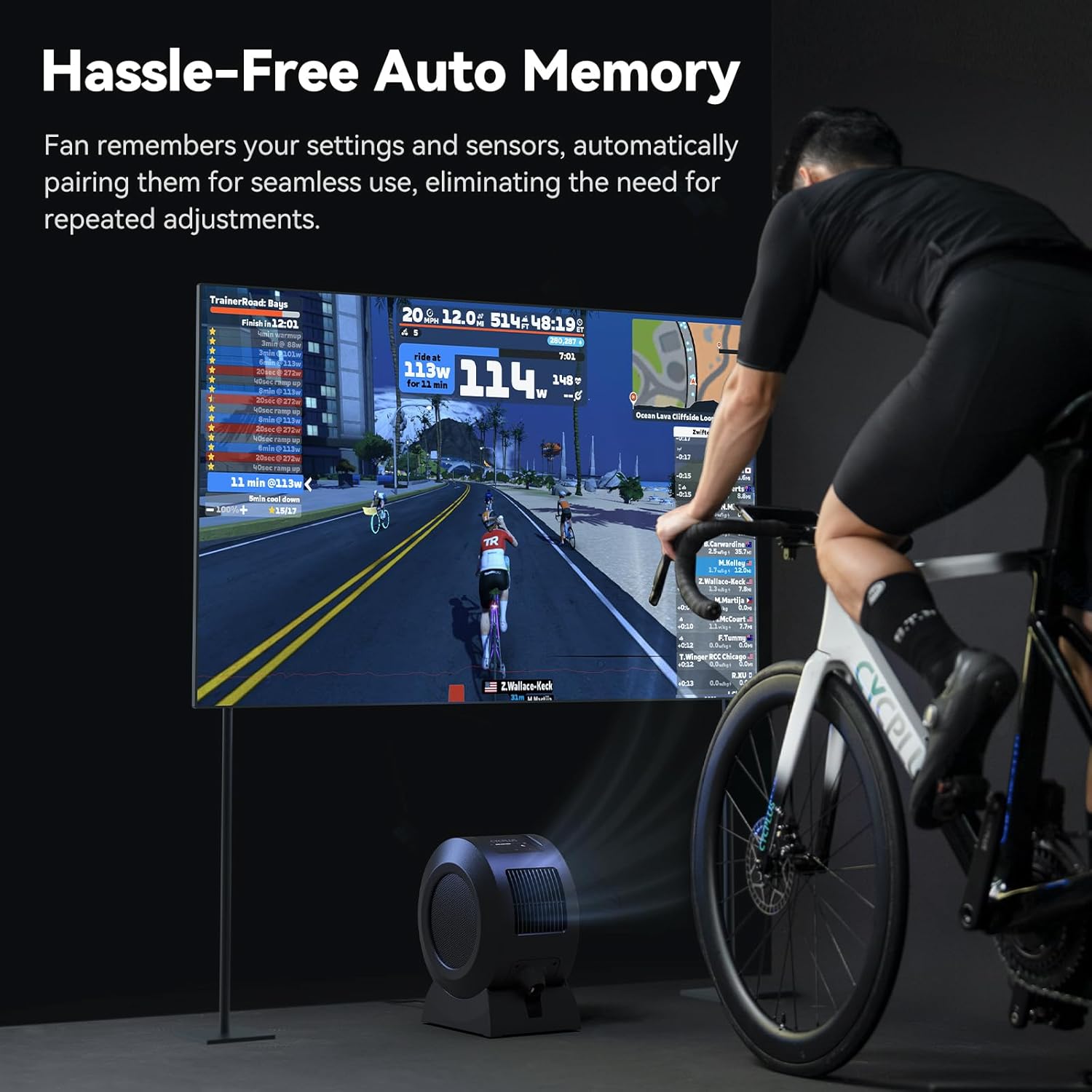
Image: The CYCPLUS F1 fan providing cooling during an indoor cycling session, with a large monitor showing real-time workout metrics.
Одржавање
Чишћење
To clean the fan, first unplug it from the power source. The front grille is removable for easy access to the fan blades. Use a soft, dry cloth to wipe down the exterior and blades. Do not use abrasive cleaners or immerse the fan in water.

Слика: Детаљна view of the CYCPLUS F1 fan with its front grille removed, illustrating the ease of access for cleaning.
Решавање проблема
- Вентилатор се не укључује: Уверите се да је адаптер за напајање безбедно повезан и са вентилатором и са исправном утичницом.
- Слаб проток ваздуха: Check for any obstructions in the fan's intake or exhaust grilles. Clean the fan blades if dust buildup is present.
- Даљински управљач не ради: Ensure the remote control is paired correctly with the fan. Check the remote's battery.
- Сензор се не повезује: Verify that your ANT+ sensor is powered on and within range. Ensure the fan is in the correct mode for the sensor type (Speed, Heart Rate, Power, or Smart Mode). Try re-pairing the sensor.
- Проблеми са повезивањем апликације: Ensure Bluetooth is enabled on your smartphone and the fan is powered on. Restart the app and try pairing again.
Спецификације
| Феатуре | Детаљ |
|---|---|
| Назив производа | Смарт Фитнесс Фан |
| Назив модела | F1 |
| Називна снага | 68 В |
| Максимална брзина ротације | 1280 РПМ |
| Мак Аирфлов | 670 м³/х |
| Максимална брзина ветра | About 50 km/h |
| Нето тежина | 4.3 кг (9.48 лбс) |
| Димензије производа | 10.5"Д к 14.5"Ш к 8.46"В |
| Compatible Input | 100-240В 50/60Хз |
| Адаптер Оутпут | 36V - 2.5-3A |
| Sensor Connection Protocol | АНТ+ |
| Mobile Connection Protocol | БЛЕ (Блуетоотх Лов Енерги) |
| Радна температура | 0-40°Ц |
| Тип мотора | ДЦ мотор без четкица (БЛДЦ) |
| Број нивоа снаге | 5 |

Image: A summary of the technical specifications for the CYCPLUS F1 fan.
Гаранција и подршка
For warranty information, technical support, or any inquiries regarding your CYCPLUS Smart Indoor Cycling Fan F1, please visit the official CYCPLUS webсајт или директно контактирајте њихову корисничку службу. Сачувајте рачун за куповину за потребе гаранције.
Official CYCPLUS Store: CYCPLUS Amazon Store