
GNCC GK2
GNCC GK2 Wi-Fi Outdoor PTZ Camera User Manual
Модел: ГК2
Увод
This manual provides comprehensive instructions for the installation, operation, maintenance, and troubleshooting of your GNCC GK2 Wi-Fi Outdoor PTZ Camera. Please read this manual carefully before using the product to ensure proper functionality and safety. Keep this manual for future reference.
Садржај пакета
Проверите да ли су све компоненте присутне у вашем пакету:
- GNCC GK2 Wi-Fi Outdoor PTZ Camera (2 units for this kit)
- Power Adapter with 3-meter cable
- Монтажни вијци и зидни типлови
- Упутство за употребу (овај документ)
- (Micro SD card not included)
Производ је завршенview
The GNCC GK2 is a 1080P Full HD outdoor security camera featuring Pan/Tilt functionality for 360° coverage. It is designed for reliable outdoor surveillance with IP65 weather resistance, intelligent motion tracking, two-way audio, and various night vision modes.

Слика: Фронт view of the GNCC GK2 Wi-Fi Outdoor PTZ Camera, showing the lens, IR LEDs, and dual antennas.
Кључне карактеристике:
- 1080П Фулл ХД резолуција: Пружа јасан и детаљан видео записtage.
- 360° панорамирање и нагињање: Offers 355° horizontal and 95° vertical rotation for comprehensive area coverage.
- IP65 Отпоран на временске услове: Дизајниран да издржи спољашње услове, укључујући кишу и снег.
- Intelligent Motion Tracking: Automatically follows detected movement.
- Spotlight Alarm: Activates a spotlight to deter intruders upon motion detection.
- Двосмерни аудио: Омогућава комуникацију у реалном времену путем камере.
- Ноћни вид: Supports both color and infrared night vision for clear monitoring in low-light conditions up to 10 meters.
- 2.4 GHz Wi-Fi повезивање: Connects to your home Wi-Fi network for remote access.
- Више опција складиштења: Supports local Micro SD card storage (up to 128GB) and optional cloud storage.
- Контрола апликације: Managed via the Osaio app for live view, playback, and settings adjustments.
- Компатибилност гласовног помоћника: Ради са Амазон Алека и Гоогле Ассистант-ом.
Подешавање и инсталација
1. Припремите се за инсталацију
- Уверите се да ваша Wi-Fi мрежа користи фреквенцију од 2.4 GHz. Камера не подржава Wi-Fi од 5 GHz.
- Изаберите одговарајућу локацију на отвореном за монтажу, осигуравајући јасан view и близина електричне утичнице.
- Test the Wi-Fi signal strength at the chosen location before permanent installation.
- If using local storage, insert a Micro SD card (up to 128GB, not included) into the camera's designated slot.
2. Download and Install the Osaio App
- Тражи "Osaio" in your smartphone's app store (App Store for iOS or Google Play Store for Android).
- Download and install the Osaio app.
- Региструјте се за нови налог или се пријавите ако га већ имате.
3. Укључите камеру
- Connect the provided 3-meter power cable to the camera and then plug it into a power outlet.
- Сачекајте да индикаторска лампица камере трепери, што указује да је спремна за упаривање.
4. Add Camera to Osaio App
- Open the Osaio app and tap the "+" icon to add a new device.
- Изаберите модел камере са листе.
- Follow the on-screen instructions to connect the camera to your 2.4 GHz Wi-Fi network. This typically involves scanning a QR code displayed on your phone with the camera.
- Када се једном повежете, можете дати име својој камери и почети са преносом уживо viewинг.

Image: Screenshot showing the Osaio app interface for scanning a QR code to connect the camera to Wi-Fi.
5. Физичка инсталација
The camera is designed for wall mounting using the provided screws and wall plugs.
- Mark the drilling positions on the wall using the mounting bracket as a template.
- Избушите рупе и уметните типлове у зид.
- Причврстите монтажни носач на зид помоћу завртњева.
- Причврстите камеру на носач за монтажу.

Image: Diagram illustrating the screw-in installation method for the GNCC GK2 camera, showing the mounting bracket and power cable connection.
Упутство за употребу
Уживо View и репродукцију
- Open the Osaio app and select your camera to view живи феед.
- Use the on-screen controls to pan and tilt the camera for a different viewугао уласка.
- Приступ снимљен фооtage through the playback feature in the app.

Image: A smartphone screen displaying the Osaio app with a timeline for 24/7 recording and playback controls, showing a person in a yellow vest.
Детекција и праћење покрета
- Enable motion detection in the Osaio app settings.
- Подесите нивое осетљивости да бисте смањили лажне аларме.
- Activate intelligent tracking to have the camera follow detected movement within its field of view.
- Set up custom detection zones and schedules for specific areas and times.

Image: An illustration showing a pool area with icons for AI detection, motion detection, custom area monitoring, and scheduled monitoring, indicating customizable detection zones and times.
Двосмерни аудио
- Use the microphone icon in the Osaio app to speak through the camera.
- The camera's built-in speaker will broadcast your voice.
- Listen to audio from the camera's surroundings through the app.

Image: An illustration depicting the two-way audio feature of the GNCC GK2 camera, showing a person at a door and another person on a phone communicating.
Режими ноћног вида
- The camera supports both color night vision (with spotlight) and infrared night vision.
- Switch between modes in the Osaio app settings based on your preference and lighting conditions.
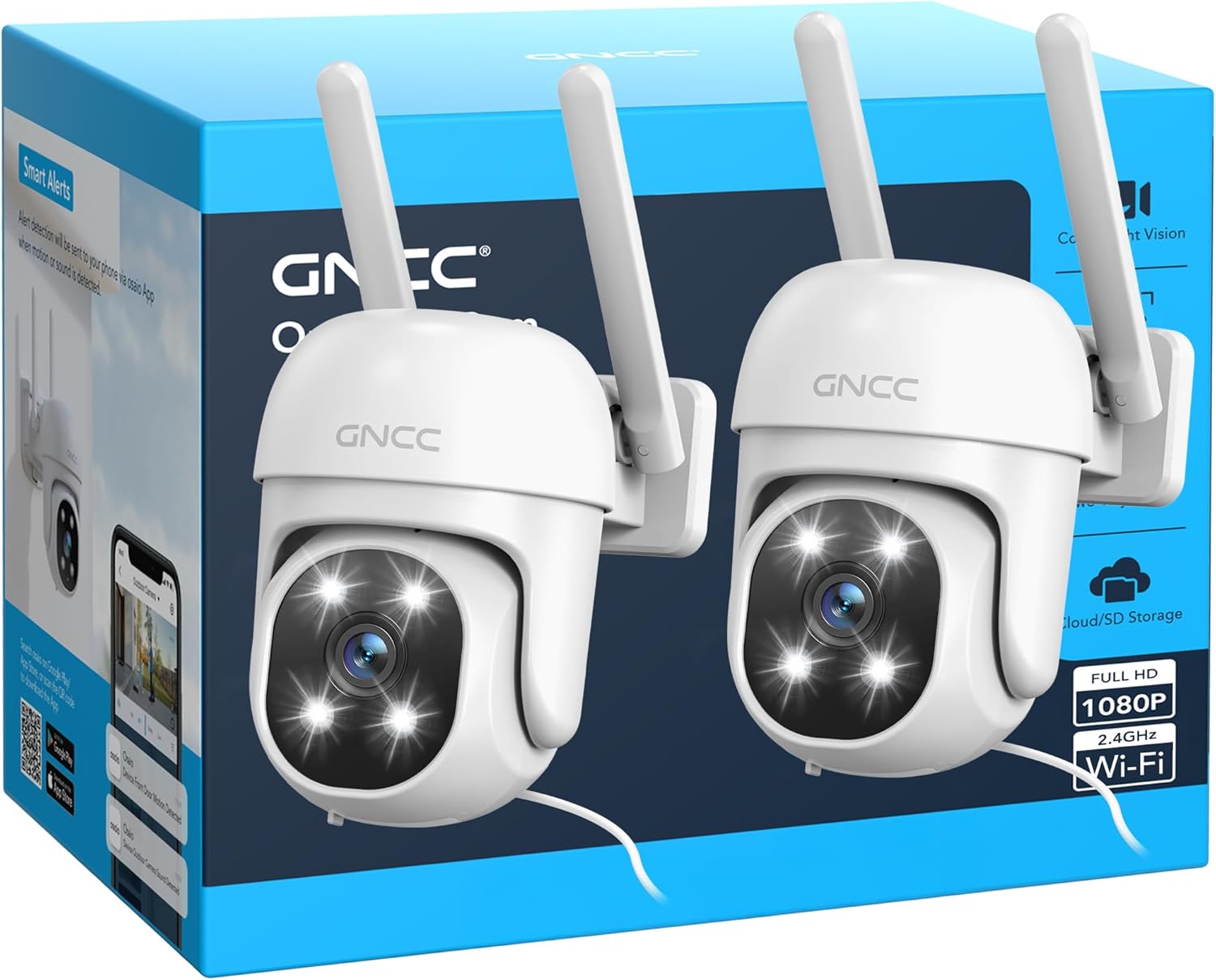
Image: A smartphone screen showing a comparison of color night vision (spotlight ON) and infrared night vision (spotlight OFF) from the GNCC GK2 camera, displaying a parked truck.
Опције складиштења
- Мицро СД картица: Insert a Micro SD card (up to 128GB) for local continuous recording or event-triggered recording.
- Цлоуд Стораге: Subscribe to the optional cloud storage service via the Osaio app for secure, off-site video storage.

Image: An illustration showing a smartphone screen with a house view, alongside a 128GB Micro SD card and a cloud icon, representing local and cloud storage options.
Одржавање
- Чишћење: Нежно обришите објектив и тело камере меком крпомamp тканина. Немојте користити јаке хемикалије или абразивна средства за чишћење.
- Ажурирања фирмвера: Regularly check the Osaio app for available firmware updates to ensure optimal performance and security.
- Напајање: Ensure the power cable and adapter are free from damage.
- Мицро СД картица: If using a Micro SD card, periodically check its status in the app and consider formatting it every few months to maintain performance.
- Мрежна конекција: Verify your Wi-Fi signal strength periodically, especially after any network changes.
Решавање проблема
| Проблем | Могуће решење |
|---|---|
| Камера не успева да се повеже са Wi-Fi мрежом. |
|
| Лош квалитет видеа. |
|
| Motion detection not working or too many false alarms. |
|
| Two-way audio not functioning. |
|
| Камера је офлајн. |
|
Спецификације
| Феатуре | Детаљ |
|---|---|
| Назив модела | ГК2 |
| Резолуција | 1080P Full HD (2 MP) |
| Опсег померања/нагиба | 355° хоризонтално, 95° вертикално |
| Отпорност на временске услове | ИП65 |
| Повезивање | 2.4 GHz Wi-Fi (IEEE 802.11b/g/n) |
| Ноћни вид | До 10 метара (33 стопе) |
| ИР ЛЕДс | 4 |
| Опције складиштења | Micro SD Card (up to 128GB), Cloud Storage (subscription) |
| Повер Инпут | 5В ДЦ, 5В |
| Цабле Ленгтх | 3 метара |
| Димензије | 11 к 8.5 к 11 цм |
| Материјали | АБС, ПЦ |
| Видео Формат | МП4 |
| Фраме Рате | 15 фпс |
| Оптицал Зоом | 4x |
| Контролни метод | Osaio App, Amazon Alexa, Google Assistant |
Информације о гаранцији
GNCC products typically come with a limited warranty. For specific warranty terms and conditions, please refer to the warranty card included with your product or visit the official GNCC webсајт. Сачувајте рачун као доказ о куповини за потребе гаранције.
Корисничка подршка
If you encounter any issues or have questions regarding your GNCC GK2 camera, please contact GNCC customer support through the following channels:
- Osaio App: Access the "Help & Feedback" section within the Osaio app.
- Службено Webсајт: Visit the GNCC official webсајт за често постављана питања, чланке подршке и контакт информације.
Please have your product model (GK2) and purchase information ready when contacting support.
Ask a question about this manual
Ask about setup, troubleshooting, compatibility, parts, safety, or missing instructions. Manuals+ will review the question and use this page’s manual context to help answer it.