
1. Увод
This manual provides detailed instructions for the installation, operation, and maintenance of your Hodozzy Carplay DAB+ Car Radio. This unit features an Android 13 operating system, a 9-inch touchscreen, 4GB RAM, and 64GB ROM, offering a stable and responsive user experience. Key functionalities include wireless CarPlay and Android Auto, DAB+ and FM/RDS radio, GPS navigation, Bluetooth 5.0, Wi-Fi connectivity, split-screen multitasking, and support for steering wheel controls and a backup camera.
2. Подешавање и инсталација
Before installation, ensure all components are present. The package typically includes the main unit, GPS antenna, USB cables, rear camera input cable, RCA cables, camera, installation tools, user manual, microphone, power cable, radio cable, audio cable, and other accessories.
2.1 Провера компатибилности
This car radio is specifically designed for Peugeot 207 models manufactured between 2005 and 2015. Verify that the interfaces of the various accessories are compatible with your vehicle before proceeding with installation.

Image: Comparison of the Peugeot 207 dashboard before and after the installation of the Hodozzy car radio, showcasing the integrated 9-inch display.
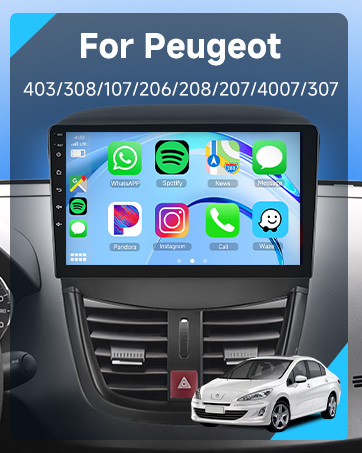
Image: A visual representation of the car infotainment system's interface, integrated into a Peugeot dashboard, displaying various application icons.
2.2 Компонента готоваview и Димензије
Refer to the diagram below for the product's dimensions and a visual list of included components. Ensure you identify each part before beginning the installation process.

Image: A detailed diagram illustrating the physical dimensions of the Hodozzy car radio unit and a comprehensive list of all accessories provided in the package, such as GPS antenna, USB cables, and the rear camera.
2.3 Basic Wiring and Connections
- Кабл за напајање: Connect the main power harness to your vehicle's electrical system. Ensure correct polarity.
- ГПС антена: Монтирајте GPS антену на место са јасним view неба, обично на контролној табли или испод ветробранског стакла.
- УСБ каблови: Connect the provided USB cables for external device connectivity and data transfer.
- Улаз за задњу камеру: Connect the rear camera input cable to the designated port.
- RCA каблови: Use RCA cables for audio/video output connections if required.
- микрофон: Connect the external microphone for improved hands-free calling audio quality.
3. Упутство за употребу
3.1 Систем је завршенview
The unit runs on Android 13, providing a familiar and intuitive interface. The 9-inch touchscreen with 1280x720 resolution offers clear visuals and responsive touch control.
3.2 Wireless CarPlay & Android Auto / Mirror Link
Connect your smartphone wirelessly via Bluetooth or Wi-Fi, or using a USB cable, to access CarPlay or Android Auto functionalities. This allows for seamless integration of your phone's navigation, music, and communication apps directly on the car radio screen. The Mirror Link function enables screen mirroring from your phone to the unit (two-way control for Android, one-way for iOS).
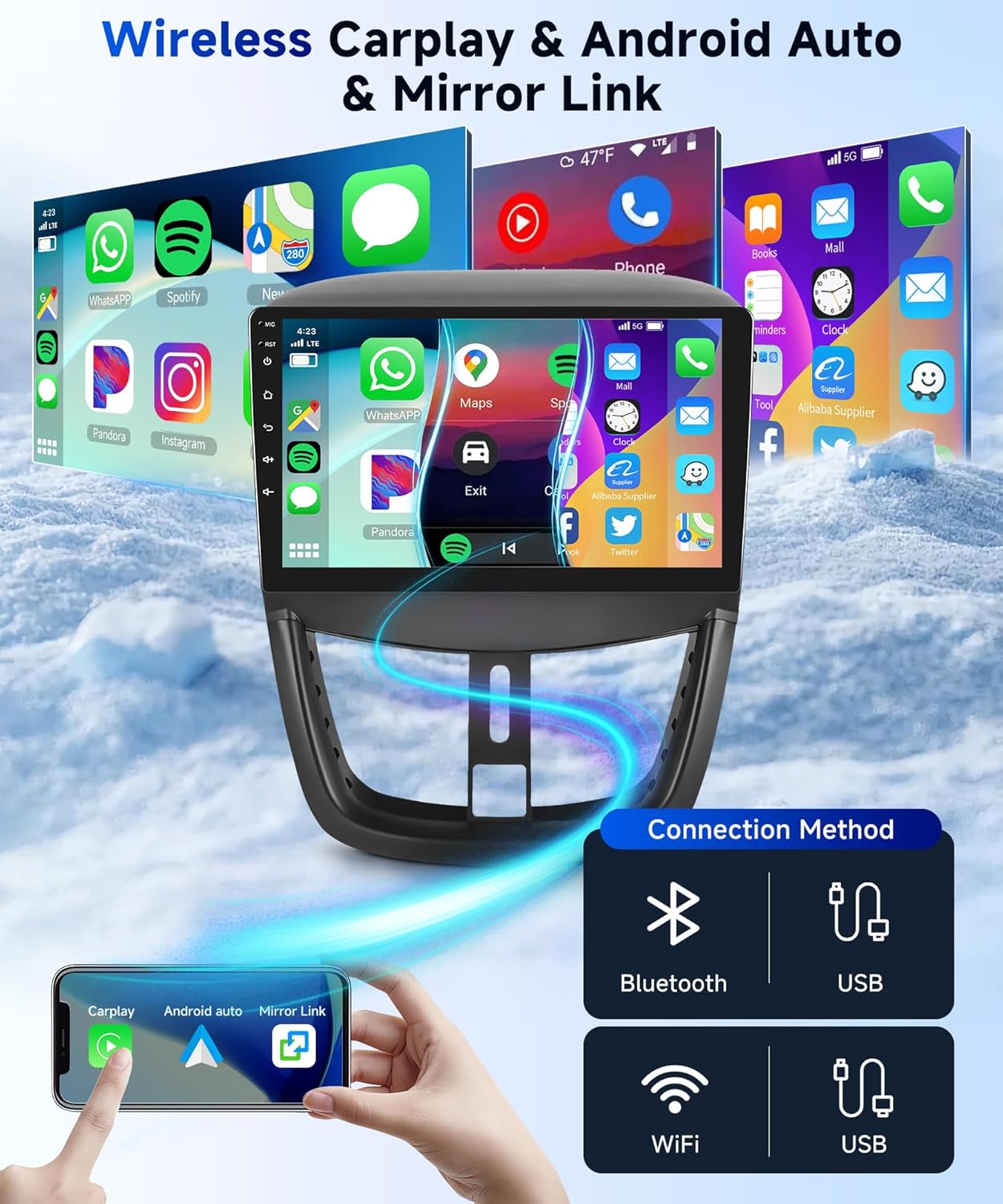
Image: A visual guide demonstrating the various connection methods for Wireless CarPlay and Android Auto, including Bluetooth, USB, and Wi-Fi, with a smartphone mirroring its display to the car radio.
3.3 Radio Functions (DAB+/FM/RDS)
The unit supports both Digital Audio Broadcasting (DAB+) and conventional FM radio with RDS. DAB+ provides superior sound quality, a wider selection of stations, and on-screen information such as song titles. Use the radio application to scan for available stations and save your favorites.

Image: The car radio's display interface for RDS FM radio, showing frequency tuning and preset buttons, alongside a separate screen for DAB+ digital radio station selection and a DAB antenna accessory.
3.4 GPS навигација и Wi-Fi
The built-in GPS receiver allows for accurate navigation. You can download free offline maps from the "Here We Go" app or use other online navigation applications. Connect to Wi-Fi via a hotspot to access online services and download additional applications.
3.5 Bluetooth 5.0 & HiFi Audio
Bluetooth 5.0 enables stable and fast connections for hands-free calling with the integrated microphone, contact synchronization, and wireless music streaming. The HiFi audio system ensures excellent sound quality and detailed audio performance for an immersive listening experience.
3.6 Функција подељеног екрана
Utilize the split-screen feature to run two applications simultaneously, such as navigation and music playback, enhancing convenience during your drive.
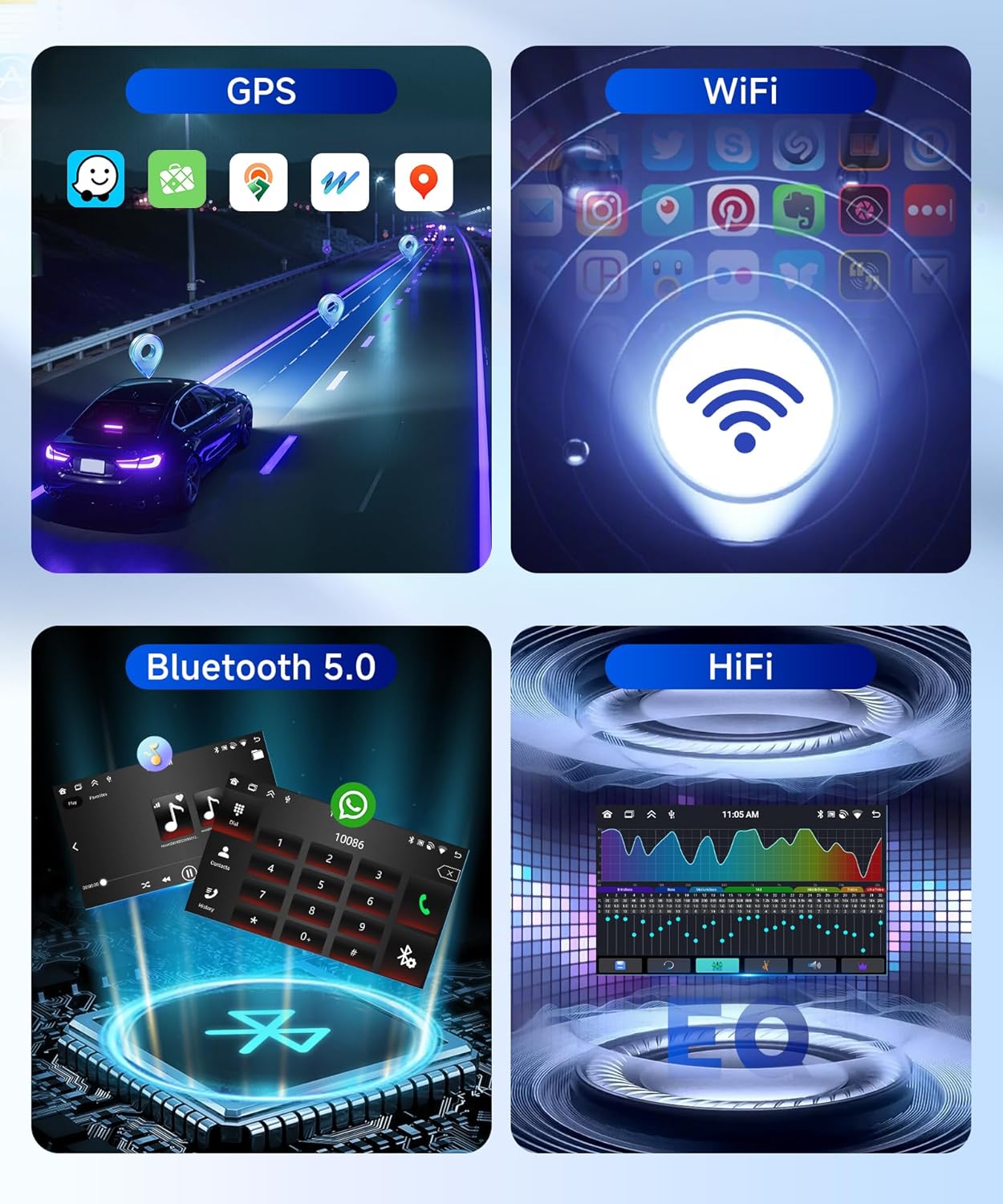
Image: A composite image highlighting key features: GPS navigation with map applications, Wi-Fi connectivity symbol, Bluetooth 5.0 interface for calls and music, and a HiFi audio equalizer display.
3.7 Контрола на волану
The unit supports steering wheel controls, allowing you to manage functions like volume, track changes, and mode selection directly from your steering wheel for safer and more convenient operation.
3.8 Камера за вожњу уназад
The included AHD rear camera provides clear, waterproof, and night vision capabilities. The display automatically switches to the rear view when the vehicle is put into reverse, aiding in parking and maneuvering.

Image: The car radio screen displaying the backup camera feed with parking guidelines, alongside an illustration of the steering wheel control programming interface and a visual of a steering wheel.
4. Одржавање
4.1 Чишћење јединице
To clean the touchscreen and the unit's exterior, use a soft, dry cloth. For stubborn smudges, slightly dampen the cloth with water or a screen-safe cleaner. Avoid abrasive materials or harsh chemicals, as these can damage the screen and finish.
4.2 Ажурирања софтвера
Periodically check for available software updates to ensure optimal performance and access to new features. Updates can typically be downloaded via Wi-Fi or USB. Follow the on-screen instructions for installation.
КСНУМКС. Решавање проблема
- Нема напајања: Проверите све прикључке за напајање и осигураче. Уверите се да је паљење укључено.
- Нема звука: Проверите везе звучника, подешавања јачине звука и избор извора звука.
- Губитак GPS сигнала: Уверите се да је GPS антена правилно повезана и да има несметан view неба.
- Проблеми са Блуетоотх везом: Ensure Bluetooth is enabled on both the car radio and your device. Try unpairing and re-pairing the devices.
- Екран осетљив на додир не реагује: Try restarting the unit. If the issue persists, a factory reset may be necessary.
- Фацтори Ресет: If experiencing persistent software issues, you can perform a factory reset. The factory setting code is 1234. Note that this will erase all user data and settings.
6. Спецификације
| Систем | Андроид 13 |
| Чипсет | 8257 (8-core) |
| Величина екрана | 9 инча |
| Меморија (РАМ) | 4 ГБ |
| Складиштење (РОМ) | 64 ГБ |
| Резолуција екрана | 1280 к 720 |
| Радио Цхип | 8035 |
| Излазна снага | 4 x 45 W (Total 180 Watt) |
| Блуетоотх верзија | 5.0 |
| Радна температура | -20 °Ц до 75 °Ц |
| Контрола на волану | Подржано |
| Перформансе Ampлифиер Цхип | ИД7388 |
| Радио фреквенција | FM/RDS, DAB+ |
| Видео Оутпут | Подржано |
| Задњи улаз | АХД/ЦВБС |
| Ектернал Мицропхоне | Подржано |
| Сплитсцреен | Подржано |
| Мапс | Integrated offline maps (data download required) |
| ВЛАН | Подржано |
| УСБ интерфејс | УСБ тип А |
| Аудио формати | APE/FLAC/WAV/MP3/WMA итд. |
| Видео Форматс | МКВ/РМВБ/АВИ/МП4/МДВ итд. |
| Формати слика | PNG/JPEG/JPG/GIF/WBMP/BNP итд. |
| Фабрички код подешавања | 1234 |
| Језици | Chinese/English/French/Italian/Korean/Japanese/Arabic/Spanish/Portuguese/Russian/Turkish/Vietnamese/Hebrew/Polish/German/Romanian etc. |
| Димензије производа | 5 к 10 к 5 цм; 1 кг |
| Број модела | B0FPLG8FKW |
7. Гаранција и подршка
For warranty information and technical support, please contact Hodozzy directly. If you purchased the product through Amazon, you can typically reach the seller through your order details page.
7.1 How to Contact Hodozzy
If you have questions or require assistance, follow these steps to contact Hodozzy via Amazon:
- Click on the seller name 'Hodozzy' on the product page.
- On the seller's page, locate and click the 'Ask a question' button.
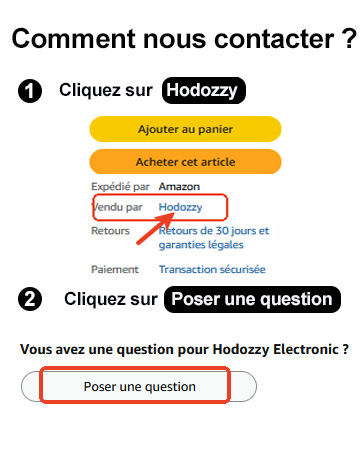
Image: A visual guide demonstrating the steps to contact the Hodozzy seller on Amazon, highlighting where to click 'Hodozzy' and 'Ask a question'.