
1. Увод
This manual provides detailed instructions for the installation, configuration, and operation of the D-Link Guardian 700 Pro Multi-Gig Business Router (DBR-700). The DBR-700 is designed to provide enterprise-level networking capabilities for small and medium businesses, offering high-speed connectivity, robust security features, and simplified management.
Key features include a 2.5GbE WAN port, six 2.5GbE LAN ports, a 2.5GbE SFP uplink for flexible fiber connections, Multi-WAN failover, SPI Firewall, VPN support (IPSec, WireGuard, OpenVPN), and centralized management for up to 15 D-Link Guardian Wi-Fi 6 Smart Access Points (DBR-X3000-AP, sold separately).

Image: The D-Link Guardian 700 Pro Multi-Gig Router (DBR-700) designed for small and medium business environments.
2. Садржај пакета
Проверите да ли ваш пакет садржи следеће ставке:
- D-Link Guardian 700 Pro Multi-Gig Business Router (DBR-700)
- Повер Адаптер
- Водич за брзу инсталацију (КИГ)
Ако било који предмет недостаје или је оштећен, обратите се локалном D-Link продавцу.
3. Хардвер је готовview
3.1. Предњи панел
The front panel of the DBR-700 features status indicators and network ports.

Слика: Фронт view of the DBR-700 router, showing LED indicators, Console port, LAN ports, WAN port, and LAN/WAN SFP port.
- СИС ЛЕД: Означава статус система.
- СФП ЛЕД: Indicates status of the SFP port.
- Дугме за ресетовање: Used to reset the device or restore factory defaults.
- Порт за конзолу: For command-line interface access.
- ЛАН портови (1-6): Six 2.5GbE LAN ports for connecting local network devices.
- ЛАН/ВАН порт: A 2.5GbE port configurable as either a LAN or WAN interface.
- ВАН порт: A dedicated 2.5GbE WAN port for internet connectivity.
- LAN/WAN SFP Port: A 2.5GbE/1GbE SFP port for fiber or copper connections, configurable as LAN or WAN.
3.2. Задња плоча
The rear panel includes the power input and power switch.

Слика: Позади view of the DBR-700 router, showing the DC 12V/2A power input and On/Off switch.
- DC 12V/2A: Улазни конектор за напајање.
- Прекидач за укључивање/искључивање: Контрола снаге за уређај.
4. Инсталација
Follow these steps for the initial setup of your DBR-700 router:
- Прикључак за напајање: Connect the provided power adapter to the DC 12V/2A port on the rear panel of the router and plug it into a power outlet. Turn on the router using the On/Off switch.
- WAN веза: Connect your internet service provider's modem or main network line to the ВАН port on the router using an Ethernet cable. If using fiber, insert the SFP module (sold separately) into the LAN/WAN SFP port and connect the fiber cable.
- ЛАН веза: Connect your local network devices (e.g., computers, switches, access points) to the ЛАН ports (1-6) or the configurable ЛАН/ВАН port using Ethernet cables.
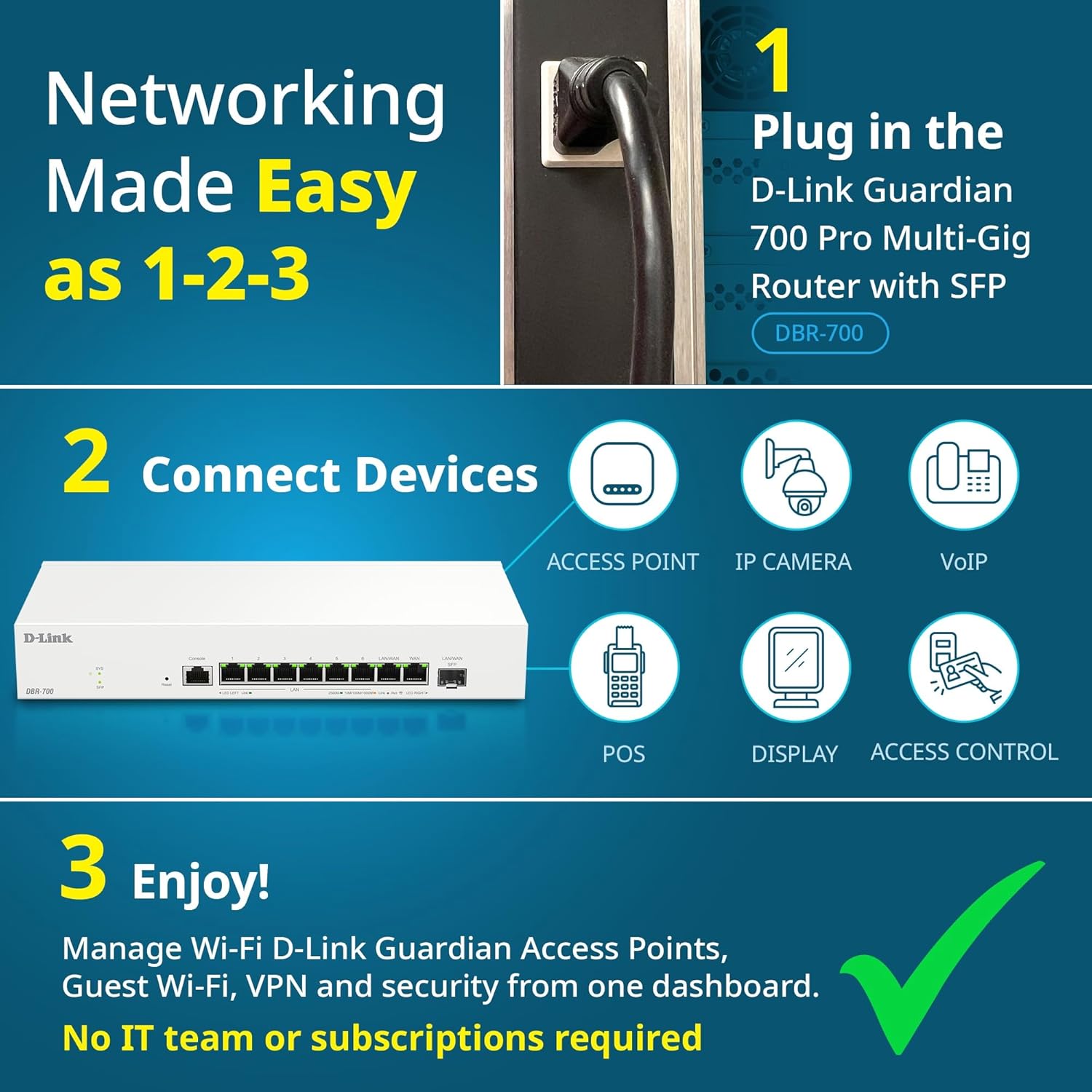
Image: Visual guide for router installation: 1. Plug in the DBR-700 router. 2. Connect devices like access points, IP cameras, VoIP, POS, displays, and access control. 3. Enjoy managed Wi-Fi, Guest Wi-Fi, VPN, and security from one dashboard.
5. Конфигурација
5.1. Приступ Web Интерфејс
To configure the DBR-700, access its webинтерфејс за управљање заснован на:
- Уверите се да је ваш рачунар повезан на један од ЛАН портова рутера.
- Отвори а web прегледач (нпр. Chrome, Firefox, Edge).
- Enter the router's default IP address (typically
192.168.1.1or similar, refer to the Quick Installation Guide for the exact address) into the address bar and press Enter. - Enter the default username and password when prompted. (Refer to the Quick Installation Guide for default credentials).
5.2. Basic Network Settings
Once logged in, you can configure basic network settings:
- WAN подешавања: Configure your internet connection type (e.g., DHCP, Static IP, PPPoE) as provided by your ISP.
- ЛАН подешавања: Adjust the router's internal IP address, subnet mask, and DHCP server settings for your local network.
- Подешавања времена: Set the correct time zone and synchronize the router's clock.
6. Напредне функције
6.1. Multi-WAN Failover
The DBR-700 supports Multi-WAN with intelligent failover, ensuring business continuity by providing redundant internet connections. If the primary WAN link fails, the router automatically switches to a secondary WAN link.

Image: The DBR-700's ports, illustrating the Primary 2.5GbE WAN, Secondary 2.5GbE LAN/WAN, and SFP Uplink for Multi-WAN failover capabilities.
6.2. VPN конфигурација
The router includes built-in VPN support for IPSec, WireGuard, and OpenVPN, enabling secure remote access for employees and branch office connectivity. It supports up to 100 VPN tunnels.
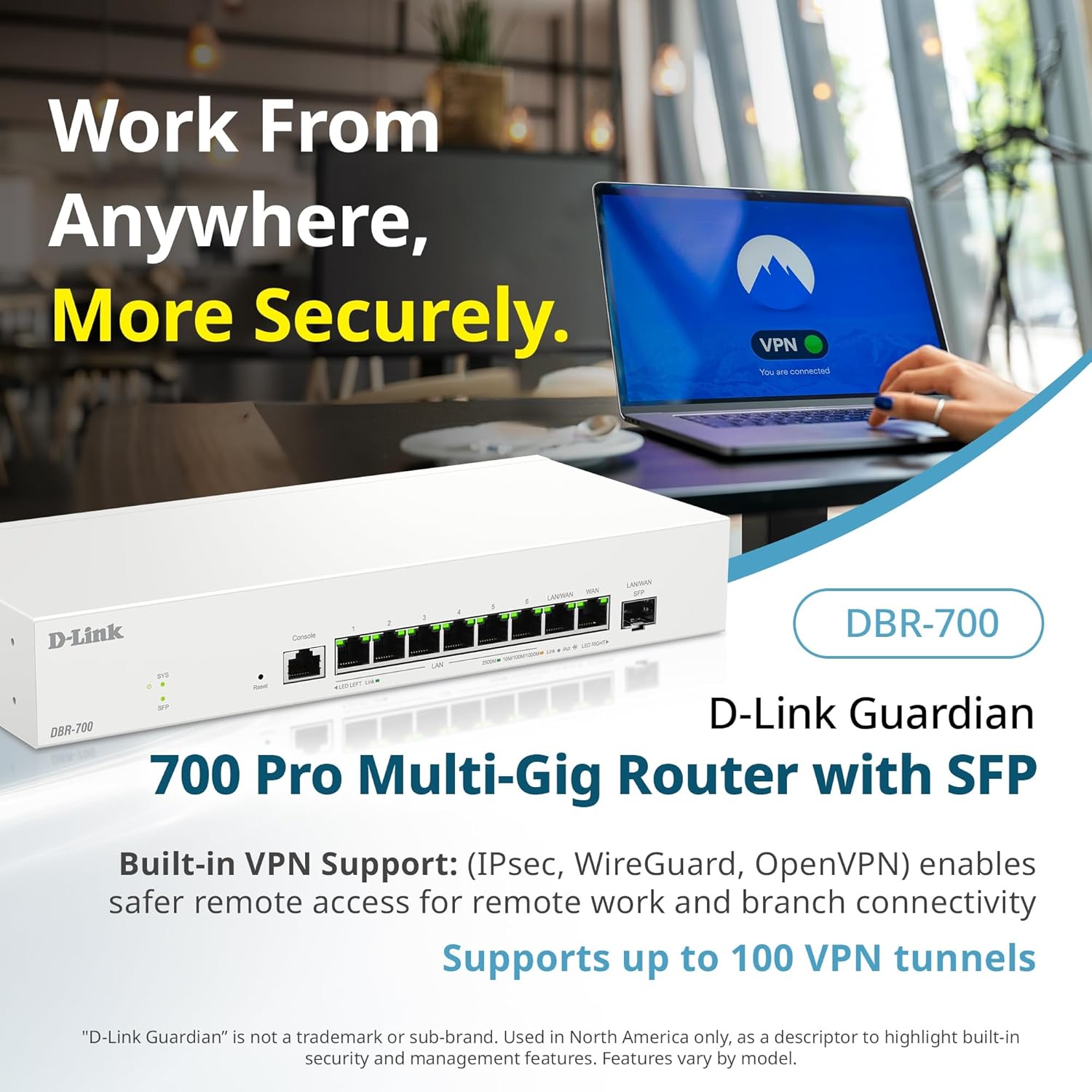
Image: A laptop displaying a 'VPN Connected' status, with the DBR-700 router in the foreground, illustrating secure remote access.
6.3. Centralized Access Point Management
The DBR-700 can discover and manage up to 15 D-Link Guardian Wi-Fi 6 Smart Access Points (DBR-X3000-AP, sold separately) from a single intuitive dashboard. This simplifies Wi-Fi network deployment and management.

Image: A tablet showing the D-Link Wi-Fi management dashboard, demonstrating centralized control over D-Link Guardian Access Points, with the DBR-700 router and a DBR-X3000-AP in the background.
6.4. Guest Wi-Fi Management
Set up and manage guest Wi-Fi networks with a Captive Portal. This allows for branded sign-in pages for guests while keeping business systems separate and secure. Configuration and management are done from the router dashboard.

Image: A smartphone screen showing a customizable guest Wi-Fi login portal, highlighting the DBR-700's ability to manage and customize guest networks.
7. Одржавање
7.1. Ажурирања фирмвера
Regularly check for and install firmware updates to ensure optimal performance, security, and access to new features. Firmware updates can typically be found on the D-Link support webсајт за ваш специфични модел.
7.2. Фацтори Ресет
If you encounter persistent issues or wish to clear all configurations, you can perform a factory reset. To do this, locate the Reset button on the front panel. With the router powered on, use a paperclip or similar pointed object to press and hold the Reset button for approximately 5-10 seconds until the SYS LED blinks. Release the button, and the router will restart with factory default settings.
КСНУМКС. Решавање проблема
This section addresses common issues you might encounter with your DBR-700 router.
8.1. Нема интернет везе
- Проверите каблове: Уверите се да су сви Етернет каблови безбедно повезани са исправним портовима (WAN, LAN).
- Статус модема: Verify that your internet service provider's modem is working correctly and has an active internet connection.
- ВАН конфигурација: Пријавите се на рутер web interface and verify that the WAN settings (e.g., IP address, DNS) are correctly configured according to your ISP's requirements.
- Рестартујте уређаје: Power cycle your modem, then the router, and then your connected devices.
8.2. Не могу приступити Web Интерфејс
- ИП адреса: Ensure your computer is configured to obtain an IP address automatically (DHCP) or has a static IP address within the router's subnet.
- ИП рутера: Double-check the router's default IP address. It might be printed on a label on the router itself or in the Quick Installation Guide.
- Заштитни зид/Антивирус: Привремено онемогућите све заштитне зидове или антивирусне програме на рачунару који би могли блокирати приступ.
- Кеш прегледача: Обришите своје web кеш меморију и колачиће прегледача или покушајте са другим прегледачем.
8.3. Slow Network Speeds
- Квалитет кабла: Ensure you are using high-quality Ethernet cables (Cat5e or Cat6) for multi-gig connections.
- Компатибилност уређаја: Verify that connected devices and network adapters support 2.5GbE speeds.
- Брзина интернет провајдера: Confirm your internet service plan provides the expected speeds.
- Управљање саобраћајем: Check router settings for any Quality of Service (QoS) or bandwidth limits that might be affecting performance.
9. Техничке спецификације
| Феатуре | Спецификација |
|---|---|
| Бранд | Д-Линк |
| Број модела | ДБР-700 |
| ВАН портови | 1x 2.5GbE WAN, 1x 2.5GbE/1GbE SFP (configurable as WAN) |
| ЛАН портови | 6x 2.5GbE LAN, 1x 2.5GbE (configurable as LAN) |
| ВПН подршка | IPSec, WireGuard, OpenVPN (up to 100 tunnels) |
| АП менаџмент | Manages up to 15 D-Link Guardian Wi-Fi 6 Smart Access Points |
| Сигурносне карактеристике | SPI Firewall, WPA3 encryption, VLANs |
| Димензије (ДкШкВ) | 11.02 к 1.73 к 4.96 инча |
| Тежина артикла | 2 фунти |
| Волtage | 120 волти (АЦ) |
| Боја | Бела |
10. Гаранција и подршка
За детаљне информације о гаранцији, техничку подршку и додатне ресурсе, посетите званичну веб страницу D-Link-а. website. You can find product registration, FAQs, firmware downloads, and contact information for customer service.
Званични Д-Линк Webсајт: ввв.длинк.цом
Please have your product model number (DBR-700) and serial number ready when contacting support.