
1. Производ је готовview
This manual provides essential information for the SGIN 15.6 Inch Laptop Computer, Model SGIN-Y101. It covers initial setup, operation, maintenance, and troubleshooting to ensure optimal performance and longevity of your device.
Кључне карактеристике:
- Powerful Core i3 Processor: Equipped with an i3 (4-thread) CPU up to 3.9GHz for multitasking.
- Ample Storage and Speed: Features 16GB RAM and 1024GB SSD for quick application loading and smooth operation. Storage is expandable with a TF card up to 1TB.
- 15.6 Inch FHD IPS Display: Full HD 1920×1080 IPS screen with 180° viewing angles for vivid colors and sharp details.
- Тастатура са позадинским осветљењем: White backlit keyboard for improved typing accuracy in low-light conditions. Activate with "FN" + "F5".
- All-Day Battery and Connectivity: 53.2Wh battery (7000mAh) providing up to 8 hours of battery life. Includes USB 3.0, HDMI, Micro SD slot, Kensington lock, and a headphone jack. Features WiFi 6.
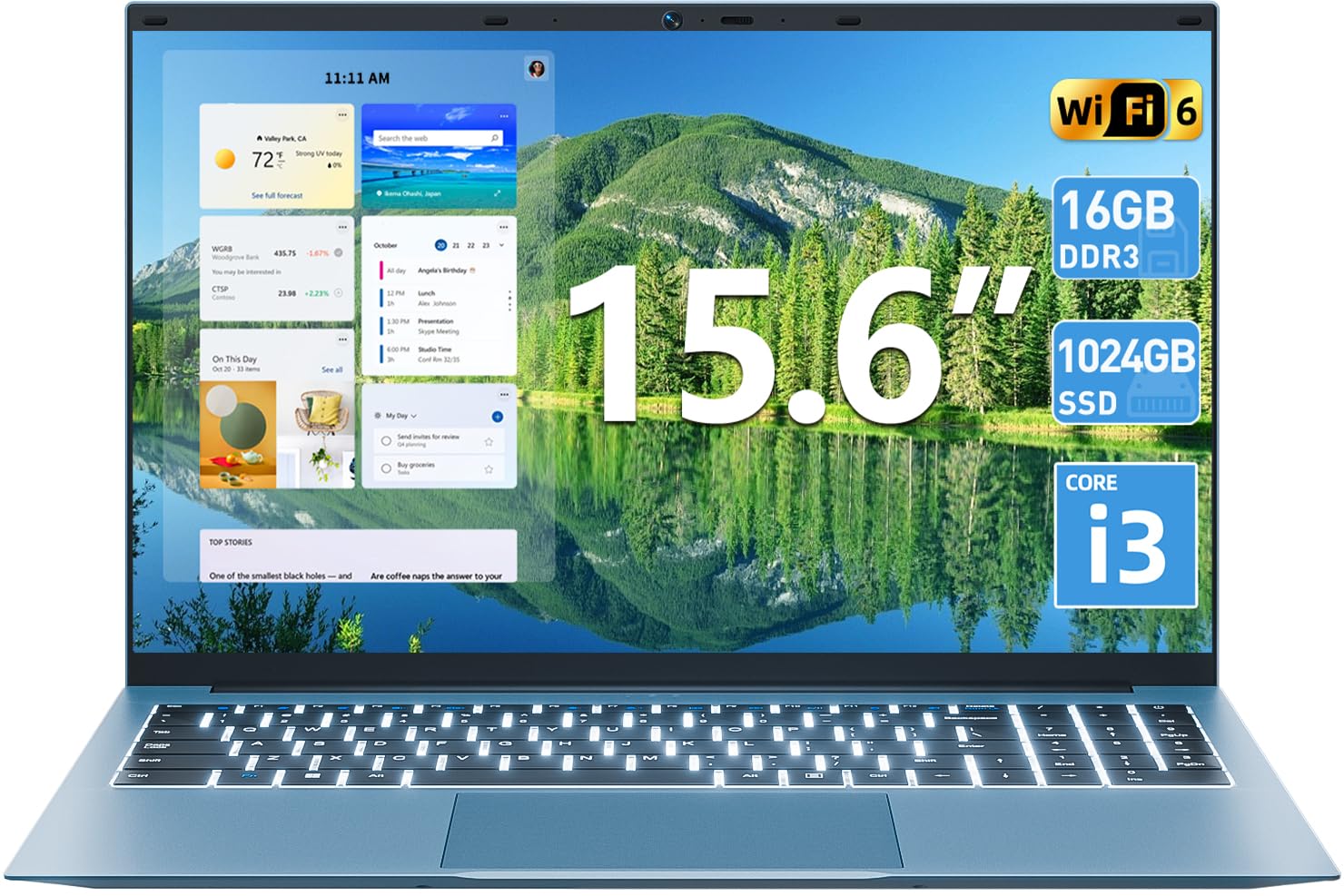
Слика 1.1: Готовоview of the SGIN 15.6 Inch Laptop Computer, highlighting its main features like RAM, SSD, Core i3 processor, Windows 11, battery, backlit keyboard, and WiFi 6.
2. Почетно подешавање
2.1 Распакивање лаптопа
Пажљиво извадите све компоненте из паковања. Уверите се да су присутне следеће ставке:
- SGIN лаптоп од 15.6 инча
- Повер Адаптер
- Упутство за употребу

Image 2.1: The SGIN laptop, power adapter, and user manual as typically found in the package.
2.2 Пуњење батерије
Before first use, fully charge the laptop battery.
- Connect the power adapter to the charging port on the laptop.
- Укључите адаптер за напајање у зидну утичницу.
- Allow the laptop to charge until the battery indicator shows a full charge.
Важно: Use only the provided power adapter to avoid damage to the laptop.
2.3 Powering On and Initial Windows Setup
- Отворите поклопац лаптопа.
- Притисните дугме за напајање које се налази на тастатури.
- Пратите упутства на екрану да бисте завршили почетно подешавање система Windows 11, укључујући избор језика, мрежну везу и креирање корисничког налога.
3. Управљање лаптопом
3.1 Тастатура и тачпед
The laptop features a full-size keyboard with a numeric keypad and a large touchpad for navigation.
- Тастатура са позадинским осветљењем: Да бисте пребацили позадинско осветљење тастатуре, притисните FN кључ истовремено са F5 кључ.
- Покрети додирне табле: Погледајте подешавања система Windows 11 за прилагодљиве покрете на тачпеду.

Image 3.1: The laptop's backlit keyboard and numeric keypad, shown illuminated for use in low-light conditions.
3.2 Повезивање периферних уређаја
The laptop offers various ports for connecting external devices.
- УСБ портови: Connect USB devices such as mice, keyboards, or external storage.
- ХДМИ порт: Повежите се са екстерним монитором или телевизором за проширени приказ.
- Порт типа Ц: For data transfer and potentially charging (check specific adapter compatibility).
- Мицро СД слот: Insert a Micro SD card for additional storage.
- Слушалице: Повежите слушалице или спољне звучнике.
- Utor za Kensington Lock: Use a compatible security cable to secure your laptop.

Image 3.2: The left side of the laptop displaying the power input, Type-C port, HDMI port, and a USB port.
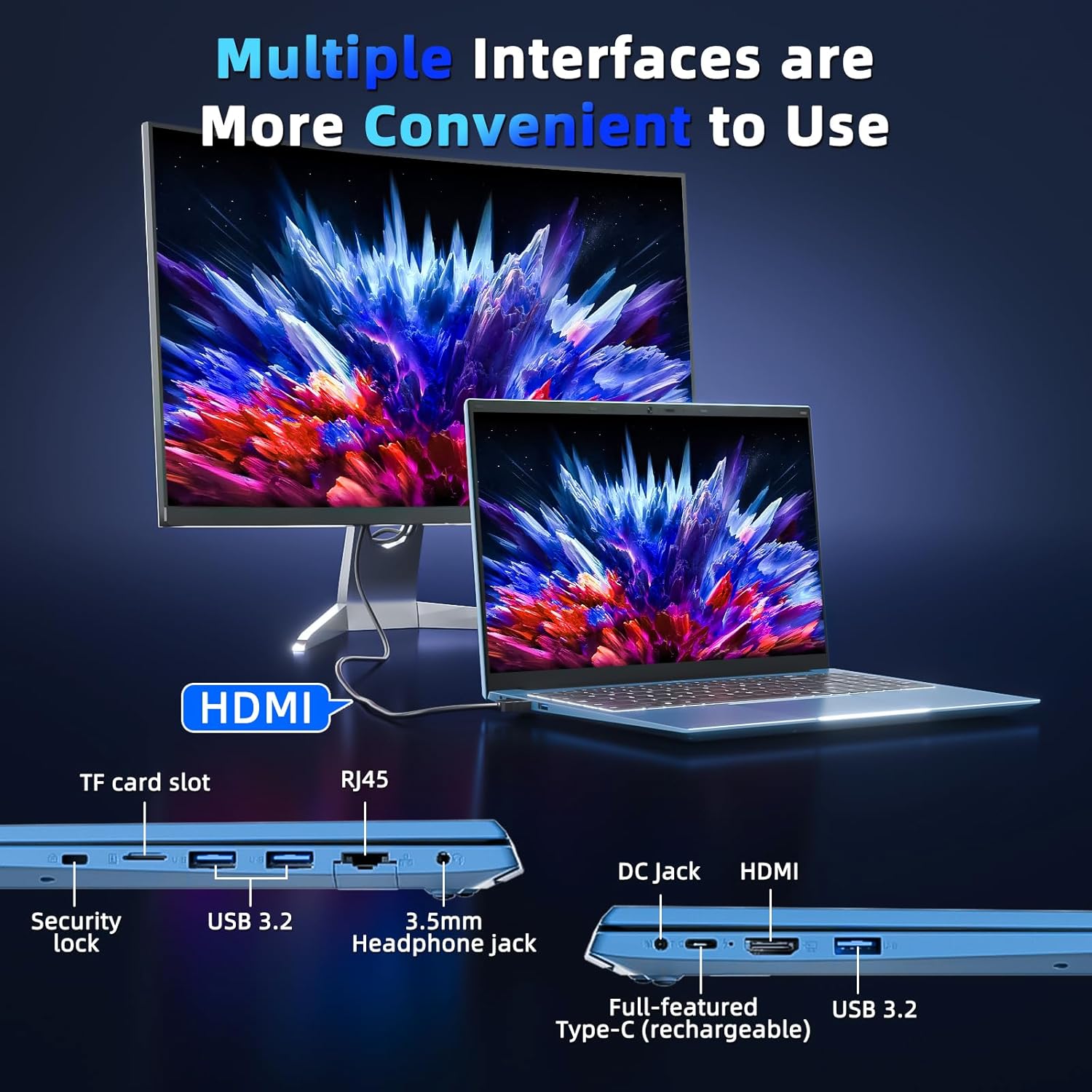
Image 3.3: The right side of the laptop displaying the Kensington lock slot, Micro SD card slot, two USB ports, and the headphone jack.
3.3 Wi-Fi повезивање
The laptop supports Wi-Fi 6 for fast wireless internet access.
- Кликните на икону Wi-Fi мреже у траци задатака.
- Изаберите жељену мрежу са листе.
- Enter the network password if prompted and click "Connect".
For wired internet connection, use the Ethernet port.
4. Одржавање и њега
4.1 Чишћење лаптопа
- Користите меку крпу која не оставља влакна за чишћење екрана и спољашњости.
- Избегавајте употребу јаких хемикалија или абразивних материјала.
- За тврдокорне мрље, лагано обришитеampобришите крпу водом или средством за чишћење екрана.
4.2 Одржавање батерије
- Избегавајте често потпуно пражњење батерије.
- Чувајте лаптоп на хладном и сувом месту када га не користите дуже време.
- If the laptop will not be used for a long time, charge the battery to about 50-60% before storage.
4.3 Webcam Privacy
The laptop includes a physical webcam switch for privacy. Slide the switch to cover or uncover the webcam lens as needed.
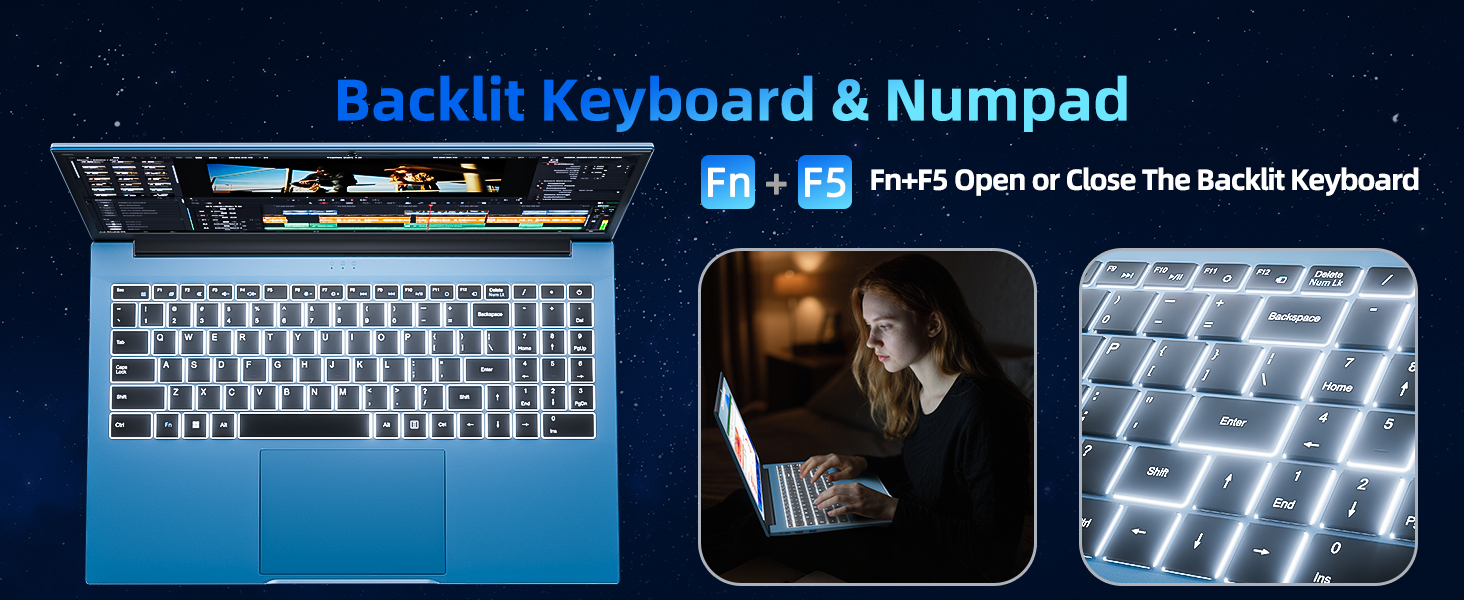
Image 4.1: Illustration of the physical webcam cover, demonstrating how to open and close it for privacy.
КСНУМКС. Решавање проблема
5.1 Проблеми са напајањем
- Лаптоп се не укључује: Уверите се да је адаптер за напајање безбедно повезан и са лаптопом и са исправном утичницом. Проверите да ли је батерија напуњена.
- Батерија се не пуни: Verify the power adapter connection. If the issue persists, contact customer support.
5.2 Проблеми са приказом
- Екран је празан: Ensure the laptop is powered on. Try adjusting the screen brightness using the function keys. If connected to an external monitor, disconnect it.
- Distorted image: Restart the laptop. Update display drivers if necessary.
5.3 Проблеми са повезивањем
- Нема Ви-Фи везе: Check if Wi-Fi is enabled in Windows settings. Restart your router and the laptop. Ensure you are within range of a Wi-Fi network.
- Блутут уређај се не повезује: Уверите се да је Bluetooth омогућен и на лаптопу и на уређају. Уверите се да је уређај у режиму упаривања.
6. Спецификације
| Феатуре | Детаљ |
|---|---|
| Бранд | СГИН |
| Број модела | SGIN-Y101 |
| Величина екрана | 15.6 инча |
| Резолуција екрана | 1920 x 1080 пиксела (Full HD IPS) |
| ЦПУ модел | Core i3 (10th Gen, Intel Core i3-10100) |
| CPU Speed (Max) | 3.9 ГХз |
| РАМ | 16 ГБ ДДР3 СДРАМ |
| Складиштење | 1024GB SSD (Expandable with TF card up to 1TB) |
| Оперативни систем | Виндовс 11 |
| Капацитет батерије | 53.2 Wh (7000mAh) |
| Бежично повезивање | WiFi 6 (802.11ax), Bluetooth |
| Портс | USB 3.0, HDMI, Micro SD slot, Kensington lock, Headphone jack, Type-C |
| Тастатура | Позадинско осветљење |
| Webцам | Yes (with physical privacy switch) |
| Тежина | 2.52 килограма |
7. Гаранција и подршка
The SGIN 15.6 Inch Laptop Computer comes with a 1-year limited protection warranty.
For technical assistance, troubleshooting, or warranty claims, please contact SGIN customer support. They offer 24/7 instant help. Refer to the contact information provided with your product packaging or visit the official SGIN webсајт за детаље подршке.
8. Видео о производу
Video 8.1: An official product video demonstrating the SGIN 15.6 Inch Laptop Computer, including its physical features and some operational aspects. This video is provided by the seller, SGIN Lap US.