
1. Увод
The BAOFENG UV-5R Mini is a compact and versatile dual-band two-way radio designed for reliable communication across various environments. It features app programming, frequency copying, NOAA weather alerts, and USB-C fast charging, making it suitable for outdoor activities, emergency preparedness, and professional use. This manual provides detailed instructions for the proper setup, operation, and maintenance of your UV-5R Mini radio.
2. Шта је у кутији
Молимо вас да проверите садржај пакета након распакивања како бисте били сигурни да су сви елементи присутни:
- Мини радио јединица BAOFENG UV-5R
- Антена
- Батерија
- Белт Цлип
- УСБ-Ц кабл за пуњење
- Упутство за употребу

Image: The BAOFENG UV-5R Mini radio shown with its antenna, battery, belt clip, and USB-C charging cable.
3. Производ је готовview
Familiarize yourself with the main components and controls of your UV-5R Mini radio:

Image: A detailed diagram labeling the various parts of the BAOFENG UV-5R Mini radio, including the antenna, flashlight, volume/power knob, LED indicator, PTT-A and PTT-B buttons, screen, accessory port, microphone, A/B button, search button, flashlight button, V/M-VFO/MR button, and numeric keypad.
- Антена: За слање и пријем сигнала.
- Дугме за јачину/напајање: Укључује/искључује радио и подешава јачину звука.
- PTT-A Button: Push-to-Talk for the A-band.
- PTT-B Button: Push-to-Talk for the B-band.
- Екран: 1.44-inch TFT display for channel, frequency, and status information.
- Нумеричка тастатура: For direct frequency entry and menu navigation.
- V/M-VFO/MR Button: Пребацује се између фреквентног режима (VFO) и каналског режима (MR).
- Дугме за претрагу: Initiates frequency scanning or one-key frequency pairing.
- Дугме за лампу: Активира уграђену батеријску лампу.
- Порт за додатну опрему: За повезивање екстерне аудио додатне опреме.
4. Подешавање
4.1. Инсталација батерије
- Уверите се да је радио искључен.
- Поравнајте батерију са жлебовима на задњој страни радија.
- Померите батерију нагоре док се сигурно не уклопи на своје место.
- Да бисте уклонили, притисните резу за отпуштање батерије и померите батерију надоле.
4.2. Прикључак антене
- Заврните антену у смеру казаљке на сату у конектор на врху радија док не буде чврсто затегнута прстима. Немојте превише затезати.
4.3. Почетно пуњење
Before first use, fully charge the battery. Refer to the "Charging" section for detailed instructions.
5. Упутство за употребу
5.1. Укључивање/искључивање и подешавање јачине звука
Окрените дугме за јачину звука/напајање у смеру казаљке на сату да бисте укључили радио. Наставите да ротирате да бисте повећали јачину звука. Окрените у смеру супротном од казаљке на сату да бисте смањили јачину звука и искључили радио.
5.2. App Programming (Ola Radio)
The UV-5R Mini supports programming via a mobile application (Ola Radio) for iOS and Android devices. This allows for batch updates of multiple devices and simplified frequency/CTCSS code synchronization.
- Преузмите апликацију „Ola Radio“ из продавнице апликација на вашем уређају.
- On the radio, navigate to the menu and enable "Wireless Cps" (Wireless Copy).
- Open the app and follow the on-screen instructions to connect to your radio.
- You can then modify channel settings, frequency parameters, and other functions directly from the app.

Image: The radio display showing the 'Wireless Cps' option enabled, alongside a mobile phone screen displaying the 'Ola Radio' app interface for device parameters and configuration.
Video: This video demonstrates the process of programming the BAOFENG UV-5R Mini radio using the mobile application, showing how to connect and modify settings.
5.3. One-Key Frequency Pairing (Wireless Copy)
The one-key frequency pairing feature allows for quick synchronization of frequencies and CTCSS/DCS codes between two UV-5R Mini radios without manual input.
- Ensure both radios are powered on and in a suitable mode for frequency copying.
- On the receiving radio, long-press the Search button (often labeled with a square icon) to initiate the search function. The screen will display "SEARCH".
- On the transmitting radio, select the desired frequency/channel.
- The receiving radio will scan and automatically copy the frequency and associated codes from the transmitting radio.

Image: Two BAOFENG UV-5R Mini radios are shown side-by-side. One radio displays 'SEARCH' indicating it is looking for a frequency, while the other displays a set frequency and channel, illustrating the one-key frequency pairing process.
Video: This video demonstrates the one-key frequency pairing function of the BAOFENG UV-5R Mini, showing how to quickly synchronize frequencies between two radios.
5.4. Dual-Frequency Standby (Dual Watch)
The dual-frequency standby feature allows the radio to monitor two different frequencies (A and B bands) simultaneously. You can transmit on either frequency using the dedicated PTT-A and PTT-B buttons.
- Access the radio's menu.
- Navigate to "Radio Set" and then to "Dual Watch".
- Select "ON" to activate dual-frequency standby.
- The screen will display both A and B band frequencies. Use PTT-A to transmit on the A-band and PTT-B to transmit on the B-band.
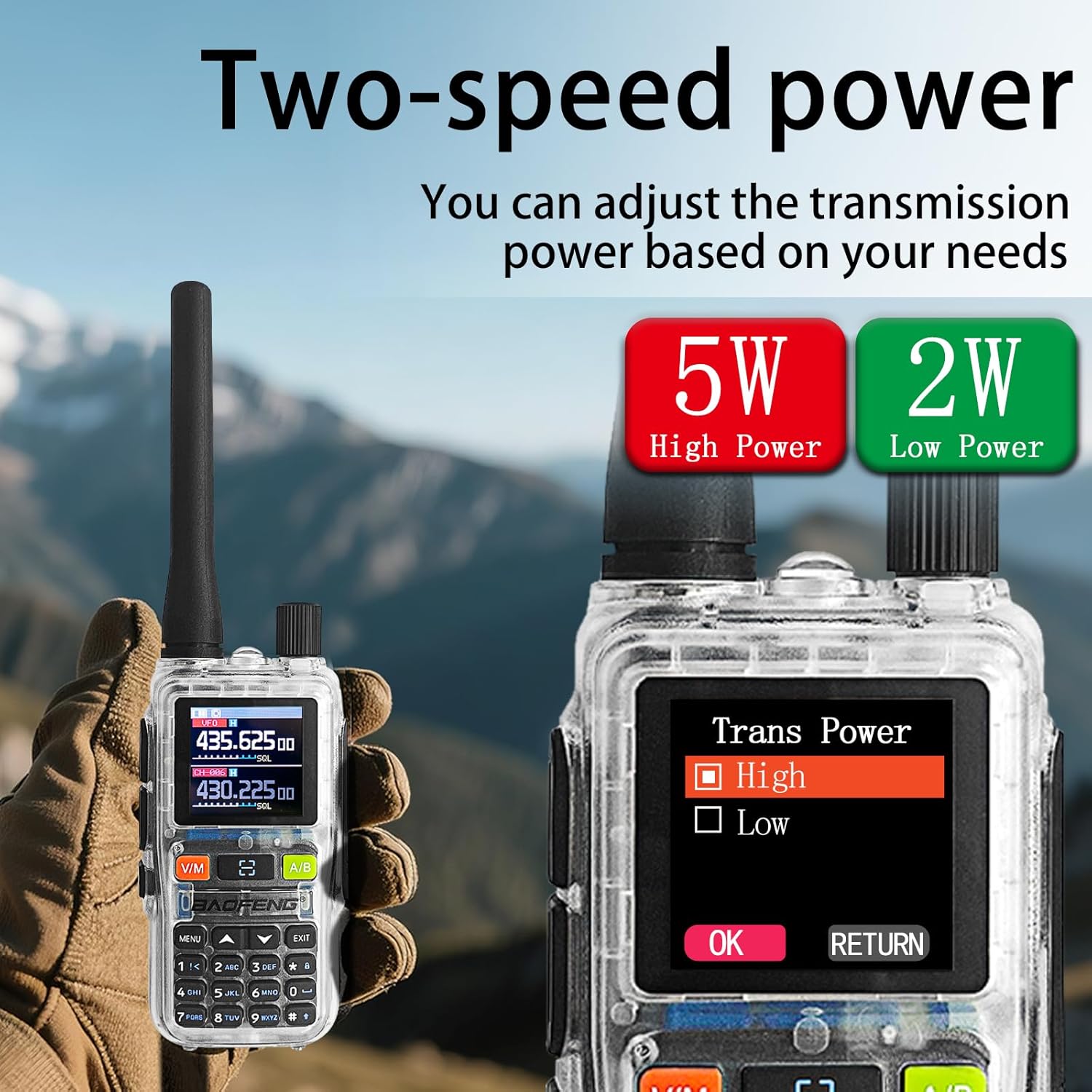
Image: The radio display showing the 'Dual Watch' option in the menu, set to 'ON', and a separate image highlighting the PTT-A and PTT-B buttons for dual-band operation.
5.5. Power Adjustment (5W/2W)
The radio offers adjustable transmission power levels (5W High Power / 2W Low Power) to conserve battery or extend range as needed.
- Access the radio's menu.
- Navigate to the "Trans Power" setting.
- Select either "High" (5W) or "Low" (2W) based on your communication requirements.

Image: The radio display showing the 'Trans Power' menu with options for 'High' (5W) and 'Low' (2W) power settings, indicating adjustable transmission power.
5.6. NOAA метеоролошка упозорења
The UV-5R Mini can receive NOAA weather alerts, providing critical weather information and warnings.
- Access the radio's menu.
- Locate the NOAA weather alert function.
- Enable the feature to receive alerts. The radio will automatically scan for NOAA broadcasts.

Image: The BAOFENG UV-5R Mini radio is shown with a large 'NOAA' graphic, indicating its capability to receive NOAA Weather Alerts, set against a stormy outdoor background.
5.7. Функција батеријске лампе
Радио има уграђену батеријску лампу за практичност у условима слабог осветљења.
- Press the dedicated Flashlight button (often located on the side or keypad) to turn the flashlight on or off.

Image: A hand holding the BAOFENG UV-5R Mini radio with its flashlight beam illuminating a dark outdoor camping scene, demonstrating the strong flashlight function.
6. Пуњење
The UV-5R Mini features a USB-C charging port, allowing for flexible charging options.
- Connect the provided USB-C charging cable to the radio's USB-C port.
- Connect the other end of the cable to a compatible USB power source, such as:
- USB порт рачунара
- A wall adapter (not included)
- Повер банк
- Пуњач за аутомобил
- The LED indicator on the radio will typically show red during charging and turn green when fully charged.
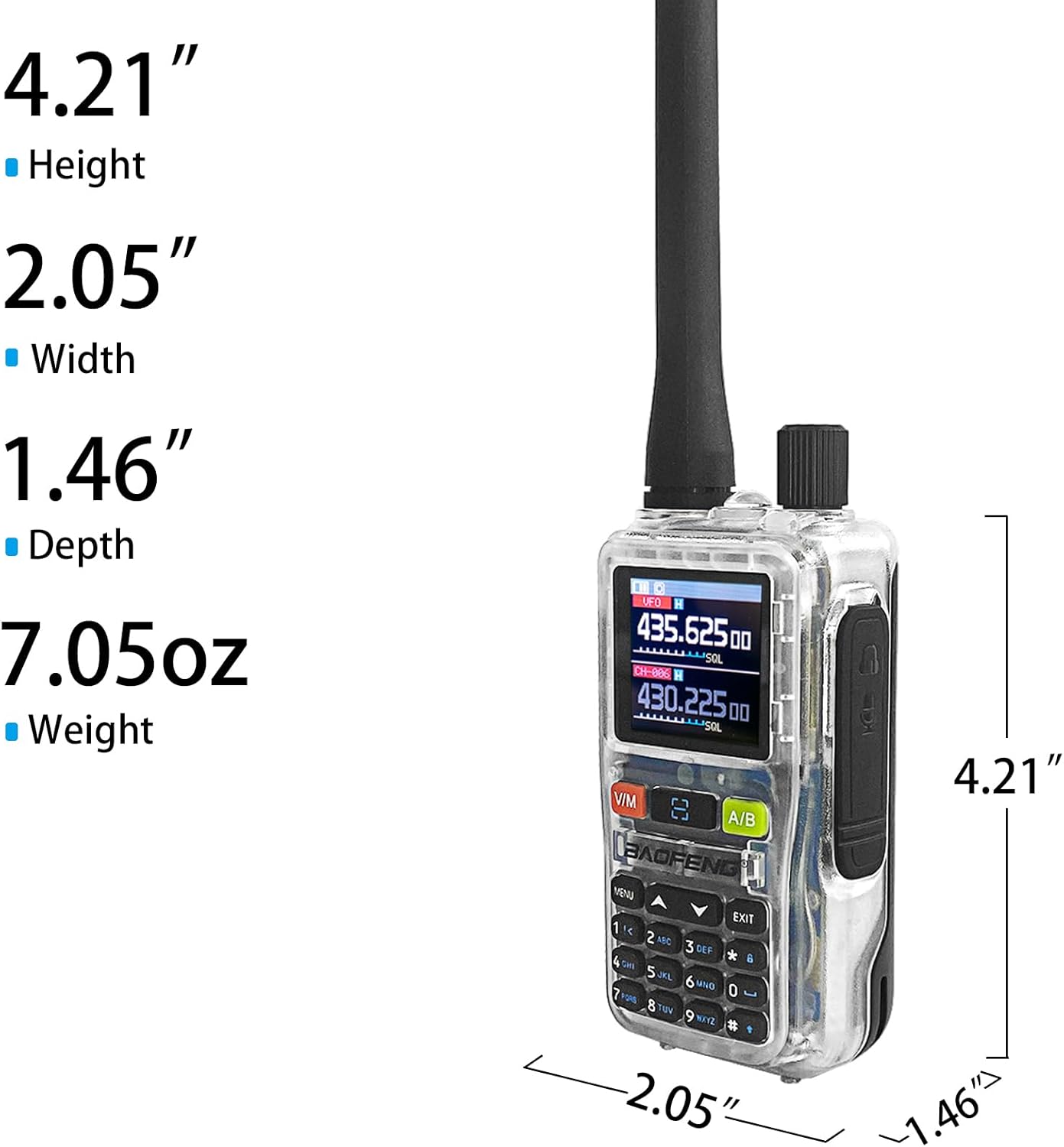
Image: The BAOFENG UV-5R Mini radio connected via USB-C cable to a power source, with smaller inset images showing various charging methods: computer, wall plug, power bank, and car charger.
7. Одржавање
7.1. Чишћење
- Обришите површину радија меком крпомamp тканина. Немојте користити јаке хемикалије или абразивна средства за чишћење.
- Уверите се да је радио сув пре употребе или пуњења.
7.2. Складиштење
- Чувајте радио на хладном и сувом месту, даље од директне сунчеве светлости и екстремних температура.
- If storing for extended periods, remove the battery and charge it periodically to maintain its lifespan.
КСНУМКС. Решавање проблема
| Проблем | Могући узрок | Решење |
|---|---|---|
| Радио се не укључује | Батерија је празна или није правилно постављена | Напуните батерију или је поново безбедно инсталирајте. |
| Не може се преносити или примати | Incorrect frequency/channel, antenna not attached, or out of range | Verify frequency settings, ensure antenna is attached, move closer to other radios. |
| App programming fails | "Wireless Cps" not enabled on radio, app connection issue | Ensure "Wireless Cps" is ON in radio menu. Restart app and radio, try reconnecting. |
| Лош квалитет звука | Weak signal, interference, or incorrect CTCSS/DCS codes | Check signal strength, move to a clearer area, verify CTCSS/DCS settings. |
9. Спецификације
| Феатуре | Детаљ |
|---|---|
| Бранд | БАОФЕНГ |
| Модел | УВ-5Р Мини |
| Број канала | 999 |
| Фреквенцијски опсег | 136-174МХз, 400-520МХз |
| РФ излазна снага | 5W/2W (adjustable) |
| Максимални домет говора | 5 километара |
| Волtage | 12 волти ДЦ |
| Ниво отпорности на воду | Није водоотпоран |
| Дисплаи | 1.44" TFT екран |
| Пуњење | УСБ-Ц брзо пуњење |
| Посебне карактеристике | APP programming (Ola Radio), Multi-band TX/RX (VHF/UHF tri-band TX; AM/FM/VHF/UHF scan), One-touch frequency sync, SK1 key shortcuts (radio/scan/VOX/flashlight/alarm), NOAA Weather |
10. Гаранција и подршка
10.1. Информације о гаранцији
The BAOFENG UV-5R Mini radio comes with a 1 година гаранције од датума куповине. Ова гаранција покрива производне недостатке и кварове при нормалној употреби. Не покрива штету насталу услед злоупотребе, несрећа, неовлашћених модификација или природних катастрофа.
10.2. Корисничка подршка
За техничку помоћ, решавање проблема или рекламације у оквиру гаранције, обратите се корисничкој служби BAOFENG-а путем њиховог званичног webсајт или продавца где је производ купљен. Молимо вас да имате при руци модел производа и датум куповине када контактирате подршку.