
1. Увод
This manual provides essential information for the safe and effective operation, maintenance, and troubleshooting of your TOPUTURE TP5 Walking Pad Treadmill. Please read this manual thoroughly before initial use and retain it for future reference.
The TOPUTURE TP5 is a versatile 4-in-1 folding treadmill designed for home and office use, featuring an adjustable 12% incline, a handle bar, app control, and a Bluetooth speaker. It supports speeds from 0.6 to 10 MPH.
2. Безбедносне информације
Важне мере предострожности:
- Увек се консултујте са лекаром пре него што започнете било који програм вежбања.
- Place the treadmill on a flat, stable surface with adequate clearance around it.
- Држите децу и кућне љубимце подаље од траке за трчање током рада.
- Носите одговарајућу спортску одећу и обућу.
- Не користите траку за трчање ако је оштећена или неисправна.
- Ensure the safety key is properly attached to your clothing during use. The treadmill will stop if the safety key is disengaged.
- Не прекорачујте максималну носивост од 136 кг (300 фунти).
- Искључите траку за трчање из утичнице када је не користите или пре чишћења/одржавања.
3. Садржај пакета
Проверите да ли су све компоненте присутне у пакету:
- TOPUTURE TP5 Walking Pad Treadmill (main unit)
- Handle Bar (pre-installed or easily attachable)
- Повер Цорд
- Ремоте Цонтрол
- Сигурносни кључ
- Кориснички приручник (овај документ)
- Lubricant (if included for maintenance)
4. Подешавање
4.1 Распакивање и постављање
- Пажљиво извадите траку за трчање из паковања.
- Place the treadmill on a level, hard surface. Ensure there is at least 2 feet of clear space behind the treadmill and 1 foot on each side.
4.2 Handle Bar Assembly (Tool-Free)
The handle bar features a snap-on design for tool-free assembly. Lift the handle bar into the upright position until it locks securely into place. Ensure both sides are firmly engaged before use.

Слика 4.2.1: Tool-Free Handle Bar Assembly. The handle bar can be easily raised and locked into position for running mode.
4.3 Подешавање нагиба
The TOPUTURE TP5 offers three manual incline levels: 1%, 6%, and 12%. To adjust the incline:
- Уверите се да је трака за трчање искључена из струје.
- Carefully lift the front of the treadmill.
- Adjust the support legs at the front to the desired incline level (1%, 6%, or 12%) and secure them with the provided pins or locking mechanism.
- Ensure the treadmill is stable before use.
Слика 4.3.1: Manual Incline Adjustment. The treadmill offers 1%, 6%, and 12% incline settings.
5. Упутство за употребу
5.1 Укључивање/искључивање
- Connect the power cord to the treadmill and a grounded electrical outlet.
- Flip the main power switch located near the power cord inlet to the 'ON' position.
- Attach the safety key to the designated slot on the console and clip the other end to your clothing.
- To power off, remove the safety key, then flip the main power switch to 'OFF'.
5.2 Modes of Operation (4-in-1 Functionality)
The TP5 treadmill supports various exercise modes:
- Working Mode (0.6-1.5 MPH): Handle bar folded down, ideal for use under a standing desk.
- Walking Mode (1.5-5 MPH): Handle bar folded down, suitable for brisk walking.
- Climbing Mode (0.6-3 MPH): Handle bar upright, with incline engaged for a climbing simulation.
- Running Mode (3-10 MPH): Handle bar upright, for jogging and running.

Слика 5.2.1: 4-in-1 Treadmill Modes. The treadmill adapts to various exercise needs.
5.3 Подешавање брзине
Speed can be adjusted using the touch screen controls on the console, the remote control, or via the connected sports app.
- Екран на додир: Use the '+' and '-' buttons on the LED display to increase or decrease speed.
- даљински управљач: The included remote control allows for convenient speed adjustments and pause/start functions.
- Sports App: Connect to the recommended sports app for advanced control and program selection.
5.4 Multifunction LED Display
The integrated LED display provides real-time feedback on your workout metrics:
- време: Трајање вашег тренинга.
- брзина: Current speed in MPH.
- Калорије: Процењене сагореле калорије.
- Удаљеност: Distance covered in miles.
- Откуцаји срца: Your heart rate when gripping the sensors on the handle bar.

Слика 5.4.1: Multifunction LED Display. Track your workout progress with clear metrics.
5.5 Bluetooth Speaker and App Control
Блутут звучник:
- Омогућите Блуетоотх на свом мобилном уређају.
- Тражи the treadmill's Bluetooth name (e.g., "TOPUTURE TP5") and pair.
- Once connected, you can play audio through the treadmill's built-in speaker.
App Control (FITSHOW App):
- Download the 'FITSHOW' app from your device's app store.
- Open the app and follow the instructions to connect to your TOPUTURE TP5 treadmill via Bluetooth.
- The app allows you to control speed, select pre-set programs, track workout data, and engage with scenic videos.

Слика 5.5.1: App Control Interface. Enhance your workout with the FITSHOW app.

Слика 5.5.2: Dual Intelligent Control. Control your treadmill via remote or smartphone app.
6. Одржавање
Редовно одржавање осигурава дуготрајност и оптималне перформансе ваше траке за трчање.
6.1 Чишћење
- Увек искључите траку за трчање из струје пре чишћења.
- Обришите конзолу и спољашње површине меком крпомamp крпу. Избегавајте абразивна средства за чишћење или раствараче.
- Periodically vacuum underneath the treadmill to prevent dust and debris buildup.
6.2 Подмазивање траке за трчање
The running belt requires periodic lubrication to reduce friction and extend its lifespan. Refer to the specific instructions provided with your lubricant or contact customer support for guidance on frequency and application.
6.3 Подешавање појаса за трчање
If the running belt starts to slip or drift to one side, it may need adjustment. Consult the troubleshooting section or contact customer support for detailed instructions on how to tension and center the belt.
КСНУМКС. Решавање проблема
If you encounter issues with your treadmill, refer to the common problems and solutions below. If the problem persists, contact customer support.
| Проблем | Могући узрок | Решење |
|---|---|---|
| Трака за трчање се не укључује | Power cord not connected; Main switch off; Safety key not in place | Check power cord connection; Turn main switch ON; Ensure safety key is inserted |
| Трака за трчање клизи или се зауставља | Belt too loose; Overload; Motor issue | Adjust belt tension; Reduce user weight; Contact support |
| Необична бука током рада | Loose parts; Lack of lubrication; Motor issue | Check for loose bolts; Lubricate belt; Contact support |
| Display not working correctly | Loose connection; Electronic fault | Check connections; Restart treadmill; Contact support |
8. Спецификације
| Феатуре | Спецификација |
|---|---|
| Бранд | ТОПУТУРЕ |
| Назив модела | ТП5 |
| Димензије производа (ДкШкВ) | 52.3 cm x 28.2 cm x 5.1 cm |
| Тежина артикла | 78 фунти |
| Материјал | легирани челик |
| Максимална брзина | 10 миља на сат |
| Макимум Хорсеповер | 2.5 Хорсеповер |
| Максимални проценат нагибаtage | 12% (Manual Adjustment) |
| Препорука за максималну тежину | 300 фунти |
| Димензије појаса за трчање | 41'' x 16.5'' (1040mm x 420mm) |
| Дисплаи Типе | ЛЕД |
| Технологија повезивања | Блуетоотх |
| Посебне карактеристике | Built-In Speaker, Foldable, Heart Rate Monitor, Portable, Shock Absorbent |
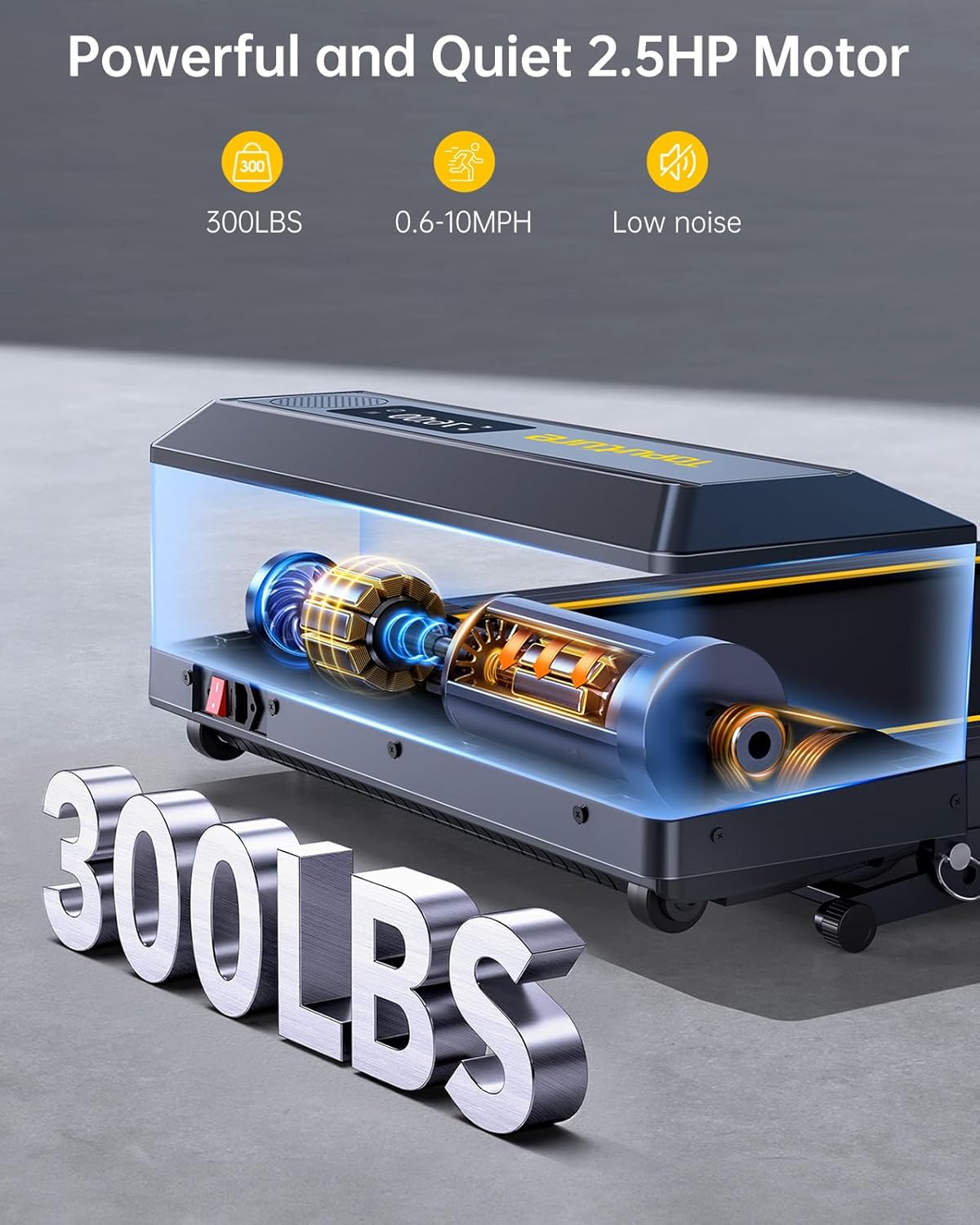
Слика 8.1: Powerful and Quiet 2.5HP Motor. Supports up to 300 lbs with low noise operation.

Слика 8.2: Extra Wide Comfortable Running Area. Dimensions of 1040mm x 420mm for comfortable use.

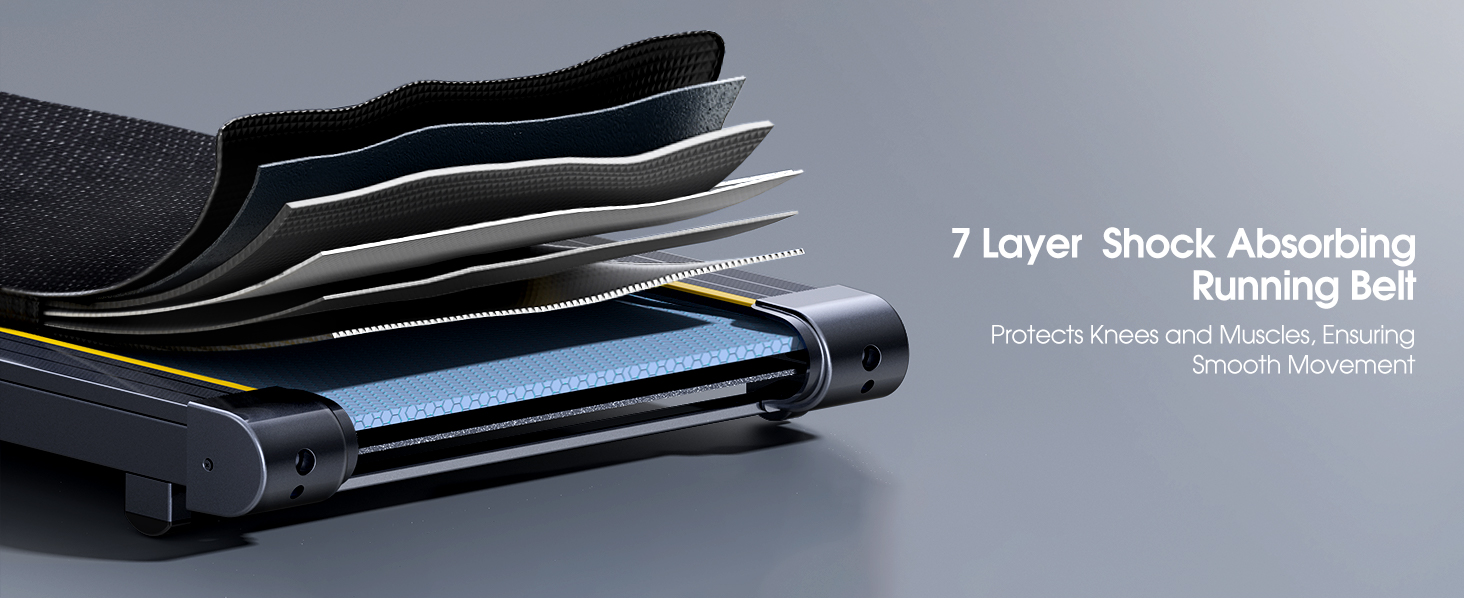
Слика 8.3: High-Tech Running Belt and Shock Absorption. Features a 7-layer belt and 8 shock absorbers for joint protection.

Слика 8.4: Convenient Folding Design and Storage. The treadmill folds for easy storage under furniture or against a wall.
9. Гаранција и подршка
9.1 Информације о гаранцији
The TOPUTURE TP5 Walking Pad Treadmill comes with a једногодишња гаранција from the date of purchase. This warranty covers manufacturing defects and ensures the product meets quality standards. Please retain your proof of purchase for warranty claims.
9.2 Корисничка подршка
For any questions, technical assistance, or warranty claims, please contact TOPUTURE customer support. You can typically reach support by:
- Logging into your Amazon account.
- Navigating to 'Your Orders'.
- Finding the specific order ID for your treadmill.
- Clicking on 'Contact Seller'.
Our support team is committed to providing high-quality assistance.