
Увод
This manual provides essential information for the NIMO 15.6-inch Light Gaming Laptop N15A. It covers setup, operation, maintenance, troubleshooting, and product specifications. Please read this manual thoroughly before using your new laptop to ensure proper function and longevity.

Image: NIMO 15.6-inch Light Gaming Laptop N15A, showcasing its full display and keyboard.
Садржај пакета
Verify that all items listed below are present in your product packaging. If any items are missing or damaged, please contact NIMO customer support.
- 1 x NIMO N15A Laptop
- 1 x Type-C 100W PD Fast Charger
- 1 к Упутство за употребу
- Windows 11 Home Operating System (pre-installed)
Производ је завршенview
The NIMO N15A laptop is designed for balanced performance, featuring an AMD Ryzen 7 Pro 6850U processor, 32GB LPDDR5 RAM, and a 1TB PCIe 4.0 SSD. It includes a 15.6-inch Full HD IPS display, a backlit keyboard, and an integrated fingerprint reader for secure access.
Кључне карактеристике:
- процесор: AMD Ryzen 7 Pro 6850U with 8 Cores and 16 Threads, up to 4.7GHz.
- Графика: Integrated AMD Radeon 680M GPU.
- Меморија: 32GB LPDDR5 RAM for efficient multitasking.
- Складиштење: 1TB PCIe 4.0 SSD for fast boot times and data access.
- Приказ: 15.6-inch Full HD (1920x1080) IPS Anti-Glare Display.
- Пуњење: 100W USB-C Power Delivery fast charging.
- безбедност: Integrated fingerprint reader for secure login.
- тастатура: Backlit keyboard for use in various lighting conditions.
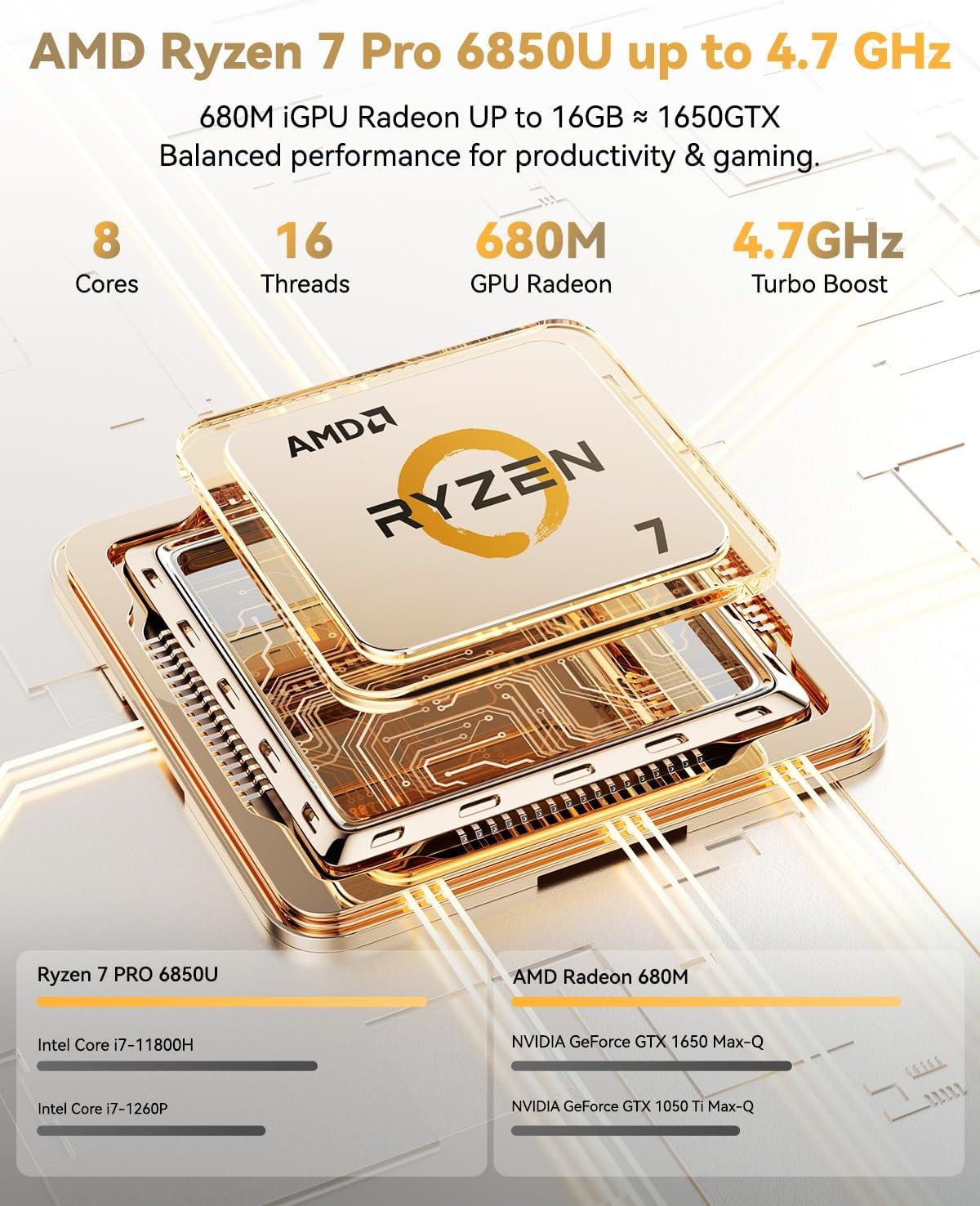
Image: Visual representation of the AMD Ryzen 7 Pro 6850U processor's core and thread count, and turbo boost speed.
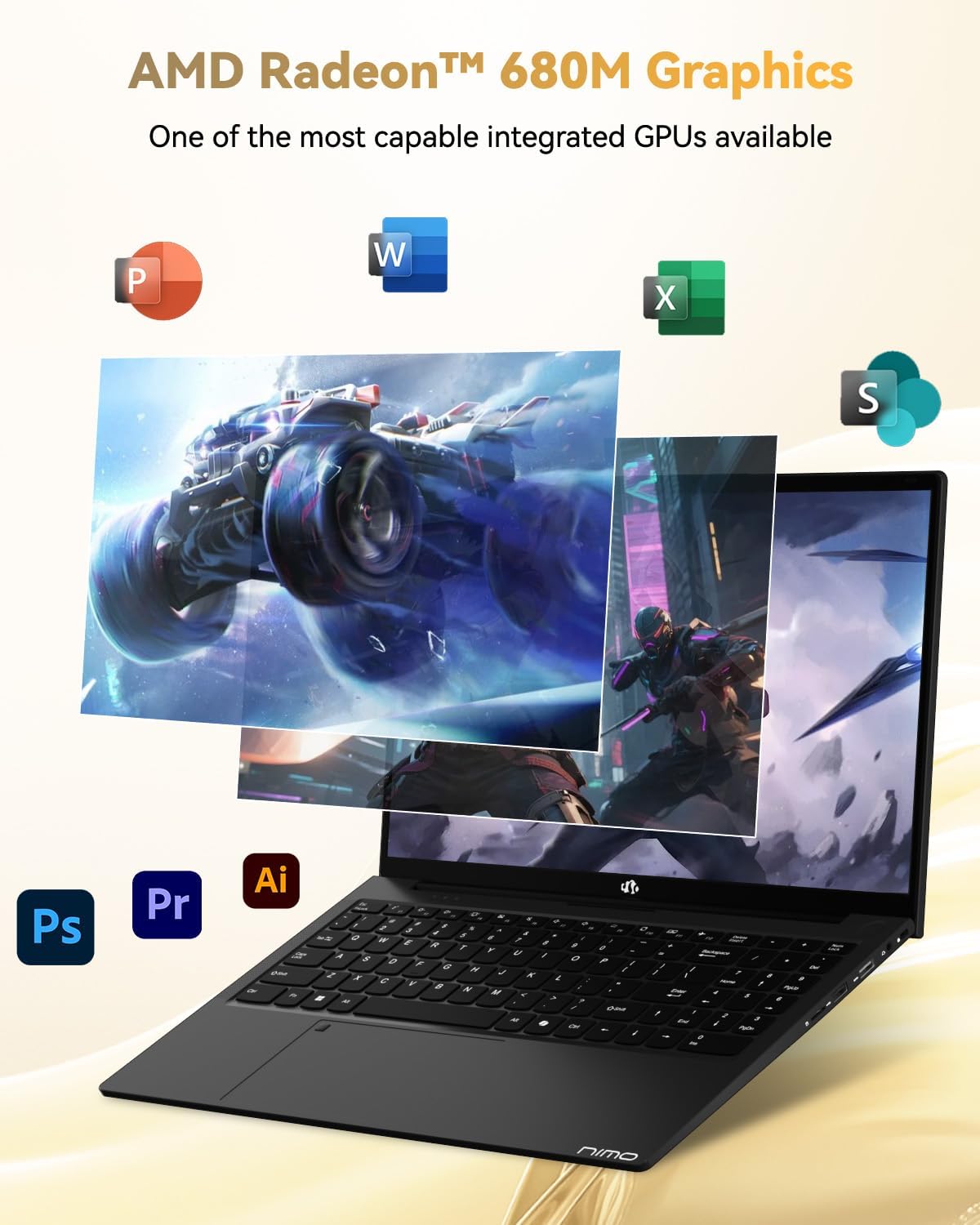
Image: Illustration highlighting the capabilities of the AMD Radeon 680M integrated graphics for various applications.

Image: Diagram showing the 32GB LPDDR5 RAM and 1TB PCIe 4.0 SSD for seamless multitasking and ampле стораге.
Image: The NIMO N15A laptop displaying a vibrant image on its 15.6-inch Full HD IPS screen.
Портови и повезивање:

Image: Diagram illustrating the various ports on the NIMO N15A laptop, including USB, HDMI, and Type-C.
- Мицро СД читач
- УСБ 2.0 порт
- USB 3.2 портови (вишеструки)
- Прикључак за слушалице
- Кенсингтон Лоцк Слот
- Type-C (Multifunction) Ports (supporting charging and data transfer)
- ХДМИ порт
Сетуп
1. Initial Charging and Power On:
- Connect the provided 100W Type-C PD Fast Charger to the laptop's Type-C charging port and a power outlet.
- Allow the laptop to charge for at least 30 minutes before initial use, or until the charging indicator shows sufficient battery.
- Притисните дугме за напајање које се налази на тастатури да бисте укључили лаптоп.

Image: Illustration of the NIMO N15A laptop being charged with the 100W Type-C PD Fast Charger.
2. Windows 11 Initial Setup:
Follow the on-screen prompts to complete the Windows 11 setup process. This typically includes:
- Избор региона и распореда тастатуре.
- Повезивање на Ви-Фи мрежу.
- Пријављивање помоћу Microsoft налога или креирање локалног налога.
- Подешавање ПИН-а или лозинке.
- Configuring privacy settings.
Упутство за употребу
Управљање струјом:
- Укључено: Притисните дугме за напајање.
- Режим спавања: Затворите поклопац или кратко притисните дугме за напајање.
- Искључи: Кликните на дугме Старт, затим на Напајање, а затим на Искључи.
- Поново покрени: Click the Start button, then Power, then Restart.
Тастатура и тачпед:

Слика: Крупни план view of the NIMO N15A laptop's backlit keyboard and the integrated fingerprint reader on the touchpad.
- Тастатура са позадинским осветљењем: Use the dedicated function key (usually Fn + Fx) to toggle the keyboard backlight on/off and adjust brightness levels.
- Читач отиска прста: The fingerprint reader is integrated into the touchpad. During Windows setup, you can configure your fingerprint for secure, quick login.
- Precision Touchpad: Подржава вишеструки додир за навигацију. Погледајте подешавања система Windows за прилагођавање.
Повезивање периферних уређаја:
Utilize the various ports to connect external devices such as monitors, printers, external storage, and audio devices.
- УСБ уређаји: Plug USB devices into the available USB 2.0 or USB 3.2 ports.
- Спољашњи екран: Connect an external monitor or TV using the HDMI port or a compatible Type-C adapter.
- аудио: Use the 3.5mm headphone jack for headphones or external speakers.
Приватност камере:
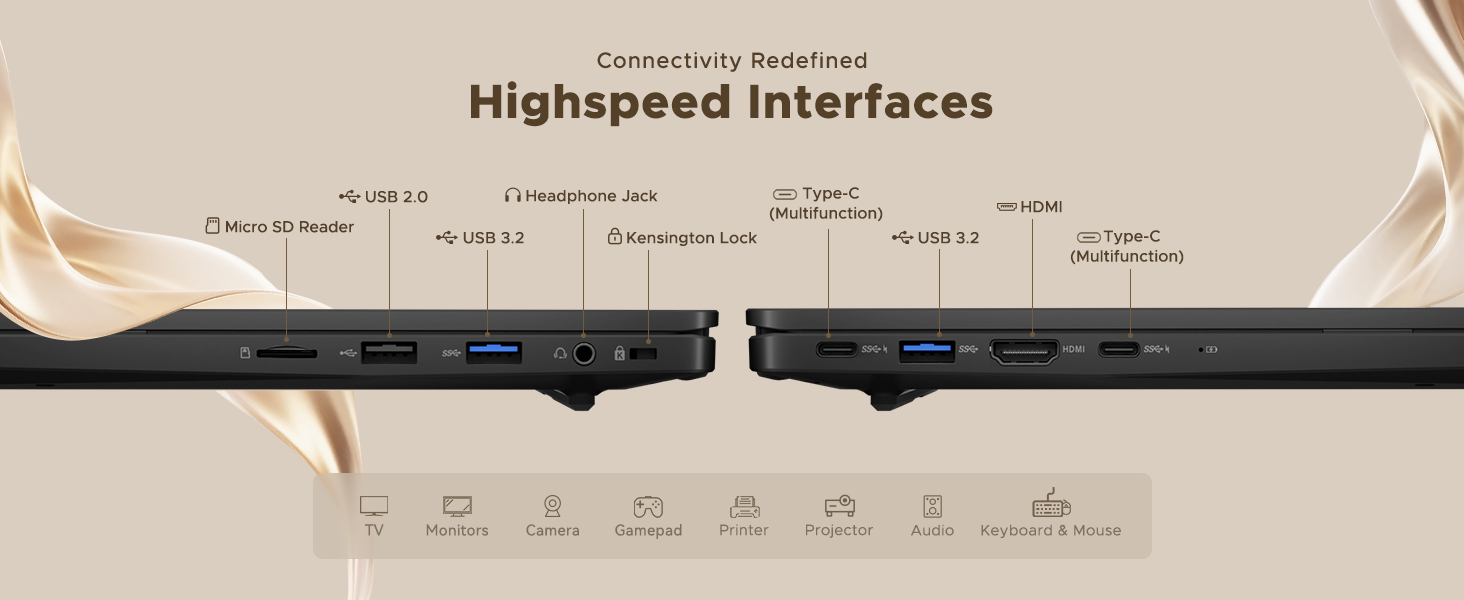
Image: Illustration of the NIMO N15A laptop's built-in privacy camera switch, allowing users to easily disable the webцам.
The NIMO N15A laptop features a built-in privacy camera switch. This allows you to physically disable the 2.0MP webcam when not in use, ensuring your privacy.
Одржавање
Чишћење лаптопа:
- Искључите лаптоп и искључите пуњач пре чишћења.
- Користите меку крпу која не оставља длачицеampиспрати водом или средством за чишћење екрана.
- За тастатуру и кућиште користите меку крпу. Избегавајте јаке хемикалије или абразивне материјале.
- Користите компримовани ваздух да бисте очистили прашину са тастера на тастатури и отвора за вентилацију.
Одржавање батерије:
- Избегавајте често потпуно пражњење батерије.
- Чувајте лаптоп на хладном и сувом месту ако га не користите дуже време, са батеријом напуњеном на око 50-70%.
- Use only the original NIMO 100W Type-C PD Fast Charger.
Ажурирања софтвера:
- Редовно проверавајте и инсталирајте ажурирања за Windows како бисте осигурали стабилност и безбедност система.
- Keep device drivers updated, especially for graphics and chipset, by checking the NIMO support webсајт или Windows Update.
Решавање проблема
| Проблем | Могуће решење |
|---|---|
| Лаптоп се не укључује. | Ensure the charger is properly connected and the power outlet is functional. Allow the battery to charge for at least 30 minutes. If the issue persists, contact support. |
| Екран је празан или трепери. | Try connecting an external monitor to check if the issue is with the laptop's display. Adjust display brightness. Restart the laptop. |
| Споре перформансе. | Затворите непотребне апликације. Проверите позадинске процесе који троше много ресурса. Обезбедите довољно слободног простора за складиштење. Покрените скенирање система у потрази за злонамерним софтвером. |
| Позадинско осветљење тастатуре не ради. | Press the dedicated function key combination (e.g., Fn + Fx) to toggle or adjust the backlight. Check keyboard settings in Windows. |
| Fingerprint reader not responding. | Ensure your finger is clean and dry. Re-register your fingerprint in Windows settings. Restart the laptop. |
For issues not listed here or if solutions do not resolve the problem, please refer to the Warranty and Support section for assistance.
Спецификације
| Феатуре | Детаљ |
|---|---|
| Бранд | NIMO |
| Назив модела | NIMO N15AL (N15A) |
| Величина екрана | 15.6 инча |
| Резолуција екрана | 1920 к 1080 пиксела (Фулл ХД) |
| Процесор | AMD Ryzen 7 Pro 6850U (8 Cores, up to 4.7 GHz) |
| РАМ | 32 GB LPDDR5 (6400 MHz) |
| Хард Дриве | 1024 GB SSD (PCIe 4.0, Solid State) |
| Грапхицс Цопроцессор | AMD Radeon 680M (интегрисана) |
| Оперативни систем | Виндовс 11 |
| Вирелесс Типе | 802.11а/б/г/н/ац |
| УСБ 2.0 портови | 1 |
| USB 3.0/3.2 Ports | 4 |
| Просечно трајање батерије | 9 сата |
| Тежина артикла | 3.75 фунти |
| Димензије производа | 14.07 к 8.98 к 0.76 инча |
| Боја | Црно |
| Позади Webцам Ресолутион | 2 МП |
| Посебне карактеристике | Позадинско осветљење тастатуре, читач отиска прста, HD аудио, нумеричка тастатура |
Гаранција и подршка
NIMO provides comprehensive support for your laptop.
- гаранција: Your NIMO N15A laptop comes with a 2-year manufacturer's warranty.
- Политика враћања: A 90-day hassle-free return policy is offered from the date of purchase.
- Корисничка подршка: For technical assistance, warranty claims, or product-related inquiries, please contact NIMO customer support.
Contact information for support is typically available on the official NIMO website or through the product's packaging.
Безбедносне информације
Важно: Read and follow these safety guidelines to prevent damage to your device or personal injury.
- Use only original chargers and regularly inspect cables for damage.
- Handle the laptop by its base and consider using a protective case. Avoid placing heavy objects on it.
- Place the laptop on a hard, flat surface to ensure proper ventilation and prevent overheating. Keep it away from extreme temperatures and moisture.
- Do not overcharge the battery. Discontinue use if the battery shows signs of swelling or damage.
- Set strong passwords, keep software updated, use antivirus software, and regularly back up your data.
- In case of liquid spills, immediately unplug the laptop and allow it to dry completely before attempting to power it on.
- For any issues, consult qualified professionals. Do not attempt to disassemble or repair the device yourself.
Правно одрицање одговорности
This NIMO laptop is provided "as is," without express or implied warranties, except for any applicable manufacturer's limited warranty. Implied warranties of merchantability or fitness for a specific purpose are disclaimed. NIMO is not liable for damages resulting from misuse (e.g., non-approved chargers, unauthorized repairs), physical damage, or failure to adhere to safety guidelines, including data loss or business interruption. Users are responsible for regularly backing up their data. This disclaimer does not exclude liability for manufacturing defects or violations of mandatory local laws. By using this laptop, you accept these terms, which are governed by the laws of the applicable jurisdiction.