
1. Увод
This manual provides essential information for setting up, operating, and maintaining your NIMO 15.6-inch Light-Gaming Laptop, Model N15A. Designed for productivity, content creation, and light gaming, this laptop features an 8-core AMD Ryzen 7 Pro 6850U processor, AMD Radeon 680M integrated GPU, 16GB LPDDR5 RAM, and a 1TB PCIe 4.0 SSD. Enjoy vibrant visuals on its 15.6-inch Full HD IPS anti-glare display, secure login with an integrated fingerprint touchpad, and convenient typing with a backlit keyboard. The device also supports 100W USB-C fast charging for quick power-ups.
2. Шта је у кутији
- 1 x NIMO N15A Laptop
- 1 x Type-C 100W PD Fast Charger
- 1 к Упутство за употребу
- Windows 11 Home (Pre-installed)
- 2 Years Warranty, 90 Days Return Information
3. Подешавање
3.1 Initial Power-On and Charging
Before first use, ensure your NIMO laptop is fully charged. Connect the provided 100W Type-C PD fast charger to the laptop's USB-C port and a power outlet. The charging indicator light will illuminate.
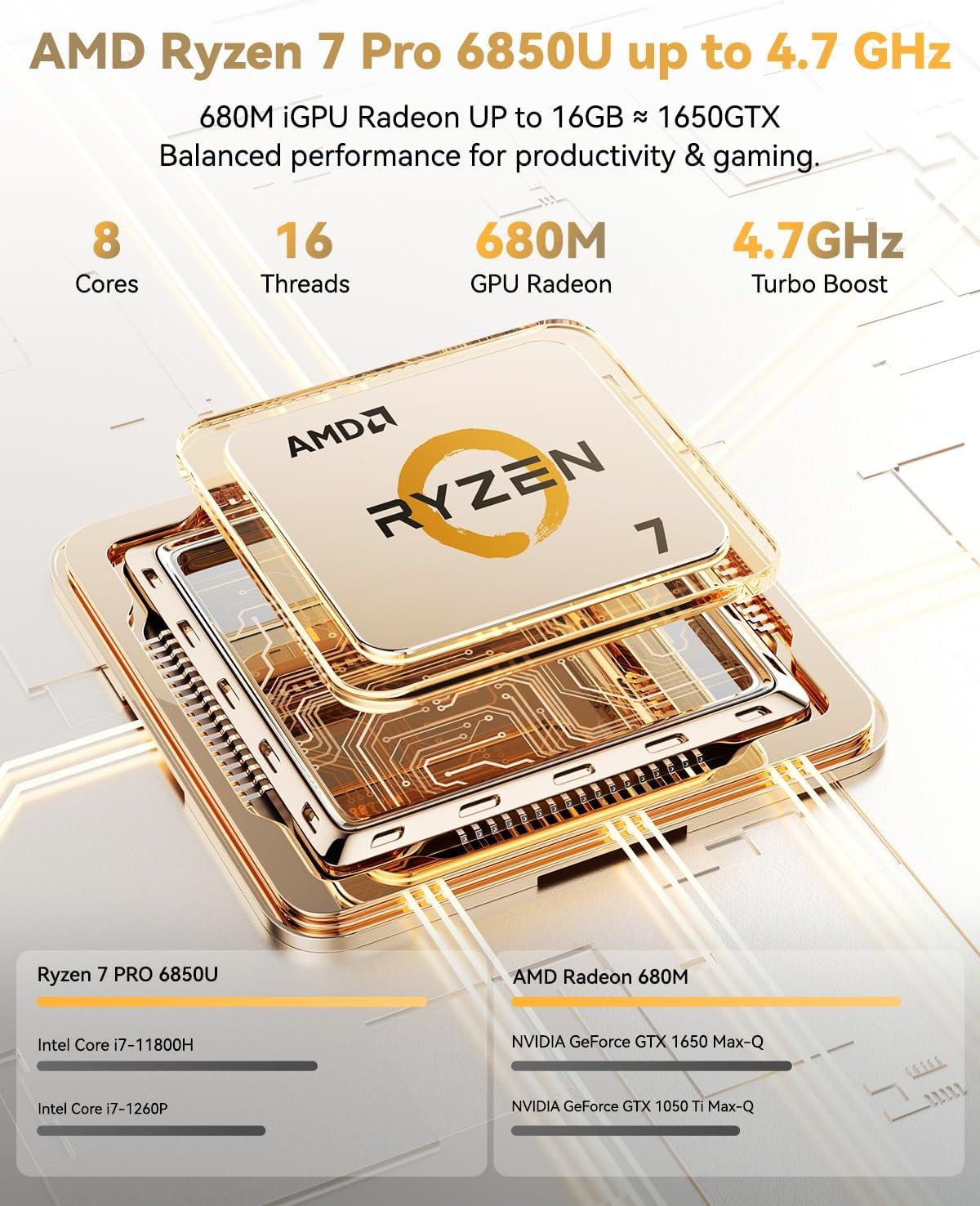
Image: NIMO 15.6-inch laptop displaying the Windows 11 setup screen.
Press the power button located on the top-right of the keyboard to turn on the laptop. Follow the on-screen instructions to complete the initial Windows 11 Home setup, including language selection, network connection, and user account creation.
3.2 Подешавање отиска прста
During the Windows setup, you will have the option to set up the integrated fingerprint reader for secure and instant login. Follow the prompts to register your fingerprint. This feature allows you to bypass password entry for quick access.
3.3 Повезивање на мрежу
During setup, select your Wi-Fi network from the list and enter the password. The laptop supports Wi-Fi 6 for fast and stable wireless connectivity.
3.4 Unboxing and Initial Overview
Видео: Оверview of the NIMO 15.6-inch laptop, demonstrating its physical features, ports, and initial setup process, including the backlit keyboard and fingerprint reader.
4. Operating Your NIMO Laptop
4.1 Укључивање/искључивање
- За укључивање: Притисните дугме за напајање.
- За искључивање: Click the Start menu, then Power, and select 'Shut down'. Alternatively, press and hold the power button for a few seconds.
4.2 Дисплеј
The NIMO N15A features a 15.6-inch Full HD (1920x1080) IPS anti-glare display. This screen provides clear, vibrant visuals with an 85% screen-to-body ratio, ideal for work, streaming, and light gaming.

Image: The NIMO laptop's 15.6-inch Full HD IPS display showcasing vivid colors and sharp details.
4.3 Тастатура и тачпед
The laptop is equipped with a backlit keyboard and a numeric keypad for enhanced productivity in various lighting conditions. The precision gesture touchpad allows for smooth navigation, and the integrated fingerprint touchpad provides secure, instant login.

Image: Close-up of the NIMO laptop's backlit keyboard and the fingerprint sensor on the touchpad.
4.4 Повезивање и портови
The NIMO N15A offers a variety of ports for versatile connectivity:
- USB-C (Multi-function): Supports 100W Power Delivery (PD) fast charging and data transfer.
- УСБ 3.2: Пренос података великом брзином.
- УСБ 2.0: Стандардна УСБ веза.
- ДВИ: За повезивање екстерних екрана.
- Читач микро СД картица: За проширење складишног простора или пренос files.
- Слушалице: За аудио излаз.
- Кенсингтонска брава: За физичко обезбеђење.
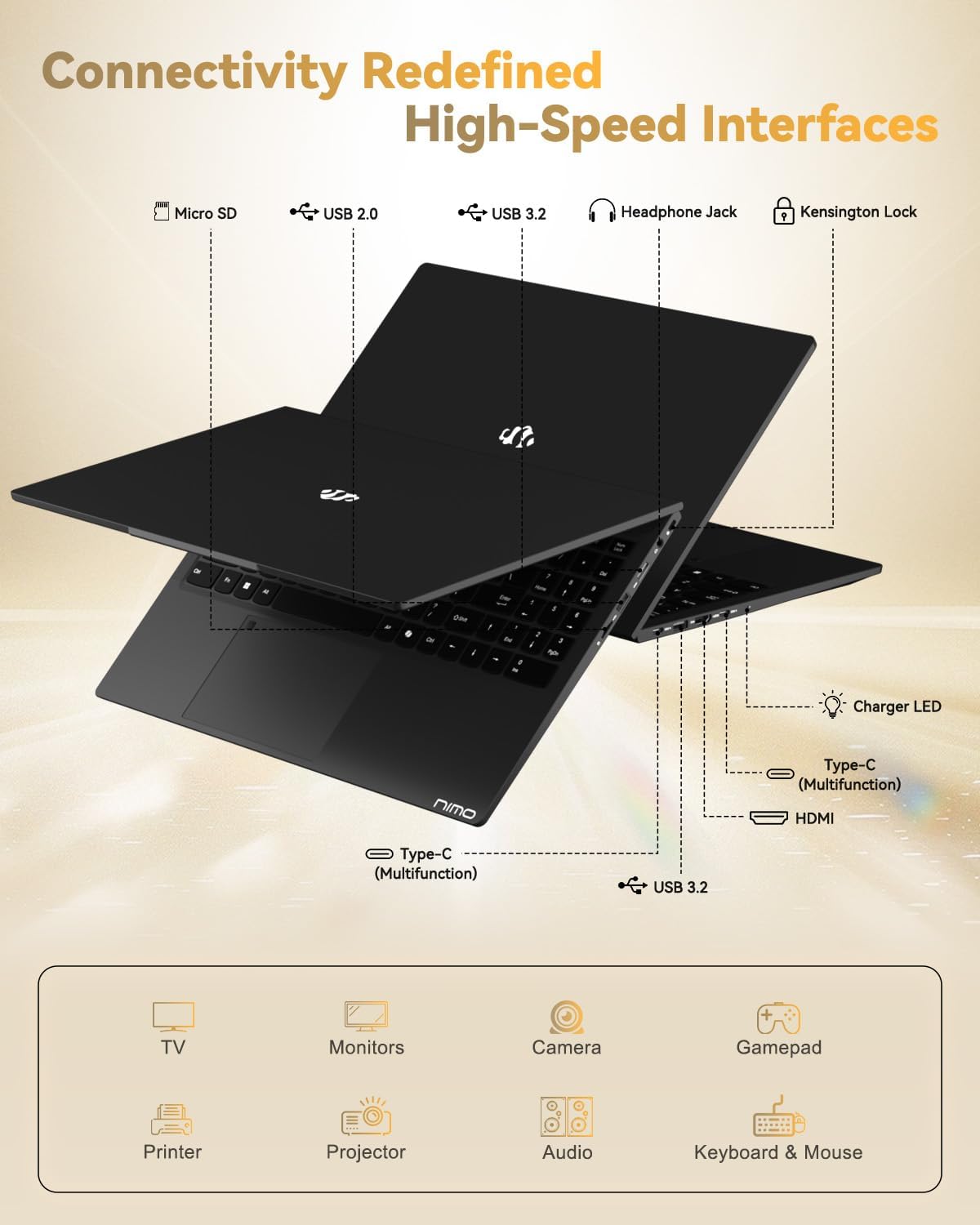
Image: The left and right sides of the NIMO laptop, highlighting the available ports for external devices.
4.5 Webцам
The laptop includes a 2.0 MP front-facing webcam with a physical privacy shutter, ensuring your privacy during video calls and online meetings.

Image: The NIMO laptop's integrated webcam, demonstrating the physical privacy shutter mechanism.
4.6 Перформансе прекоview
Powered by the AMD Ryzen 7 Pro 6850U processor with 8 cores and 16 threads (up to 4.7GHz), and an AMD Radeon 680M GPU, this laptop delivers smooth multitasking and responsive performance for professional workloads, content creation, and light gaming. It comes with 16GB LPDDR5 RAM and a 1TB PCIe 4.0 SSD for rapid data access and storage.
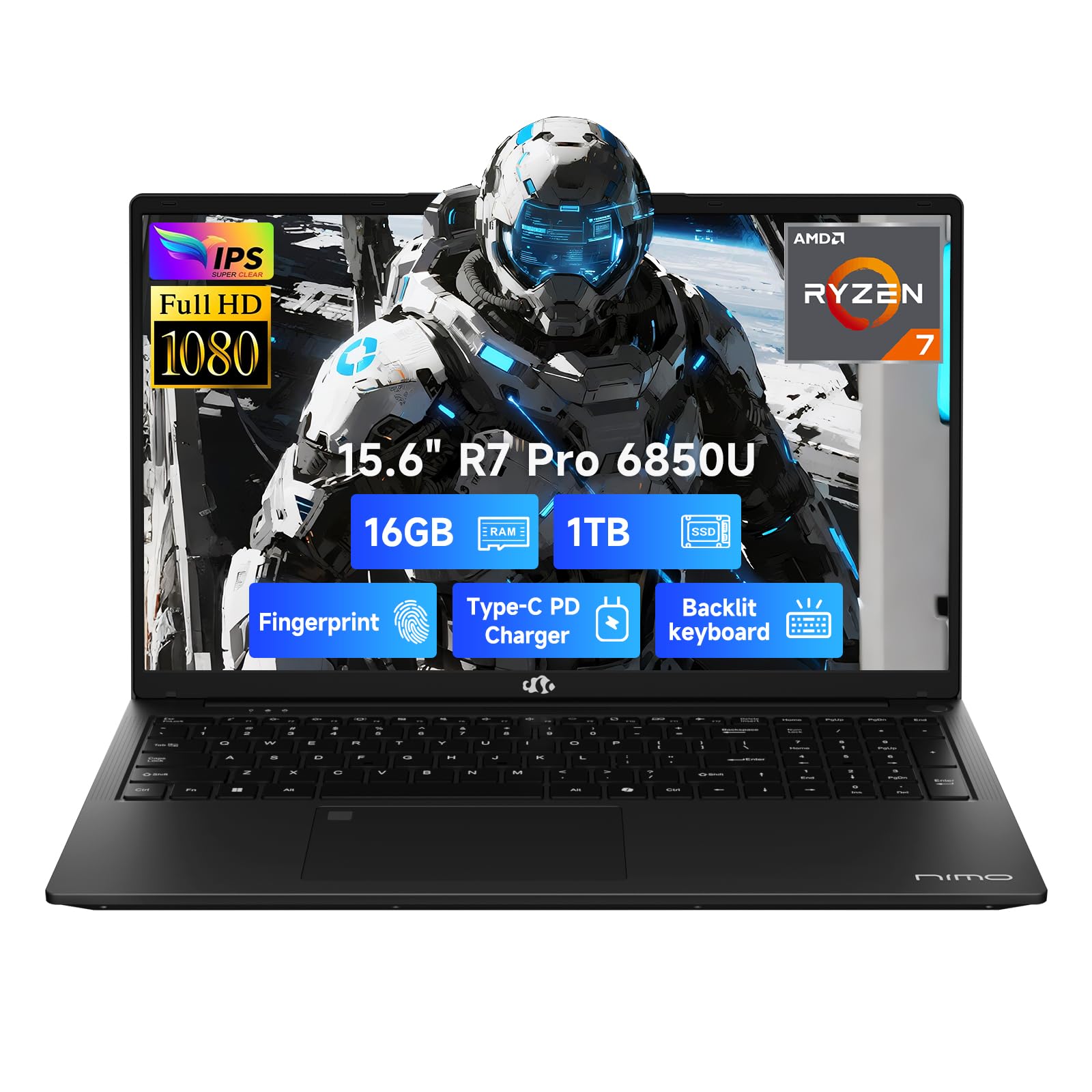
Image: Visual representation of the AMD Ryzen 7 Pro 6850U processor's core specifications.
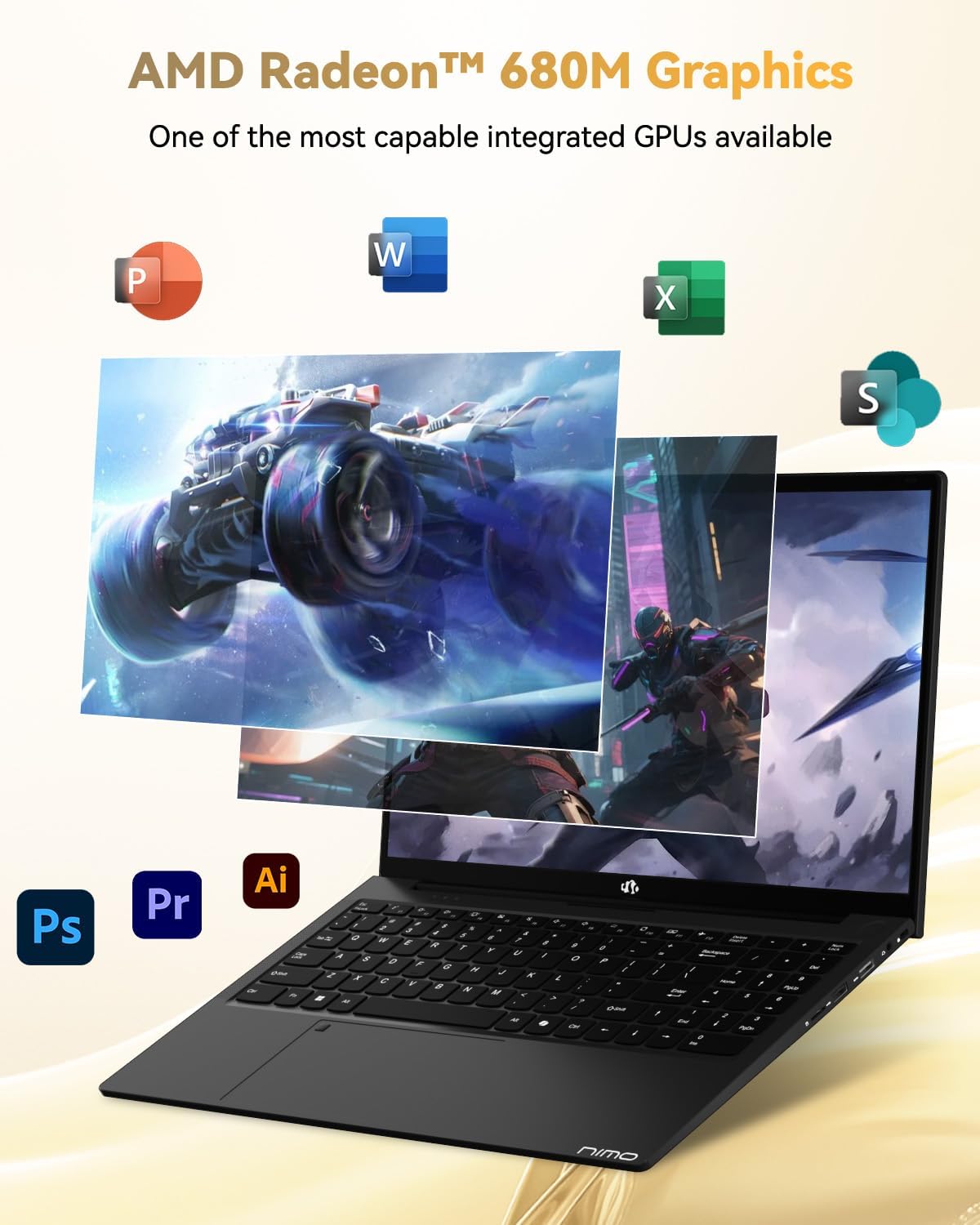
Image: The NIMO laptop showcasing its AMD Radeon 680M graphics performance with various applications.

Image: The NIMO laptop illustrating its capability for seamless multitasking and ampле стораге.
4.7 Батерија и пуњење
The laptop is powered by a 53.58 Watt-hour Lithium Polymer battery, offering up to 9 hours of battery life. The included 100W USB-C PD fast charger can provide up to 2 hours of use with just a 15-minute charge, making it ideal for users on the go.

Image: The NIMO laptop connected to its 100W Type-C fast charger.
4.8 General Usage and Features
Видео: Промотивни видео приказasing the NIMO 15.6-inch FHD laptop's various features and use cases, including its display, performance, and portability.
Video: A video highlighting the Nimo Student Laptop's features, including its suitability for students and general use, emphasizing its design and functionality.
5. Одржавање и њега
To ensure the longevity and optimal performance of your NIMO laptop, follow these maintenance guidelines:
- Употреба пуњача: Always use the original 100W Type-C PD fast charger and regularly inspect cables for damage.
- Физичко руковање: Hold the laptop by its base, use a protective case, and avoid placing heavy items on it.
- вентилација: Place the laptop on a hard, flat surface to ensure proper airflow and prevent overheating. Avoid using it on soft surfaces like beds or couches.
- Услови животне средине: Keep the laptop away from extreme temperatures, direct sunlight, and moisture.
- Одржавање батерије: Avoid overcharging the battery. If the battery shows signs of swelling, discontinue use immediately and contact support.
- безбедност: Set strong passwords, keep your operating system and software updated, and use antivirus software. Regularly back up your data to prevent loss.
- Проливене течности: In case of a liquid spill, immediately unplug the laptop and allow it to dry completely before attempting to power it on.
- Поправке: For any issues or repairs, consult qualified professionals. Do not attempt to disassemble the laptop yourself, as this may void your warranty.
КСНУМКС. Решавање проблема
If you encounter any issues with your NIMO laptop, consider the following basic troubleshooting steps:
- Нема напајања: Ensure the charger is securely connected and the power outlet is functional. Try a different outlet or charger if available.
- Проблеми са приказом: If the screen is blank, try connecting an external monitor to check if the display output is working. Adjust brightness settings.
- Споре перформансе: Затворите непотребне апликације, проверите да ли постоје ажурирања у позадини или поново покрените лаптоп. Обезбедите довољно слободног простора на SSD-у.
- Проблеми са повезивањем: За проблеме са Wi-Fi мрежом, поново покрените рутер и лаптоп. За Bluetooth, уверите се да је уређај видљив и да је у домету.
- Fingerprint Reader Not Working: Уверите се да вам је прст чист и сув. Поново региструјте отисак прста у подешавањима система Windows ако се проблем и даље јавља.
- Проблеми са звуком: Check volume levels, ensure headphones are properly connected, and verify audio drivers are up to date.
For persistent problems or issues not covered here, please refer to the Warranty and Support section for contact information.
7. Спецификације
| Феатуре | Спецификација |
|---|---|
| Бранд | NIMO |
| Назив модела | NIMO N15A |
| Величина екрана | 15.6 инча |
| Резолуција екрана | 1920 x 1080 пиксела (FHD) |
| Дисплаи Тецхнологи | ИПС |
| ЦПУ модел | AMD Ryzen 7 Pro 6850U |
| Брзина процесора | До 4.7 ГХз |
| Процесорске језгре | 8 |
| Величина инсталиране РАМ меморије | 16 ГБ ЛПДДР5 |
| Брзина меморије | 6400 МХз |
| Величина чврстог диска | 1024 GB (1TB PCIe 4.0 SSD) |
| Грапхицс Цопроцессор | АМД Радеон 680М |
| Оперативни систем | Виндовс 11 Хоме |
| Посебне карактеристике | Позадинско осветљење тастатуре, читач отиска прста, HD аудио, нумеричка тастатура |
| Технологија повезивања | Bluetooth, Wi-Fi (802.11a/b/g/n/ac) |
| Укупно УСБ портова | 5 |
| Видео Оутпут | ХДМИ |
| Трајање батерије | 9 Hours (Average) |
| Тежина артикла | 3.75 фунти |
| Димензије артикла (Д к Ш к дебљина) | 14.07 cm D x 8.98 cm Š x 0.76 cm Deb |
8. Гаранција и подршка
NIMO stands by the quality of its products. Your NIMO N15A laptop comes with a Двогодишња гаранција произвођача и а 90-day hassle-free return policy. Our laptops undergo rigorous testing to ensure top-tier quality and reliability.

Image: NIMO's commitment to after-sales services, including support and returns.
Контактирање подршке
Our dedicated support team is ready to provide quick, effective assistance for a worry-free experience. For any product-related questions or warranty claims, please contact us:
- Емаил: сервице@нимопц.цом
- Онлине: Visit the official NIMO website or product page for chat support during business hours.

Image: Professional customer assistance available to help with product inquiries.