
Производ је завршенview
The pTron Studio Pro are wireless over-ear headphones designed for extended listening and clear communication. They feature an ergonomic design with soft earpads and an adjustable headband for comfortable wear. Key features include long battery life, advanced audio drivers, and versatile connectivity options.
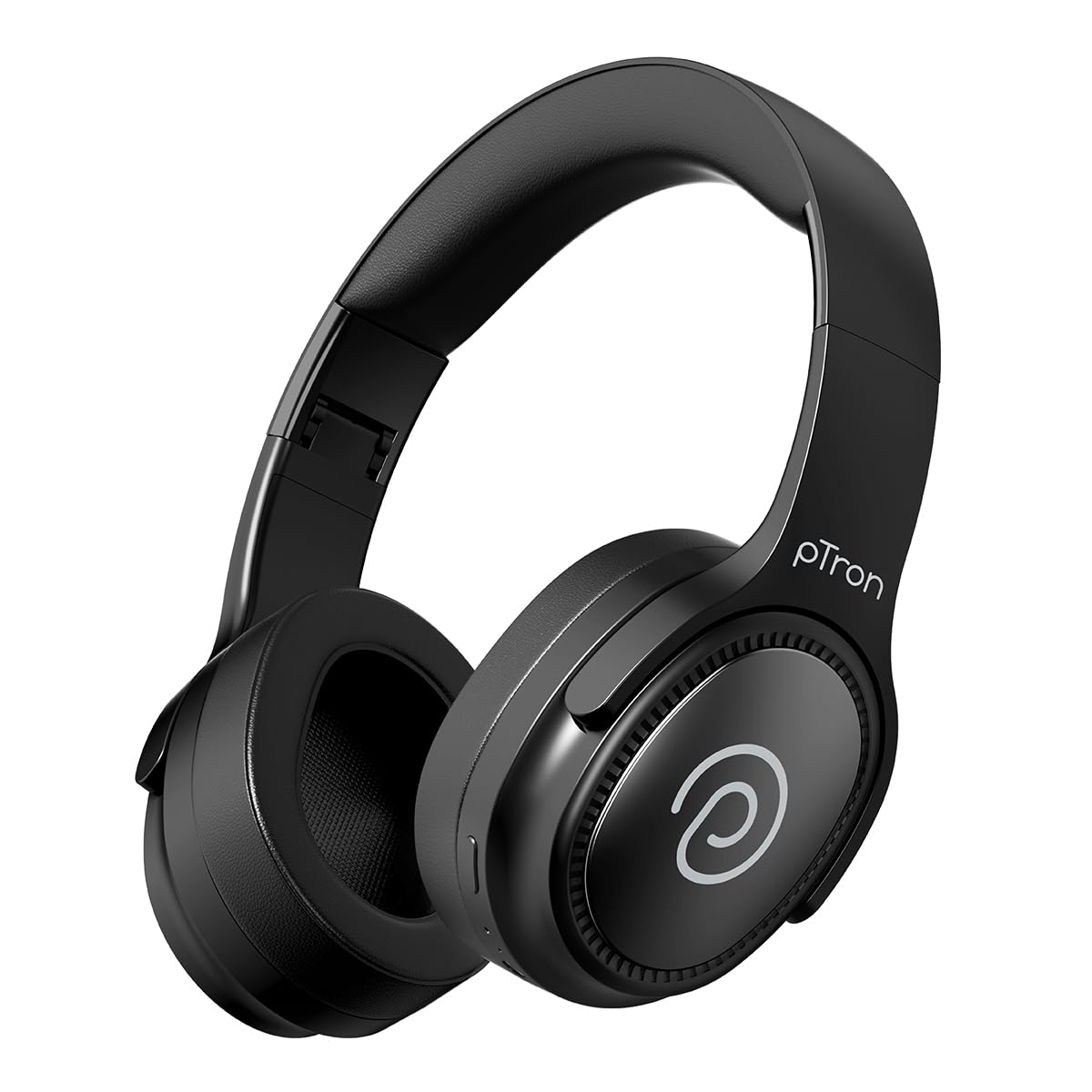
Image: pTron Studio Pro Wireless Over-Ear Headphones in Jet Black, showcasinг елегантан дизајн.
Кључне карактеристике
- Продужено време репродукције: Up to 65 hours of music playback on a single full charge.
- Брзо пуњење: 2.5 hours for a full charge via Type-C. A 10-minute charge provides approximately 4 hours of playtime.
- Висок квалитет звука: Equipped with 40mm Neody Drivers for pristine stereo sound.
- Обриши позиве: Built-in HD Microphone with TruTalk AI-ENC (Environmental Noise Cancellation) for crystal-clear calls.
- Напредно повезивање: Fast Bluetooth v5.4 for instant pairing and stable connection.
- Упаривање два уређаја: Seamlessly connect and switch between two devices simultaneously.
- Разноврсни режими: Dedicated Low-Latency Gaming Mode and Music Mode.
- Отпорност на воду: IPX4 rating, making them resistant to water splashes and sweat.
- Comfort & Portability: Ergonomic, lightweight, and foldable design with soft earpads and an adjustable headband for a perfect fit and easy storage.
- Лако управљање: Multi-functional buttons for managing music, calls, and activating voice assistant.

Image: Infographic detailing the main features of the pTron Studio Pro headphones, including battery life, drivers, and connectivity.
Шта је у кутији
Upon unboxing your pTron Studio Pro headphones, you will find the following items:
- pTron Studio Pro Wireless Over-Ear Headphones
- Кабл за пуњење (Тип-Ц)
- Упутство за употребу
Video: An official product video demonstrating the unboxing and key features of the pTron Studio Pro headphones.
Product Layout and Controls
Familiarize yourself with the physical components and control buttons of your pTron Studio Pro headphones.

Слика: Детаљна view of the multi-function control buttons located on the ear cup, including power, volume, and track controls.
Функције контролних дугмади:
| Дугме/Радња | Функција |
|---|---|
| Дугме за напајање (дуг притисак) | Укључивање/искључивање, улазак у режим упаривања |
| Дугме за репродукцију/паузирање (једнократни притисак) | Пуштање/паузирање музике, одговарање/прекидање позива |
| Play/Pause Button (Long Press) | Одбиј позив, активирај гласовног асистента |
| Појачавање звука (+) (једнократни притисак) | Повећајте јачину звука |
| Смањивање јачине звука (-) (једнократни притисак) | Смањите јачину звука |
| Појачавање звука (+) (дуги притисак) | Нект Трацк |
| Смањивање јачине звука (-) (дуги притисак) | Превиоус Трацк |
| Mode Button (Single Press) | Switch between Game Mode and Music Mode |
Сетуп
1. Пуњење слушалица
- Повежите приложени кабл за пуњење типа C са портом за пуњење на слушалицама.
- Connect the other end of the cable to a USB power source (DC5V-1A max.).
- ЛЕД индикатор ће приказивати статус пуњења. Потпуно пуњење траје отприлике 2.5 сата.
- A 10-minute charge can provide up to 4 hours of playtime.

Image: The pTron Studio Pro headphones highlighting the Type-C charging port and emphasizing the 65-hour playtime.
2. Блуетоотх упаривање
- Уверите се да су слушалице потпуно напуњене.
- Press and hold the Power button until the LED indicator flashes red and blue alternately, indicating pairing mode.
- На свом уређају (паметном телефону, таблету, лаптопу) омогућите Блутут и потражите доступне уређаје.
- Select "pTron Studio Pro" from the list of devices.
- Once connected, the LED indicator will turn solid blue or stop flashing.
3. Dual Device Pairing
- Упарите слушалице са првим уређајем као што је горе описано.
- Онемогућите Блутут на првом уређају. Слушалице ће поново ући у режим упаривања.
- Упарите слушалице са другим уређајем.
- Поново омогућите Bluetooth на првом уређају. Слушалице би требало аутоматски да се повежу са оба уређаја.
- You can now switch audio playback between the two connected devices.

Image: The headphones connected to both a laptop and a smartphone, demonstrating the dual device pairing feature.
4. Wired Connection (3.5mm Aux-in)
- Insert one end of a 3.5mm audio cable (not included) into the Aux-in port on the headphones.
- Connect the other end of the cable to your audio source's 3.5mm jack.
- Слушалице ће се аутоматски пребацити у жични режим.

Image: The headphones connected to a smartphone using a 3.5mm Aux-in cable, illustrating wired music playback.
Упутство за употребу
Укључивање/искључивање
- Укључено: Притисните и држите дугме за напајање око 3 секунде док се ЛЕД индикатор не упали.
- Искључивање: Притисните и држите дугме за напајање око 5 секунди док се ЛЕД индикатор не искључи.
Контроле музике
- Пусти/паузирај: Једном притисните дугме Репродукуј/Паузирај.
- Следећа нумера: Дуго притисните дугме за појачавање јачине звука (+).
- Претходни запис: Дуго притисните дугме за смањивање јачине звука (-).
- Појачавање звука: Single press the Volume Up (+) button.
- Смањивање јачине звука: Single press the Volume Down (-) button.
Контроле позива
- Одговори/заврши позив: Једном притисните дугме Репродукуј/Паузирај.
- Одбиј позив: Дуго притисните дугме Плаи/Паусе.
Гласовни асистент
- Активирање гласовног помоћника: Long press the Play/Pause button (after rejecting a call, if applicable, or when not on a call).
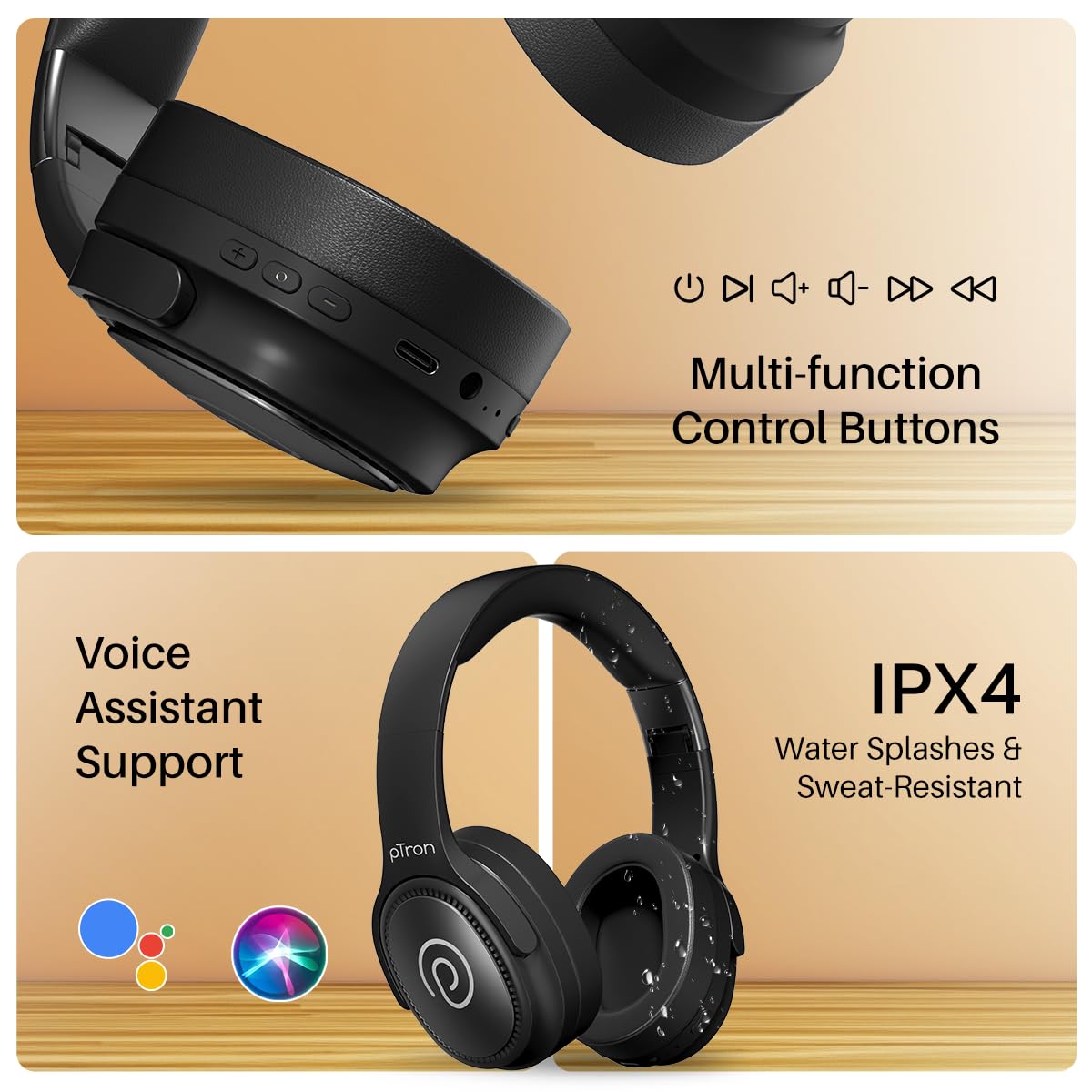
Image: The headphones illustrating support for voice assistants like Google Assistant and Siri, along with their IPX4 water-resistant rating.
Game & Music Modes
- Пребаците режиме: Single press the Mode button to toggle between Low-Latency Gaming Mode and standard Music Mode.
Одржавање
To ensure the longevity and optimal performance of your pTron Studio Pro headphones, follow these maintenance guidelines:
- Чишћење: Користите меку, суву крпу за чишћење слушалица. Не користите абразивна средства за чишћење или раствараче.
- Складиштење: Када се не користе, чувајте слушалице на хладном и сувом месту. Склопиви дизајн омогућава компактно складиштење.
- Изложеност води: While rated IPX4 for water splashes and sweat resistance, avoid submerging the headphones in water or exposing them to heavy rain. Dry them thoroughly if they get wet.
- Пуњење: Use only the provided Type-C cable and a compatible power adapter (DC5V-1A max.) for charging.
- Избегавајте екстремне температуре: Не излажите слушалице екстремно високим или ниским температурама.
Решавање проблема
If you encounter any issues with your pTron Studio Pro headphones, refer to the following common troubleshooting steps:
| Проблем | Решење |
|---|---|
| Слушалице се не укључују. | Уверите се да су слушалице потпуно напуњене. Прикључите их на извор напајања и проверите индикатор пуњења. |
| Упаривање са уређајем није могуће. | Make sure Bluetooth is enabled on your device and the headphones are in pairing mode (LED flashing red/blue). Move closer to the device. Forget previous pairings on your device and try again. |
| Нема звука или је јачина звука ниска. | Check the volume levels on both the headphones and your connected device. Ensure the headphones are correctly paired. If using Aux-in, ensure the cable is fully inserted. |
| Квалитет позива је лош. | Ensure the microphone is not obstructed. Move to an area with less environmental noise. Check your device's network signal. |
| Слушалице се често искључују. | Ensure there are no obstacles between the headphones and your device. Keep within the Bluetooth range (10 meters). Avoid strong electromagnetic interference. |
Спецификације
| Феатуре | Детаљ |
|---|---|
| Бранд | пТрон |
| Назив модела | Студио |
| Постављање уха | Преко уха |
| Блуетоотх верзија | 5.4 |
| Блуетоотх домет | 10 метара |
| Величина аудио драјвера | 40 милиметара |
| Импеданса | 32 Охмс |
| Просечан век трајања батерије | 65 сата |
| Време пуњења батерије | 2.5 сата |
| Порт за пуњење | Типе-Ц |
| Ниво отпорности на воду | ИПКС4 (отпоран на воду) |
| Микрофон | Built-in HD Mic with AI-ENC |
| Прикључак за слушалице | 3.5 мм прикључак |
| Тип контроле | Call Control, Push Button |
| Карактеристике производа | Fast Charging, Foldable, Microphone Included, Noise Isolation, Surround Sound |
| Тежина артикла | 200 грама |
| Материјал | акрилонитрил бутадиен стирен (АБС) |
| Компатибилни уређаји | Мобилни телефони, десктоп рачунари, лаптопови, таблети |
Гаранција и подршка
Your pTron Studio Pro headphones come with a manufacturer's warranty and dedicated customer support.
- гаранција: 6 Months Manufacturer Warranty from the Date of Purchase on Manufacturing Defects Only.
- Контакт произвођача: Building A1, Red Box Creative Park, No. 3 Huancheng South Road, Bantian Street, Longgang District, Shenzhen City, China 518116.
- Customer Care Contact Details: КСНУМКС-КСНУМКС / Support@ptron.in
- Контакт увозника: PALRED ELECTRONICS PVT. LTD., SY.NO. 56, 1ST FLOOR, GUNDLAPOCHAMPALLY VILLAGE, TECH PARK MTP, TSIIC-IALA NACHARAM, HYDERABAD - 500076, TELANGANA, INDIA.