
1. Увод
This manual provides detailed instructions for the installation, operation, and maintenance of your CP PLUS EZ-P34Q 3MP Smart Wi-Fi CCTV Camera. Please read this manual thoroughly before using the product to ensure proper functionality and safety. Keep this manual for future reference.
2. Производ је готовview
The CP PLUS EZ-P34Q is a 3MP Smart Wi-Fi CCTV Camera designed for indoor home surveillance. It features 360° pan and 60° tilt capabilities, providing comprehensive coverage. The camera supports 2K clarity video recording with H.265 compression, ensuring clear footage and efficient storage. Advanced features include motion detection, human body detection, motion tracking, sound alerts, dual-vision night mode, two-way communication, and cloud recording options. It is equipped with CTC Cyber Secure Tech for data privacy.

Figure 2.1: CP PLUS EZ-P34Q Camera with highlighted features.
3. Шта је у кутији
Проверите да ли су све следеће ставке укључене у ваш пакет:
- CP PLUS EZ-P34Q Camera Unit
- Повер Адаптер
- Кабл за пуњење (УСБ Типе-Ц)
- Упутство за употребу
- Монтажни завртњи
4. Подешавање
4.1 Физичка инсталација
The camera is designed for indoor use and tabletop mounting. Ensure the camera is placed on a stable, flat surface with a clear view of the area you wish to monitor. For wall or ceiling mounting, use the provided mounting screws and follow the instructions in the separate mounting guide (if applicable).
- Choose a suitable indoor location for the camera.
- Connect the charging cable to the camera's USB Type-C port and the power adapter.
- Plug the power adapter into a standard electrical outlet. The camera will power on and initiate its startup sequence.
4.2 Инсталација и упаривање апликације
To operate the camera and access its features, you need to download and install the compatible mobile application on your smartphone.
- Download the official CP PLUS mobile application from your device's app store (e.g., Google Play Store or Apple App Store).
- Региструјте се за нови налог или се пријавите ако га већ имате.
- Follow the in-app instructions to add your new EZ-P34Q camera. This typically involves scanning a QR code on the camera or manually entering its device ID.
- Connect the camera to your Wi-Fi network as prompted by the application. Ensure your Wi-Fi network is 2.4GHz for optimal compatibility.
- Once successfully paired, you can view the live feed and configure camera settings through the app.
5. Операција
5.1 Контрола панорамирања и нагиба
The camera offers a 360° horizontal pan and 60° vertical tilt range, allowing you to adjust the viewing angle remotely via the mobile application.
- Отворите уживо view у мобилној апликацији.
- Use the directional controls (usually an on-screen joystick or arrows) to move the camera lens horizontally (pan) and vertically (tilt).

Figure 5.1: Illustrates the 360° pan and tilt capability for comprehensive coverage.
5.2 Smart Detection Suite
The camera is equipped with advanced detection features to enhance security and reduce false alarms.
- Детекција покрета: Камера детектује кретање у свом пољу view.
- Human Body Detection: Specifically identifies human shapes, minimizing alerts from pets or inanimate objects.
- Праћење кретања: When motion is detected, the camera can automatically track the moving object.
- Звучна упозорења: The camera can detect unusual sounds and send notifications.
- Активно одвраћање: Features a built-in siren and warm LED flash light that can be activated automatically upon detection of unexpected motion to deter intruders.
Configure these settings in the mobile application's detection settings menu to receive instant notifications on your smartphone.

Figure 5.2: Motion tracking feature in action, following movement.
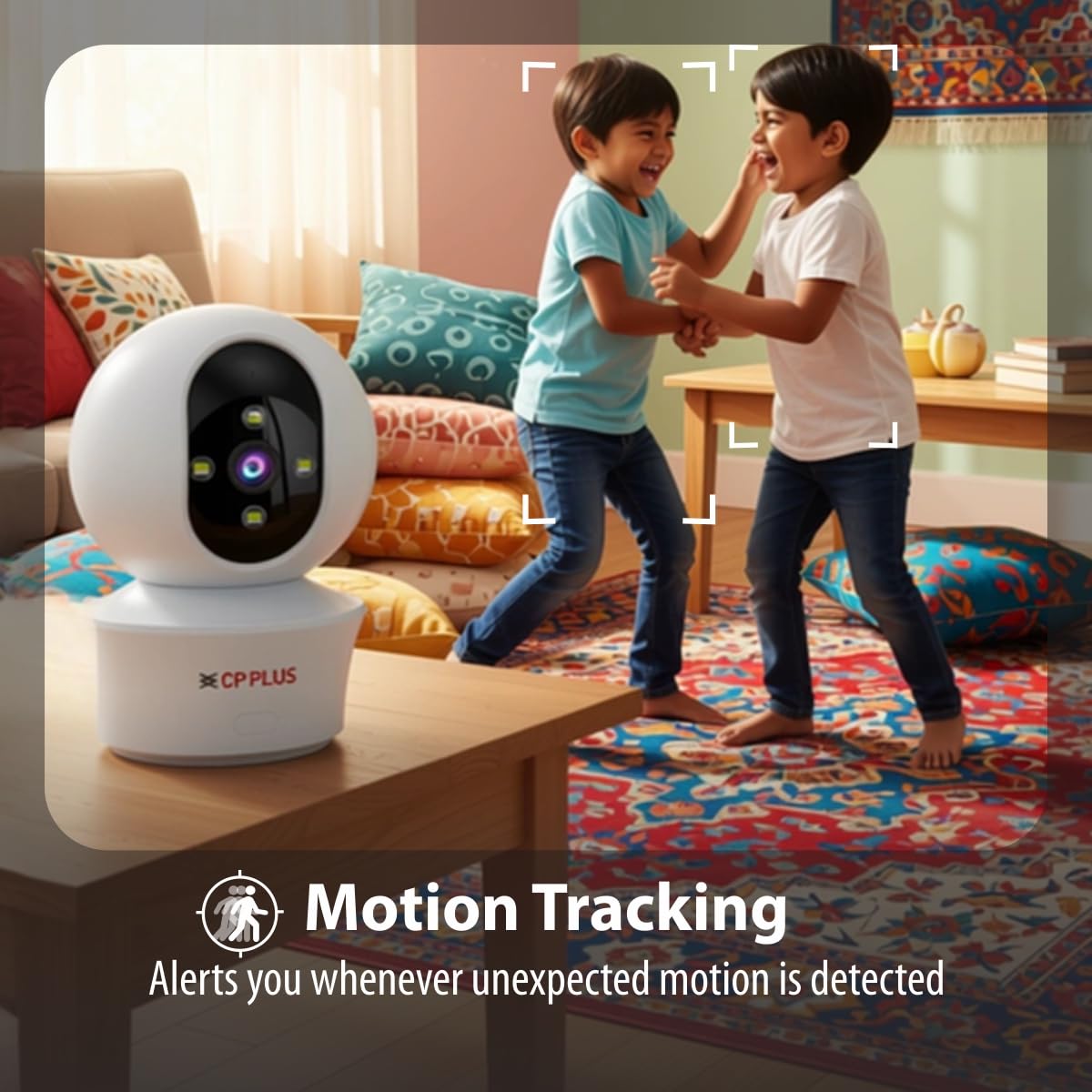
Figure 5.3: Human body detection providing real-time alerts.

Figure 5.4: Active deterrence using siren and LED flash light.
5.3 Ноћни вид
The camera offers dual-vision night mode for clear surveillance in low-light conditions.
- Инфрацрвени (ИЦ) ноћни вид: Provides clear black and white footage up to 20-30 meters in complete darkness.
- White LED Color Night Vision: Utilizes built-in white LEDs to deliver full-color video up to 15-20 meters at night, also serving as a deterrent.
You can switch between these modes or set them to activate automatically based on ambient light conditions through the app.

Figure 5.5: Full-color night vision capturing details in low light.
5.4 Двосмерна комуникација
The built-in microphone and speaker allow for two-way audio communication.
- Од уживо view in the mobile app, tap the microphone icon to speak through the camera's speaker.
- The camera's microphone will pick up audio from the monitored area, which you can hear through your smartphone.
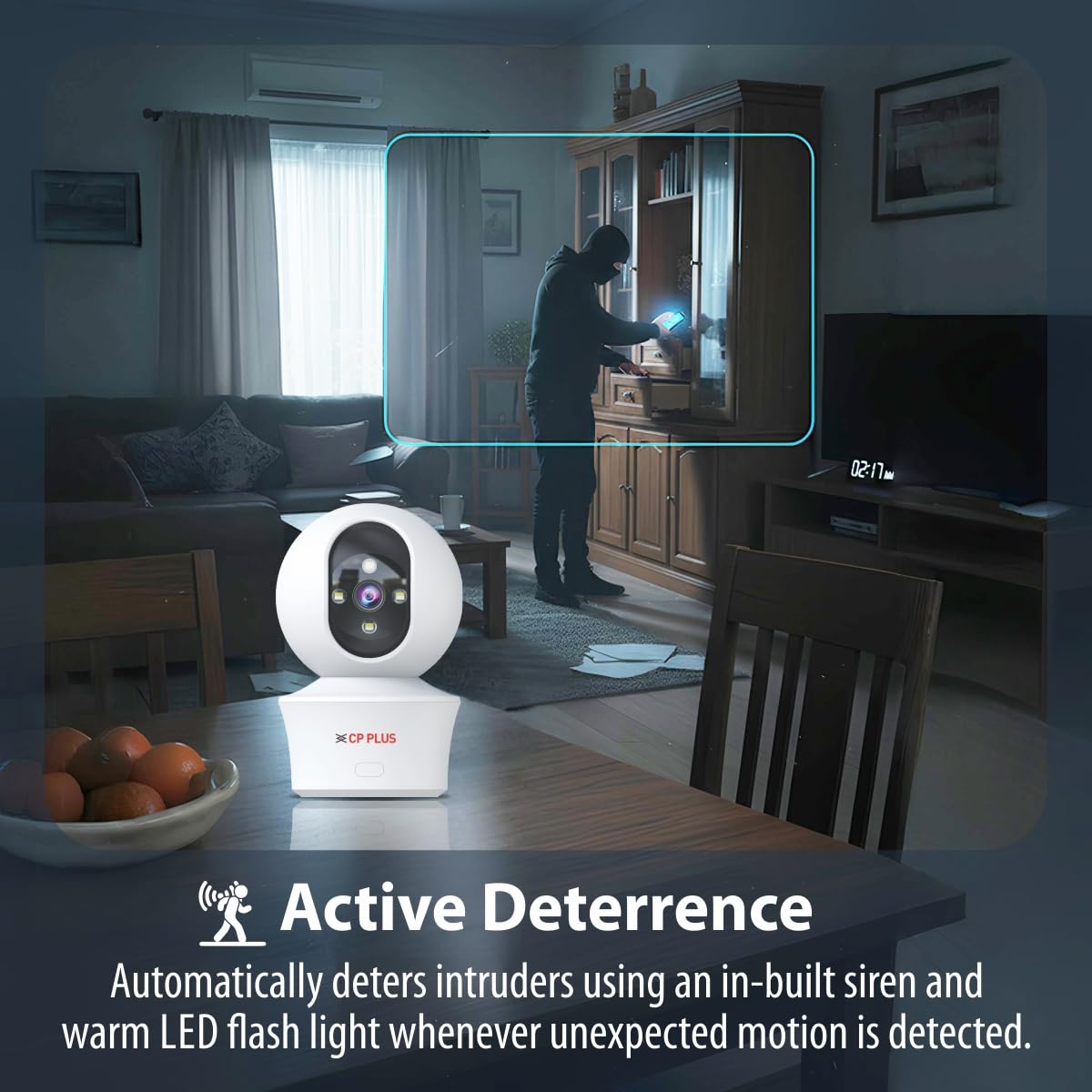
Figure 5.6: Two-way communication feature for interacting with the monitored area.
5.5 Снимање и складиштење видеа
The camera supports both local and cloud storage options for your video recordings.
- Складиштење МицроСД картице: Insert a MicroSD card (up to 256GB, not included) into the designated slot on the camera for local storage. Recordings will be saved directly to the card.
- Снимање у облаку: The camera supports cloud recording services (subscription may be required). Refer to the mobile application for details on activating and managing cloud storage.
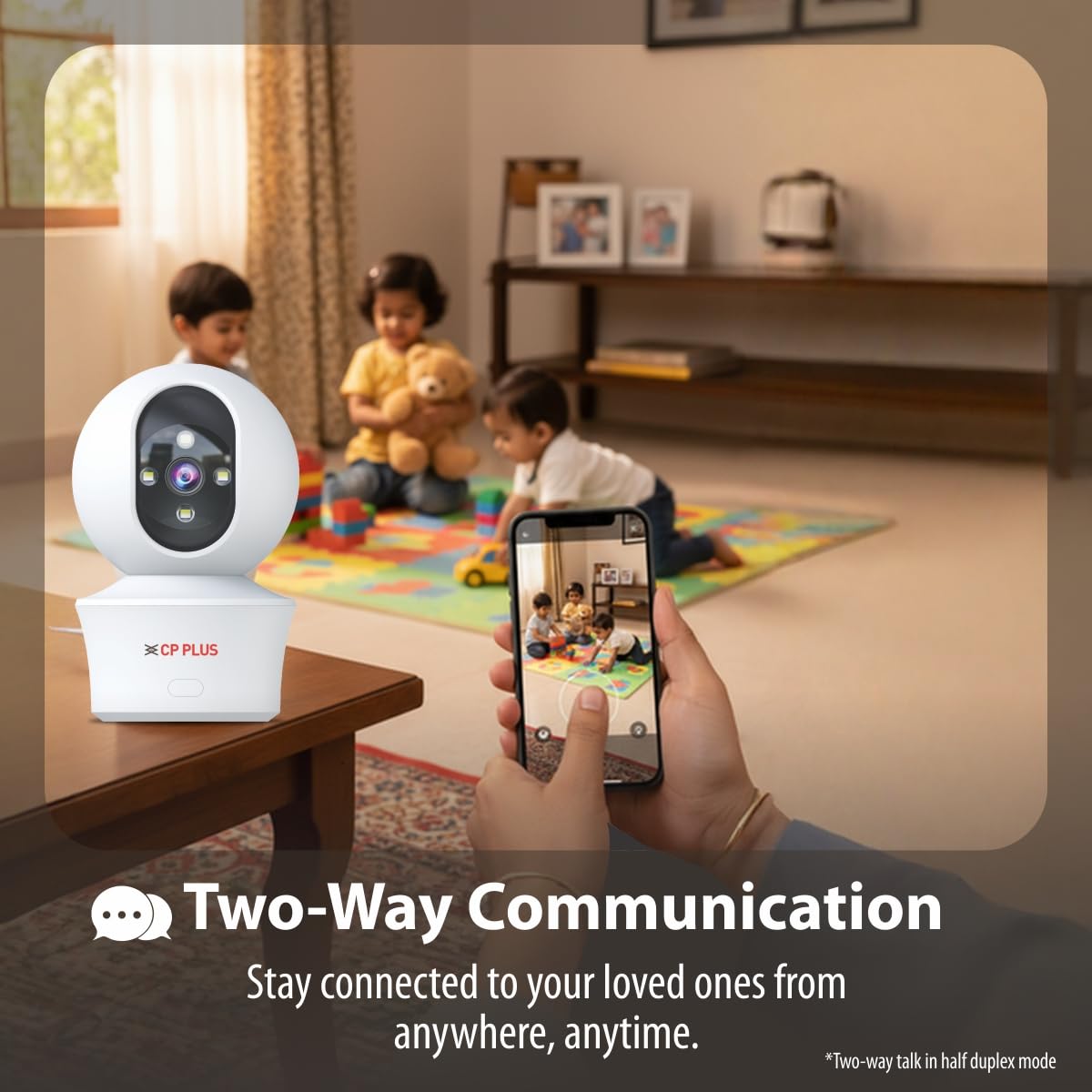
Figure 5.7: Cloud recording feature for remote access to footage.
5.6 CTC Cyber Secure Tech
Your CP PLUS camera incorporates CTC Cyber Secure Tech to ensure your video data remains encrypted, private, and protected from cyber threats.
6. Спецификације
| Феатуре | Спецификација |
|---|---|
| Број модела | EZ-P34Q |
| Резолуција | 3MP (2304x1296) |
| Видео Цомпрессион | Х.265 |
| Пан Ранге | 360° |
| Тилт Ранге | 60° |
| ИР опсег ноћног вида | 20-30 метара |
| White LED Night Vision Range | 15-20 meters (Full Color) |
| Фраме Рате | 20 кадрова у секунди |
| Складиштење | MicroSD card (up to 256GB), Cloud Storage |
| Повезивање | Ви-Фи (2.4ГХз) |
| Повер Инпут | 5В УСБ Типе-Ц |
| Димензије (ДкШкВ) | 7.7 к 7.7 к 10.9 цм |
| Тежина | 330 грама |
| Унутрашња/спољна употреба | Индоор Онли |
| Посебне карактеристике | 2-Way Audio, Motion Sensor, Night Vision, Human Detection, Auto Tracking, Built-in Siren |
КСНУМКС. Решавање проблема
Ако наиђете на проблеме са камером, погледајте следеће уобичајене проблеме и решења:
- Камера се не повезује на Wi-Fi:
- Уверите се да ваша Wi-Fi мрежа ради на 2.4 GHz.
- Проверите јачину Wi-Fi сигнала на локацији камере.
- Проверите исправност уноса лозинке за Wi-Fi у апликацији.
- Рестартујте свој Wi-Fi рутер и камеру.
- Лош квалитет видеа:
- Проверите брзину ваше интернет конекције.
- Уверите се да је сочиво камере чисто.
- Adjust video resolution settings in the app if your network bandwidth is limited.
- No motion detection alerts:
- Verify motion detection and notification settings are enabled in the app.
- Check the detection sensitivity settings.
- Уверите се да је камера view није ометано.
- Two-way audio not working:
- Check microphone and speaker permissions for the app on your phone.
- Ensure volume levels are adjusted correctly in the app and on your phone.
8. Безбедносне информације
- This camera is designed for само за унутрашњу употребу. Do not expose it to water, moisture, or extreme temperatures.
- Use only the provided power adapter and charging cable. Using unauthorized accessories may damage the product and void the warranty.
- Држите камеру и њену додатну опрему ван домашаја деце.
- Не покушавајте сами да расклапате или поправљате камеру. За помоћ контактирајте корисничку подршку.
- Ensure proper ventilation around the camera to prevent overheating.
9. Видео производа прекоview
Погледајте овај кратки видео за брзи прегледview of the CP PLUS EZ-P34Q camera's features and capabilities.
Video 9.1: A brief introduction to the CP PLUS 3MP Camera features.
10. Гаранција и подршка
For warranty information, technical support, or service inquiries, please refer to the official CP PLUS webсајт или контактирајте њихову корисничку службу. Сачувајте рачун као доказ о куповини.