
Увод
Thank you for choosing the HUANUO Ergonomic Office Chair. This manual provides essential information for the safe assembly, operation, and maintenance of your chair. Please read these instructions carefully before use and retain them for future reference.
Безбедносне информације
- Do not exceed the maximum recommended weight capacity of 136 кг (300 лбс).
- Read and follow all assembly instructions carefully to prevent injuries.
- Уверите се да су сви завртњи и вијци добро затегнути пре употребе столице. Периодично проверавајте и по потреби поново затегните.
- Држите подаље децу и кућне љубимце током склапања.
- Користите столицу на равној површини да бисте спречили превртање.
- Избегавајте стајање на столици или њено коришћење као степенице.
- Не користите столицу ако су неки делови оштећени или недостају. За резервне делове контактирајте корисничку подршку.
Садржај пакета
Before assembly, verify that all components are present and undamaged. Refer to the included assembly guide for a detailed list of parts and hardware.
- Backrest with mesh
- Јастук за седиште
- Наслон за главу
- Наслони за руке (2)
- Цилиндар за подизање гаса
- База са точковима
- Mechanism plate
- Assembly hardware and tools
Подешавање и монтажа
Assembly is required for this chair. For detailed, step-by-step instructions, please refer to the separate assembly manual included in your package. Ensure you have adequate space and follow the instructions carefully to ensure proper and safe assembly.
Кораци генералне скупштине:
- Attach the wheels to the chair base.
- Уметните цилиндар за подизање гаса у средину базе.
- Attach the mechanism plate to the underside of the seat cushion.
- Connect the backrest to the seat cushion.
- Attach the armrests to the seat and backrest.
- Монтирајте склопљено седиште и наслон на цилиндар за подизање гаса.
- Install the headrest onto the backrest.
Рад и подешавања
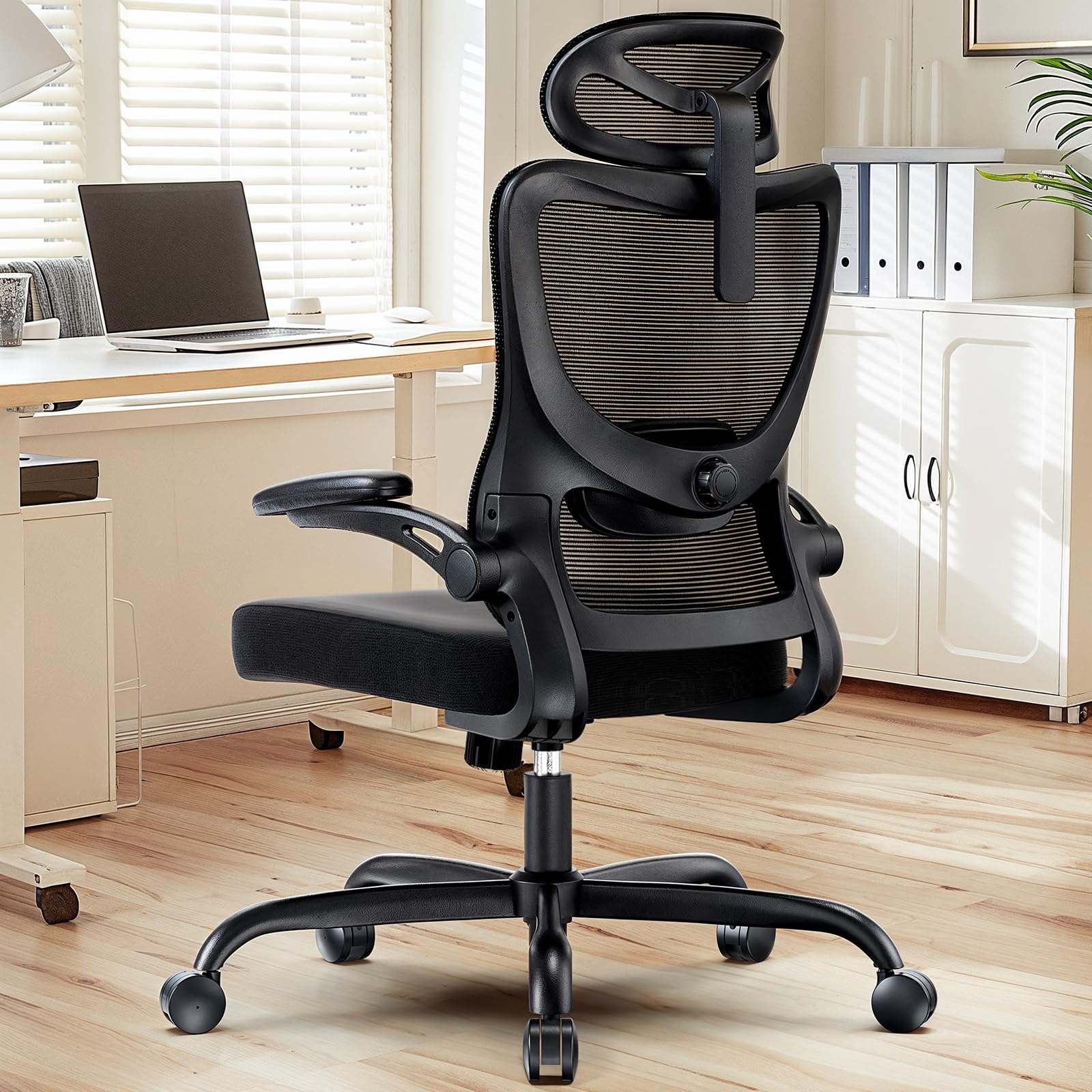
The HUANUO Ergonomic Office Chair offers multiple adjustment options to customize your seating experience for optimal comfort and support.

слика: Готовоview of the chair's adjustable components, highlighting the 2D headrest, 2D lumbar support, and 3D armrests.
1. Подешавање наслона за главу
The 2D adjustable headrest allows you to position it for optimal neck and head support.
- Подешавање висине: Grasp the headrest and slide it up or down to your desired height. It offers approximately 10.1 inches of vertical adjustment.
- Подешавање угла: Tilt the headrest forward or backward to find the most comfortable angle for your head and neck.

слика: Visual guide for adjusting the 2D headrest, demonstrating its range of motion.
2. Backrest Recline and Tilt
The backrest can recline and tilt to suit various working or resting postures.
- Угао нагиба: The backrest can be reclined between 90° and 120°. Use the lever located on the right side under the seat to adjust and lock the recline angle.
- Напон нагиба: Adjust the round knob under the seat to increase or decrease the tension required to recline the backrest. Turn clockwise to increase tension, counter-clockwise to decrease.

слика: Instructions for adjusting backrest recline and tilt, including the tilt tension knob and lock lever.
3. Подешавање лумбалне подршке
The flexible lumbar support system adapts to your body shape, promoting optimal posture.
- Подешавање дубине: The lumbar support can move 3 cm (1.2 inches) forward and backward. Use the knob on the side of the lumbar support to adjust its depth.
- Подешавање висине: The lumbar support can move 5.5 cm (2.2 inches) up and down. Grasp the lumbar support and slide it vertically to align with the natural curve of your lower back.

слика: Детаљно view of the flexible 2D lumbar support, illustrating how to adjust its depth and height.
4. Armrest Adjustments
The 3D armrests provide versatile support for your arms and can be folded away for convenience.
- Подешавање висине: Press the button on the side of the armrest and slide it up or down. It offers approximately 10.1 inches of vertical adjustment.
- Подешавање дубине: Slide the armrest pad forward or backward by up to 5 cm (1.96 inches).
- Подешавање окретања: Rotate the armrest pad left or right by up to 15°.
- Функција преклапања: The armrests can be folded up 90° to allow the chair to slide closer to a desk or for more freedom of movement.

слика: Visual guide for adjusting the 3D armrests, demonstrating flip-up, depth, and swivel functions.

слика: The armrests folded up 90 degrees, illustrating how they can be moved out of the way.
5. Подешавање висине седишта
Adjust the seat height to ensure your feet are flat on the floor and your knees are at a 90-degree angle.
- Raise Seat: While seated, pull the lever on the left side of the seat upwards. The seat will rise. Release the lever at the desired height.
- Lower Seat: While seated, pull the lever on the left side of the seat upwards and apply weight to the seat. The seat will lower. Release the lever at the desired height.

слика: Detail of the seat cushion, showing its 3.14-inch thickness for comfort and support.
Одржавање
Regular maintenance will help prolong the life and appearance of your HUANUO office chair.
- Чишћење: Обришите столицу меком, дamp cloth. For mesh areas, use a mild soap solution if necessary, and allow to air dry. Avoid harsh chemicals or abrasive cleaners.
- инспекција: Periodically check all bolts and screws to ensure they are tight. Re-tighten as needed to maintain stability and safety.
- Котачићи: Clean casters regularly to remove dust and debris that may hinder smooth movement.
Решавање проблема
Ако наиђете на било какве проблеме са столицом, погледајте следећа уобичајена решења:
- Столица се клима: Check all assembly bolts and screws. Ensure they are fully tightened. Verify the chair is on a flat, even surface.
- Gas lift not working: Ensure the height adjustment lever is fully engaged or disengaged. If the issue persists, the gas lift cylinder may need replacement. Contact customer support.
- Точкови се не котрљају глатко: Clean any hair or debris from the caster wheels. Lubricate with a silicone-based spray if necessary.
- Backrest does not recline/lock: Check the recline lock lever and tilt tension knob. Ensure they are correctly positioned.
Спецификације
слика: Detailed product dimensions and maximum load capacity.
| Феатуре | Детаљ |
|---|---|
| Број модела | MSOC10B-US |
| Бранд | ХУАНУО |
| Боја | Црно |
| Материјал | Metal and Plastic (Frame), Foam (Seat), Mesh (Backrest) |
| Максимални капацитет оптерећења | 136 кг (300 лбс) |
| Headrest Width | 13.2 инча |
| Подешавање висине наслона за главу | 10.1 инча |
| Висина наслона | 24.1 инча |
| Сеат Видтх | 20.1 инча |
| Дубина седишта | 20.1 инча |
| Дебљина седишта | 3.14 инча |
| Seat Height Adjustment Range | 14.5 инча до 18.5 инча |
| Подешавање наслона за руке | 3D (Height, Depth, Swivel), 90° Flip-up |
| Подешавање лумбалне подршке | 2D (Height, Depth) |
| Наслон за леђа | 90° до 120° |
| Обавезна монтажа | Да |
| УПЦ | 840478843729 |
Гаранција и подршка
For warranty information, technical support, or to order replacement parts, please refer to the warranty card included with your product or visit the official HUANUO website. Please have your model number (MSOC10B-US) and purchase date available when contacting support.


