
1. Увод
This manual provides detailed instructions for the FULODE X1-16C 16-Channel Audio Mixer. Please read this manual thoroughly before operating the device to ensure proper usage and to maximize its performance and longevity. This professional audio console is designed for various applications including studio recording, live performances, DJ events, and karaoke.

2. Безбедносне информације
To prevent electric shock, fire, or damage to the device, please observe the following safety precautions:
- Не отварајте уређај цasinг. Сва сервисирања препустите квалификованом особљу.
- Уверите се да је напајање волtagе одговара захтевима наведеним на уређају.
- Keep the device away from water, moisture, and excessive heat.
- Do not operate the device if the power cord is damaged or frayed.
- Увек искључите напајање пре чишћења или обављања одржавања.
- Користите само додатке/прибор које је навео произвођач.
3. Садржај пакета
Проверите да ли су све ставке присутне у пакету:
- FULODE X1-16C 16-Channel Audio Mixer
- Power Adapter (AC 90-240V, 50-60Hz)
- Упутство за употребу
4. Производ је готовview: Контроле и везе
The FULODE X1-16C mixer features a comprehensive layout for intuitive control over your audio. Familiarize yourself with the various inputs, outputs, and control elements.

4.1 Контроле на предњој плочи
- Composite Interface: Combination XLR/TRS input for microphones and line-level signals.
- Фантомски прекидач: Activates +48V phantom power for condenser microphones.
- Подешавање појачања: Controls the input sensitivity of each channel.
- Treble/Midrange/Bass Adjustment (3-Band EQ): Equalization controls for high, mid, and low frequencies on each channel.
- AUX Adjustment: Controls the auxiliary send level for external effects or monitor mixes.
- Adjustment of Effect: Controls the amount of internal DSP effect applied to the channel.
- Pan Balance: Подешава стерео позицију сигнала канала.
- Channel Mute Switch: Mutes or unmutes the individual channel.
- Channel Volume Pusher: Fader to control the output level of each channel.
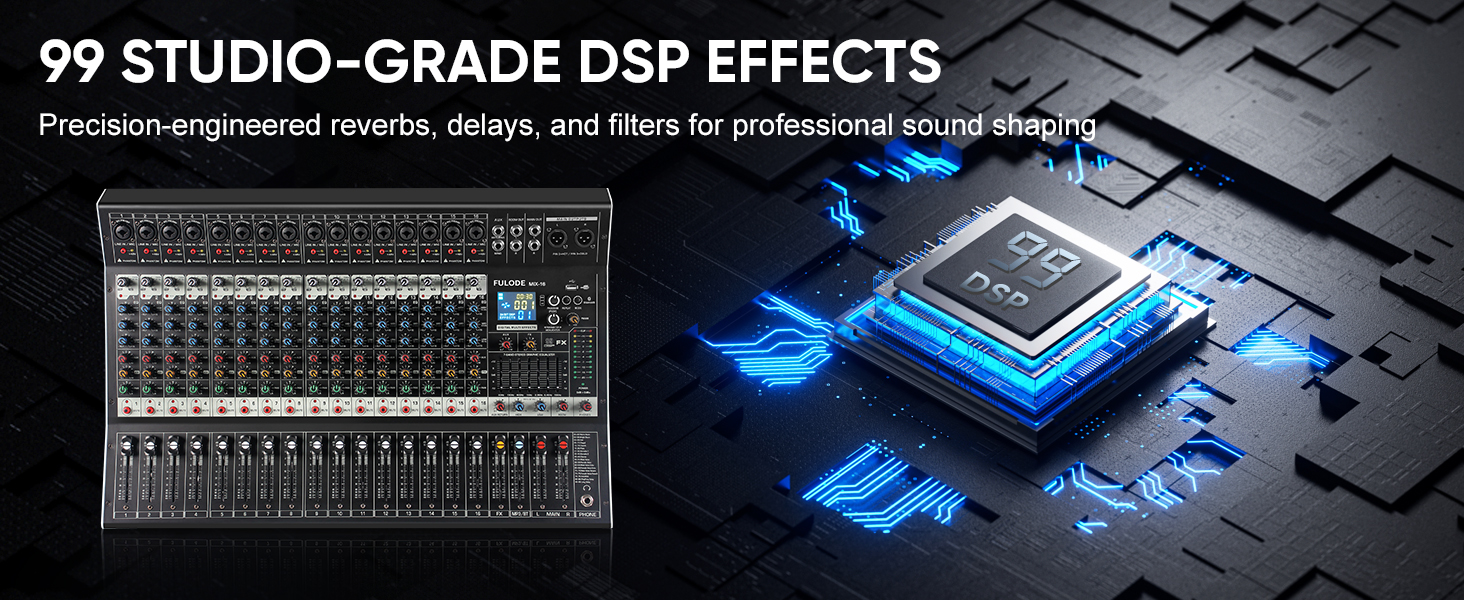
- Reverberation Effect Selection: Knob to select from 99 built-in DSP effects.
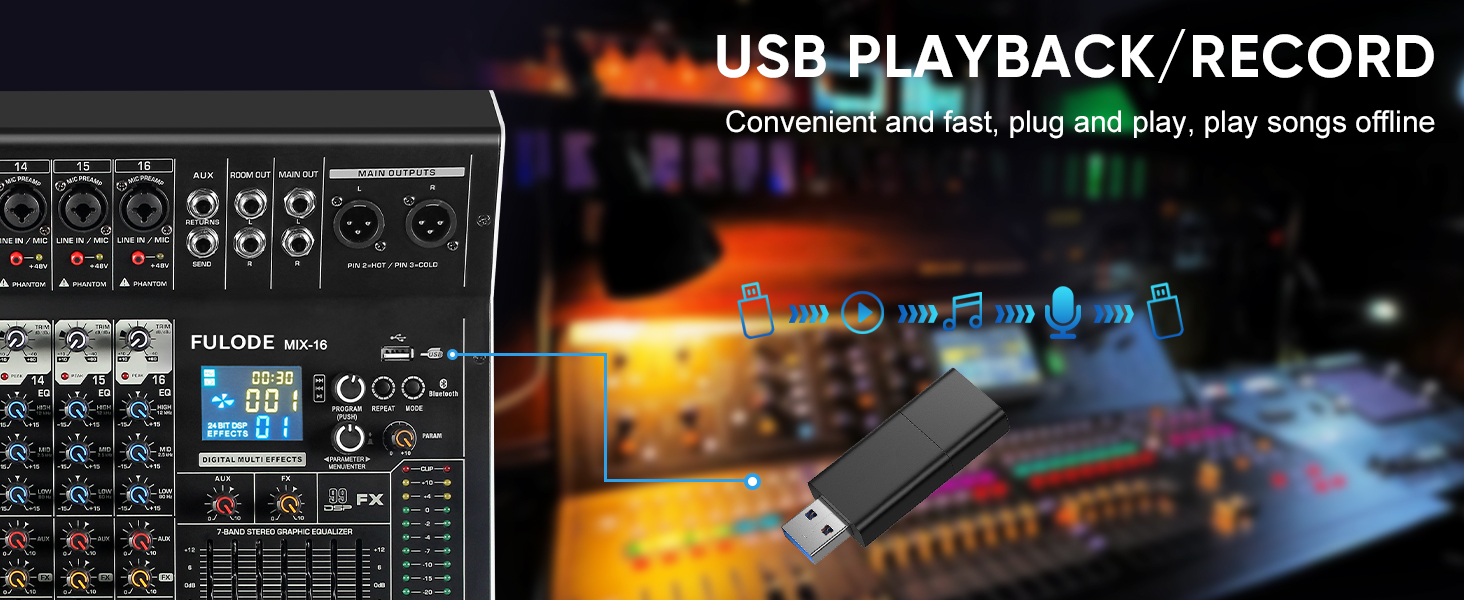
- USB/MP3 Playback: Section for USB drive and Bluetooth audio input, with transport controls and digital display.
- Светло индикатора нивоа: Visual display of output levels.
- Main Channel Seven Segment Balance: Graphic equalizer for the main stereo output.
- Monitor Volume Adjustment: Контролише јачину звука на излазу за слушалице.
- Effect Main Volume Adjustment: Controls the overall level of the selected DSP effect.
- Left/Right Main Volume Adjustment: Faders for the main stereo output.
- Earphone Monitoring Interface: 1/4" jack for headphone monitoring.
- MP3 Main Volume Adjustment: Controls the output level of the USB/MP3/Bluetooth section.
4.2 Прикључци задње плоче
- Прекидач: Укључује или искључује миксер.
- Интерфејс напајања: Повезује се са приложеним адаптером за напајање.
5. Подешавање
Follow these steps for initial setup of your FULODE X1-16C Audio Mixer.
5.1 Прикључак за напајање
- Уверите се да је прекидач за напајање миксера у положају ИСКЉУЧЕНО.
- Connect the power adapter to the Power Interface on the rear panel of the mixer.
- Plug the power adapter into a suitable AC power outlet (110V).
- Turn the mixer's power switch to the ON position. The digital display should illuminate.
5.2 Повезивање микрофона и инструмената
- For microphones or line-level instruments, connect them to the Composite Interface (XLR or 1/4" TRS) on the desired channel.
- If using a condenser microphone, press the Пхантом Свитцх (+48V) for that specific channel. An indicator light will confirm activation.
- Подесите Подешавање појачања knob for each input channel to achieve an optimal signal level without clipping.

5.3 Повезивање излазних уређаја
- Connect your main speakers or ampдизалица до Main Output Interface (XLR or 1/4" TRS) on the top right of the mixer.
- For monitoring, connect headphones to the Earphone Monitoring Interface.
6. Упутство за употребу
6.1 Контрола канала
- Добитак: Adjust the input gain for each channel to prevent clipping (indicated by the PEAK LED) and ensure a strong signal.
- 3-појасни ЕК: Use the HI, MID, and LOW knobs to shape the tone of each input.
- АУКС: Control the amount of signal sent to the auxiliary output for external effects or monitor mixes.
- ФКС: Adjust the level of the internal DSP effect applied to the channel.
- ПАН: Position the channel's signal in the stereo field (left to right).
- Искључи звук: Press the MUTE button to instantly silence a channel.
- Фадер канала: Use the fader to control the overall volume of the channel in the main mix.
6.2 DSP ефекти
The mixer includes 99 built-in 24-bit DSP effects for enhancing your sound.
- Користите Reverberation Effect Selection knob to browse through the 99 available effects (e.g., Warm Room, Bright Room, Hall, Plate, Chorus, Delay). The digital display will show the selected effect number.
- Притисните дугме да потврдите свој избор.
- Подесите Effect Main Volume Adjustment to control the overall wet/dry mix of the effects.
- Use the individual channel's FX knob to send more or less of that channel's signal to the effects processor.

6.3 USB/MP3/Bluetooth Playback
The mixer supports audio playback from USB drives and Bluetooth-enabled devices.
- УСБ репродукција: Убаците УСБ диск који садржи МП3 files into the USB port. Use the transport controls (Play/Pause, Skip) and the MP3 Main Volume Adjustment да контролишете репродукцију.
- Блуетоотх веза: Press the MODE button on the USB/MP3 section until 'BT' appears on the digital display. On your smart device, search for 'MIX-BT' (or similar) and pair. Once connected, you can stream audio wirelessly to the mixer.

6.4 Главни излаз и праћење
- Користите Left/Right Main Volume Adjustment faders to control the overall output level of the mix.
- Тхе Светло индикатора нивоа provides visual feedback on the main output levels. Adjust faders to keep levels within the optimal range (avoiding red/clipping).
- Тхе Main Channel Seven Segment Balance (graphic EQ) allows for fine-tuning the overall frequency response of your main mix.
- Подесите Monitor Volume Adjustment for comfortable listening through headphones.

6.5 Official Product Video Demonstration
Watch this video for a visual demonstration of the FULODE mixer's features and operation. Note: The video features a MIX-12 model, which shares many similar functionalities with the X1-16C.
7. Одржавање
Правилно одржавање осигурава дуготрајност и оптималне перформансе вашег миксера.
- Чишћење: Use a soft, dry cloth to wipe the surface of the mixer. Do not use liquid cleaners or solvents, as they may damage the finish or internal components.
- Складиштење: Store the mixer in a cool, dry place away from direct sunlight and extreme temperatures. If storing for extended periods, cover the unit to protect it from dust.
- вентилација: Ensure proper ventilation around the mixer to prevent overheating. Do not block ventilation openings.
КСНУМКС. Решавање проблема
If you encounter issues with your FULODE X1-16C mixer, refer to the following common problems and solutions:
| Проблем | Могући узрок | Решење |
|---|---|---|
| Нема струје | Power cable not connected; Power switch off; Faulty power adapter/outlet | Check power cable connection; Ensure power switch is ON; Try a different power outlet or adapter. |
| Нема звука са канала | Channel muted; Gain too low; Cable issue; Phantom power not activated (for condenser mics) | Check MUTE button; Increase Gain; Verify cable connections; Activate +48V phantom power if needed. |
| No sound from main output | Main faders down; Output cables disconnected; Amplifier/speakers off | Raise Main Volume faders; Check output cable connections; Ensure amplifier/speakers are powered on and connected. |
| Блуетоотх се не повезује | Mixer not in Bluetooth mode; Device too far; Already connected to another device | Press MODE until 'BT' appears; Ensure device is within 33 ft; Disconnect from other devices. |
| Изобличен звук | Gain too high (clipping); EQ settings extreme; Faulty cable/microphone | Reduce Gain (ensure PEAK LED is not constantly lit); Adjust EQ to neutral or moderate settings; Test with different cables/microphones. |
9. Спецификације
Technical specifications for the FULODE X1-16C 16-Channel Audio Mixer:
- Модел: Кс1-16Ц
- Број канала: 16
- ДСП ефекти: 99 built-in 24-bit effects
- Изједначење: 3-band EQ per channel, 7-band graphic EQ on main output
- Фантомска снага: +48V (switchable per channel)
- Повезивање: USB (playback/recording), Bluetooth, XLR, 1/4" TRS
- Извор напајања: Цордед Елецтриц
- Волtage: 110 волти (АЦ)
- Димензије производа: 39.5 цм Д x 48 цм Ш x 10.5 цм В
- Тежина артикла: 18.16 фунте (8.24 кг)
10. Гаранција и подршка
For warranty information and technical support, please refer to the documentation included with your purchase or contact FULODE customer service through their official channels. Keep your proof of purchase for any warranty claims.