
1. Увод
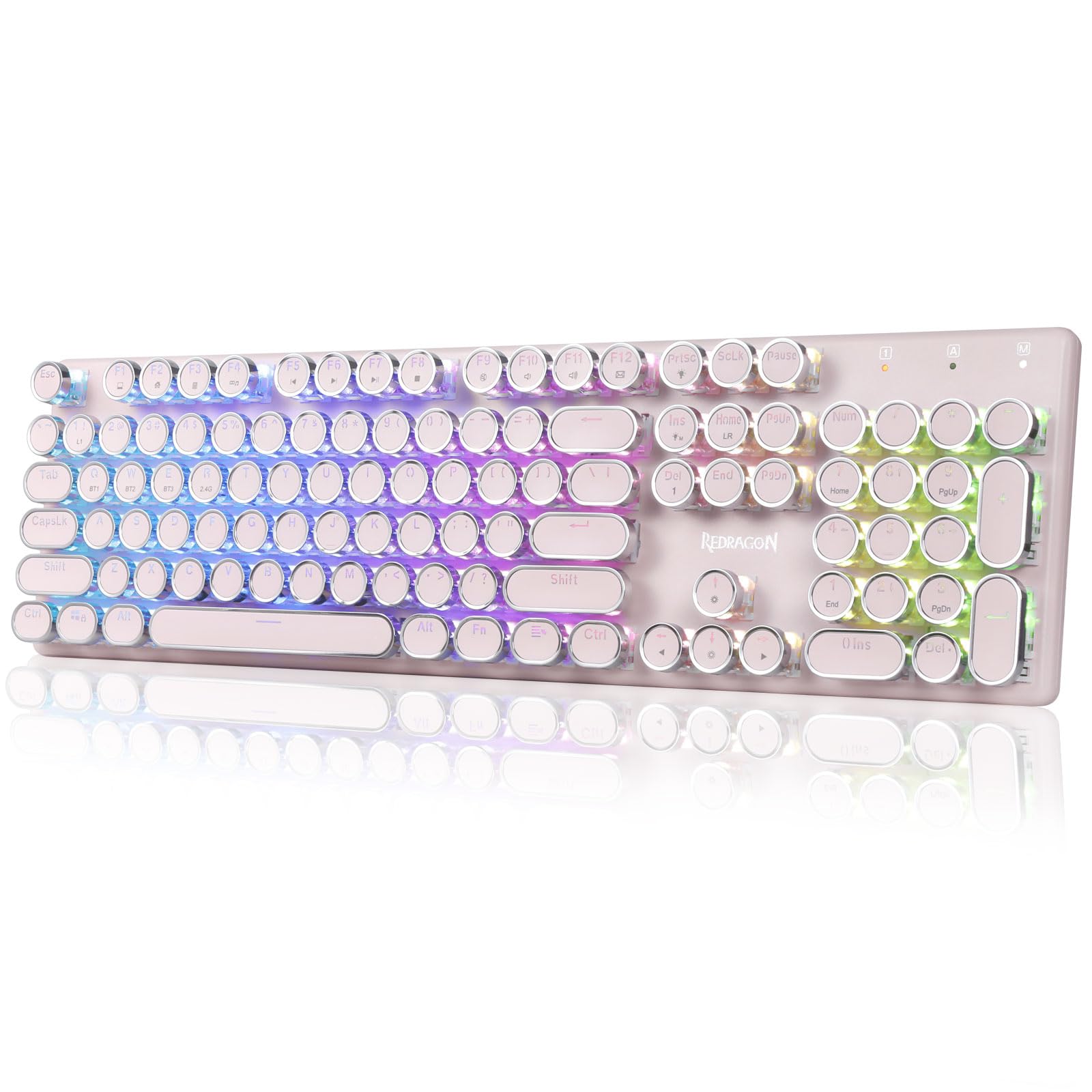
The Redragon K710 is a versatile mechanical gaming keyboard designed for a superior typing and gaming experience. It features a retro typewriter style with round keycaps and offers multiple connectivity options, vibrant RGB backlighting, and durable construction. This manual provides detailed instructions for setup, operation, maintenance, and troubleshooting.

2. Подешавање
2.1 Садржај пакета
Пре него што почнете, уверите се да су све ставке присутне у пакету:
- Бежична механичка гејмерска тастатура Redragon K710
- УСБ-Ц кабл
- 2.4Ghz Wireless Dongle
- Извлачење капица за тастере (ако је укључено)
- Упутство за употребу
2.2 Почетно пуњење
For optimal performance, fully charge the keyboard before first use. Connect the provided USB-C cable to the keyboard's port and to a USB power source (e.g., computer, wall adapter). The LED indicator will show charging status.
2.3 Режими повезивања
The Redragon K710 supports three connection modes: 2.4Ghz Wireless, Bluetooth 3.0/5.0, and USB-C Wired.


2.3.1 Бежични режим од 2.4 GHz
- Locate the 2.4Ghz wireless dongle, usually stored in a compartment on the back of the keyboard.
- Укључите кључ у слободан УСБ порт на рачунару.
- Switch the mode selector on the back of the keyboard to "2.4G".
- Притисните и држите ФН + Р on the keyboard to enter 2.4G pairing mode. The indicator light will flash.
- Тастатура би требало да се аутоматски повеже.
2.3.2 Блуетоотх режим
- Switch the mode selector on the back of the keyboard to "BT".
- Притисните и држите ФН + К, ФН + В, или ФН + Е for 3 seconds to select a Bluetooth channel (BT1, BT2, or BT3). The indicator light for the selected channel will flash rapidly, indicating pairing mode.
- On your device (PC, laptop, tablet, phone), open Bluetooth settings and search for new devices.
- Изаберите „Redragon K710“ са листе доступних уређаја за упаривање.
- Once connected, the indicator light will stop flashing.
2.3.3 Жични режим USB-C
- Connect the provided USB-C cable to the keyboard and to a USB port on your computer.
- Тастатура ће се аутоматски пребацити у жични режим и почети са пуњењем.
3. Упутство за употребу
3.1 RGB контрола позадинског осветљења
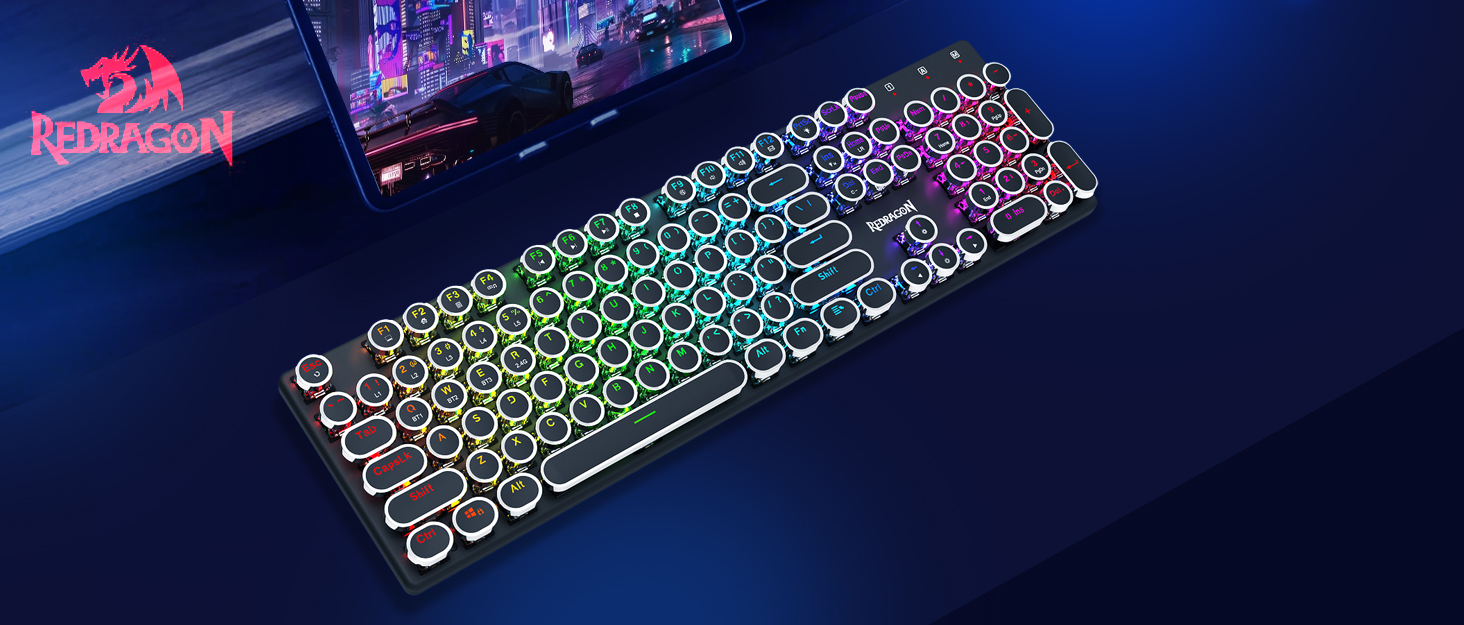
The K710 keyboard features 16.8 million RGB backlighting with various modes and customization options.

- ФН + ИНС: Switch between 16 different RGB lighting modes and effects.
- FN + ↑ / ↓: Adjust backlight brightness (5 levels).
- ФН + ДЕЛ: Cycle through 7 solid colors (Red, Green, Blue, Yellow, Purple, Cyan, White).
- ФН + ПртСц: Toggle backlight on/off.
3.2 Custom Backlighting
You can customize individual key backlighting:
- Притисните ФН + 1 to enter game mode.
- Притисните ФН + Почетна to enter custom recording state.
- Press desired keys continuously to set their color.
- Притисните ФН + Почетна again to save the custom lighting.
3.3 Мултимедијалне пречице
Access various functions using FN key combinations:

- ФН + Ф1: Мој рачунар
- ФН + Ф2: Почетна страница
- ФН + Ф3: Калкулатор
- ФН + Ф4: Плаиер
- ФН + Ф5: Претходна нумера
- ФН + Ф6: Нект Трацк
- ФН + Ф7: Пусти/пауза
- ФН + Ф8: Зауставити
- ФН + Ф9: Муте
- ФН + Ф10: Volume -
- ФН + Ф11: Волуме +
- ФН + Ф12: Mail
- ФН + ВИН: Lock/Unlock Windows Key
- ФН + ЕСЦ (држите 5 с): Повратити фабричка подешавања
3.4 Управљање батеријом
The keyboard is equipped with a durable 4000mAh battery.

- Трајање батерије: Up to 70 hours with RGB lights on, and over 300 hours with lights off.
- Пуњење: A fast charge can provide enough power for a full day's use.
- Проверите ниво батерије: Притисните ФН + Ентер to check the current battery level via the LED indicators.

3.5 Auto Power Saving
To conserve battery, the keyboard's backlight will automatically turn off after 3 minutes of inactivity in wireless mode. Press any key to wake up the keyboard.
3.6 Софтверска подршка
The Redragon K710 is compatible with dedicated software for advanced customization, including macro recording, key remapping, and detailed lighting effects.

To download the driver software, visit the official Redragon webсајт: redragonzone.com/software.html. Navigate to "KEYBOARDS", search for model "K710", and download the appropriate software.
4. Одржавање
4.1 Чишћење
- Искључите тастатуру из свих извора напајања пре чишћења.
- Користите меку, суву крпу да обришете површину тастатуре.
- За прашину и прљавштину између тастера користите компримовани ваздух.
- The included keycap puller can be used to carefully remove keycaps for deeper cleaning of the switches.
4.2 Складиштење
Store the keyboard in a cool, dry place away from direct sunlight and extreme temperatures. Avoid placing heavy objects on the keyboard.
КСНУМКС. Решавање проблема
- Тастатура не реагује: Ensure the keyboard is charged. Check the connection mode (wired, 2.4G, Bluetooth) and ensure it matches your device. Try reconnecting the USB cable or re-pairing the wireless connection.
- Тастери се не региструју или се куцају двапут: Clean under the keycaps. If using wireless, ensure the dongle is securely plugged in or Bluetooth connection is stable. Try updating the keyboard firmware via the Redragon software.
- РГБ светла не раде: Check if the backlight is turned off (FN + PrtSc). Adjust brightness (FN + ↑/↓). If issues persist, perform a factory reset (FN + ESC for 5 seconds).
- Проблеми са Блуетоотх везом: Ensure your device's Bluetooth is enabled. Remove the keyboard from your device's paired list and re-pair it. Try a different Bluetooth channel (FN + Q/W/E).
- Software download link not working: Ensure you are visiting the official Redragon webсајт (redragonzone.com/software.html) and searching for the correct model (K710).
6. Спецификације
| Феатуре | Детаљ |
|---|---|
| Бранд | Редрагон |
| Број модела | K710P-RGB |
| Повезивање | 2.4Ghz Wireless, Bluetooth 3.0/5.0, USB-C Wired |
| Тип тастатуре | Механички |
| Тип прекидача | Blue Switch (Clicky, Tactile) |
| Кеицапс | Round, Electroplated, Double Shot |
| Позадинско осветљење | RGB (16.8 Million Colors, 16+ Modes) |
| Анти-Гхостинг | 104-тастерна анти-гхостинг функција |
| Капацитет батерије | 4000 мАх |
| Материјал | Metal (Panel), Plastic |
| Тежина артикла | 950 грама |
| Компатибилни уређаји | Играчка конзола, лаптоп, рачунар, таблет |


7. Гаранција и подршка
За информације о гаранцији, техничку подршку или додатну помоћ, посетите званичну веб страницу Redragon-а. website or contact their customer service. The latest drivers and software can be found at redragonzone.com/software.html.


