
1. Увод
This manual provides essential information for setting up, operating, maintaining, and troubleshooting your Apple Watch Series 11 GPS + Cellular 42mm. Please read it thoroughly to ensure optimal use of your device.
Шта је у кутији
- Apple Watch Series 11 Case
- Спорт Банд
- 1м магнетни кабл за пуњење
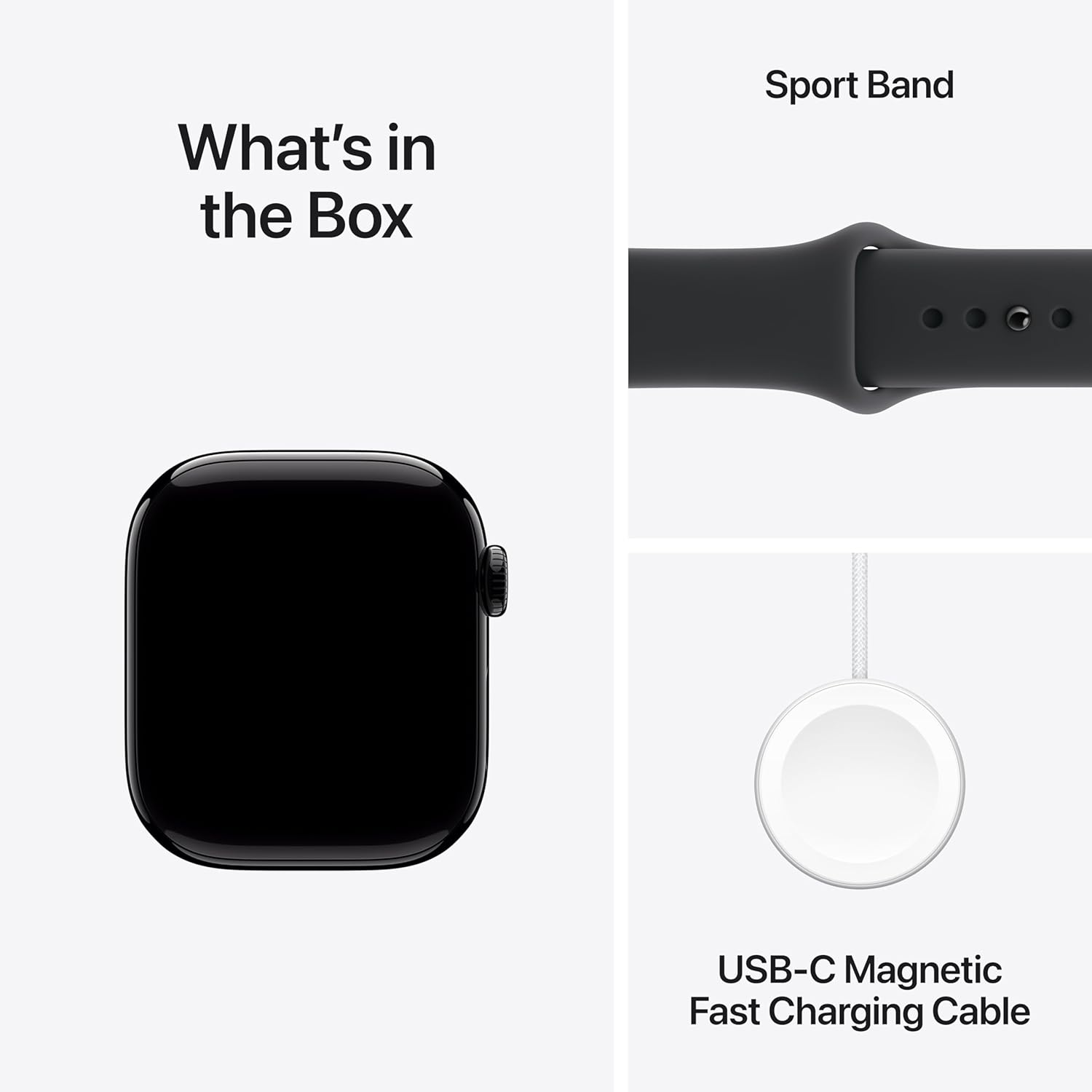
Image: Included components in the Apple Watch Series 11 packaging.
Кључне карактеристике
- Резултат спавања: Track and understand your sleep quality for more restorative rest.
- Напредно праћење здравља: Take an ECG, receive notifications for high/low heart rate and irregular rhythm, view overnight health metrics with the Vitals app, and measure blood oxygen levels.
- Запањујући дизајн: Thin and lightweight, designed for comfortable wear during exercise and sleep.
- Powerful Fitness Partner: Advanced metrics for workouts, including Pacer, Heart Rate Zones, training load, and Workout Buddy powered by Apple Intelligence from your iPhone.
- Продужено трајање батерије: Up to 24 hours of normal use, with fast charging providing up to 8 hours of use in just 15 minutes.
2. Подешавање
Причвршћивање бенда
Align the band with the slots on the Apple Watch case and slide it in until you hear a click. Ensure both ends of the band are securely attached before wearing the watch.
Упаривање са иПхоне-ом
- Ensure your iPhone is updated to the latest iOS version and has Bluetooth enabled.
- Укључите свој Аппле Ватцх притиском и држањем бочног дугмета док се не појави Аппле лого.
- Bring your iPhone near your Apple Watch. A pairing animation will appear on your iPhone. Tap Настави.
- Position your iPhone so the Apple Watch appears in the viewфиндер
- Follow the on-screen instructions on both your iPhone and Apple Watch to complete the pairing process, including setting up cellular service if desired.

Image: Apple Watch display during initial setup or showing key features.
3. Упутство за употребу
Основна навигација
- Дигитална круна: Ротирајте да бисте скроловали, зумирали или подешавали вредности. Притисните једном да бисте прешли на бројчаник сата или листу апликација. Двапут притисните да бисте прелазили између последње две апликације. Притисните и држите за Сири.
- Бочно дугме: Press once to open the Dock (recently used apps). Double-press for Apple Pay. Press and hold for emergency services or to power off.
- Екран на додир: Tap to select, swipe to navigate, force touch for additional options (if available).
Making Calls and Sending Messages (Cellular Model)
With the GPS + Cellular model, you can make and receive calls and send messages directly from your Apple Watch, even when your iPhone is not nearby. Ensure cellular service is activated through your carrier.
- Позиви: Open the Phone app, select a contact, or dial a number.
- Поруке: Open the Messages app, select a contact, and use dictation, Scribble, or pre-written replies.
4. Health and Fitness Features
Your Apple Watch Series 11 is equipped with advanced sensors to monitor your health and track your fitness activities.
Праћење активности
The Activity app tracks your daily movement, exercise, and stand goals. Close your rings to stay motivated.

Image: Tracking daily activity and workouts on Apple Watch.
Праћење здравља срца
- ЕКГ апликација: Урадите електрокардиограм да бисте проверили знаке атријалне фибрилације (AFib).
- Heart Rate Notifications: Receive alerts for unusually high or low heart rates, and irregular heart rhythms.
- Апликација за кисеоник у крви: Мерите засићеност крви кисеоником по потреби.
Sleep Tracking and Vitals App
Monitor your sleep patterns and receive a sleep score. The Vitals app provides overnight health metrics for a comprehensive overview of your well-being.

Image: Meaningful health insights including heart rate and overnight vitals.
5. Повезивање
The Apple Watch Series 11 GPS + Cellular offers robust connectivity options.
GPS and Cellular
Integrated GPS allows for accurate tracking of your location and workouts without your iPhone. Cellular connectivity (requires a compatible plan) enables calls, messages, and data usage independently from your iPhone.

Image: Demonstrating 5G connectivity on the Apple Watch.
Блуетоотх
Connect your Apple Watch to Bluetooth headphones, heart rate monitors, and other accessories.
6. Батерија и пуњење
Пуњење вашег Аппле Ватцх-а
Use the included 1m Magnetic Charging Cable to charge your Apple Watch. Connect the magnetic end to the back of your watch and the USB-C end to a compatible power adapter (sold separately).
- Трајање батерије: Up to 24 hours of normal use.
- Брзо пуњење: Achieve up to 8 hours of normal use with just 15 minutes of charging.
7. Одржавање
Чишћење вашег Apple Watch-а
To clean your Apple Watch, wipe it with a non-abrasive, lint-free cloth. If necessary, lightly dampen the cloth with fresh water. Do not use soaps or other cleaning products.
Отпорност на воду
Apple Watch Series 11 is water resistant. It can be used for shallow-water activities like swimming in a pool or ocean. It should not be used for scuba diving, waterskiing, or other activities involving high-velocity water or submersion below shallow depths.
Ажурирања софтвера
Keep your Apple Watch software updated to the latest version for optimal performance and security. Updates are managed through the Watch app on your paired iPhone.
КСНУМКС. Решавање проблема
Уобичајени проблеми и решења
- Watch not pairing: Ensure Bluetooth is on, both devices are charged, and try restarting both your iPhone and Apple Watch.
- Батерија се брзо празни: Check for background app refresh, reduce screen brightness, or disable unnecessary notifications.
- Apps not responding: Force quit the app by pressing the side button, then the Digital Crown to open the app switcher, swipe left on the app, and tap the 'X' button.
- Сат се не укључује: Place the watch on its charger for at least 30 minutes. If it still doesn't turn on, contact support.
Restarting Your Apple Watch
Press and hold the side button until the power off slider appears. Drag the slider to turn off. To turn it back on, press and hold the side button again until the Apple logo appears.
9. Спецификације
| Феатуре | Детаљ |
|---|---|
| Број модела | MF854HN/A |
| Генеричко име | Аппле Ватцх серија 11 |
| Оперативни систем | WatchOS |
| Капацитет меморије | 64 ГБ |
| Тежина артикла | 29.6 г |
| Капацитет батерије | 0.1 Милиamp Hours (typical usage up to 24 hours) |
| Технологија повезивања | Блутут, мобилни телефон |
| Посебне карактеристике | Activity Tracker, Alarm Clock, Always On Display, Fall Detection, GPS |
| Произвођач | Аппле |
| Земља порекла | Кина |
10. Гаранција и подршка
Гаранција на производ
Your Apple Watch Series 11 is covered by Apple's standard limited warranty. For detailed terms and conditions, please refer to the warranty information provided with your purchase or visit the official Apple webсајту.
AppleCare Service
Размислите о куповиниasing AppleCare for extended coverage and technical support. A 1-Year Protect+ with AppleCare Service is available for purchase.
Корисничка подршка
За додатну помоћ, техничку подршку или упите у вези са услугама, посетите званичну Аппле подршка webсајту или директно контактирајте корисничку подршку компаније Apple.