
1. Производ је готовview
The NICGIGA 16 Port 2.5Gb Ethernet Switch (Model S25-1600) is an unmanaged network switch designed to expand your network capacity with high-speed 2.5 Gigabit Ethernet ports. It features a fanless metal design for quiet operation and efficient heat dissipation, supporting both desktop and 19-inch rack mounting. This plug-and-play device requires no software configuration, making it suitable for home and small office environments requiring enhanced network performance.
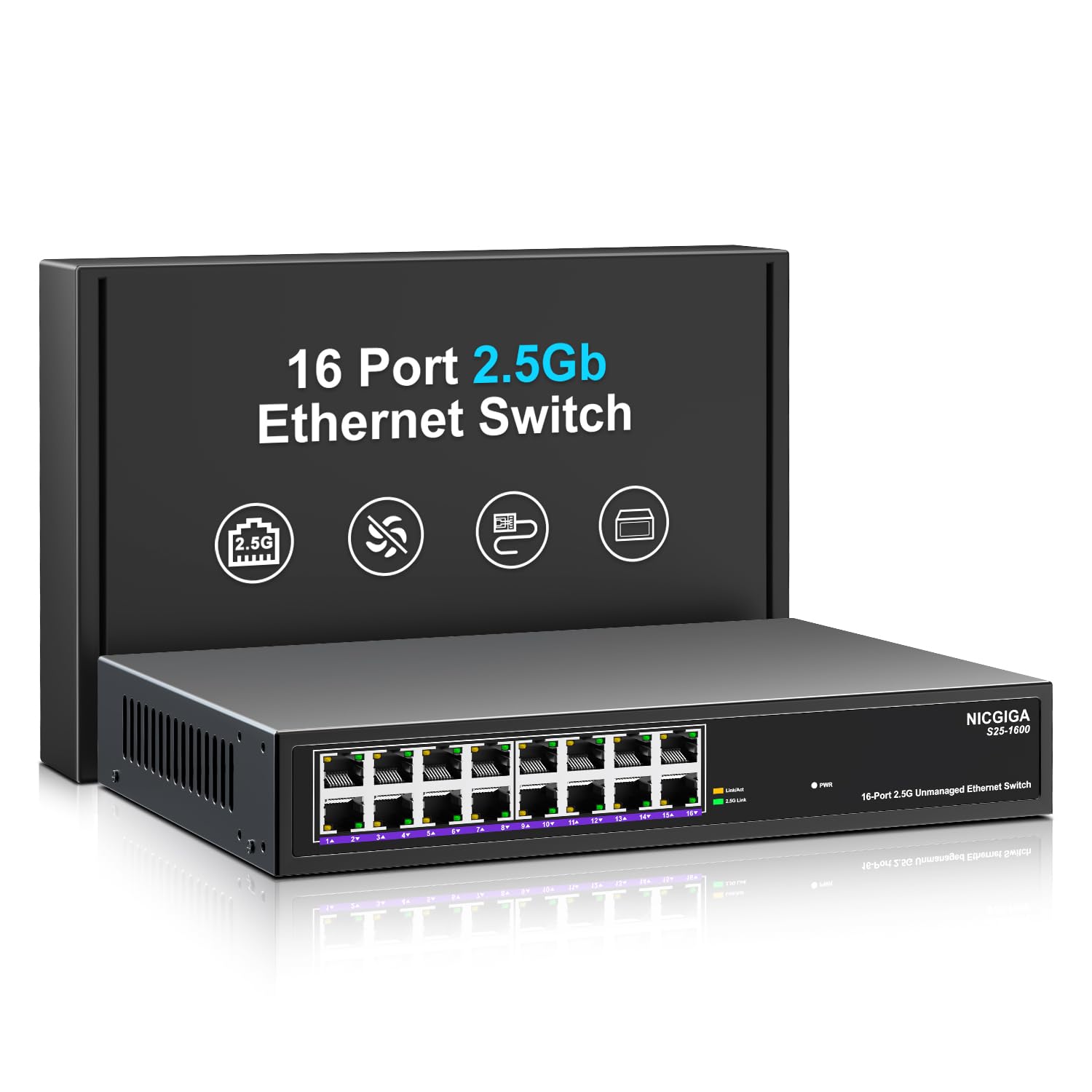
Слика 1: Предња страна view of the NICGIGA S25-1600 switch, highlighting the 16 RJ45 ports and LED indicators for power and link status.
2. Садржај пакета
Проверите да ли су следеће ставке укључене у ваш пакет:
- NICGIGA 16 Port 2.5Gb Ethernet Switch (Model S25-1600)
- Повер Адаптер
- Комплет за монтажу у рек (ако је применљиво)
- Кориснички приручник (овај документ)
3. Карактеристике производа
- 16x 2.5Gbps RJ45 Ports: Provides high-speed connectivity for multiple devices.
- 80Gbps Switching Capacity: Ensures high-performance data transfer without bottlenecks.
- Аутоматско преговарање: Automatically detects and adjusts to optimal link speeds (100Mbps, 1Gbps, 2.5Gbps) for connected devices.
- Плуг анд Плаи: No software or configuration required for immediate use.
- Fanless Metal Design: Offers silent operation and robust heat dissipation.
- Desktop or 19-inch Rack Mount: Флексибилне опције инсталације.
- 4KV Lightning Protection: Enhances device durability against electrical surges.
- Automatic MDI/MDIX: Eliminates the need for crossover cables.
- Non-blocking Data Forwarding: Ensures full wire-speed throughput on all ports simultaneously.

Figure 2: Key features of the NICGIGA S25-1600 switch, including its 2.5Gbps ports, rack-mountable design, fanless operation, plug-and-play functionality, metal casing, and 4KV lightning protection.
4. Упутства за подешавање
The NICGIGA 16 Port 2.5Gb Ethernet Switch is designed for simple plug-and-play installation. Follow these steps to set up your switch:
- Прикључак за напајање: Connect the provided power adapter to the switch's power input port and then plug the adapter into a standard electrical outlet. The Power LED on the front panel should illuminate.
- Веза уређаја: Connect your network devices (e.g., computers, NAS, WiFi 6 APs, routers) to any of the 16 RJ45 ports on the switch using standard Ethernet cables. The switch will automatically detect the link speed and establish a connection.
- Верификација: Observe the LED indicators on the front panel. A green light indicates a 2.5G link, while a yellow light indicates a 100Mb/1G link. A flashing yellow light signifies data transmission.

Figure 3: Simplified setup process: connect power, connect devices, and the network is ready.
Опције монтаже:
The switch supports both desktop placement and 19-inch rack mounting. Use the included rack mount kit for rack installations.

Figure 4: The NICGIGA S25-1600 switch installed in a 19-inch rack, showing its compact dimensions suitable for enterprise and data center use.
5. Упутство за употребу
As an unmanaged switch, the NICGIGA S25-1600 operates automatically once connected. There is no software configuration required.
ЛЕД индикатори:
- ЛЕД за напајање:
- на: Прекидач је укључен.
- Искључено: Прекидач је искључен.
- Port Link/Activity LEDs (Green/Yellow):
- Зелено светло укључено: Indicates a 2.5G network link is established.
- Жуто светло укључено: Indicates a 100Mb/1G network link is established.
- Yellow Light Flashing: Indicates data transmission activity on the port.
- Искључено: No link is established or the connected device is powered off.
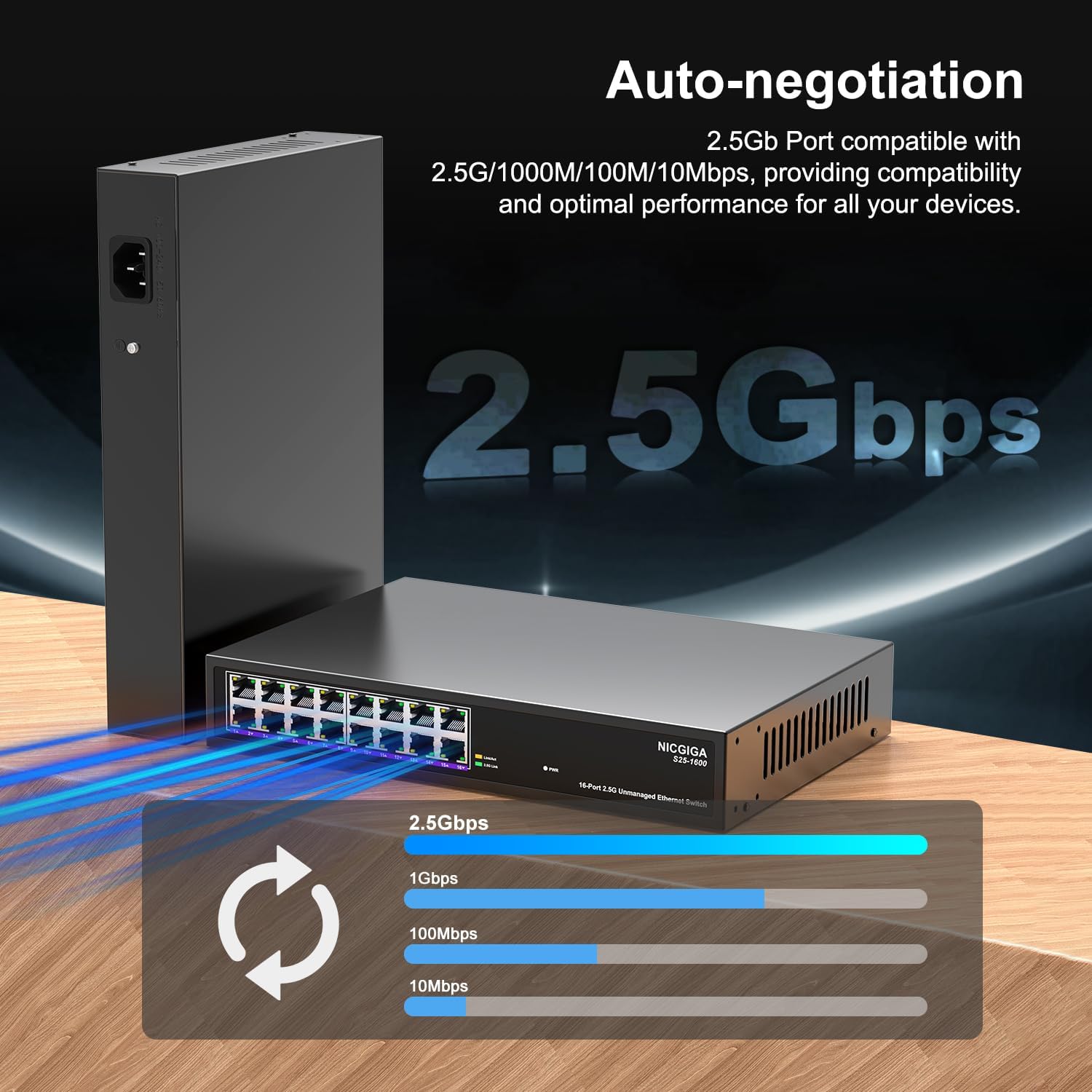
Figure 5: The auto-negotiation function ensures compatibility and optimal performance across various network speeds.
6. Одржавање
The NICGIGA S25-1600 switch is designed for minimal maintenance.
- Чишћење: Користите меку, суву крпу за чишћење спољашњости прекидача. Не користите течна или аеросолна средства за чишћење.
- вентилација: Ensure the switch is placed in a well-ventilated area. Although fanless, proper airflow helps maintain optimal operating temperatures. Do not block ventilation openings.
- Услови животне средине: Operate the switch within the recommended temperature and humidity ranges specified in the technical specifications.
КСНУМКС. Решавање проблема
If you encounter issues with your NICGIGA S25-1600 switch, refer to the following troubleshooting tips:
| Проблем | Могући узрок | Решење |
|---|---|---|
| Нема ЛЕД индикације напајања. | Нема напајања или је адаптер за напајање неисправан. |
|
| No Link/Activity LED for a connected device. |
|
|
| Мала брзина мреже. |
|
|
8. Спецификације
| Феатуре | Опис |
|---|---|
| Модел | С25-1600 |
| Портс | 16к 100/1000/2500Мбпс РЈ45 портови |
| Преклопни капацитет | 80Гбпс |
| Стопа прослеђивања пакета | 89.28Мппс |
| Табела МАЦ адреса | 16К |
| Јумбо Фраме | 12К |
| Кеш меморију | 12Мбит |
| Ауто-Неготиатион | 100Mb/1G/2.5G |
| МДИ/МДИКС | Подржано |
| Дизајн без вентилатора | Да |
| Становање | Метал |
| Опције монтаже | Desktop, 19-inch Rack Mount |
| Заштита од грома | 4КВ |
| Димензије пакета | 13.62 к 10.51 к 3.5 инча |
| Тежина артикла | 4.09 фунти |
| УПЦ | 790885830181 |
9. Гаранција и техничка подршка
NICGIGA provides a one-year warranty for this product. For technical assistance or warranty claims, please contact NICGIGA customer support. Lifetime technical support is available for the product.
For further information, please visit the official NICGIGA webсајт или погледајте контакт податке које сте добили уз куповину.