
TOPUTURE TP6
TOPUTURE TP6 Walking Pad Treadmill with 12% Incline - User Manual
1. Увод и безбедносне информације
This manual provides essential instructions for the safe operation, setup, and maintenance of your TOPUTURE TP6 Walking Pad Treadmill. Please read this manual thoroughly before initial use and retain it for future reference. Proper use and maintenance ensure optimal performance and longevity of your equipment.
Важне мере предострожности
- Always consult with a physician before starting any new exercise program.
- Place the treadmill on a flat, stable surface with adequate clearance around it.
- Држите децу и кућне љубимце подаље од траке за трчање током рада.
- Ensure the safety key is properly attached to your clothing before beginning your workout.
- Не користите траку за трчање ако је оштећена или неисправна.
- Maximum user weight capacity is 300 lbs. Do not exceed this limit.
- Носите одговарајућу спортску обућу током употребе.
- Искључите траку за трчање из извора напајања када је не користите или пре чишћења/одржавања.
2. Укључене компоненте
Приликом распакивања, проверите да ли су присутне све следеће компоненте:
- Повер Цорд
- Ремоте Цонтрол
- Сигурносни кључ
- Комплет алата
- Кориснички приручник (овај документ)
3. Подешавање и монтажа
The TOPUTURE TP6 Walking Pad Treadmill features an installation-free design, meaning it is ready for use directly out of the box with minimal setup.
Распакивање и постављање
- Пажљиво извадите траку за трчање из паковања.
- Place the treadmill on a firm, level surface. Ensure there is at least 2 feet of clear space behind the treadmill and 1 foot on each side.
- Connect the power cord to the treadmill and then to a grounded electrical outlet.
Подешавање управљача
The handlebar is adjustable in both height and tilt to accommodate various user heights and exercise preferences.
- Подешавање висине: The handlebar can be adjusted from 32 inches (820mm) to 45 inches (1150mm). Locate the adjustment knobs or levers on the handlebar supports, loosen them, adjust to the desired height, and then securely tighten.
- Подешавање нагиба: The handlebar can be tilted to 95° (vertical mode) or 105° (tilt mode). Adjust the angle by manipulating the designated mechanism at the base of the handlebar uprights. Ensure it clicks securely into place for your chosen mode.
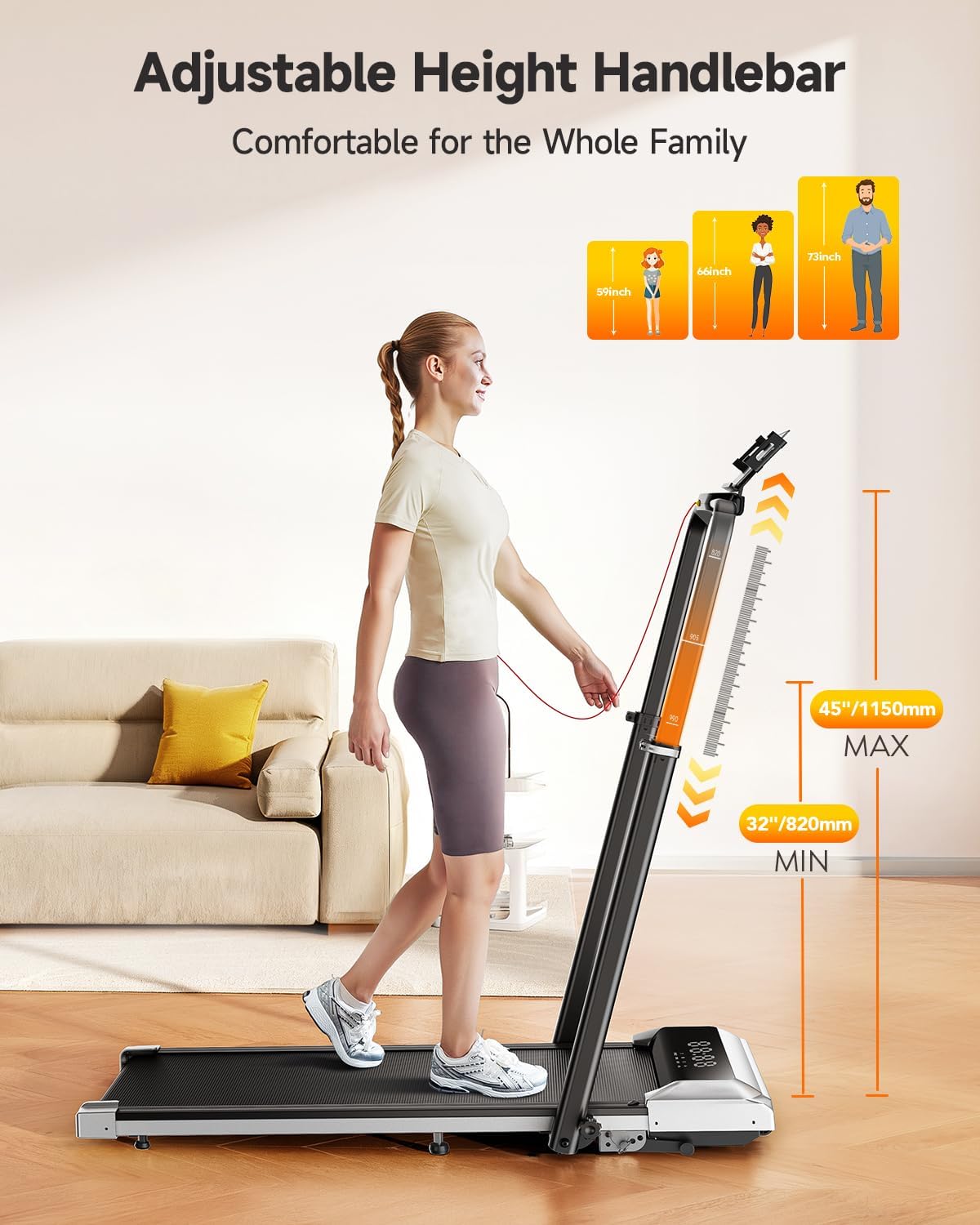
Image: Adjustable Handlebar Height. The handlebar can be set to various heights between 32 and 45 inches for user comfort.

Image: Two-angle Upright Column Adjustment. The handlebar can be adjusted to a 95-degree vertical mode or a 105-degree tilt mode to suit different exercise preferences.
4. Упутство за употребу
The TOPUTURE TP6 Treadmill offers multiple modes and features for a versatile workout experience.
Powering On and Safety Key
- Ensure the treadmill is plugged into a power outlet.
- Причврстите сигурносну копчу за кључ на одећу. Трака за трчање неће радити без сигурносног кључа.
- Press the power button on the treadmill or remote control to turn it on.
Understanding the LED Display
The integrated LED display provides real-time workout data:
- време: Трајање вашег тренинга.
- Калорије: Процењене сагореле калорије.
- брзина: Current speed in miles per hour (mph).
- Удаљеност: Укупна пређена удаљеност.

Image: Multi-Function Display. The LED display shows key workout metrics, and the remote control allows for easy adjustments.
Adjusting Speed and Incline
- Опсег брзине: The treadmill operates from 0.6 mph to 7.5 mph. Adjust speed using the remote control or the control panel.
- Incline Function: The treadmill features 1%, 6%, and 12% incline levels. Adjust the incline manually or via the control panel/remote to simulate uphill walking or running, enhancing calorie expenditure.

Image: 1%-6%-12% Three Levels of Slope Adjustment. The treadmill offers adjustable incline levels to increase workout intensity and calorie burning.
Режими вежбања
The TOPUTURE TP6 supports various exercise scenarios:
- Режим ходања: Ideal for light exercise or under-desk use.
- Fat-Burning Mode: Optimized for calorie expenditure.
- Начин рада: For higher intensity cardiovascular workouts.
- Радни режим: Suitable for use with a standing desk.
- Family Sharing Mode: Allows multiple users to track their progress.
- Режим обуке: For structured workout routines.

Image: 6-in-1 Folding Treadmill with Incline. The treadmill supports various modes including walking, fat burning, office work, pet training, running, and rehabilitation.
Интеграција паметних апликација
Enhance your workout experience by connecting the treadmill to a compatible fitness application.
- Download the recommended Sport APP or other compatible apps like Fitshow, Zwift, or Kinomap from your device's app store.
- Омогућите Блуетоотх на паметном телефону или таблету.
- Open the app and follow the on-screen instructions to pair with your TOPUTURE TP6 treadmill.
- The app allows you to record exercise data, track progress, and share with friends. The integrated device holder securely holds your phone or tablet.

Image: Smart and Personalized Workout App Control. Connect to fitness apps like Fitshow, Zwift, or Kinomap to track and personalize your workouts.
5. Одржавање и складиштење
Редовно одржавање осигурава дуготрајност и безбедан рад ваше траке за трчање.
Чишћење
- Увек искључите траку за трчање из струје пре чишћења.
- Обришите површину траке за трчање огласомamp тканина. Избегавајте употребу абразивних средстава за чишћење или растварача.
- Periodically clean the running belt and deck to prevent dust and debris buildup.
Подмазивање
The running belt may require periodic lubrication to reduce friction and extend its lifespan. Refer to the specific instructions in the included tool kit or contact customer support for guidance on proper lubrication procedures and recommended lubricants.
Складиштење
The TOPUTURE TP6 treadmill is designed for easy storage due to its compact and foldable nature.
- Fold the handlebar down completely.
- Utilize the integrated wheels for easy movement.
- Store the treadmill in a dry, cool place, such as under a bed or sofa, to save space.
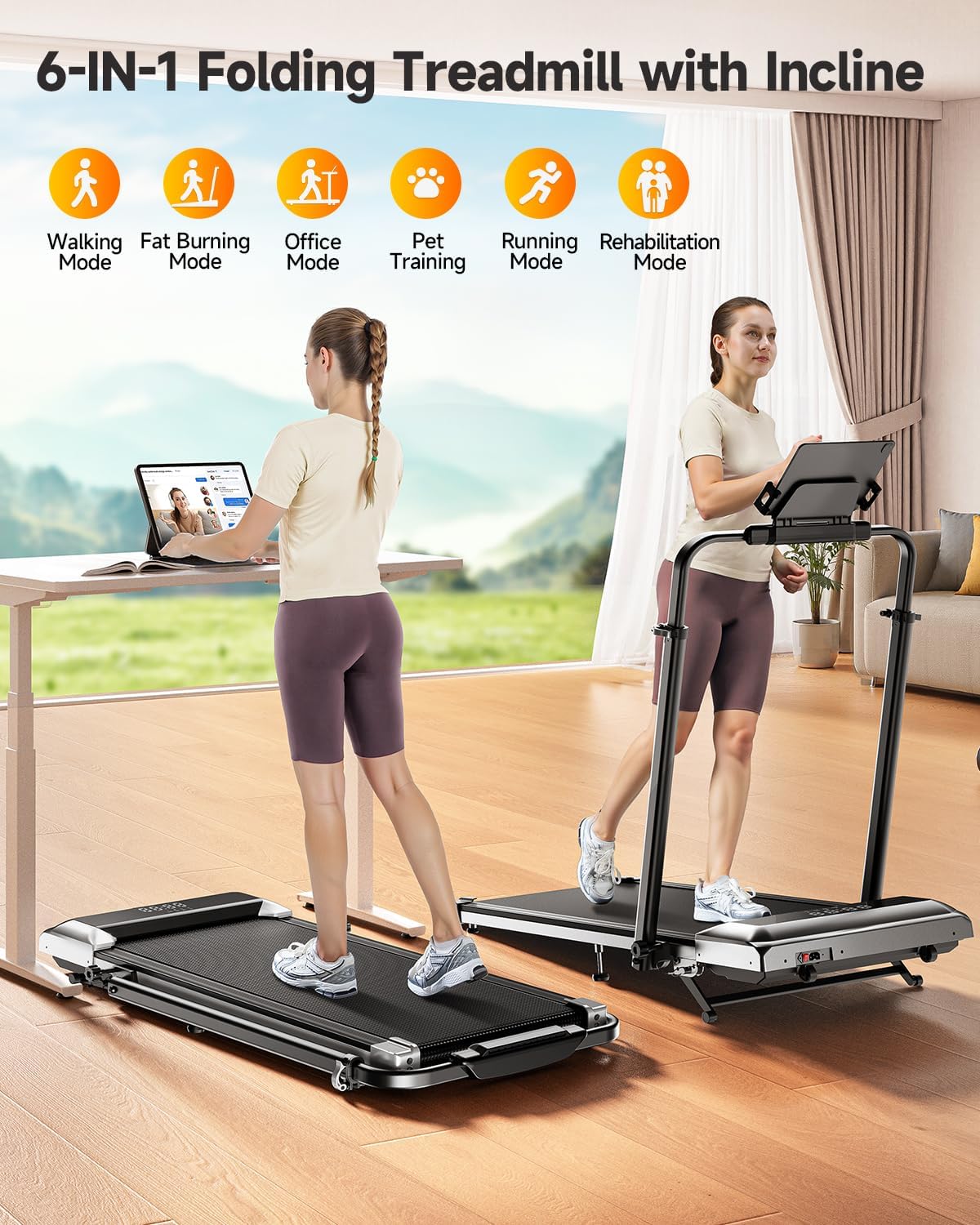
Image: Easy Storage & Space Saving. The treadmill is lightweight and features flexible wheels for convenient movement and compact storage.
КСНУМКС. Решавање проблема
If you encounter any issues with your TOPUTURE TP6 Treadmill, please refer to the following common solutions. If the problem persists, contact customer support.
| Проблем | Могући узрок | Решење |
|---|---|---|
| Трака за трчање се не укључује. | Power cord not securely plugged in; Safety key not in place; Power switch off. | Check power cord connection; Ensure safety key is properly inserted; Turn on the power switch. |
| Каиш за трчање клизи или оклева. | Затегнутост каиша је превише лабава; каиш захтева подмазивање. | Adjust belt tension according to manual; Lubricate the running belt as instructed. |
| Необична бука током рада. | Loose components; Foreign object under the belt; Motor issue. | Inspect for loose parts and tighten; Carefully check under the belt for obstructions; If noise persists, contact support. |
| Даљински управљач не реагује. | Празне батерије; Даљински управљач није упарен. | Replace remote control batteries; Refer to pairing instructions in the manual. |
7. Спецификације производа
Technical details for the TOPUTURE TP6 Walking Pad Treadmill:
| Спецификација | Детаљ |
|---|---|
| Бранд | ТОПУТУРЕ |
| Назив модела | ТП6 |
| Боја | Црно |
| Димензије производа (ДкШкВ) | 127 цм x 63.5 цм x 12.7 цм |
| Тежина артикла | 56 фунти (25.4 кг) |
| Материјал | легирани челик |
| Максимална брзина | 7.5 миља на сат (12 км/х) |
| Минимална брзина | 0.6 миља на сат (1 км/х) |
| Максимални проценат нагибаtage | 12% |
| Макимум Хорсеповер | 2.5 ХП |
| Препорука за максималну тежину | 300 фунти (136 кг) |
| Руннинг Ареа | 40'' x 16'' (101.6cm x 40.6cm) |
| Дисплаи Типе | ЛЕД |
| Извор напајања | Цордед Елецтриц |
| Обавезна монтажа | бр |
| Посебне карактеристике | Adjustable Height, Compact Design, Foldable, Shock Absorbent, Wheeled |
| Измерене метрике | Calories Burned, Distance, Speed, Time |

Image: 2.5HP Powerful & Quiet Motor. The treadmill features a 2.5HP motor, operates quietly at 45db, has a speed range of 0.6-7.5 MPH, and supports up to 300 LBS.
8. Гаранција и корисничка подршка
Информације о гаранцији
The TOPUTURE TP6 Walking Pad Treadmill comes with a једногодишња гаранција from the date of purchase. This warranty covers manufacturing defects and ensures the product meets quality standards under normal use.
Контактирање корисничке подршке
Should you require assistance, have questions, or need to claim warranty service, please follow these steps:
- Пријавите се на свој Амазон налог.
- Navigate to "Your Orders."
- Locate the order ID for your TOPUTURE TP6 Treadmill.
- Click on "Contact Seller" to reach TOPUTURE customer support directly.
Please have your order details and a description of the issue ready to expedite the support process.
Ask a question about this manual
Ask about setup, troubleshooting, compatibility, parts, safety, or missing instructions. Manuals+ will review the question and use this page’s manual context to help answer it.