
1. Увод
This manual provides essential information for the safe and efficient use of your FOSSIBOT F110L rugged smartphone. Please read it thoroughly before operating the device.
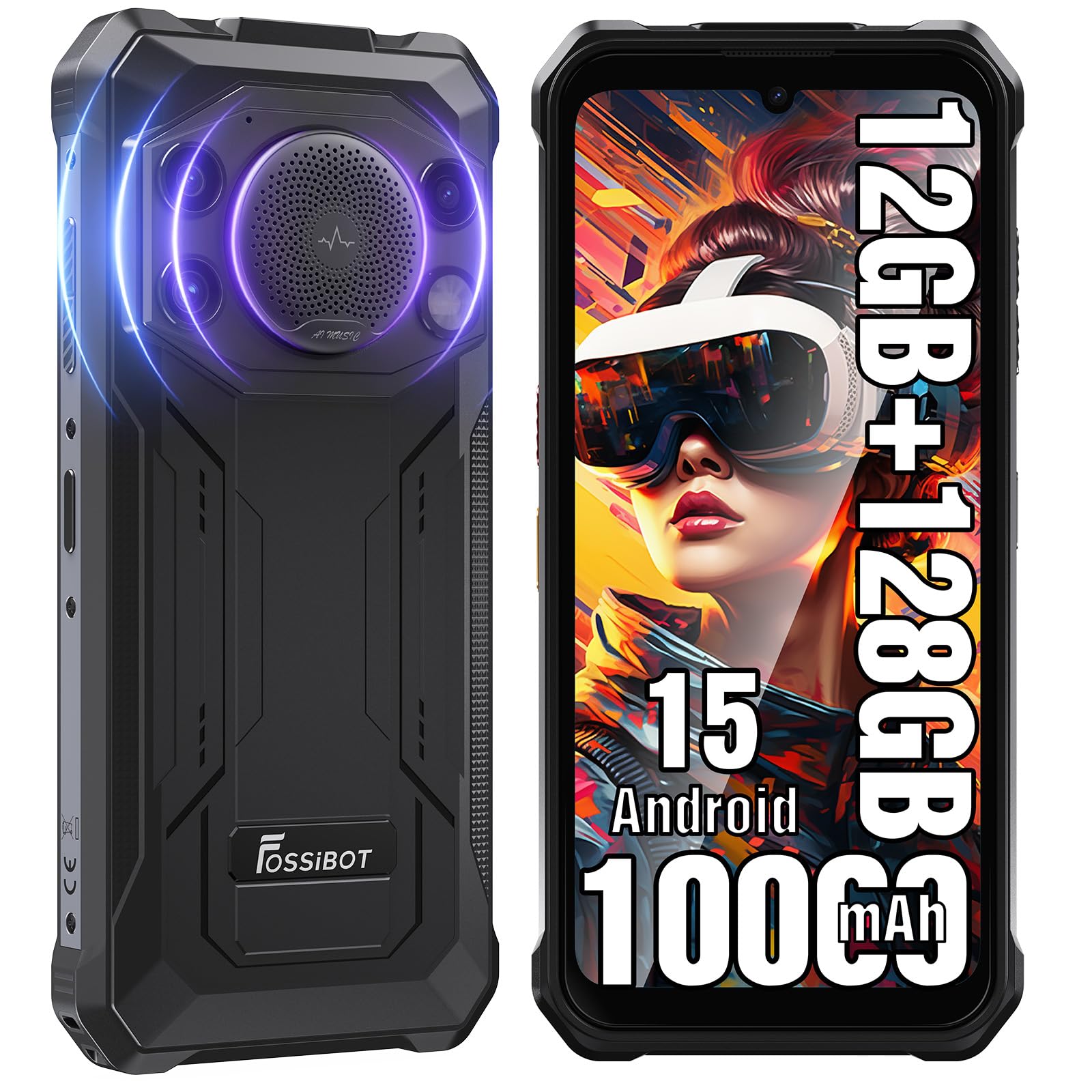
Image 1: FOSSIBOT F110L Rugged Smartphone, front and back view.
Кеи Феатурес Оверview
- Масивна батерија од 10000mAh: Offers extended usage with 20W fast charging and OTG reverse charging capabilities.
- Изузетна издржљивост: IP68 & IP69K rated for dust and water resistance, and MIL-STD-810H certified for drop protection.
- Loud Stereo Speaker: 128dB high-output speaker for clear audio in noisy environments.
- Advanced Triple Camera System: Features a 50MP main camera, 8MP front camera, and 5MP macro camera.
- Глатке перформансе: Powered by an Octa-Core UMS T615 processor with 12GB RAM (4GB physical + 8GB virtual) and Android 15 OS.
- Повезивање: Supports Dual 4G SIM, NFC, and features face & side fingerprint unlock.
2. Подешавање
2.1 Распакивање и садржај пакета
Carefully unpack your FOSSIBOT F110L smartphone and verify all contents. The standard package includes:
- Rugged Smartphone x 1
- Пуњач к 1
- УСБ кабл к 1
- TP Screen Protector (Pre-applied) x 1
- SIM Card Ejector x 1
- Упутство за употребу к 1
- Кутија за паковање к 1

Image 2: Contents of the FOSSIBOT F110L standard package.
2.2 Инсталација SIM картице и меморије
The FOSSIBOT F110L supports Dual 4G SIM (nano + nano) or one nano SIM with a TF card (up to 2TB). Use the provided SIM ejector tool to open the SIM tray.
- Пронађите лежиште за СИМ картицу са стране уређаја.
- Уметните алат за избацивање СИМ картице у мали отвор поред лежишта и лагано притисните док лежиште не искочи.
- Place your nano SIM card(s) and/or TF card into the designated slots on the tray. Ensure correct orientation.
- Пажљиво гурните лежиште назад у уређај док се не поравна са бочном страном.

Image 3: Illustration of SIM and MicroSD card installation.
2.3 Почетно пуњење и укључивање
Before first use, fully charge your FOSSIBOT F110L. Use the provided charger and USB cable.
- Connect the USB cable to the charger and then to the phone's USB Type-C port.
- Укључите пуњач у утичницу.
- Once fully charged, press and hold the power button (located on the side) until the FOSSIBOT logo appears.
- Follow the on-screen prompts to complete the initial setup of Android 15.

Image 4: The FOSSIBOT F110L connected to a charger via USB-C.
3. Упутство за употребу
3.1 Андроид 15 оперативни систем
Your FOSSIBOT F110L runs on Android 15, offering optimized performance, enhanced privacy, and an improved user experience. Navigate using touch gestures, access apps from the home screen or app drawer, and customize settings via the notification panel.

Image 5: The FOSSIBOT F110L displaying the Android 15 interface.
3.2 Употреба камере
The F110L features a versatile triple camera system:
- Главна камера од 50 МП: For high-resolution photos with F1.8 aperture and PDAF.
- Предња камера од 8 МП: Ideal for selfies and video calls with beautification features.
- 5MP макро камера: За детаљне снимке изблиза.
Access various modes like Night, AI Scene, Portrait, Pro, and Underwater Camera Mode through the camera application.

Image 6: The FOSSIBOT F110L's 50MP AI Main Camera capturing a landscape.

Слика 7: Примерamples of photos taken with the 8MP front camera and 5MP macro camera.

Image 8: The FOSSIBOT F110L being used in Underwater Camera Mode.
3.3 Speaker Functionality
The F110L is equipped with a 128dB high-output stereo speaker, providing clear and loud audio for calls, music, and navigation, even in noisy environments.

Image 9: Diagram illustrating the FOSSIBOT F110L's powerful 128dB speaker.
3.4 Flashlight Usage
The device includes a high-brightness lamp, functioning as a 120 Lumen flashlight. This feature is useful for outdoor adventures, construction sites, and emergency situations.

Image 10: The FOSSIBOT F110L's high-brightness lamp in use during various outdoor activities.
3.5 Батерија и пуњење
The FOSSIBOT F110L is equipped with a 10000mAh battery. It supports 20W fast charging, allowing it to reach 80% charge in approximately 3 hours. The unique OTG reverse charging feature enables the phone to act as a power bank for other devices.

Image 11: Visual representation of the 10000mAh battery and 20W fast charging capability.
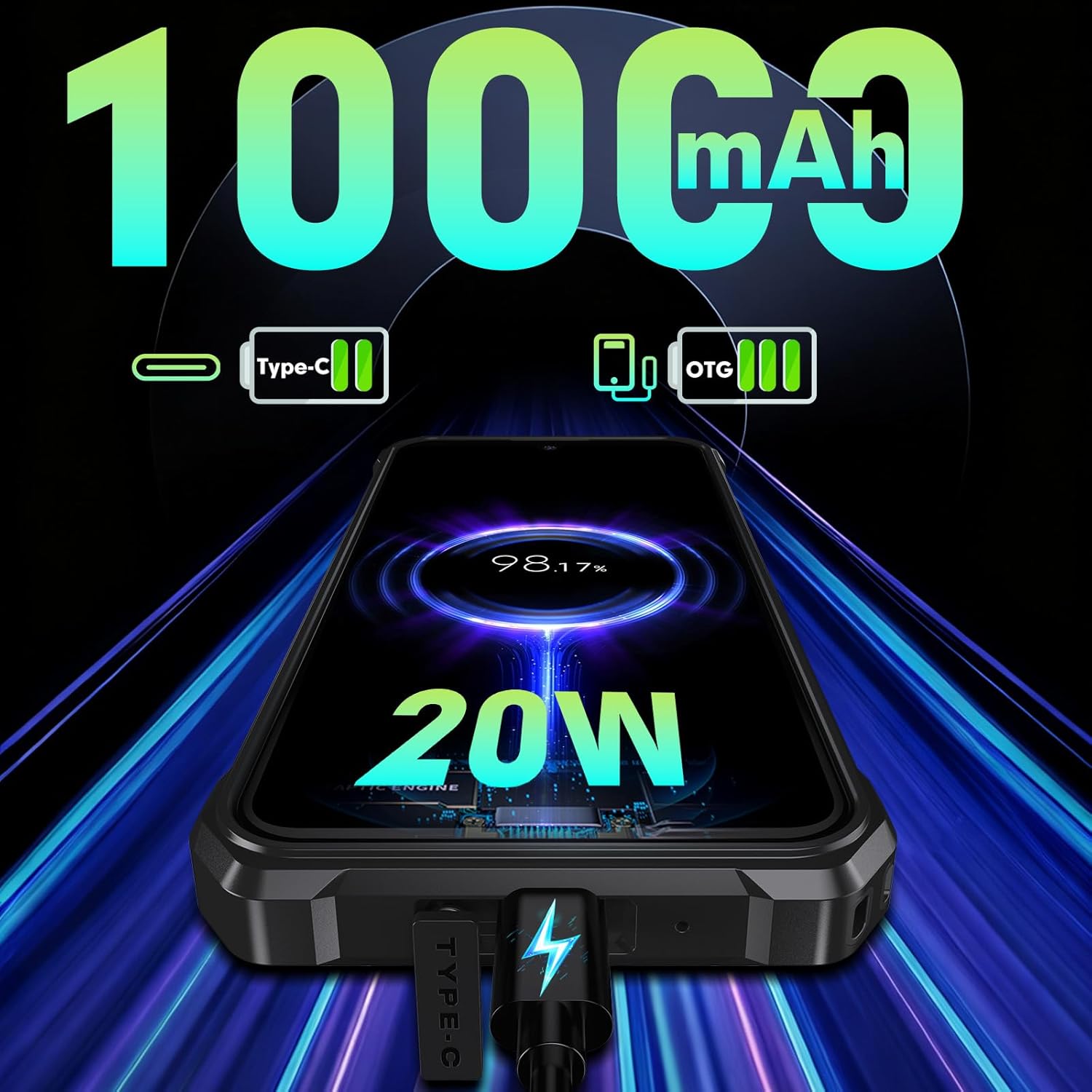
Image 12: The FOSSIBOT F110L utilizing its reverse charging feature to power another device.
3.6 Карактеристике издржљивости
The F110L is built to withstand harsh environments:
- IP68 & IP69K Ratings: Provides complete 360° dust resistance and can survive submersion in 1.5 meters of water for 30 minutes.
- Сертификовано по MIL-STD-810H стандарду: Withstands drops from up to 1.5 meters, shocks, and vibrations.

Image 13: Visual demonstration of the FOSSIBOT F110L's MIL-STD-810H drop resistance, IP68 waterproof, and IP69K dustproof ratings.
3.7 Повезивање и безбедност
The F110L supports NFC for quick payments and features both face recognition and a side-mounted fingerprint sensor for secure unlocking.

Image 14: The FOSSIBOT F110L's side fingerprint unlock and face recognition features.
3.8 Software Toolbox
The F110L includes a software toolbox with various utility applications such as Compass, Gradlenter, Sound Meter, Magnifier, Protractor, Plumb Bob, Warning, Height Measure, and Torch. It also features a customizable button for quick access to frequently used apps or functions.

Image 15: The FOSSIBOT F110L's software toolbox interface and customizable button.
4. Одржавање
4.1 Чишћење уређаја
To maintain your FOSSIBOT F110L, wipe it with a soft, damp крпу. Избегавајте употребу јаких хемикалија или абразивних материјала који би могли оштетити екран или цasing. For stubborn dirt, especially after exposure to mud or sand, rinse the device under clean water, ensuring all ports are securely closed, then dry thoroughly.
4.2 Water and Dust Resistance Care
While the F110L is IP68/IP69K rated, proper care is essential:
- Ensure all port covers (USB-C, SIM tray) are firmly sealed before exposing the phone to water or dust.
- Do not intentionally submerge the phone in water deeper than 1.5 meters or for longer than 30 minutes.
- Avoid exposing the phone to high-pressure water jets or hot water, as this can compromise seals.
- If the phone gets wet, dry it completely before charging or opening any ports.
КСНУМКС. Решавање проблема
5.1 Уобичајена питања и решења
- Уређај се не укључује: Уверите се да је батерија напуњена. Повежите је са пуњачем најмање 15 минута пре него што поново покушате да је укључите.
- Лош век трајања батерије: Close unused apps, reduce screen brightness, disable unnecessary features like GPS or Wi-Fi when not in use. Check for background app activity in settings.
- Проблеми са мрежним повезивањем: Verify your SIM card is correctly inserted. Check your carrier's signal strength. Ensure your device is compatible with your carrier's bands (e.g., T-Mobile 4G LTE bands B2, B4, B5, B12, B66, B71 in the US).
- SD картица није препозната: Ensure the TF card is correctly inserted into the designated slot. Some models may use the second SIM slot for TF cards. Reformat the card if necessary (this will erase data).
- Speaker volume too low/distorted: Check volume settings. Ensure the speaker grille is not obstructed by debris.
- Екран не реагује: Поново покрените уређај. Ако проблем и даље постоји, извршите фабричко ресетовање (прво направите резервну копију података).
5.2 Видео водич
For a visual guide on key features and durability, please watch the official product video:
Video 1: Official FOSSiBOT F110L Rugged Smartphone overview, demonstrating features like the speaker, flashlight, durability, and camera.
6. Спецификације
| Феатуре | Спецификација |
|---|---|
| Назив модела | Ф110Л |
| Оперативни систем | Андроид 15 |
| Процесор | Octa-Core UMS T615 |
| РАМ | 12 GB (4 GB физичке + 8 GB виртуелне) |
| Интерна меморија | 128 ГБ |
| Екпандабле Стораге | До 2 ТБ преко ТФ картице |
| Величина екрана | 6.75 инча HD+ |
| Резолуција | 720к1600 |
| Главна камера | 50 МП |
| Предња камера | 8 МП |
| Макро камера | 5 МП |
| Капацитет батерије | 10000 мАх |
| Пуњење | Брзо пуњење од 20W, обрнуто OTG пуњење |
| Оцене издржљивости | IP68, IP69K, MIL-STD-810H |
| Speaker Loudness | 128 дБ |
| Лампица | 120 лумена |
| Повезивање | 4G Dual SIM, NFC, USB Type-C |
| Безбедност | Face Recognition, Side Fingerprint Unlock |
| Тежина артикла | 1.76 фунти |
| Боја | Греи |
7. Информације о гаранцији
The FOSSIBOT F110L comes with a 12-month manufacturer's warranty. Please retain your proof of purchase for any warranty claims. For detailed terms and conditions, refer to the warranty card included in your package or contact FOSSIBOT customer support.
8. Подршка
For further assistance, technical support, or service inquiries, please visit the official FOSSIBOT website or contact their customer service department. Contact information can typically be found on the FOSSIBOT brand store page or in the included documentation.
You can visit the FOSSIBOT Store on Amazon: FOSSIBOT Store