
1. Увод
This manual provides essential information for setting up, operating, and maintaining your NIMO 15.6-inch FHD Laptop (Model N152). Please read through these instructions carefully to ensure optimal performance and longevity of your device.
2. Подешавање
2.1 Распакивање и почетни преглед
Upon receiving your NIMO laptop, carefully open the packaging and ensure all components are present and undamaged. The box should contain:
- 1 x NIMO N152 Laptop
- 1 x Type-C 65W PD Fast Charger
- 1 x Упутство за употребу (овај документ)
- Windows 11 Home (pre-installed)
2.2 Прво укључивање и пуњење
Before first use, connect the laptop to the 65W Type-C PD Fast Charger. A full charge is recommended. The laptop can provide up to 2 hours of use from a 15-minute charge.

слика: The included 65W PD GaN USB-C Adapter, designed for fast and efficient charging of your NIMO laptop and other compatible devices.
2.3 Подешавање оперативног система (Windows 11 Home)
Follow the on-screen prompts to complete the initial setup of Windows 11 Home. This includes selecting your region, connecting to a Wi-Fi network, and creating a user account.
2.4 Fingerprint Sensor Setup
For enhanced security and quick login, configure the built-in fingerprint sensor located on the touchpad during the Windows setup or via Windows Settings.

слика: Close-up of the fingerprint sensor integrated into the touchpad, allowing for secure and instant login.
3. Operating Your NIMO Laptop
3.1 Дисплеј
The NIMO N152 features a 15.6-inch Full HD (1920x1080) IPS display, providing clear and vibrant visuals for work, study, and entertainment.
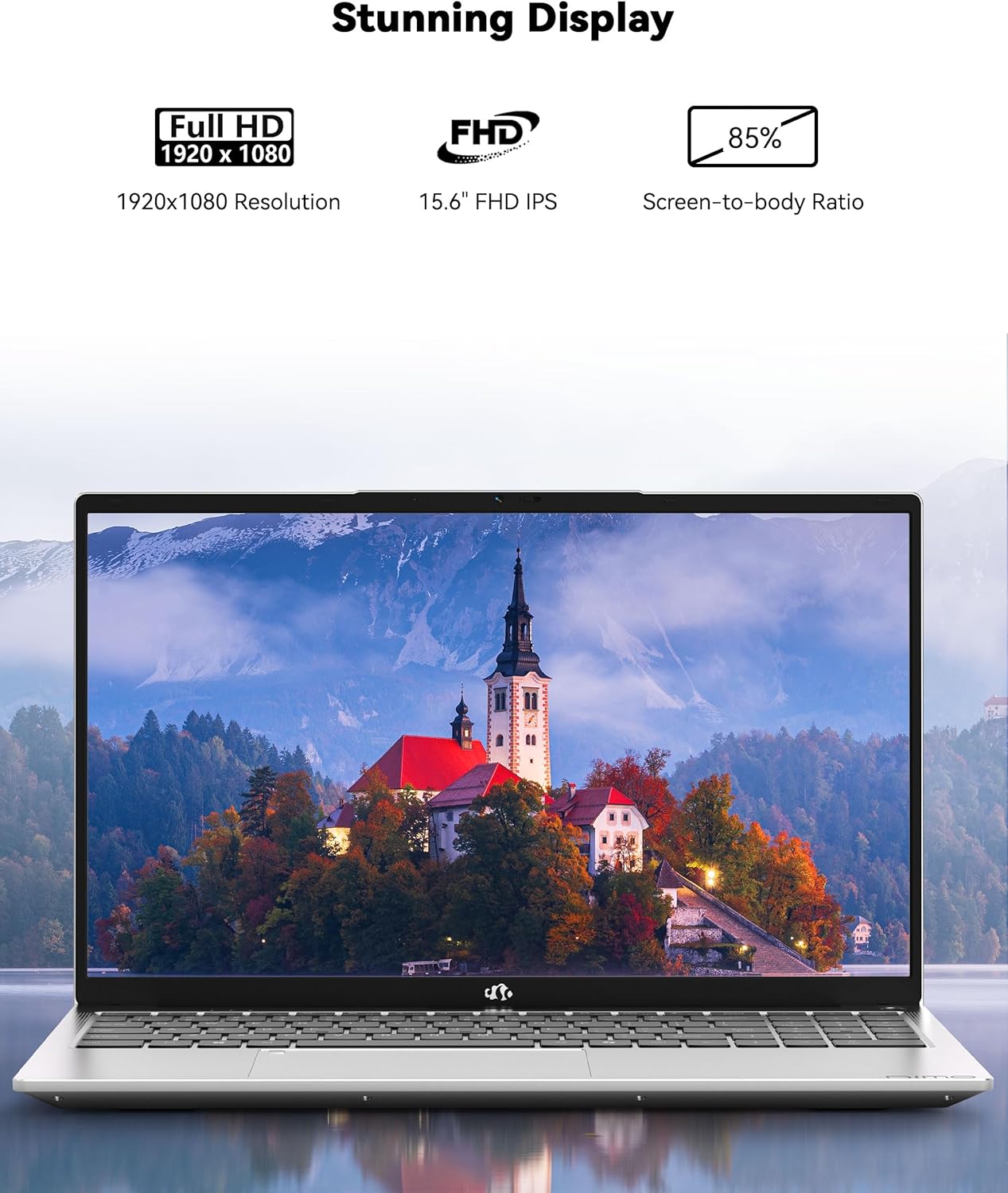
слика: The NIMO laptop showcasing its 15.6-inch Full HD IPS display with vivid colors and sharp details.
3.2 Тастатура и тачпед
The laptop is equipped with an ergonomic backlit keyboard, allowing for comfortable typing in various lighting conditions. The touchpad supports multi-touch gestures and includes an integrated fingerprint sensor for secure access.
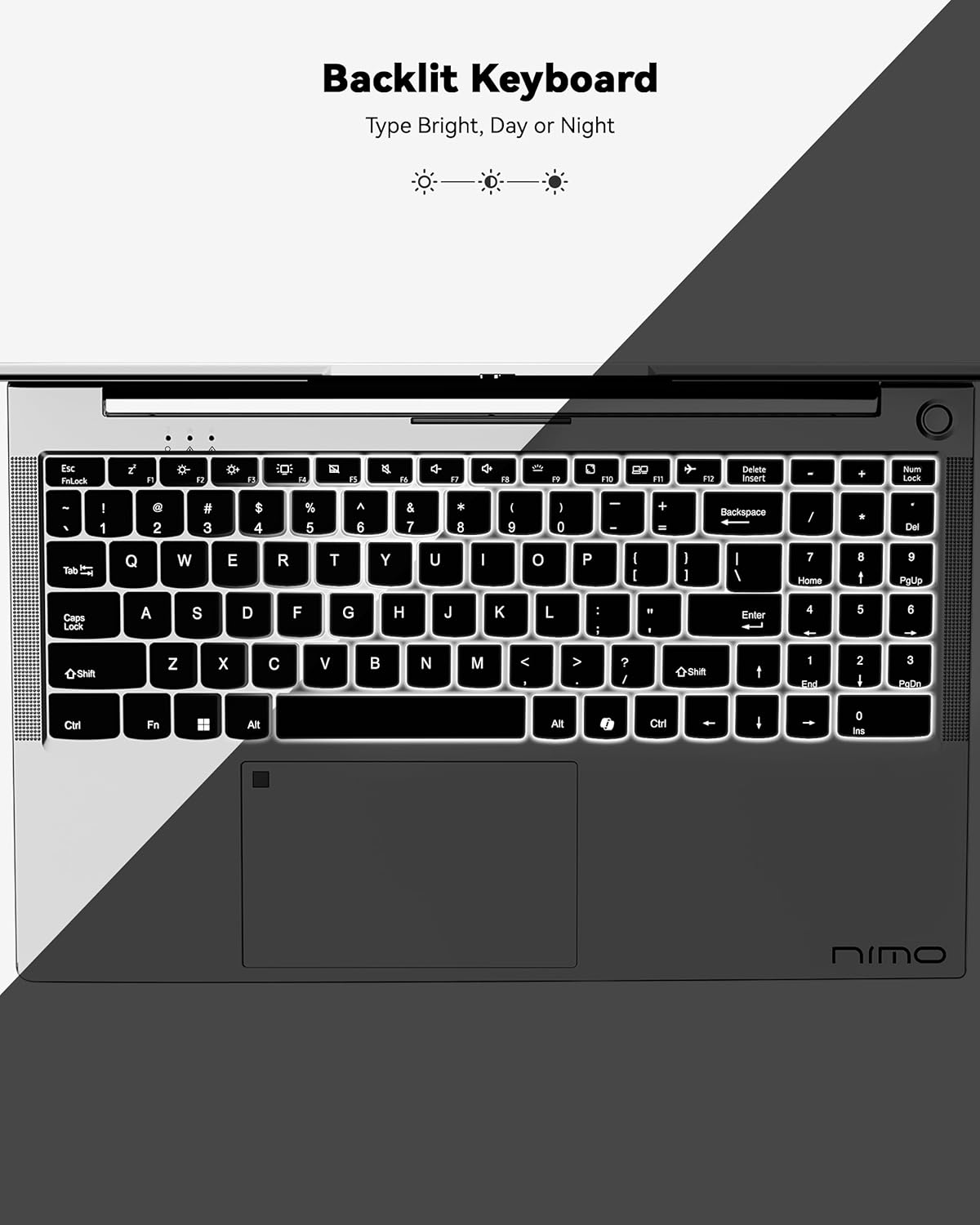
слика: A view of the backlit keyboard, illustrating its illumination for use in low-light environments.
3.3 Портови и повезивање
The NIMO N152 offers a range of ports for versatile connectivity:
- УСБ 2.0: 1 порт
- УСБ 3.0: 3 портова
- Тип-Ц: За пуњење и пренос података
- ХДМИ КСНУМКС: For external display connections
- Micro SD Reader: For memory cards
- Аудио прикључак: For headphones/microphone
- Кенсингтонска брава: For security

слика: Сиде view of the NIMO laptop, highlighting the various input/output ports available for connecting peripherals and external devices.
Wireless connectivity includes Wi-Fi 5 (802.11a/b/g/n/ac) and Bluetooth 5.2.
3.4 Webкамера и аудио
The laptop features a 2 MP webcam for video calls and online meetings. Dual 2W, 4Ω speakers provide audio output.
3.5 Перформансе
Powered by an AMD Ryzen 5 processor with 4 cores up to 3.7GHz, 8GB DDR4 RAM, and a 256GB SSD, the NIMO N152 is designed for smooth multitasking and quick application loading.
видео: Ан оверview of the NIMO 15.6-inch FHD Laptop, demonstrating its use for students, home, and work environments.
видео: Шоуцasing the NIMO Laptop as a versatile tool for work and study, suitable for various settings and tasks.
4. Одржавање
4.1 Одржавање батерије
The laptop is equipped with a 54WH battery, offering an average battery life of 9 hours. To prolong battery lifespan, avoid extreme temperatures and fully discharging the battery frequently. The 65W PD fast charger supports quick power-ups.

слика: Унутрашњи view of the laptop highlighting the 54WH battery and smart battery optimization features.
4.2 Upgradability
The NIMO N152 features an expandable RAM slot for easy self-upgrades and an upgradable SSD slot, allowing you to expand storage as needed.
КСНУМКС. Решавање проблема
If you encounter any issues with your NIMO laptop, please refer to the following general troubleshooting tips:
- Проблеми са напајањем: Ensure the charger is properly connected and the power outlet is functional. Try a different outlet if necessary.
- Кашњење перформанси: Затворите непотребне апликације, проверите да ли постоје ажурирања за Windows и осигурајте довољно слободног простора за складиштење.
- Проблеми са повезивањем: Restart your Wi-Fi router and the laptop. Check network settings to ensure correct connection.
- Проблеми са софтвером: Ensure all drivers and software are up to date. Consider running a system diagnostic or restoring to a previous point if a recent change caused the issue.
For persistent problems, contact NIMO customer support.
6. Спецификације
| Феатуре | Спецификација |
|---|---|
| Бранд | NIMO |
| Назив модела | NIMO N152 |
| Величина екрана | 15.6 инча |
| Резолуција екрана | 1920 x 1080 пиксела (FHD) |
| Процесор | AMD Ryzen 5 (4 Cores, up to 3.7 GHz) |
| РАМ | 8 GB DDR4 (Upgradable) |
| Хард Дриве | 256 GB SSD (Upgradable) |
| Грапхицс Цопроцессор | AMD Integrated graphics |
| Оперативни систем | Виндовс 11 Хоме |
| Вирелесс Типе | 802.11a/b/g/n/ac (Wi-Fi 5) |
| Блуетоотх | БТ5.2 |
| УСБ портови | 1 к УСБ 2.0, 3 к УСБ 3.0 |
| Друге луке | Type-C (65W PD), HDMI, Micro SD, Audio Jack, Kensington Lock |
| Webцам | 2 МП |
| Просечно трајање батерије | 9 сата |
| Тежина артикла | 3.75 фунти |
| Димензије производа | 14.07 к 8.98 к 0.76 инча |
| Посебне карактеристике | Позадинско осветљење тастатуре, читач отиска прста, HD аудио, нумеричка тастатура |
7. Гаранција и подршка
Your NIMO N152 Laptop comes with a Двогодишња гаранција произвођача. Additionally, NIMO offers a 90-day hassle-free return and exchange policy. For any product-related questions, technical assistance, or warranty claims, please contact NIMO customer support.
NIMO is committed to providing professional and high-quality customer service. You can find contact information on the official NIMO webсајт или страница производа.
видео: A seller-provided video highlighting features of a NIMO laptop, including its design and functionality.
видео: A seller-provided video demonstrating the NIMO laptop with a Ryzen 5 3500U processor, showcasinг његове могућности.