
1. Увод
This manual provides detailed instructions for the proper use and maintenance of your TECKNET TK-HS036 Open Ear Bluetooth Headphones. Please read this manual thoroughly before using the product to ensure optimal performance and longevity. Keep this manual for future reference.
2. Садржај пакета
Проверите да ли су све ставке присутне у вашем пакету:
- TECKNET TK-HS036 Open Ear Bluetooth Headphones (Left and Right)
- Футрола за пуњење
- УСБ-Ц кабл за пуњење
- Упутство за употребу
3. Производ је готовview
The TECKNET TK-HS036 headphones feature an open-ear design for comfort and situational awareness. They are designed to rest securely on your ear without blocking the ear canal.

Слика 3.1: Open-ear design for secure fit and all-day comfort. This design allows users to remain aware of their surroundings while listening to audio.
The charging case includes a smart digital display to indicate battery levels for both the case and individual earbuds.
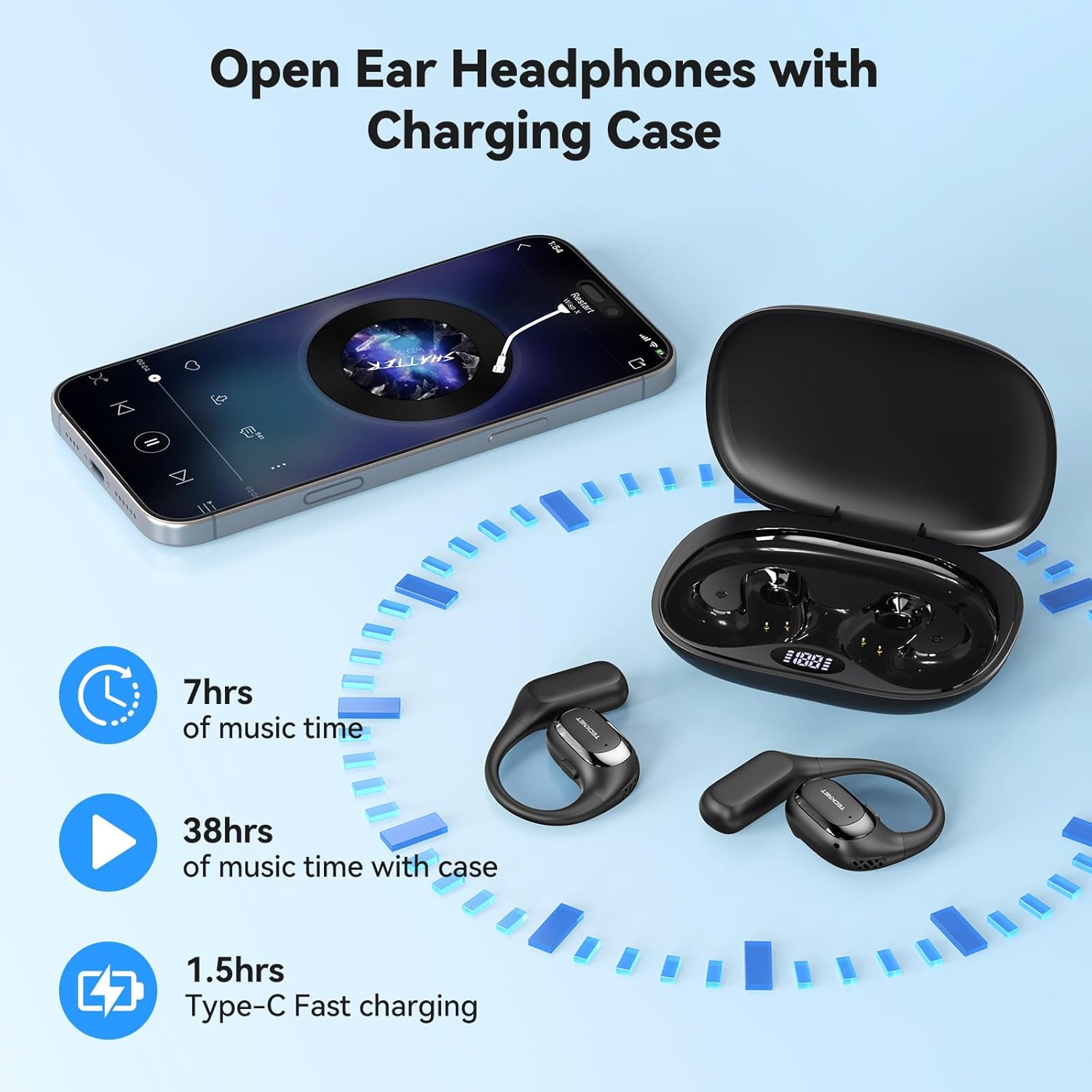
Слика 3.2: Headphones and charging case. The display on the case shows battery status. The image also indicates 7 hours of music time per charge, 38 hours total with the case, and 1.5 hours for Type-C fast charging.
4. Подешавање
4.1 Пуњење слушалица и футроле
- Почетна наплата: Пре прве употребе, потпуно напуните и слушалице и кућиште за пуњење.
- Пуњење кућишта: Connect the provided USB-C cable to the charging port on the case and to a USB power adapter (not included). The digital display on the case will show the charging progress.
- Пуњење слушалица: Place the headphones into their respective slots in the charging case. Ensure the charging contacts align. The digital display will show the charging status of each earbud.
- Индикација потпуног пуњења: The display will indicate a full charge when complete. A full charge for the case and headphones typically takes approximately 1.5 hours.
4.2 Укључивање/искључивање
- Укључено: Open the charging case, and the headphones will automatically power on. Alternatively, press and hold the multi-function button on each earbud for 3 seconds.
- Искључивање: Place the headphones back into the charging case and close the lid; they will automatically power off and begin charging. Alternatively, press and hold the multi-function button on each earbud for 5 seconds.
4.3 Блуетоотх упаривање
- Уђите у режим упаривања: Open the charging case. The headphones will automatically enter pairing mode, indicated by a flashing LED light on the earbuds.
- Омогући Блуетоотх: On your device (smartphone, tablet, etc.), go to the Bluetooth settings and enable Bluetooth.
- Изаберите уређај: Look for "TK-HS036" in the list of available devices and select it to connect.
- Потврда везе: Once connected, the LED indicator on the headphones will stop flashing, and you will hear an audible confirmation.

Слика 4.1: Bluetooth 6.0 connection process. The image shows a phone's Bluetooth settings with the TK-HS036 headphones successfully connected.
- Аутоматско поновно повезивање: After the initial pairing, the headphones will automatically connect to the last paired device when powered on and within range.
5. Упутство за употребу
5.1 Репродукција музике
- Пусти/паузирај: Једном додирните вишефункционално дугме на било којој слушалици.
- Следећа нумера: Двапут додирните вишефункционално дугме на десној слушалици.
- Претходни запис: Двапут додирните вишефункционално дугме на левој слушалици.
- Појачавање звука: Triple tap the multi-function button on the right earbud.
- Смањивање јачине звука: Triple tap the multi-function button on the left earbud.
5.2 Функције позива
- Одговори/заврши позив: Једном додирните вишефункционално дугме на било којој слушалици.
- Одбиј позив: Притисните и држите вишефункционално дугме на било којој слушалици 2 секунде.
- Активирање гласовног помоћника: Press and hold the multi-function button on either earbud for 2 seconds (when not on a call).
5.3 Квалитет звука
The TK-HS036 headphones are equipped with a 14.2mm driver designed to deliver clear audio with enhanced bass.
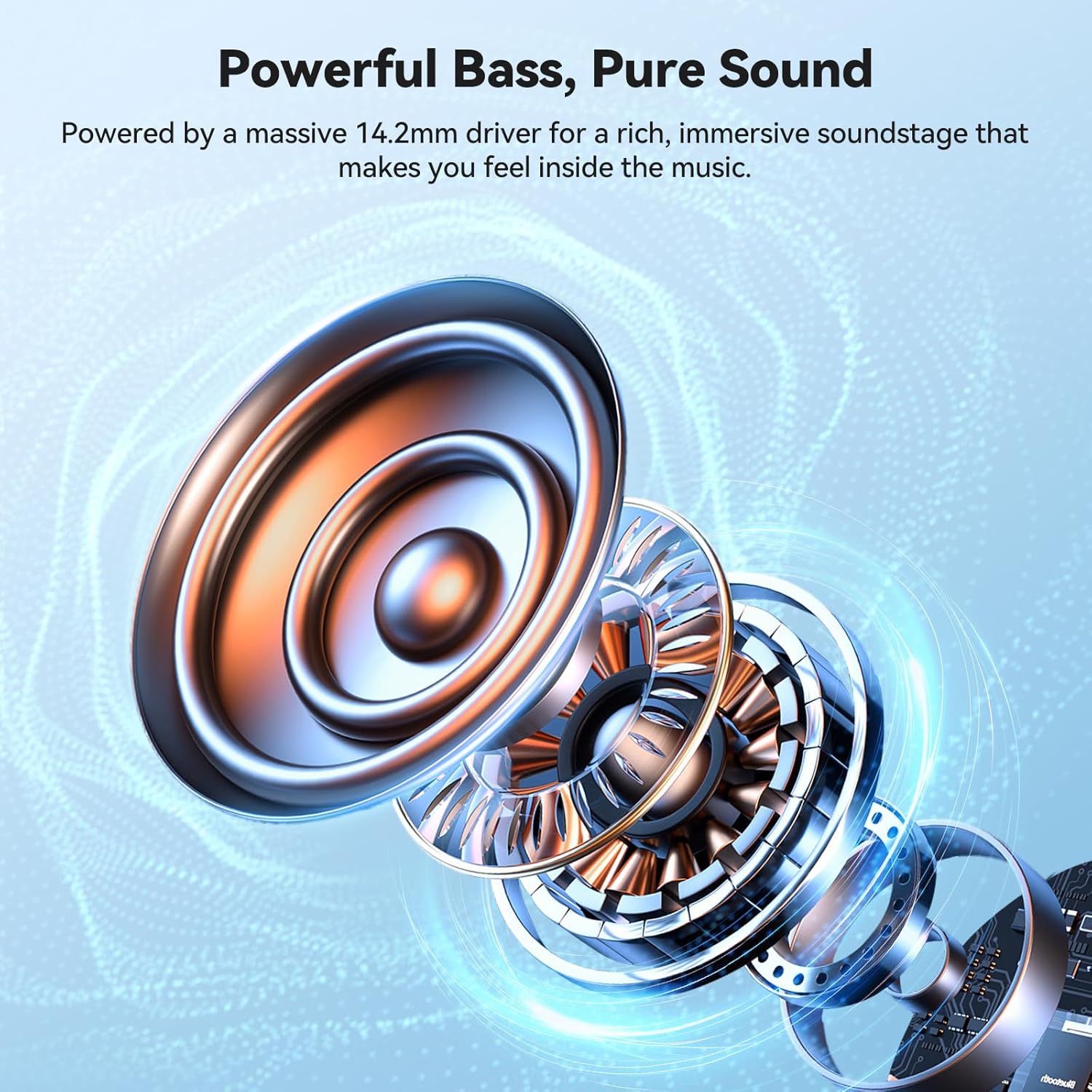
Слика 5.1: Унутрашње view of the 14.2mm driver, responsible for audio output.
6. Одржавање
6.1 Чишћење
- Обришите слушалице и кућиште за пуњење меком, сувом крпом која не оставља влакна.
- Не користите абразивна средства за чишћење, алкохол или хемијске раствараче.
- Уверите се да су контакти за пуњење чисти и без прљавштине.
6.2 Складиштење
- Чувајте слушалице у њиховој футроли за пуњење када их не користите како бисте их заштитили и одржали напуњеним.
- Избегавајте складиштење на екстремним температурама или високој влажности.
6.3 IPX5 Waterproof Rating
The headphones are rated IPX5 waterproof, meaning they are resistant to sweat and light splashes of water. They are not designed for submersion in water.

Слика 6.1: IPX5 Waterproof feature. The headphones are designed to withstand sweat and light rain, making them suitable for sports and outdoor activities.
КСНУМКС. Решавање проблема
| Проблем | Могући узрок | Решење |
|---|---|---|
| Слушалице се не укључују. | Ниска батерија. | Потпуно напуните слушалице и кућиште за пуњење. |
| Упаривање са уређајем није могуће. | Bluetooth is off on device; headphones not in pairing mode; device too far. | Ensure Bluetooth is enabled on your device. Place headphones in pairing mode. Move device closer to headphones. Forget previous pairings on your device and try again. |
| Нема звука или је јачина звука ниска. | Volume too low on headphones or device; headphones not properly connected. | Adjust volume on both headphones and your device. Reconnect headphones to your device. |
| Повремена веза. | Сметње; уређај је предалеко; батерија је празна. | Move closer to your device. Avoid areas with strong Wi-Fi or other Bluetooth signals. Ensure headphones are charged. |
8. Спецификације
| Феатуре | Детаљ |
|---|---|
| Назив модела | ТК-ХС036 |
| Бранд | ТЕЦКНЕТ |
| Технологија повезивања | Блуетоотх 6.0 |
| Постављање уха | На уху (дизајн отвореног уха) |
| Водоотпорна оцена | ИПКС5 |
| Music Playtime (Earbuds) | До 7 сати |
| Укупно време репродукције (са кућиштем за пуњење) | Up to 40 hours (approx. 38 hours stated in image) |
| Време пуњења (футрола) | Приближно 1.5 сата (USB-C) |
| Дривер Сизе | 14.2мм |
| Боја | Црно |
9. Гаранција и подршка
TECKNET products come with a standard manufacturer's warranty. For specific warranty details, please refer to the warranty card included in your product packaging or visit the official TECKNET website. If you encounter any issues or have questions regarding your TK-HS036 headphones, please contact TECKNET customer support through their official channels.