
1. Увод
Thank you for choosing the ATK Dragonfly A9 Ultra Max Wireless Gaming Mouse. This manual provides essential information for setting up, operating, and maintaining your new gaming mouse. Designed for competitive esports, the A9 Ultra Max features a lightweight build, high-performance sensor, and advanced wireless technology to enhance your gaming experience.
Please read this manual thoroughly before use to ensure optimal performance and longevity of your device.
2. Садржај пакета
Проверите да ли су све ставке присутне у вашем пакету:
- ATK Dragonfly A9 Ultra Max Wireless Gaming Mouse
- USB-C кабл (за пуњење и жичану везу)
- 2.4G Wireless Dongle (GEM 8K Dongle)
- Упутство за употребу (овај документ)
- Гарантни лист
- Safety Specification Guide
- Matching Color Grip Tape
- Standard Gray Gaming Mouse Feet

Image: Contents of the ATK Dragonfly A9 Ultra Max package, including the mouse, cables, and documentation.
3. Подешавање
3.1 Пуњење миша
Before first use, fully charge the mouse. Connect the provided USB-C cable to the mouse and to a USB port on your computer or a USB power adapter.
- The mouse features an 800mAh battery.
- A full charge provides up to 800 hours of use at a 1000Hz polling rate.
- ЛЕД индикатор на мишу ће приказивати статус пуњења.
3.2 Повезивање миша
The ATK Dragonfly A9 Ultra Max supports dual-mode connectivity: 2.4G Wireless and Wired (USB-C).
3.2.1 2.4G бежична веза
- Locate the 2.4G wireless dongle (GEM 8K Dongle) in the package.
- Укључите кључ у слободан УСБ порт на рачунару.
- Укључите миш помоћу прекидача за напајање који се налази на дну миша.
- The mouse should automatically connect to the dongle. If not, press the pairing button (if available, refer to the diagram below) or consult the software for pairing instructions.

Image: Illustration of the ATK Dragonfly A9 Ultra Max mouse connected wirelessly via its 2.4G dongle.
3.2.2 Жична веза
- Connect the provided USB-C cable to the mouse.
- Повежите други крај USB-C кабла са доступним USB портом на рачунару.
- Миш ће одмах радити у жичаном режиму и истовремено ће се пунити.
3.3 Инсталација софтвера (опционо)
For advanced customization, including button remapping, DPI settings, polling rate adjustment (up to 8K), and macro creation, download the official ATK software from the ATK webсајту. Односи се website for the latest software version and installation instructions.
4. Упутство за употребу
4.1 Основне функције миша
The ATK Dragonfly A9 Ultra Max features 6 programmable buttons:
- Дугме левог клика
- Десни клик на дугме
- Scroll Wheel (Clickable)
- Бочно дугме за напред
- Бочно дугме уназад
- DPI Cycle Button (usually on the bottom or top, configurable via software)
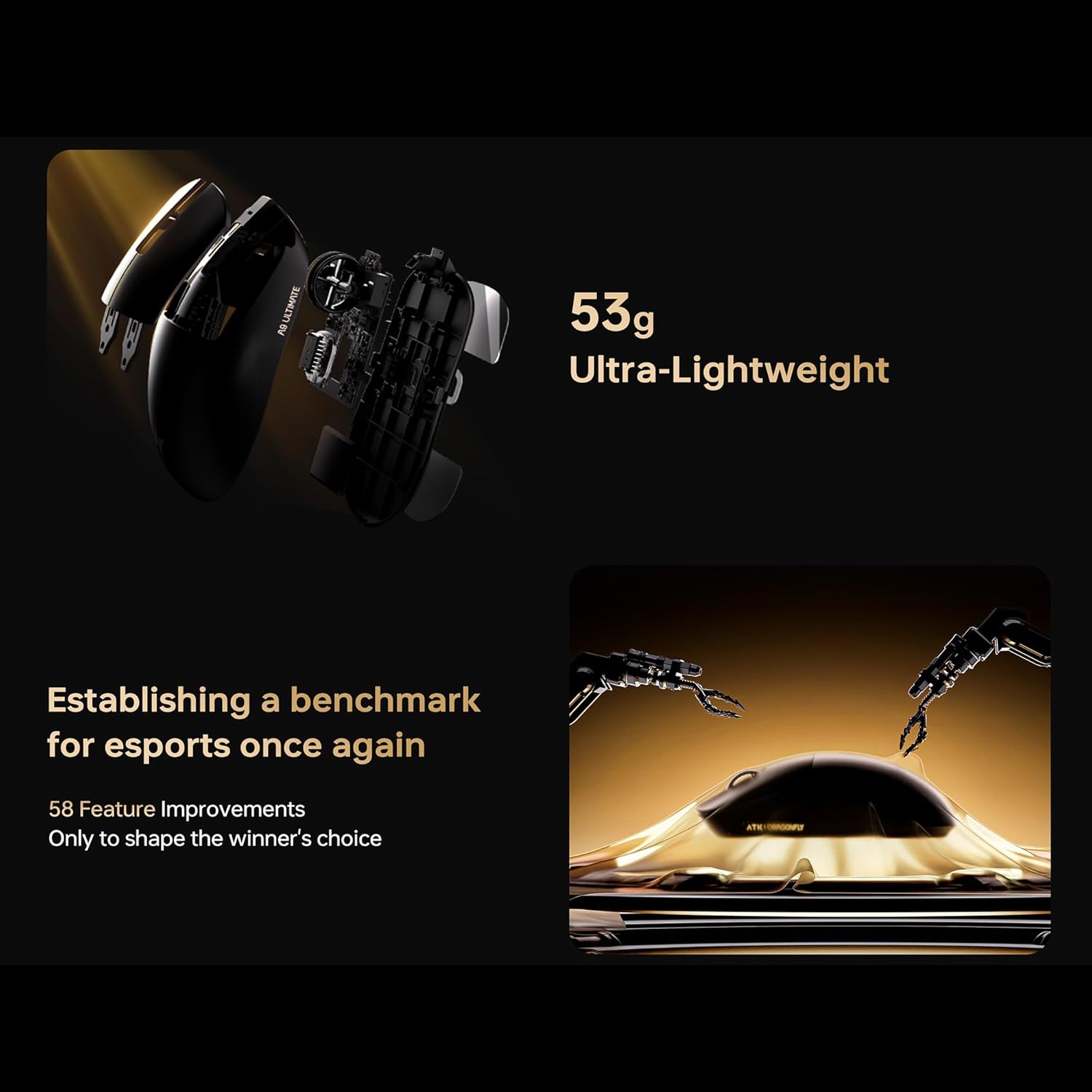
Image: Diagram illustrating the button layout and ergonomic design of the ATK Dragonfly A9 Ultra Max mouse.
4.2 ДПИ подешавање
The mouse is equipped with a PAW3395 Ultra sensor, offering up to 30000 DPI. You can cycle through preset DPI stages using the dedicated DPI button, or customize them precisely using the ATK software.
4.3 Стопа анкетирања
The A9 Ultra Max supports up to 8000Hz polling rate in both wired and 2.4G wireless modes. This high polling rate provides smoother cursor movement and reduced input latency. Adjust the polling rate via the ATK software for optimal performance in different applications.
4.4 Ергономија и стилови хватања
The mouse is designed with an ergonomic shape suitable for various grip styles, including claw, fingertip, and palm grips, accommodating medium to large hand users. The textured side panels enhance control during intense gaming sessions.

Image: Visual guide demonstrating different grip styles (claw, fingertip, palm) compatible with the ATK Dragonfly A9 Ultra Max mouse.
5. Одржавање
5.1 Чишћење
- Користите меку, суву крпу за чишћење површине миша.
- За тврдокорну прљавштину, благо дampи крпу са водом или благим раствором за чишћење.
- Avoid using harsh chemicals, abrasives, or solvents, as these can damage the mouse's finish.
- Не дозволите да течности уђу у унутрашњост миша.
5.2 Складиштење
Када се миш не користи дуже време, чувајте га на хладном и сувом месту, даље од директне сунчеве светлости и екстремних температура.
5.3 Одржавање батерије
- Да бисте продужили век трајања батерије, избегавајте често потпуно пражњење миша.
- Редовно пуните миш, чак и ако га не користите стално.
- Не излажите батерију високим температурама.
КСНУМКС. Решавање проблема
| Проблем | Могуће решење |
|---|---|
| Миш не реагује (бежични) |
|
| Миш не реагује (жичани) |
|
| Покрет курсора је неправилан или скачкав |
|
| Дугмад не функционишу исправно |
|
| Трајање батерије је краће од очекиваног |
|
7. Спецификације
| Феатуре | Детаљ |
|---|---|
| Модел | A9 Ultra Max |
| Повезивање | 2.4G бежично, USB-C жично |
| Сензор | PAW3395 Ultra Optical Sensor |
| МЦУ | Nordic 54L15 |
| DPI (макс.) | 30000 ДПИ |
| Поллинг Рате | Up to 8000Hz (Wired/Wireless) |
| Дугмад | 6 Програмабилна дугмад |
| Тежина | 55г |
| Трајање батерије | До 800 сати (при фреквенцији анкетирања од 1000Hz) |
| Капацитет батерије | 800мАх |
| Димензије | L 125 x W 63.5 x H 40 (mm) |
| Оријентација руке | Тачно |
| Компатибилност оперативног система | Виндоус, macOS, Линукс, iOS, Андроид |
| Материјал кућишта | Пластика |
| Моусе Феет | PTFE (Gaming Teflon Large Mouse Feet) |

Image: Detailed product specification table for the ATK Dragonfly A9 series, highlighting the A9 Ultra Max model.
8. Гаранција и подршка
8.1 Информације о гаранцији
The ATK Dragonfly A9 Ultra Max Wireless Gaming Mouse comes with a 6-месечна гаранција from the date of purchase. This warranty covers manufacturing defects and malfunctions under normal use. It does not cover damage caused by misuse, accidents, unauthorized modifications, or normal wear and tear.
Please retain your proof of purchase for warranty claims. For detailed warranty terms and conditions, refer to the included Warranty Certificate or visit the official ATK webсајту.
8.2 Корисничка подршка
If you encounter any issues not covered in the troubleshooting section or require further assistance, please contact ATK Customer Support:
- Webсајт: Visit the ATK Store on Amazon (за општа питања и информације о производу)
- Refer to the Safety Specification Guide for contact details specific to your region.