
1. Увод
This manual provides essential information for setting up, operating, and maintaining your Beelink Mini S12 N95 Mini PC. Please read it thoroughly before using the device to ensure optimal performance and safety.

Image: The Beelink Mini S12 N95 Mini PC, a compact and powerful desktop solution.
2. Шта је у кутији
Проверите да ли су све ставке присутне у пакету:
- 1 x Beelink Mini S12 N95 Mini PC
- 1 к ХДМИ кабла
- 1 x Power Adapter (US Standard)
- 1 x Упутство за употребу (овај документ)
- 1 x VESA Mount with Screws
3. Производ је готовview
The Beelink Mini S12 N95 is a compact desktop computer designed for office, home video, and general productivity tasks. It features an Intel Alder Lake-N95 processor, 16GB DDR4 RAM, and a 500GB M.2 SSD.
3.1 Кључне карактеристике
- процесор: Intel Alder Lake-N95 (4 Cores, 4 Threads, up to 3.4GHz, 6MB Cache)
- Меморија: 16GB DDR4 3200MHz SODIMM (single channel, expandable up to 16GB)
- Складиштење: 500GB M.2 2280 SSD (PCIe 3.0, expandable up to 2TB)
- Графика: Intel UHD Graphics (16EUs, up to 1200MHz)
- Видео излаз: Dual HDMI 2.0 ports, supporting 4K@60Hz display
- умрежавање: 2.5G LAN, Wi-Fi 5 (802.11ac), Bluetooth 4.2
- Портови: 4x USB 3.2 Gen2 (10Gbps), 2x HDMI, 1x 2.5G LAN, 1x Earphone Jack, 1x DC Power Input, 1x CLR CMOS button
- Димензије: Приближно 4.52 к 4.01 к 1.54 инча
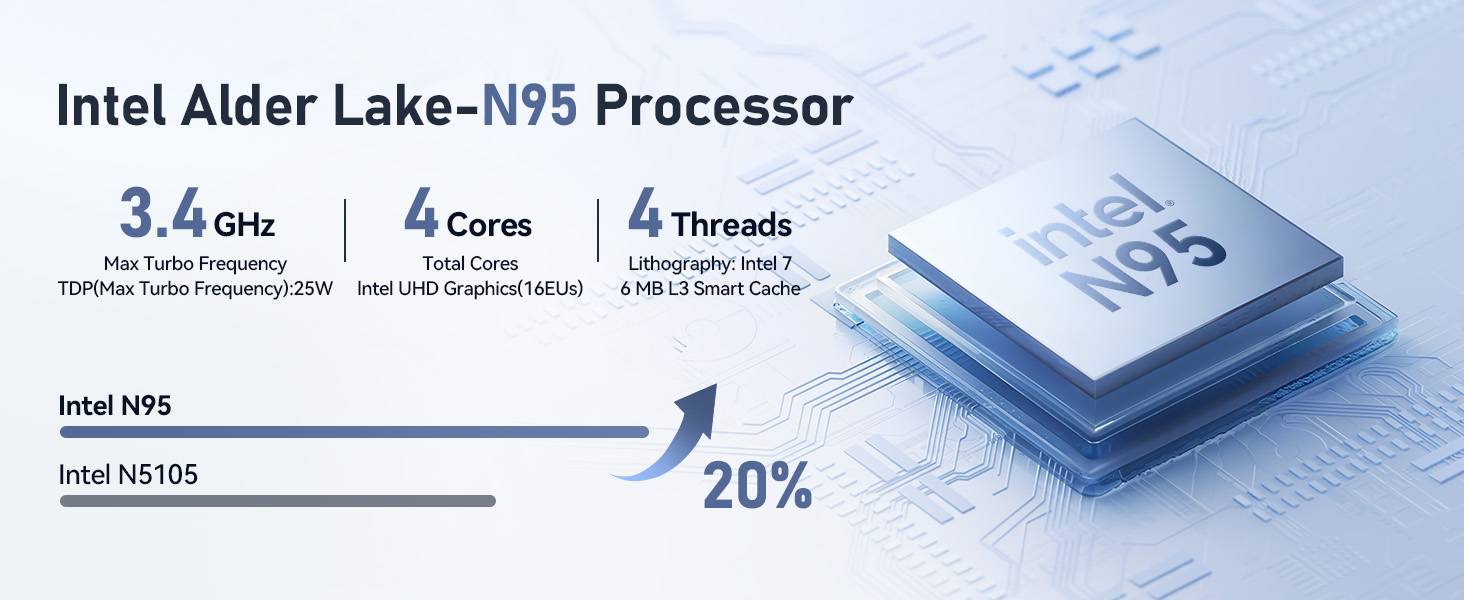
Слика: Прекоview of the Intel Alder Lake-N95 processor specifications.

Image: High-speed 16GB DDR4 RAM and 500GB M.2 SSD for efficient performance.

Слика: Предња и задња страна view of the Mini PC showing various ports including USB 3.2, HDMI, and LAN.
4. Водич за подешавање
Follow these steps to set up your Beelink Mini S12 N95 Mini PC:
- Повежи се са екраном: Use the provided HDMI cable to connect the Mini PC to your monitor or TV. The device supports dual 4K displays.
- Повежите периферне уређаје: Connect your keyboard, mouse, and other USB devices to the available USB 3.2 ports.
- Мрежна конекција: For a wired connection, connect an Ethernet cable to the 2.5G LAN port. For wireless, the device supports Wi-Fi 5.
- Укључено: Connect the power adapter to the DC input port on the Mini PC, then plug it into a power outlet. Press the power button on the front of the device.
- Почетно покретање: The system will boot up. Follow the on-screen instructions to complete the operating system setup (e.g., Windows 11).

Image: Illustrates connecting two monitors for a dual 4K display setup.
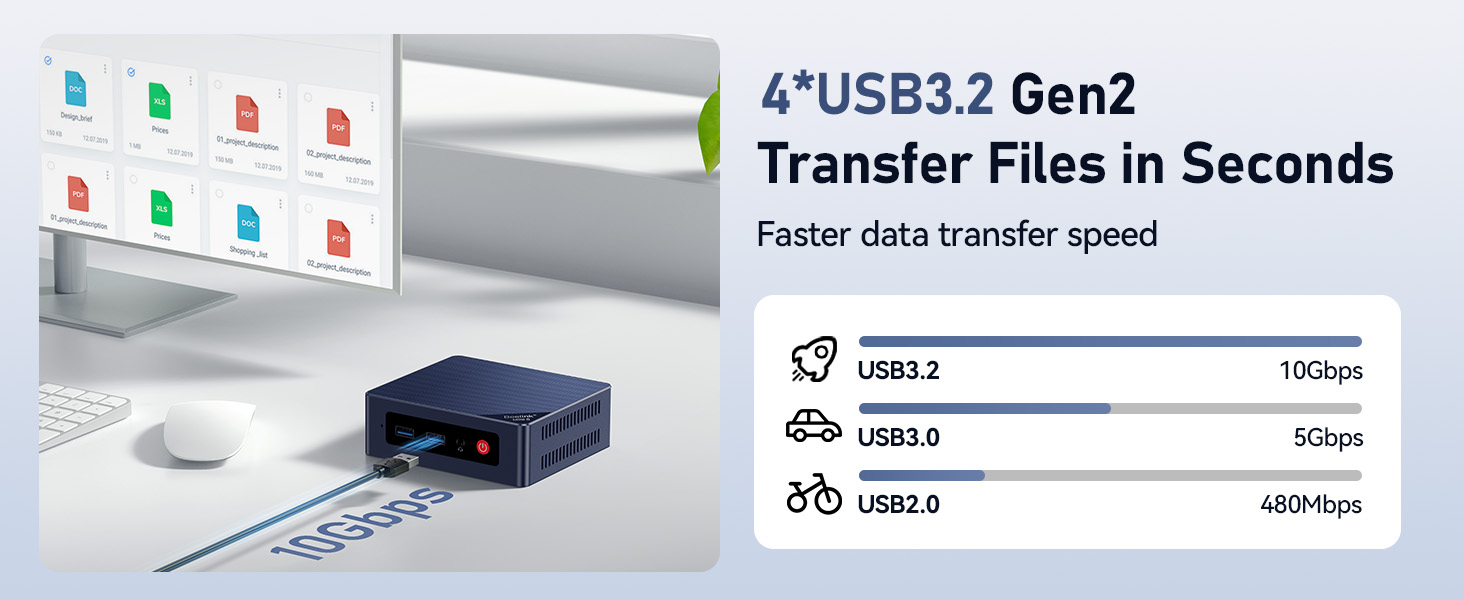
Image: Demonstrates the high-speed data transfer capabilities of the USB 3.2 Gen2 ports.
5. Упутство за употребу
5.1 Укључивање/искључивање
- За укључивање: Press the red power button on the front panel.
- Затворити: Use the operating system's shutdown function. Alternatively, press and hold the power button for 5 seconds to force a shutdown (not recommended for regular use).
5.2 Dual Display Setup
Connect two monitors to the HDMI ports. The operating system should automatically detect both displays. You can configure display settings (extend, duplicate, etc.) through your OS display settings.
5.3 Мрежна повезаност
- Жични ЛАН: Plug an Ethernet cable into the 2.5G LAN port for a high-speed wired connection.
- Ви-Фи: Access your operating system's network settings to connect to a Wi-Fi 5 (802.11ac) network.
- Блуетоотх: Enable Bluetooth in your OS settings to pair with compatible devices like keyboards, mice, or speakers.

Image: Highlighting the 2.5G LAN port for fast wired network connections.
6. Одржавање
- Чишћење: Use a soft, dry cloth to clean the exterior of the Mini PC. Avoid liquid cleaners. Ensure ventilation holes are free from dust.
- вентилација: Do not block the ventilation openings. Ensure adequate airflow around the device to prevent overheating. The internal cooling fan helps maintain optimal temperatures.
- Ажурирања софтвера: Редовно ажурирајте оперативни систем и управљачке програме како бисте осигурали безбедност и перформансе.
- Проширење складишног простора: The Mini PC supports a 2.5-inch SATA HDD/SSD for additional storage (up to 2TB). Refer to the detailed instructions for installation if you wish to expand storage.
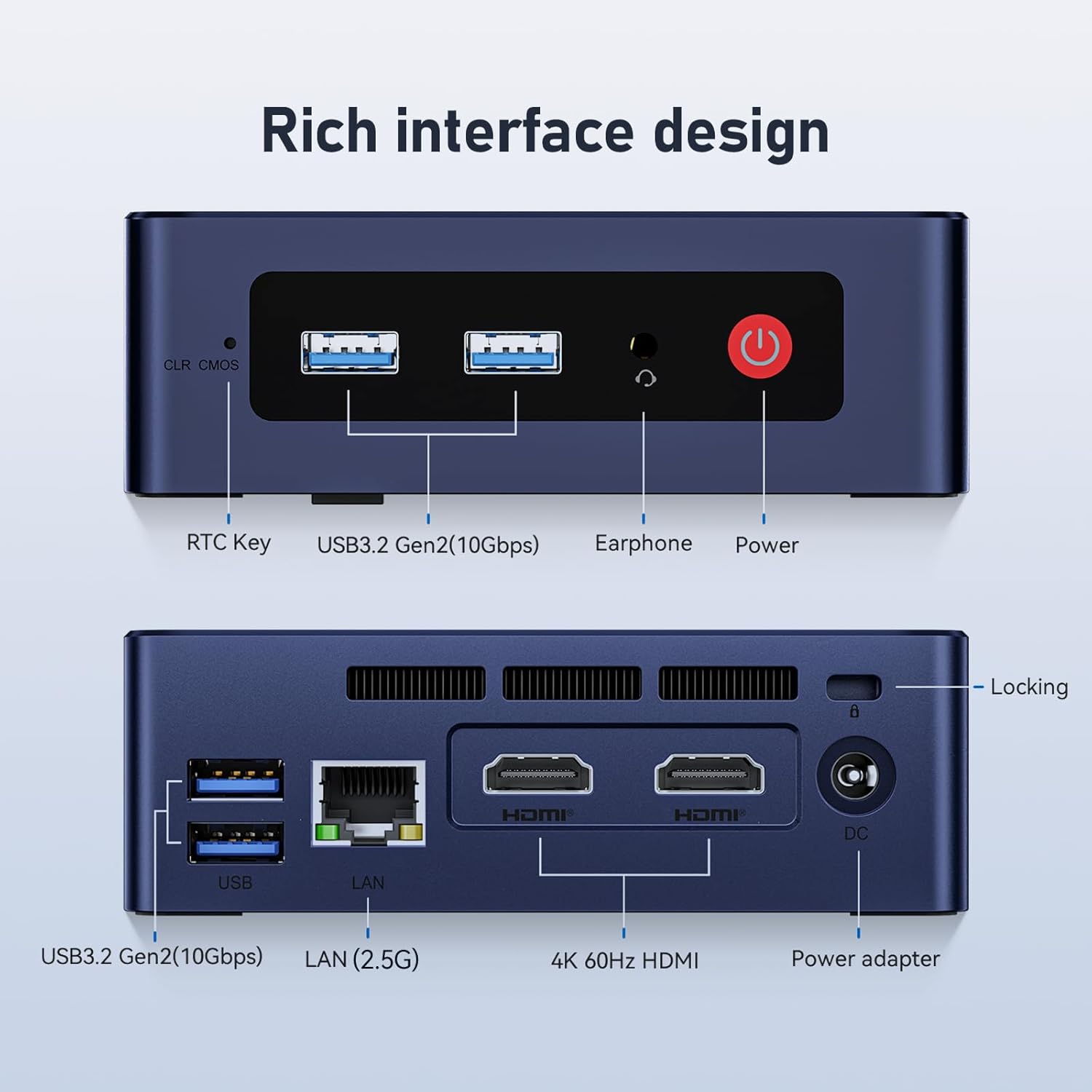
Image: Internal components showing the cooling fan and heat sink, crucial for maintaining CPU temperature.
КСНУМКС. Решавање проблема
| Проблем | Могући узрок | Решење |
|---|---|---|
| Нема приказа на монитору | Loose HDMI cable, incorrect input source on monitor, power issue. | Check HDMI connections. Ensure monitor is on and set to correct input. Verify power adapter is connected. |
| Нема струје | Power adapter not connected, faulty outlet. | Ensure power adapter is securely connected to both the PC and a working power outlet. |
| Wi-Fi/Bluetooth не ради | Drivers not installed, disabled in OS, hardware issue. | Check device manager for driver status. Ensure Wi-Fi/Bluetooth is enabled in OS settings. Restart the PC. |
| System slow or freezing | Too many applications running, low storage, overheating. | Close unnecessary applications. Free up disk space. Ensure proper ventilation. Check for OS updates. |
If you encounter issues not listed here, please refer to the support section.
8. Спецификације
| Феатуре | Детаљ |
|---|---|
| Бранд | Беелинк |
| Број модела | EQ |
| Процесор | Intel Alder Lake-N95 (4 Cores, 4 Threads, up to 3.4 GHz) |
| Графика | Intel UHD графика (интегрисана) |
| РАМ | 16GB DDR4 3200MHz SODIMM (1 slot, Max 16GB) |
| Складиштење | 500GB M.2 SSD (PCIe 3.0), expandable with 2.5-inch SATA HDD/SSD (up to 2TB) |
| Оперативни систем | OS (as shipped, typically Windows 11) |
| Видео Оутпут | 2 x HDMI (4K@60Hz) |
| УСБ портови | 4 x USB 3.2 Gen2 (10Gbps) |
| ЛАН | 1 x 2.5G Ethernet Port |
| Бежично повезивање | Wi-Fi 5 (802.11ac), Bluetooth 4.2 |
| Аудио | 1 x Earphone Jack |
| Повер Инпут | ДЦ 12В/3А (15В) |
| Димензије | Прибл. 4.52 к 4.01 к 1.54 инча (11.48 к 10.19 к 3.91 цм) |
| Тежина | 0.7 килограма |
| Метод хлађења | Фан |
| Сигурносне карактеристике | Windows Defender, Windows Hello, Secure Boot |
9. Гаранција и подршка
Beelink provides comprehensive support for its products.
- гаранција: Производ долази са гаранцијом од 12 месеца.
- техничка подршка: Доступна је доживотна техничка подршка.
- Служба за кориснике: For any product questions or support, please contact customer service. You can typically find contact information on the seller's page or through your purchase platform.

Image: General information about Beelink Mini PCs and support.
10. Видео водич
Watch the official product video for a visual guide on the Beelink S12 Mini PC features.
Видео: Званично завршеноview of the Beelink S12 Mini PC, highlighting its Intel N95 processor, 16GB RAM, and 500GB storage.