
1. Увод и преглед производаview
Thank you for choosing the Tristar BW-4791 Wireless Heating Cushion. This manual provides essential information for the safe and efficient use of your new heating cushion. Please read it thoroughly before first use and keep it for future reference.
The Tristar BW-4791 heating cushion offers wireless comfort with its integrated 5,000 mAh power bank, providing up to 2 hours of warmth at the maximum setting. It's designed for both home and on-the-go use, delivering targeted heat and relaxation.
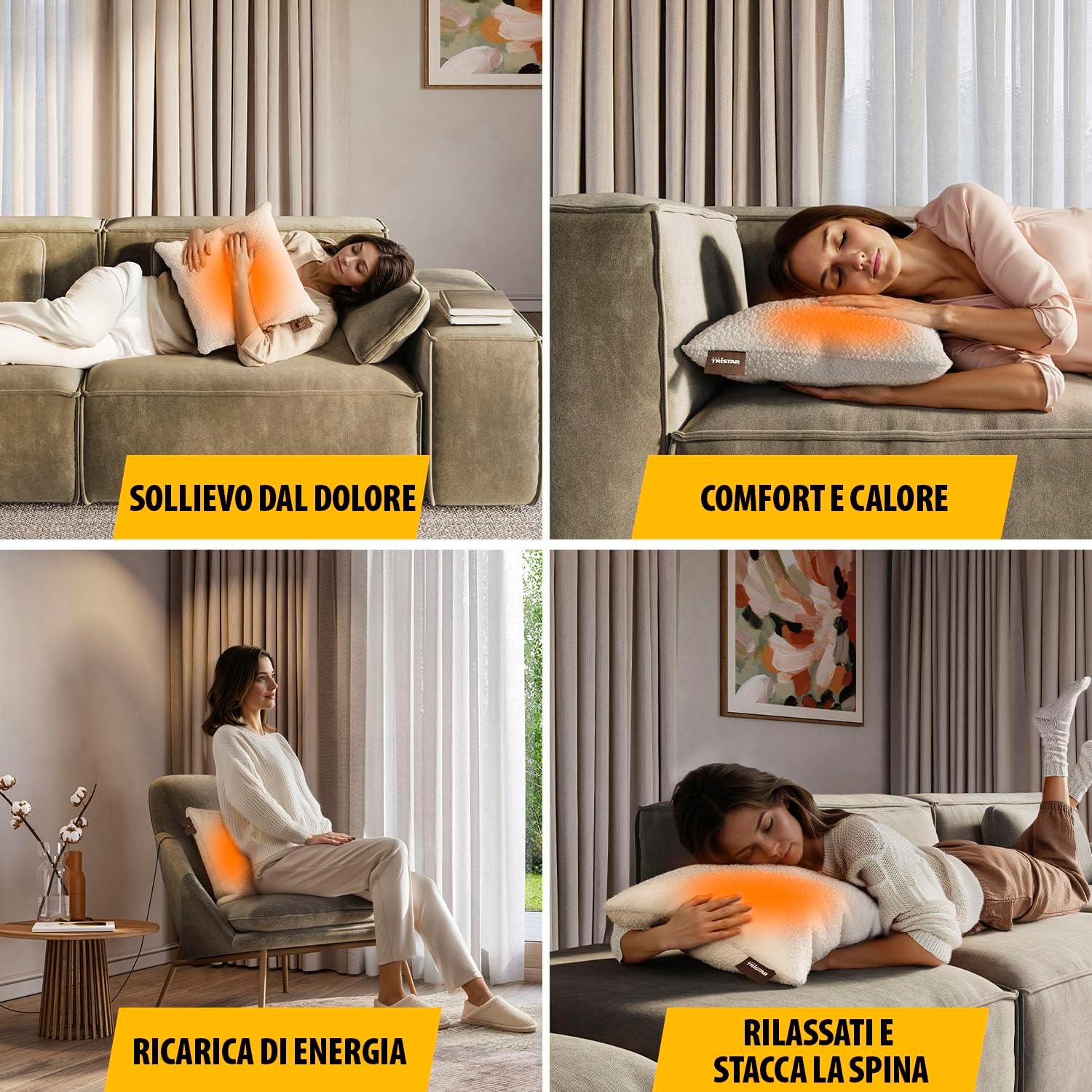
Image: Users enjoying the heating cushion for pain relief, comfort, and relaxation in different environments.
Кључне карактеристике:
- Бежични рад: Powered by a 5,000 mAh power bank for portable use.
- Брзо загревање: Reaches desired temperature in approximately 10 minutes.
- Подесива топлота: Features 3 customizable heat settings.
- Targeted Warmth: Integrated heating elements provide even heat distribution over a 25 x 25 cm area.
- Удобан дизајн: Soft fabric and generous 45 x 45 cm dimensions for optimal comfort.
- Лако одржавање: Removable and machine-washable cover.
2. Безбедносна упозорења
Да бисте осигурали безбедан рад и спречили повреде или оштећења, молимо вас да се придржавате следећих мера предострожности:
- Упозорење о високој температури: The heating cushion can become very hot. Avoid direct, prolonged skin contact, especially if you have sensitive skin or reduced sensation.
- Надзор: Do not leave the heating cushion operating unattended.
- Impaired Judgment: Do not use the cushion if you are under the influence of drugs, alcohol, or medication that may impair your judgment or ability to follow instructions.
- Children and Vulnerable Individuals: Овај уређај могу да користе деца узраста од 8 година и више и особе са смањеним физичким, сензорним или менталним способностима или недостатком искуства и знања ако су под надзором или инструкције у вези са коришћењем уређаја на безбедан начин и разумеју опасности које су укључене. . Деца се не смеју играти са уређајем. Чишћење и корисничко одржавање не смеју да врше деца без надзора.
- Медицински услови: Consult a doctor before use if you have any medical conditions, especially those affecting circulation or skin sensitivity.
- Оштећење: Do not use the cushion if it is damaged, wet, or if the power bank or cables are faulty.
- Запаљиви материјали: Do not use near flammable materials or in an oxygen-enriched environment.
- Складиштење: Чувати на сувом месту када се не користи.
- Паковање производа: Always refer to the product packaging, labels, and instructions provided directly with the product for the most current safety information.
3. Компоненте производа
The Tristar BW-4791 Wireless Heating Cushion package includes the following items:
- Tristar Wireless Heating Cushion (45 x 45 cm)
- 5,000 мАх Повер Банк
- USB Charging Cable (20 cm)
- USB Charging Cable (2 m)
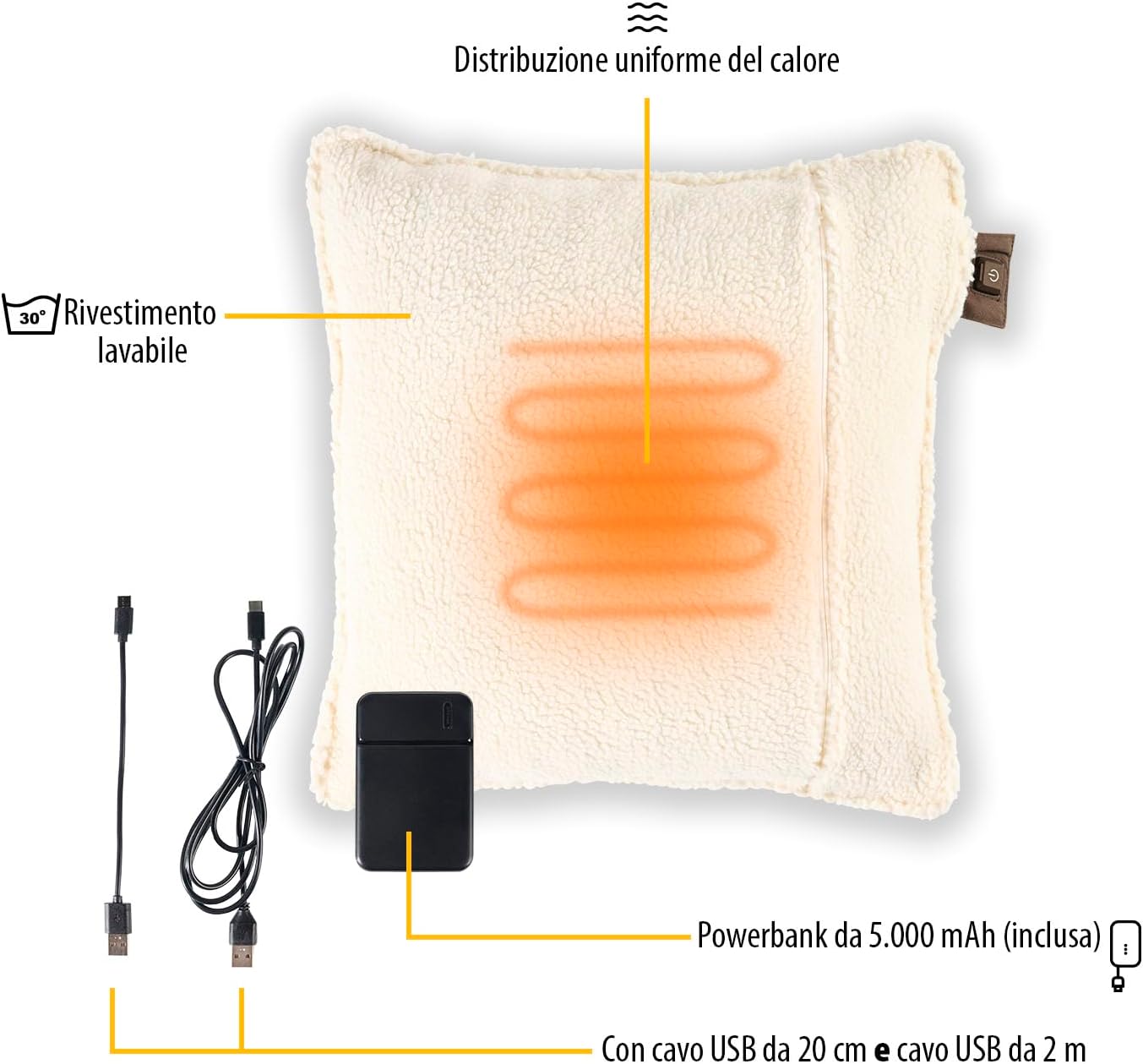
Слика: Експлодирана view of the heating cushion components, including the power bank and charging cables.
4. Подешавање
4.1 Пуњење преносног пуњача
- Locate the 5,000 mAh power bank and the provided USB charging cables.
- Connect one end of a USB cable to the power bank's input port.
- Connect the other end of the USB cable to a suitable USB power adapter (not included) or a powered USB port (e.g., computer, wall charger).
- The power bank's indicator lights will show the charging status. Charge until fully charged before first use.
4.2 Connecting the Power Bank to the Cushion
- Open the zipper on the heating cushion to access the internal pocket.
- Inside the pocket, you will find a USB connector.
- Connect the fully charged power bank to this USB connector.
- Place the power bank securely inside the pocket and close the zipper.
5. Упутство за употребу
The heating cushion features an intuitive control button for easy operation.

Image: Detail of the control button and heat level indicators.
5.1 Укључивање/искључивање
- To turn on the cushion, press and hold the power button located on the cushion's tag for a few seconds until an indicator light illuminates.
- To turn off the cushion, press and hold the power button again until the indicator light turns off.
5.2 Подешавање нивоа топлоте
The cushion has 3 adjustable heat settings:
- ниско: Indicated by a specific color (e.g., green or blue light).
- средњи: Indicated by a specific color (e.g., orange light).
- висока: Indicated by a specific color (e.g., red light).
To cycle through the heat settings, short press the power button while the cushion is on. Each press will change the heat level.
5.3 Аутоматско искључивање
For safety and energy conservation, the heating cushion is equipped with an automatic shut-off function. It will automatically turn off after a certain period (typically 120 minutes at maximum level) to prevent overheating and conserve battery life. You can restart the cushion by pressing the power button again.
6. Одржавање
Proper maintenance ensures the longevity and hygiene of your heating cushion.
6.1 Чишћење поклопца
- Ensure the heating cushion is turned off and disconnected from the power bank.
- Unzip the cover and carefully remove it from the internal heating pad.
- The cover is machine washable. Follow the washing instructions on the care label (typically 30°C).
- Allow the cover to air dry completely before reassembling. Do not tumble dry.
6.2 Чишћење грејне подлоге
The internal heating pad is not washable. If necessary, gently wipe it with a damp cloth and mild detergent. Ensure it is completely dry before reinserting it into the cover or storing.
6.3 Складиштење
When not in use, store the cushion in a cool, dry place, away from direct sunlight and moisture. Ensure the power bank is disconnected from the cushion for long-term storage.
КСНУМКС. Решавање проблема
If you encounter any issues with your Tristar BW-4791 heating cushion, please refer to the following common problems and solutions:
- Јастук се не греје:
- Уверите се да је повер банк у потпуности напуњен.
- Verify that the power bank is securely connected to the cushion's internal USB connector.
- Press and hold the power button on the cushion's tag да бисте били сигурни да је укључен.
- Check if the automatic shut-off has activated. If so, restart the cushion.
- Преносна батерија се не пуни:
- Ensure the USB charging cable is properly connected to both the power bank and the power source.
- Покушајте са другим УСБ каблом или адаптером за напајање.
- Ensure the power source (e.g., wall outlet, computer USB port) is active.
- Cushion turns off unexpectedly:
- The automatic shut-off feature may have activated. This is normal operation.
- The power bank may be low on charge. Recharge the power bank.
Ако проблем и даље постоји након што сте испробали ова решења, обратите се корисничкој подршци.
8. Спецификације
| Феатуре | Спецификација |
|---|---|
| Број модела | БВ-КСНУМКС |
| Dimensions (Cushion) | 45 к 45 цм |
| Dimensions (Product Package) | 11 к 45 к 45 цм |
| Тежина | 750 грама |
| Повер Банк капацитет | 5,000 мАх |
| Нивои топлоте | 3 |
| Грејни простор | 25 к 25 цм |
| Максимална аутономија | Up to 2 hours (at max level) |
| Време загревања | Прибл. 10 минута |
| Material (Internal) | АБС |
| Цовер Материал | Soft fabric (washable) |
| Боја | Беж |
| Посебна карактеристика | Wireless with Power Bank |
9. Гаранција и подршка
Tristar products are manufactured to high quality standards. In the unlikely event of a defect, please refer to your purchase receipt for warranty information. The warranty period typically covers manufacturing defects from the date of purchase.
For technical support, spare parts, or any questions regarding your Tristar BW-4791 Wireless Heating Cushion, please contact your retailer or visit the official Tristar webсајт за контакт податке корисничке службе.
Please have your model number (BW-4791) and proof of purchase ready when contacting support.