
Увод
The Fender Mustang LTX50 is a versatile 50-watt modeling combo amplifier designed for guitarists seeking a wide range of authentic Fender tones and modern features. Equipped with a 12-inch Celestion G12P-80 speaker, it delivers dynamic sound suitable for practice, rehearsal, and performance. This amplifier offers 25 amp models and 25 effects, covering various musical styles from clean to high-gain. Its intuitive color display, onboard tuner, and 100 user preset slots provide easy customization and quick access to your preferred sounds. The Mustang LTX50 also features Bluetooth audio streaming for playing along with tracks and USB-C connectivity for direct recording and monitoring.
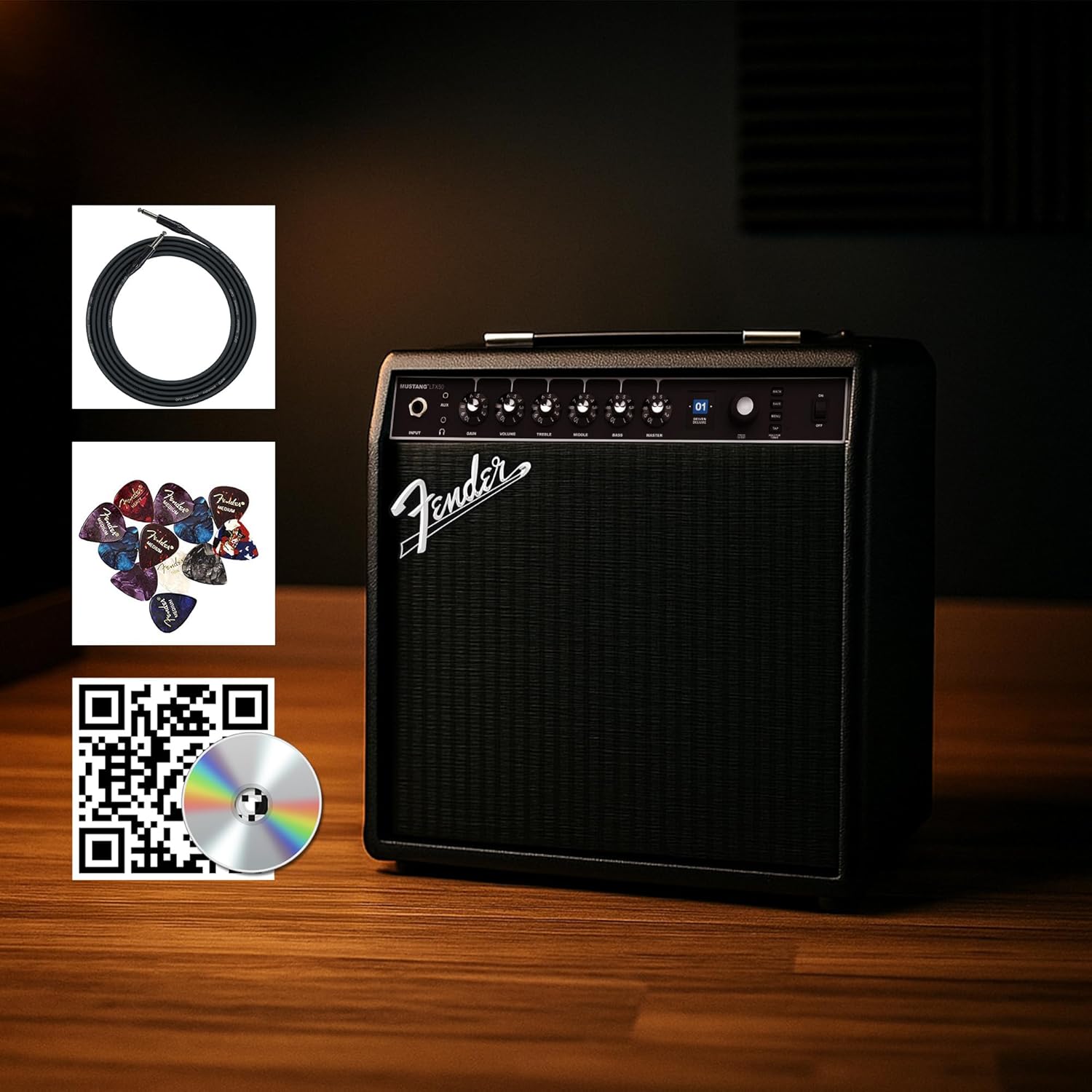
Figure 1: Fender Mustang LTX50 Guitar Combo Amplifier with included accessories.
Сетуп
1. Распакивање и први преглед
- Пажљиво уклоните amplifier and all accessories from the packaging.
- Прегледајте amplifier for any signs of damage that may have occurred during shipping.
- Confirm all included items are present: Mustang LTX50 amplifier, power cord, instrument cable, 12-pack guitar picks, and instructional DVD.
2. Повезивање напајања
- Осигурајте ampПрекидач за напајање уређаја за спасавање је у положају ИСКЉУЧЕНО.
- Connect the included power cord to the AC input on the rear panel of the ampлифиер.
- Укључите други крај кабла за напајање у уземљену електричну утичницу.
3. Повезивање гитаре
- Use the included instrument cable to connect your guitar to the ИНПУТ jack on the front panel of the ampлифиер.
4. Basic Controls Overview
Familiarize yourself with the front panel controls before powering on the ampлифиер.
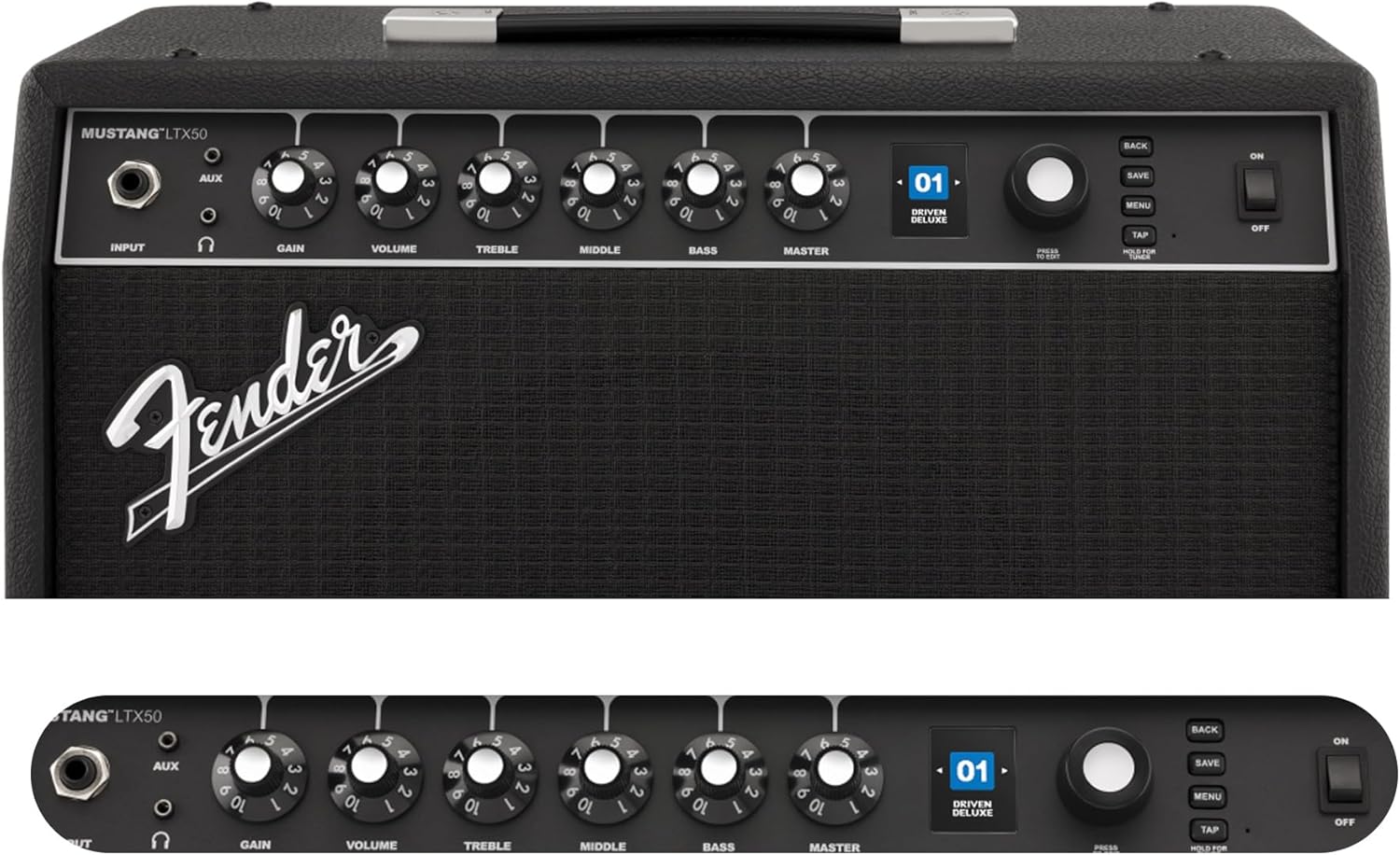
Figure 2: Front Panel Controls of the Mustang LTX50.
Упутство за употребу
1. Укључивање/искључивање
- To power on, ensure all volume controls are set to minimum, then flip the ПОВЕР пребаците у положај ОН.
- To power off, flip the ПОВЕР пребаците у положај ОФФ.
2. Navigating Presets
- Користите ЕНКОДЕР knob (large rotary knob) to scroll through the 100 available presets (70 factory, 30 user).
- Притисните тастер ЕНКОДЕР knob to select a preset.
- The color LCD displays the current preset number and name.
3. Подешавање Amp Модели и ефекти
- Притисните тастер МЕНУ дугме за приступ amplifier's settings.
- Navigate through options like AMP, STOMP, MOD, DELAY, REVERB using the ЕНКОДЕР.
- Select an option and use the ЕНКОДЕР to choose different amp models or effects.
- Adjust parameters for each effect using the smaller control knobs (GAIN, VOLUME, TREBLE, MIDDLE, BASS, MASTER) or by selecting parameters on the display.
- Притисните САВЕ to store your customized preset.
4. Using the Built-in Tuner
- Притисните и држите ТАП button to activate the chromatic tuner.
- Play a single note on your guitar; the display will show the note and indicate if it is sharp, flat, or in tune.
- Press any button or play for a few seconds to exit tuner mode.
5. Fender Tone 3.0 App Control
- Download the Fender Tone 3.0 app from your device's app store (iOS/Android).
- Омогућите Блуетоотх на свом мобилном уређају.
- Он тхе amplifier, press the МЕНУ button, navigate to "Bluetooth," and select "Pair."
- Select "Mustang LTX50" from your device's Bluetooth settings to connect.
- Use the app to wirelessly create, edit, save, and share presets, and to manage your ampподешавања лифиера.
6. Playing Along with Audio (Bluetooth)
- Once paired via Bluetooth, you can stream audio from your mobile device directly to the ampлифиер.
- Adjust the volume of the streamed audio from your mobile device.
- Alternatively, connect an external audio source to the АУКС ИН jack on the front panel using a 3.5mm stereo cable.
7. Recording via USB-C
- Connect a USB-C cable from the amplifier's USB-C port to your computer (Mac or PC).
- Тхе amplifier functions as a bidirectional audio interface, allowing direct recording and monitoring.
- Refer to your Digital Audio Workstation (DAW) software's manual for specific setup instructions.
Одржавање
1. Чишћење
- Одспојите ampискључите апарат из струје пре чишћења.
- Користите меку, суву крпу да обришете спољашње површине.
- За тврдокорну прљавштину, благо дamp Може се користити крпа са благим сапуном, а затим сува крпа.
- Avoid using abrasive cleaners, solvents, or waxes, as these can damage the finish.
2. Складиштење
- Чувајте ampЧувати на хладном и сувом месту, даље од директне сунчеве светлости и екстремних температура.
- Избегавајте складиштење у просторијама са високом влажношћу.
- If storing for extended periods, cover the amplifier to protect it from dust.
3. Safety Warnings (Proposition 65)
Овај производ може да садржи хемикалије за које је држава Калифорнија утврдила да изазивају рак, урођене мане или друге репродуктивне штете. За више информација посетите ввв.П65Варнингс.ца.гов.
Решавање проблема
Нема звука
- Осигурајте amplifier is powered on and the power cord is securely connected.
- Check that your guitar is properly connected to the ИНПУТ Јацк.
- Проверите да ли је МАСТЕР volume and individual preset volume controls are not set to zero.
- Test with a different instrument cable and guitar to rule out faulty equipment.
- If using headphones, ensure they are fully plugged into the headphone jack and that the main speaker is not muted.
Изобличена или нежељена бука
- Check your guitar's volume and tone controls.
- Смањите ГАИН постављање на ampлифиер.
- Ensure your instrument cable is not damaged or poorly shielded.
- Try a different power outlet to rule out electrical interference.
- If using high-gain amp models, some distortion is inherent. Adjust settings accordingly.
Проблеми са Блуетоотх везом
- Ensure Bluetooth is enabled on both your mobile device and the ampлифиер.
- Уверите се да amplifier is in pairing mode (refer to "Fender Tone 3.0 App Control" section).
- Move your mobile device closer to the ampлифиер.
- Покушајте да раскинете упаривање и поново упарите уређаје.
- Поново покрените оба amplifier and your mobile device.
Amplifier Not Responding
- Strujni ciklus amplifier by turning it off, waiting 10 seconds, and turning it back on.
- If the issue persists, a factory reset may be necessary. Consult the Fender support website for instructions on performing a factory reset for the Mustang LTX50.
Спецификације
| Назив модела | MUSTANG LTX50 |
| Број модела | 2311700000 |
| Бранд | Фендер |
| Ampдизалица Тип | Дигитално моделирање |
| Излазна снага | 50 Ваттс |
| Спеакер | 1 x 12" Celestion G12P-80 |
| Amp Модели | 25 |
| Ефекти | 25 (distortion, overdrive, compression, modulation, reverb, delay, octave, etc.) |
| Пресетс | 70 factory + 100 user slots |
| Дисплаи | Color LCD with onboard chromatic tuner |
| Повезивање | Bluetooth audio, USB-C bidirectional audio |
| Излази | XLR line out, Headphone out |
| Подршка за апликације | Fender Tone 3.0 app (iOS/Android) |
| Материјал кућишта | Метал |
| Димензије артикла (Д к Ш к В) | 22.3"Д к 19.9"Ш к 12.3"В |
| Тежина артикла | 26.4 фунти |
| УПЦ | 840262259088 |

Figure 3: Rear Panel Connections of the Mustang LTX50.
Информације о гаранцији
The Fender Mustang LTX50 Guitar Combo Amplifier is covered by a 2-годишња ограничена гаранција. This warranty covers defects in materials and workmanship under normal use. For full terms and conditions, please refer to the warranty documentation included with your product or visit the official Fender webсајту.
Подршка
For further assistance, technical support, or service inquiries regarding your Fender Mustang LTX50 amplifier, please visit the official Fender support webсајт:
You may also find additional resources, FAQs, and software updates on the Fender webсајту.