
Увод
Thank you for choosing the Altec Lansing Comfort Pro Over Ear Bluetooth Headphones. These headphones are designed to provide a high-quality audio experience with advanced features such as Active Noise Cancellation (ANC), Environmental Noise Cancellation (ENC), Spatial Audio, and a long-lasting battery. This manual will guide you through the setup, operation, and maintenance of your new headphones.
Шта је у кутији
- Altec Lansing Comfort Pro Wireless Headphones
- USB-C кабл за пуњење (није експлицитно наведен, али се подразумева да је за пуњење)
- Audio Cable (not explicitly listed but common for wired use)
- Carrying Case (implied by images)
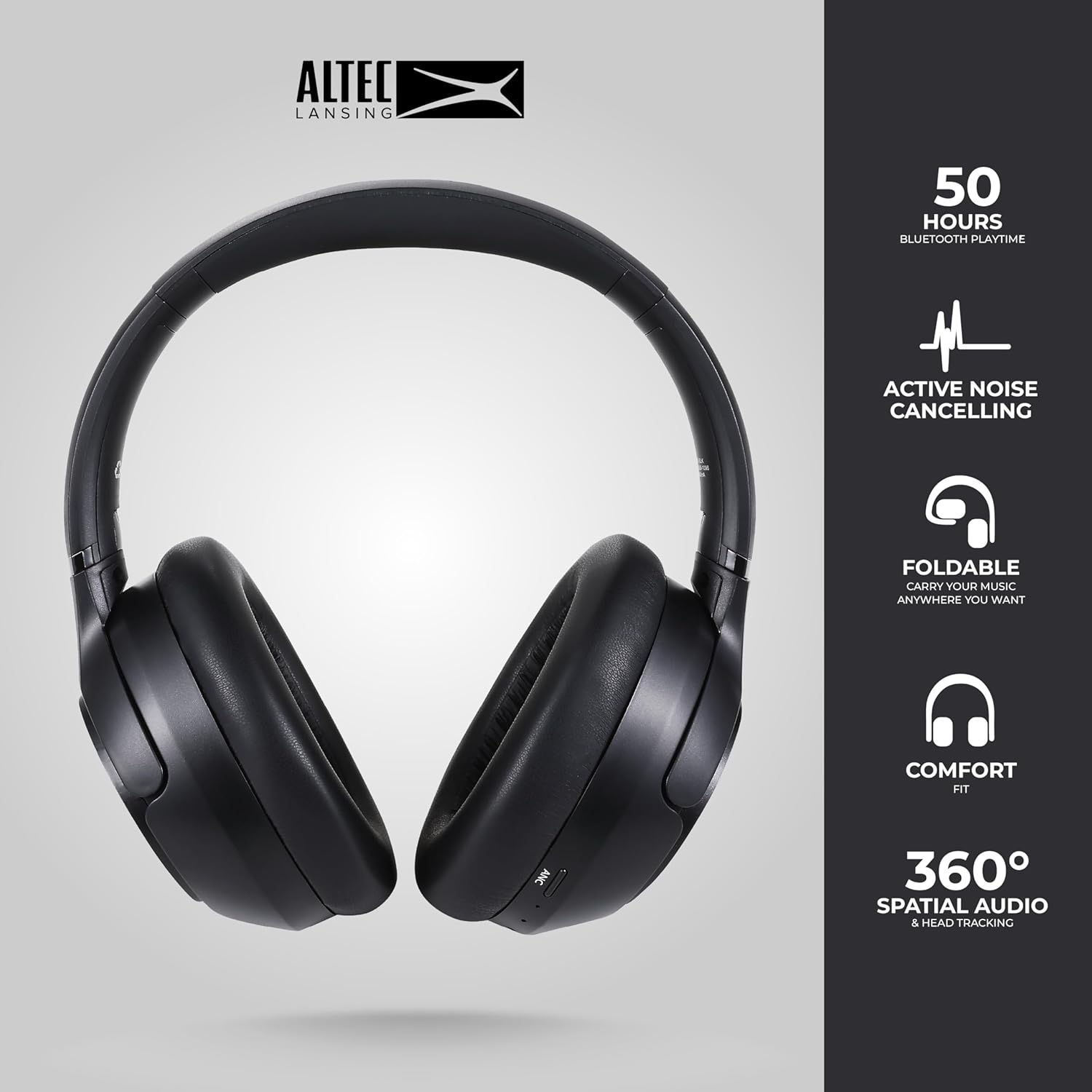
Image: The Altec Lansing Comfort Pro headphones, showcasing their sleek design and key features like 50 hours Bluetooth playtime, Active Noise Cancelling, foldable design, comfort fit, and 360° Spatial Audio & Head Tracking.
Сетуп
1. Пуњење слушалица
Before first use, fully charge your headphones. Connect the provided USB-C charging cable to the charging port on the headphones and the other end to a USB power source. The LED indicator will show charging status and turn off or change color when fully charged. A full charge typically takes approximately two hours.
2. Укључивање/искључивање
- За укључивање: Притисните и држите дугме за напајање око 3 секунде док се ЛЕД индикатор не упали.
- За искључивање: Притисните и држите дугме за напајање око 3 секунди док се ЛЕД индикатор не искључи.
3. Блуетоотх упаривање
The headphones support Bluetooth 5.4 for stable connectivity and multipoint pairing for connecting to two devices simultaneously.
- Уверите се да су слушалице искључене.
- Притисните и држите дугме за напајање отприлике 5-7 секунди док ЛЕД индикатор не почне брзо да трепери (обично плаво и црвено), што указује на режим упаривања.
- On your device (smartphone, laptop, tablet), go to Bluetooth settings and enable Bluetooth.
- Тражи available devices and select "Altec Lansing Comfort Pro" from the list.
- Једном када се повеже, ЛЕД индикатор ће престати да трепери и остати стално плави.
- For multipoint pairing, connect to the first device, then put the headphones back into pairing mode and connect to the second device. The headphones will intelligently switch between the two connected devices.

Слика: Детаљна view of the Altec Lansing Comfort Pro headphones highlighting the adjustable headband and the soft, lightweight ear cushions designed for comfort during extended use.
Оперативни
Контроле слушалица
The headphones feature intuitive controls located on the earcups. Refer to the image below for button identification.

Слика: Крупни план view of the right earcup of the Altec Lansing Comfort Pro headphones, showing the power button, volume controls, and other function buttons.
- Дугме за напајање: Притисните и држите да бисте укључили/искључили уређај. Кратак притисак за репродукцију/паузирање, одговарање/прекид позива.
- Јачина звука (+): Кратко притисните за повећање јачине звука. Дуго притисните за следећу нумеру.
- Утишавање (-): Кратко притисните за смањење јачине звука. Дуго притисните за претходну нумеру.
- АНЦ дугме: Press to cycle through Active Noise Cancellation modes (ANC On, Ambient Mode, ANC Off).
- Вишефункционално дугме (MFB): Double press to activate Voice Assistant (Siri/Google Voice). Triple press to activate Low Latency Mode.
Активно поништавање буке (ANC) и поништавање буке из окружења (ENC)
The Comfort Pro headphones feature powerful ANC to block out external noise and ENC for clear calls. Press the dedicated ANC button to toggle between ANC On, Ambient Mode (allowing some environmental sounds for awareness), and ANC Off. ENC is automatically active during calls to ensure your voice is clear.
Спатиал Аудио
Experience immersive sound with Spatial Audio. This feature creates a 3D soundstage, making audio feel more lifelike. Spatial Audio is automatically enabled when supported by your device and content.
Режим ниске кашњења
For gaming or video playback where audio-visual synchronization is critical, activate Low Latency Mode by triple-pressing the MFB. This reduces audio delay for a more synchronized experience.
Гласовни асистент
Access your device's voice assistant (Siri or Google Voice) by double-pressing the MFB. You can then issue commands through the headphone's microphone.
Управљање позивима
- Одговори/заврши позив: Кратко притисните дугме за напајање.
- Одбиј позив: Притисните и држите дугме за напајање 2 секунде.
Одржавање
Чишћење
Да бисте одржали перформансе и изглед ваших слушалица:
- Обришите слушалице и траку за главу меком, сувом крпом која не оставља влакна.
- За тврдокорну прљавштину лагано дampИсперите крпу водом. Избегавајте употребу јаких хемикалија, растварача или абразивних средстава за чишћење.
- Не дозволите да влага уђе у било који отвор.
Складиштење
When not in use, store your headphones in the provided carrying case to protect them from dust, scratches, and impacts. The foldable design allows for compact storage.

Image: The Altec Lansing Comfort Pro headphones neatly folded and stored inside their protective carrying case, emphasizing portability and protection.
Баттери Царе
- Избегавајте често потпуно пражњење батерије.
- Store the headphones with a partial charge if not used for extended periods.
- Избегавајте екстремне температуре, које могу смањити век трајања батерије.
Решавање проблема
If you encounter any issues with your Altec Lansing Comfort Pro headphones, refer to the following common solutions:
- Слушалице се не укључују: Уверите се да су слушалице потпуно напуњене. Прикључите их на извор напајања и покушајте поново после неколико минута.
- Не могу да упарим уређај са:
- Ensure the headphones are in pairing mode (LED flashing rapidly).
- Искључите и укључите Блутут на свом уређају.
- Delete "Altec Lansing Comfort Pro" from your device's Bluetooth list and attempt to pair again.
- Покушајте упаривање са другим уређајем да бисте искључили проблеме специфичне за уређај.
- Нема звука или је јачина звука ниска:
- Проверите нивое јачине звука и на слушалицама и на повезаном уређају.
- Уверите се да су слушалице правилно повезане путем Блутут-а.
- If using a wired connection, ensure the audio cable is fully inserted into both the headphones and the audio source.
- АНК не ради ефикасно:
- Ensure ANC is activated by pressing the ANC button.
- Adjust the fit of the headphones to ensure a good seal around your ears.
- ANC is most effective against low-frequency, constant noise. It may not completely block out voices or sudden, high-frequency sounds.
- Гласовни асистент не реагује: Ensure your device's voice assistant is enabled and that the headphones are properly connected. Double-press the MFB firmly.
Спецификације
| Назив модела | MX3050 (MZX3050-BLK-STK-6) |
| Технологија повезивања | бежични (Блуетоотх) |
| Блуетоотх верзија | 5.4 |
| Трајање батерије | Up to 60 Hours (40 Hours with ANC activated) |
| Функције контроле буке | Активно поништавање буке (ANC), поништавање буке из окружења (ENC) |
| Облик слушалице | Преко уха |
| Контролни метод | App, Voice, On-headphone buttons |
| Компатибилни уређаји | Smartphones, Laptops, Tablets |
| Материјал | Fabric/Silicone and Plastic/Metal (Combination) |
| Тежина артикла | 1 фунта |
| Ниво отпорности на воду | Водоотпоран |
Гаранција и подршка
For warranty information and customer support, please refer to the documentation included with your purchase or visit the official Altec Lansing website. You can typically find detailed warranty terms, FAQs, and contact information for technical assistance there.
Онлине ресурси: ввв.алтецлансинг.цом