
1. Производ је готовview
The Nulea M512 is an ergonomic wireless trackball mouse designed for comfort and precise control. It features a 55mm trackball, adjustable DPI settings, and multi-device connectivity via Bluetooth or 2.4GHz wireless. Its ambidextrous design ensures usability for both left and right-handed users.

Image: The Nulea M512 Wireless Trackball Mouse, showcasing its ergonomic design and central trackball.
2. Садржај пакета
- Нулеа М512 бежични миш за праћење
- УСБ-Ц кабл за пуњење
- 2.4GHz USB пријемник (смештен у мишу)
- Wrist Rest Pad
- Упутство за употребу
3. Подешавање
3.1 Пуњење уређаја
Before initial use, fully charge the Nulea M512 trackball mouse using the provided USB-C cable. Connect the USB-C end to the mouse and the USB-A end to a power source (e.g., computer USB port, wall adapter). The charging indicator will show the charging status.

Image: The Nulea M512 mouse connected via USB-C cable for charging.
3.2 Повезивање са вашим уређајем
The Nulea M512 supports three connection modes: 2.4GHz wireless via USB receiver and two independent Bluetooth 5.0 channels (BT1, BT2).
- Укључено: Пронађите прекидач УКЉУЧЕНО/ИСКЉУЧЕНО на дну миша и померите га у положај „УКЉУЧЕНО“.
- Select Connection Mode: Press the Mode Switch Key located on the side of the mouse to cycle through the connection options: USB (2.4GHz), BT1, BT2. The corresponding LED indicator will light up.
- 2.4ГХз бежична веза:
- Retrieve the 2.4GHz USB receiver from its storage slot on the bottom of the mouse.
- Прикључите УСБ пријемник у слободан УСБ-А порт на рачунару.
- Ensure the mouse is set to USB mode. The connection should be established automatically.
- Блутут веза (BT1/BT2):
- Set the mouse to either BT1 or BT2 mode using the Mode Switch Key.
- На рачунару или уређају отворите подешавања за Bluetooth и потражите нове уређаје.
- Select "Nulea M512" from the list of available devices to pair.
- Once paired, the LED indicator for BT1 or BT2 will remain solid.

Image: The Nulea M512 connected to multiple devices (laptop, tablet, monitor) via Bluetooth and 2.4GHz wireless.
Видео: Оверview of the Nulea M512 Trackball Mouse, demonstrating its features and connectivity.
4. Упутство за употребу
4.1 Функције дугмета
The Nulea M512 features a 55mm trackball and multiple buttons for enhanced control. Refer to the diagram below for button identification:

Image: Diagram illustrating the button layout and functions of the Nulea M512 trackball mouse.
- 1. Middle Key: Functions as a scroll lock or middle-click.
- 2. Back Key: Navigates back in web претраживачи или file истраживачи.
- 3. Left Button: Стандардна функција левог клика.
- 4. Right Button: Стандардна функција десног клика.
- 5. Right Scroll Wheel: Вертикално скроловање.
- 6. Left Scroll Wheel: Horizontal scrolling.
- Mode Switch Key (Side): Cycles between 2.4GHz, BT1, and BT2 connection modes.
- DPI Key (Side): Подешава осетљивост курсора.
- Left/Right Hand Mode Switch Key (Side): Toggles between left-handed and right-handed button assignments.
Note: All buttons are non-programmable. The Middle and Back buttons are not compatible with macOS.
4.2 Подешавање осетљивости DPI
The Nulea M512 offers four adjustable DPI levels (400/800/1200/1600) for precise cursor control. Press the DPI Key on the side of the mouse to cycle through these settings. The LED indicator will flash to indicate the current DPI level (e.g., one flash for 400 DPI, two flashes for 800 DPI, etc.).
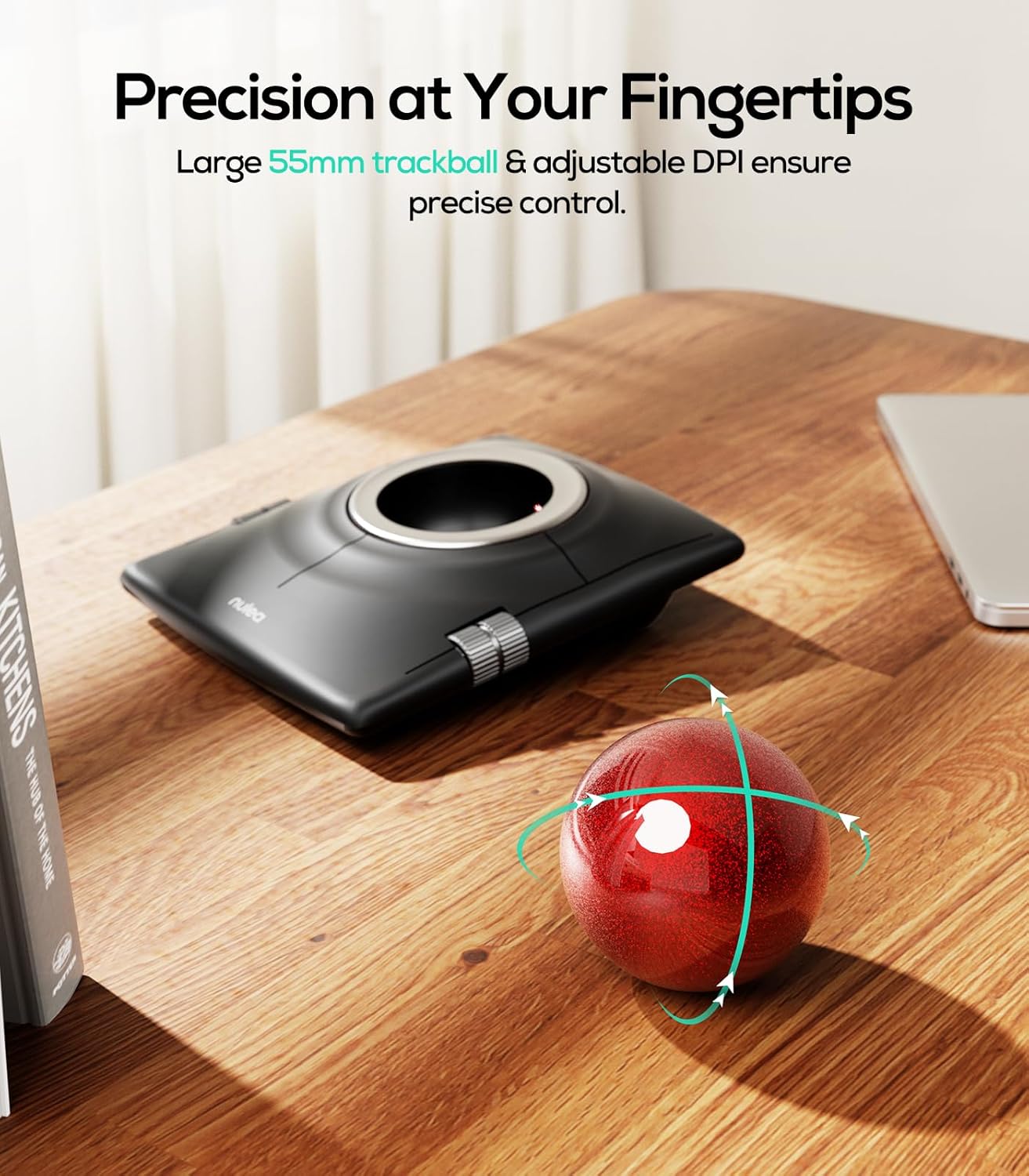
Image: The Nulea M512 trackball mouse highlighting its 55mm trackball and adjustable DPI for precise control.
4.3 Ambidextrous Mode
The M512 is designed for both left and right-handed users. Press the Left/Right Hand Mode Switch Key on the side of the mouse to swap the functions of the main buttons, adapting to your dominant hand for a natural grip.

Слика: Одозго надоле view of the Nulea M512, illustrating its dual-handed design and the ability to switch between left and right-hand modes.
4.4 Drag-Hold Function
Activate the drag-hold function by simultaneously pressing the Middle Key and Back Key. This allows you to drag items without continuously holding down a button. Exit this mode by pressing any of the four main buttons.
4.5 Ergonomic Use with Wrist Rest
For optimal comfort and to reduce forearm strain during extended use, it is recommended to use the included wrist rest pad. Position the wrist rest in front of the trackball mouse to support your wrist and maintain a neutral hand posture.

Image: A hand using the Nulea M512 trackball mouse with the included wrist rest, demonstrating ergonomic finger control.

Слика: Детаљна view of the ergonomic wrist rest pad, highlighting its memory foam and skin-friendly fabric for pressure relief.
5. Одржавање
5.1 Чишћење трекбола
Over time, lint, dust, and hair may accumulate around the trackball bearings, affecting smooth movement. To clean:
- Turn off the mouse using the ON/OFF switch.
- Gently push the trackball out from the hole on the bottom of the mouse.
- Wipe the trackball and the inside of the trackball socket with a soft, dry cloth.
- If necessary, use a brush or cotton swab to clean the optical sensor and the three support bearings inside the socket.
- Reinsert the trackball into the socket.
5.2 Одржавање батерије
To prolong battery life, turn off the mouse when not in use for extended periods. Recharge the mouse when the battery indicator shows low power.
КСНУМКС. Решавање проблема
- Миш не реагује:
- Уверите се да је миш укључен.
- Проверите ниво батерије и напуните ако је потребно.
- Verify the correct connection mode (2.4GHz, BT1, BT2) is selected.
- For 2.4GHz, ensure the USB receiver is securely plugged into the computer.
- For Bluetooth, re-pair the device if the connection is lost.
- Trackball movement is erratic or sticky:
- Очистите куглу и њено утичницу као што је описано у одељку Одржавање.
- Buttons not functioning correctly:
- Ensure the mouse is in the correct left/right-handed mode.
- Note that the Middle and Back keys are not compatible with macOS.
- DPI sensitivity issues:
- Press the DPI Key to cycle through the four sensitivity settings until a suitable level is found.
7. Спецификације
| Феатуре | Детаљ |
|---|---|
| Бранд | Nulea |
| Број модела | М512 |
| Технологија повезивања | Bluetooth, 2.4GHz USB |
| Откривање покрета | Трацкбалл |
| Trackball Size | 55мм |
| Подесиви ДПИ | 400, 800, 1200, 1600 |
| Количина дугмета | 7 |
| Оријентација руке | Амбидектроус |
| Извор напајања | Напајање на батерије (пуњиво) |
| Компатибилни уређаји | Лаптоп, лични рачунар |
| Оперативни систем | Виндовс, мацОС, Андроид |
| Домет | 33 стопа |
| Тежина артикла | 0.56 килограма |
8. Гаранција
The Nulea M512 Wireless Trackball Mouse comes with a 12-month hassle-free replacement warranty from the date of purchase. Please retain your proof of purchase for warranty claims. This warranty covers manufacturing defects and malfunctions under normal use.
9. Подршка
For technical assistance, troubleshooting, or warranty inquiries, please contact Nulea customer support through the official Nulea website or your retailer's support channels. Provide your product model number (M512) and a detailed description of the issue for efficient service.